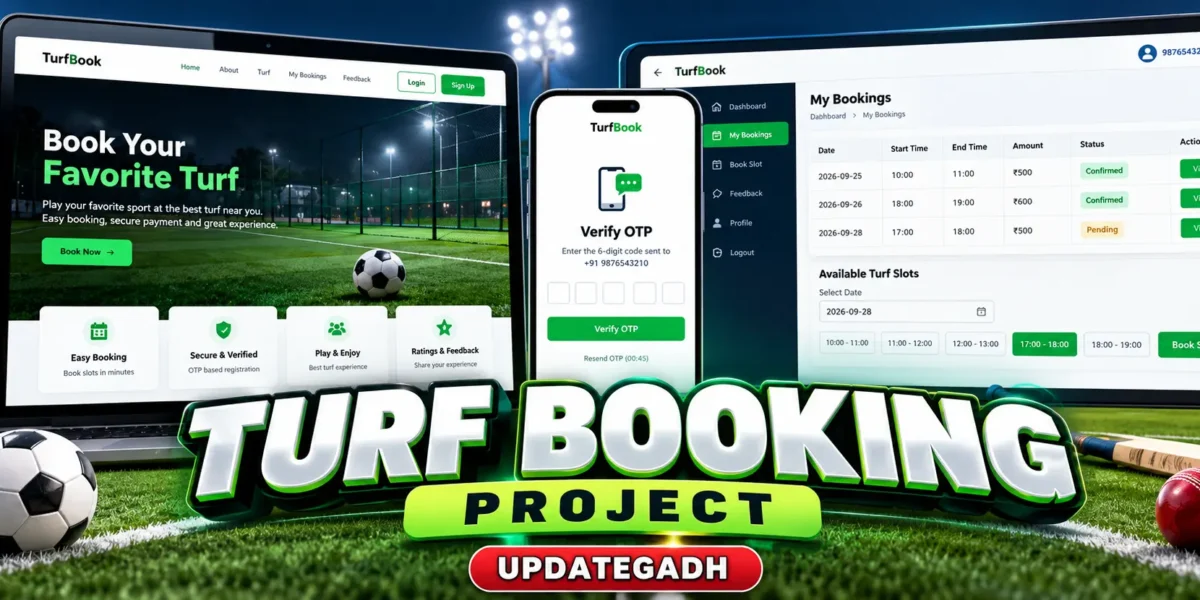
Turf Booking Project using Python and Django
The Turf Booking Project is a Django-based web application created to simplify the process of reserving sports turf slots. It provides a practical workflow in which users can create an account with a phone number, complete OTP verification, log in, choose a booking period, view booking information, and submit feedback. The project uses SQLite3 for data storage and is designed as an intermediate-level college project that demonstrates how a real booking workflow can be organized with Django.
Complete Advance AI Topics: Click Here
Real Time Projects on YouTube:- DecodeIT
Project Overview
| Parameter | Details |
|---|---|
| Project Name | Turf Booking Project |
| Language/s Used | Python, HTML, CSS, JavaScript |
| Framework | Django |
| Database | SQLite3 |
| Type | Web Application |
Project Introduction
Sports turf booking can become difficult when available time periods, customer information, and booking records are handled manually. This project brings those activities into one web interface. A user can register with a mobile number, verify the account through a six-digit OTP, sign in with the phone number and password, and manage turf reservations from a personal dashboard. The application also stores ratings and comments so feedback can be managed along with booking information.
The source concept specifically uses Twilio for OTP delivery. The project keeps that integration as part of the registration workflow while allowing the local demonstration to be tested with a generated OTP. This makes the application suitable for understanding both Django development and external SMS API integration.
Key Features
Phone-Based Registration
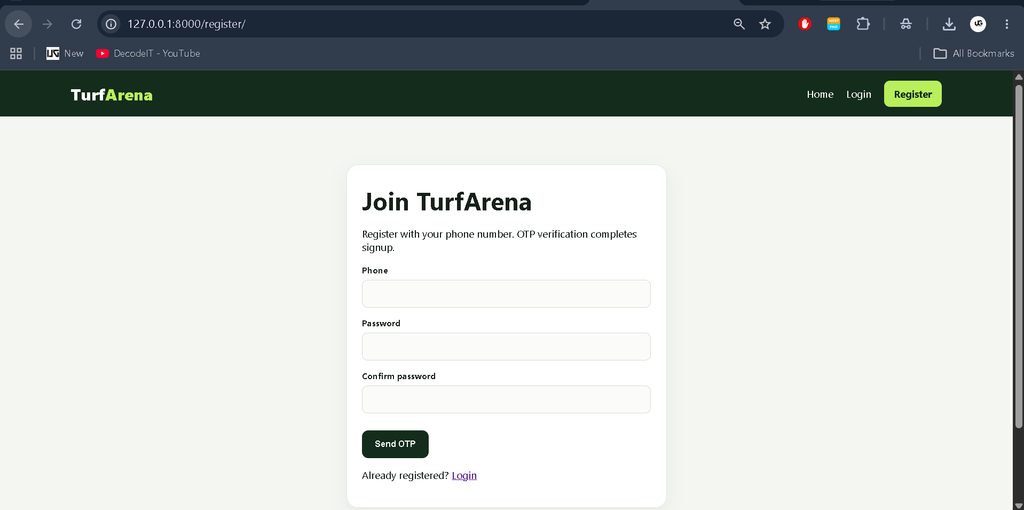
The application uses a phone number as the account identifier instead of relying on a traditional email-based registration flow. Password confirmation is checked and duplicate phone numbers are prevented.
OTP Verification
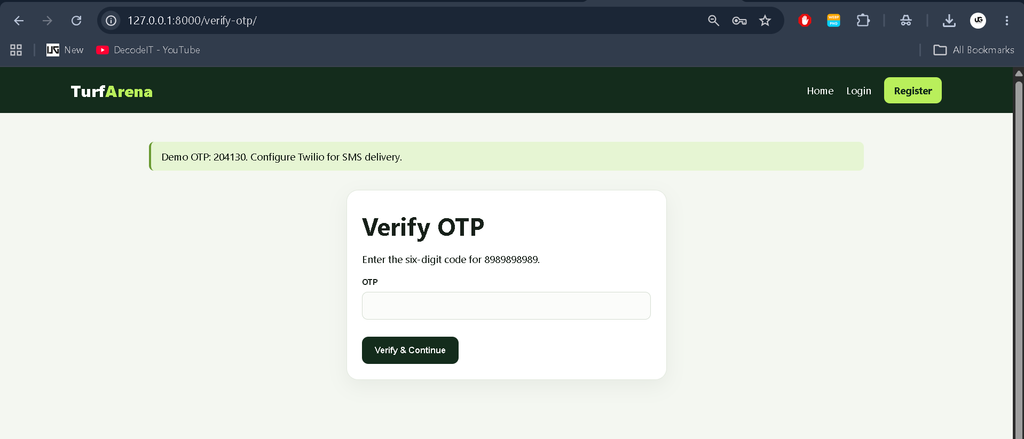
A six-digit OTP is generated during registration. The project concept uses Twilio to deliver this code by SMS. Verification is required before the account is ready for normal use.
Secure Login and Logout
Verified users authenticate with their phone number and password. Django session handling keeps the authenticated area separate from public pages and provides a normal logout flow.
Turf Slot Booking
Users enter their name, phone number, start time, end time, and total amount. The application validates the time range and checks active reservations for overlap before saving a booking.
Booking Dashboard
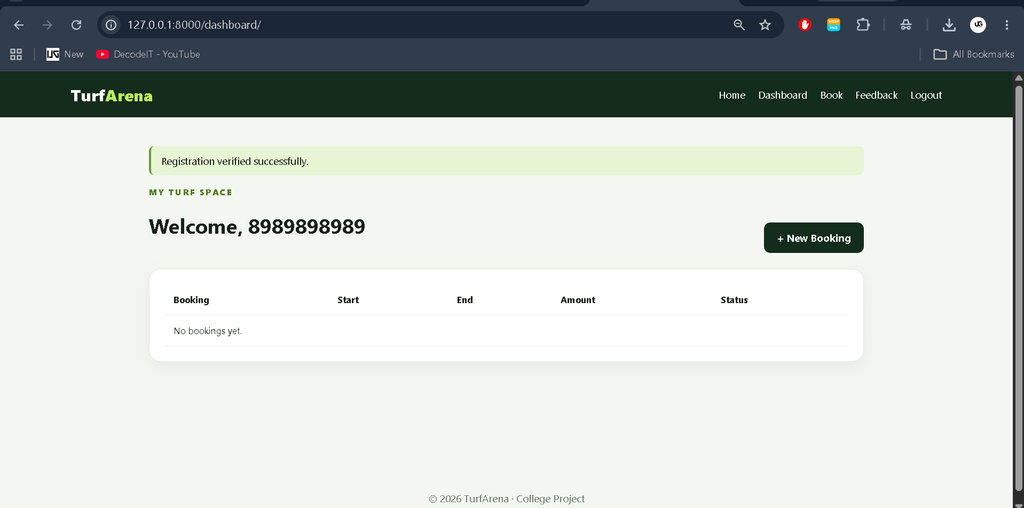
The dashboard presents a user’s booking history with booking number, time range, amount, and status. A separate confirmation page shows the details of an individual reservation.
Ratings and Feedback
Users can submit a numerical rating and written comment. The system stores the user name, rating, comment, and creation date for administrative review.
Admin Management
The Django admin panel provides management access for user profiles, turf bookings, and ratings. Administrators can search records, filter booking status, and manage invalid entries.
User Roles
User
- Register with a phone number and password.
- Verify the account with an OTP.
- Log in and access the dashboard.
- Book a turf time period and view confirmation details.
- Submit a rating and feedback comment.
Admin
- Access Django administration.
- Manage registered profiles and verification status.
- Review turf booking records and statuses.
- Monitor ratings and feedback.
Download Complete Source Code
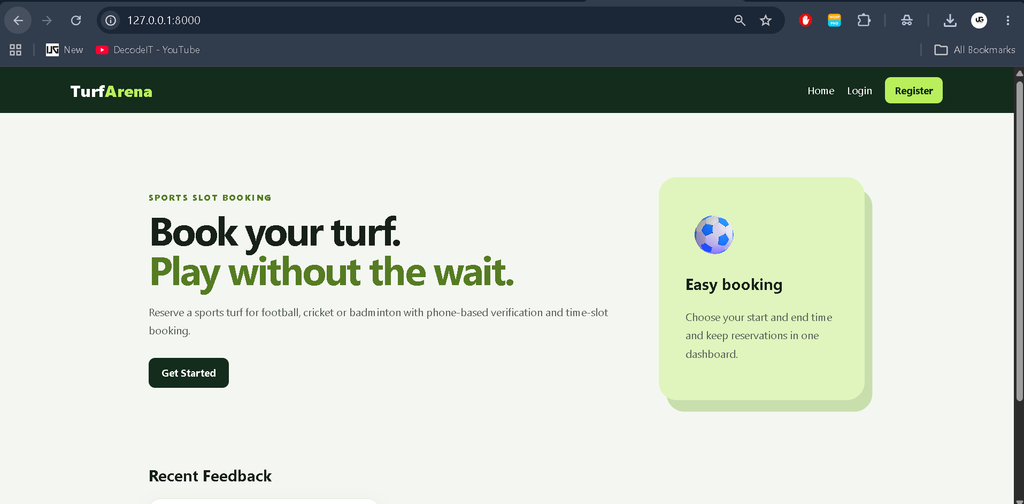
Screenshot
Project Modules
The project is organized around authentication, verification, booking, feedback, and administration. Authentication handles registration and login. OTP verification manages the temporary six-digit code. The booking module stores customer details, time ranges, amounts, and status. The rating module records feedback. Django Admin provides centralized management for the stored records.
Technologies Used
Python provides the application logic and Django supplies routing, forms, authentication, sessions, models, and administration. SQLite3 is used for lightweight data storage. HTML and CSS create the web interface, while the templates are ready for JavaScript-based enhancement where needed. Twilio is the external service specified for SMS OTP delivery.
How the System Works
The workflow begins at registration. A visitor enters a phone number and password, the application validates the information, and a temporary six-digit OTP is generated. After successful verification, a Django user and profile are created. The user can then sign in and open the dashboard.
For a reservation, the user enters booking information and submits the form. The application checks that the end time follows the start time and searches for an overlapping pending or confirmed reservation. If a conflict is found, the booking is rejected; otherwise, it is stored with a confirmed status. The user can later open the confirmation page from the dashboard. Feedback is submitted through a separate rating form and stored for management.
Installation and Setup
Open the project in Visual Studio Code and create a virtual environment. Install the required packages and prepare the database with these commands:
python -m venv venv
venv\Scripts\activate
pip install -r requirements.txt
python manage.py makemigrations
python manage.py migrate
python manage.py createsuperuser
python manage.py runserver
After starting the server, open http://127.0.0.1:8000/. The administration interface is available at http://127.0.0.1:8000/admin/. For live SMS delivery, configure the Twilio Account SID, Auth Token, and Twilio phone number in the OTP sending logic. The included local demonstration can be tested with the generated OTP.
Usage
A user registers, completes OTP verification, signs in, opens the dashboard, and books a suitable time range. Booking information remains available through the dashboard, while feedback can be submitted after the turf experience. The administrator uses Django Admin to inspect profiles, bookings, and ratings. This separation keeps normal booking actions simple while giving the administrator centralized record management.
Frequently Asked Questions
Which database is used?
The project uses SQLite3, which is suitable for this college-level Django application.
Does registration use a phone number?
Yes. The phone number is used as the account username in the implementation.
Is OTP verification included?
Yes. A six-digit OTP is generated during registration, with Twilio specified for SMS delivery.
Can overlapping turf slots be booked?
The booking workflow checks active reservations for overlapping times and rejects a conflicting reservation.
Can an administrator manage ratings?
Yes. Ratings and feedback are available in Django Admin for management.
Future Scope
- Add booking cancellation and refund handling while retaining the current booking workflow.
- Connect the OTP flow to a configured Twilio account for live SMS delivery.
- Extend the booking interface with a clearer view of occupied time periods.
- Improve feedback management while retaining the existing rating and comment model.
Conclusion
The Turf Booking Project demonstrates how Django can support a practical sports-slot reservation application without unnecessary complexity. Phone-based authentication, OTP verification, booking validation, dashboard records, feedback, and Django Admin together form a complete intermediate-level college project. The application gives students hands-on experience with models, forms, sessions, CRUD-oriented administration, validation, and an external SMS service while keeping the code understandable and suitable for further academic development.
Keywords:
Turf Booking System
Turf Booking System
turf booking system project
turf booking system project github
turf booking system github
turf booking in delhi
lawn booking system
turf booking in thane
turf booking in kolkata
turf booking in bangalore