Hotel Booking Management System Using Python Django
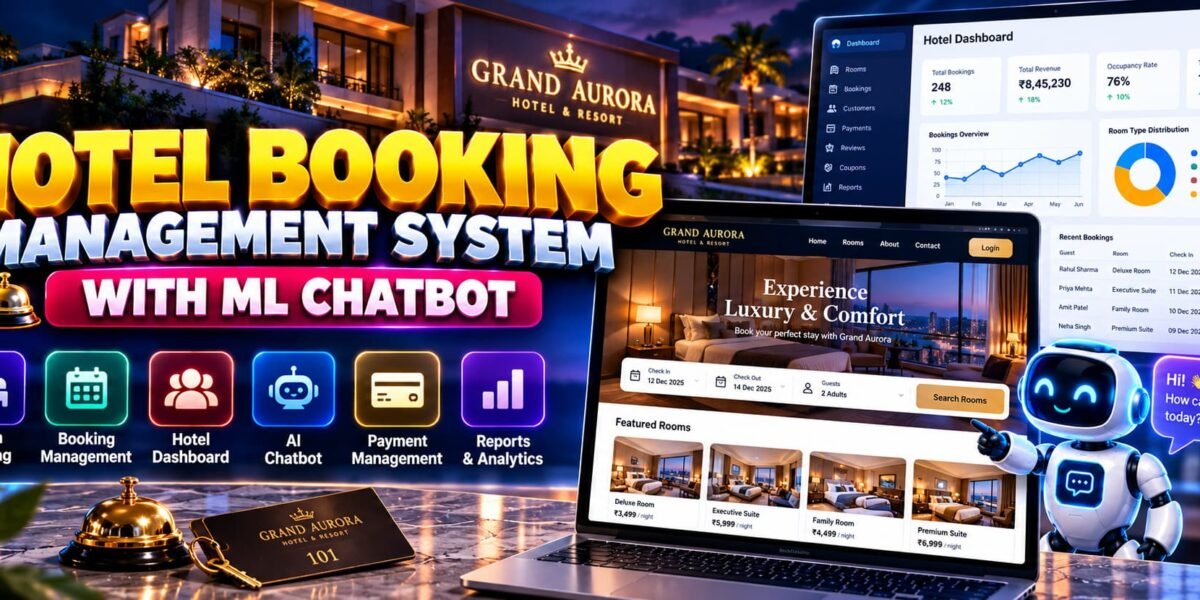
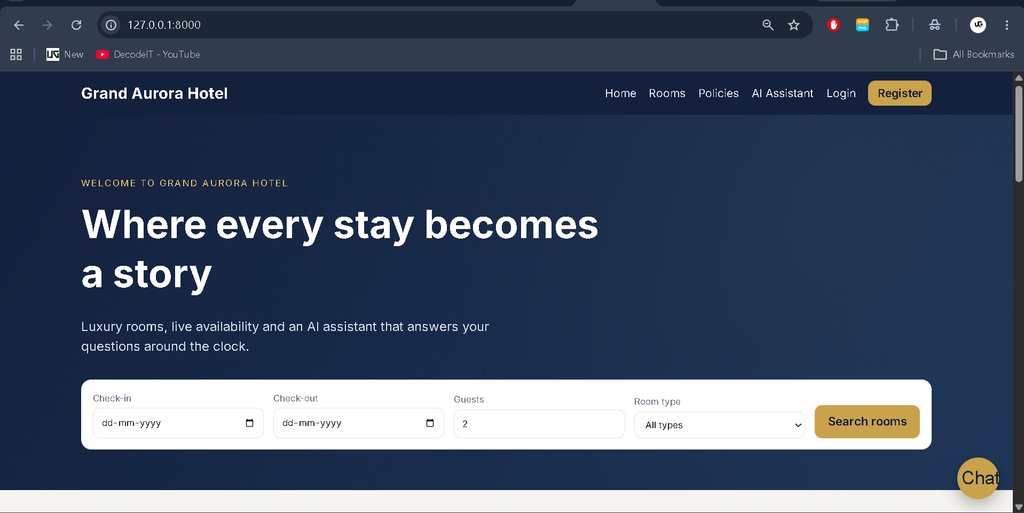
The Hotel Booking Management System Using Python Django with ML Chatbot is a web-based application designed to manage hotel reservations, room availability, pricing, payments, and customer interactions. Developed by UPDATEGADH, the project combines Python, Django, SQLite or MySQL, and machine-learning techniques to provide a complete hotel management solution.
The system includes a customer booking website, a staff-only management dashboard, an AI-powered chatbot, booking and cancellation workflows, invoice generation, customer reviews, and sales analytics. It is suitable for students interested in web development, database management, machine learning, and practical software engineering.
Complete Advance AI Topics: Click Here
Real Time Projects on YouTube:- DecodeIT
What Is a Hotel Booking Management System?
A Hotel Booking Management System helps customers search for available rooms, compare prices, make reservations, and manage their bookings. Hotel staff can manage rooms, pricing, customers, payments, cancellations, and reports through a centralized dashboard.
The Grand Aurora project extends these capabilities with a machine-learning chatbot that answers hotel-related questions using live application data and a stored FAQ knowledge base.
Project Overview
| Project Details | Description |
|---|---|
| Project Name | Grand Aurora – Hotel Booking Management System with ML Chatbot |
| Programming Language | Python |
| Framework | Django |
| Frontend | HTML, CSS, JavaScript |
| Database | SQLite / MySQL |
| Machine Learning | Scikit-learn, NLTK |
| Application Type | Web Application |
What Are the Available Features?
1. Customer Management
- Customer registration, login, and password reset.
- Profile management with avatar uploads.
- Search and filter rooms by dates, guests, price, room type, and amenities.
- Sort available room listings.
- View live room availability and price quotes.
2. Room Booking Management
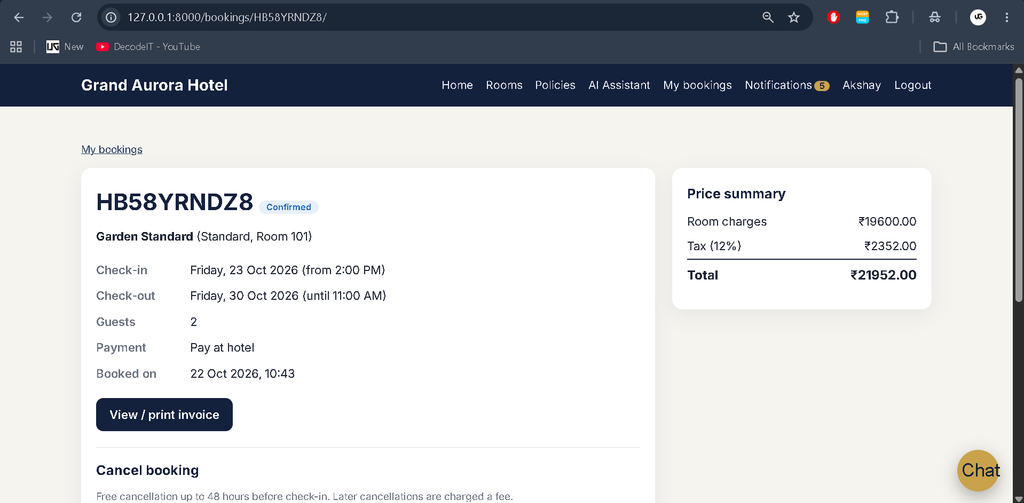
- Book available rooms with a unique booking reference.
- View booking history and reservation status.
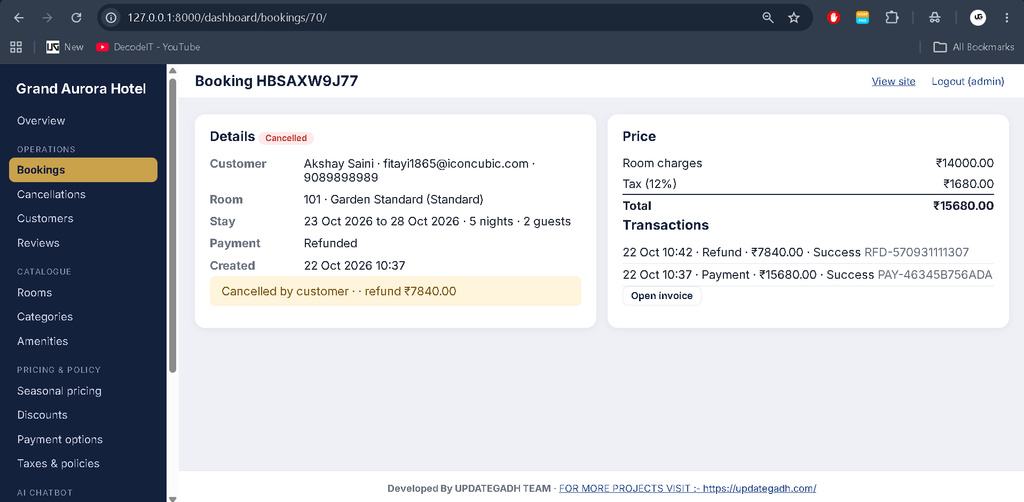
- Cancel bookings with automatic refund calculation.
- Print booking invoices.
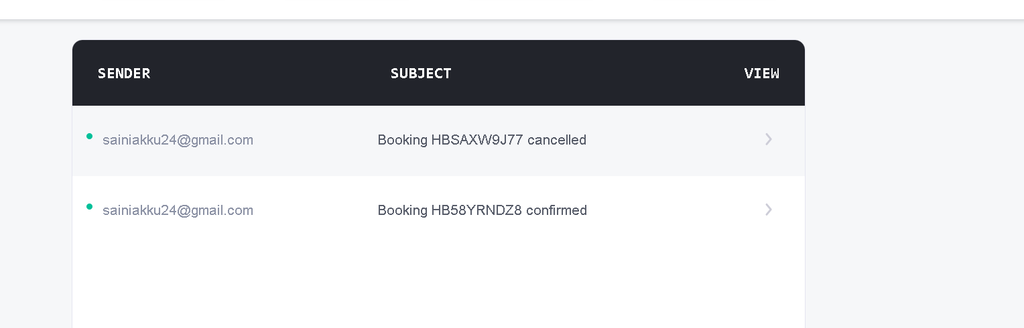
- Receive in-app notifications and email confirmations.
- Prevent overlapping active bookings for the same room.
3. Hotel Management Dashboard
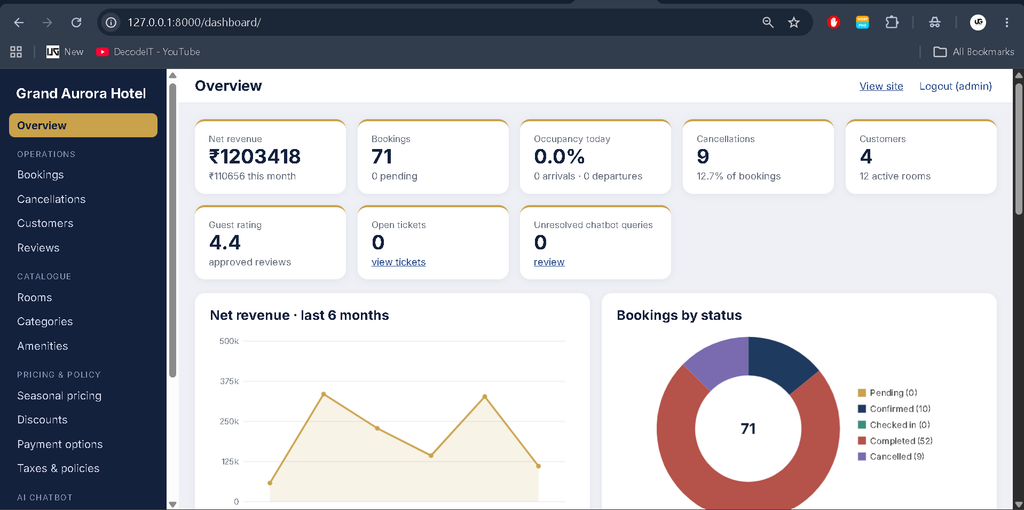
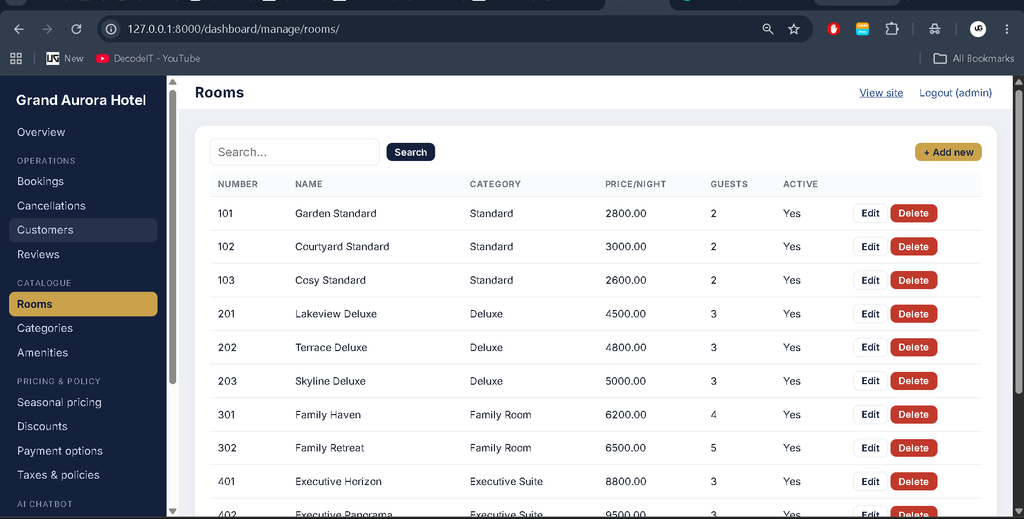
The staff-only dashboard at /dashboard/ provides database-driven statistics and operational management tools.
- View KPI cards and five interactive charts.
- Monitor net revenue, bookings, occupancy, cancellations, ratings, and chatbot activity.
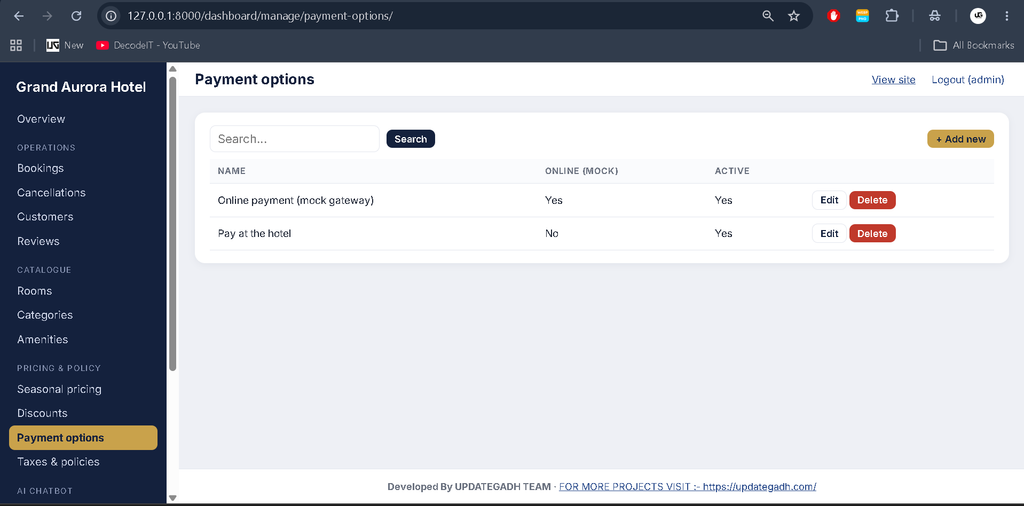
- Manage rooms, categories, amenities, seasonal pricing, discount codes, and payment options.
- Confirm bookings, check in guests, complete stays, mark payments, and process cancellations and refunds.
- Activate or deactivate customer accounts.
- Moderate reviews and manage cancellation records.
- Configure taxes, hotel policies, and check-in/check-out times as a superuser.
- Export booking, payment, customer, cancellation, and room reports to CSV.
4. Machine-Learning Chatbot
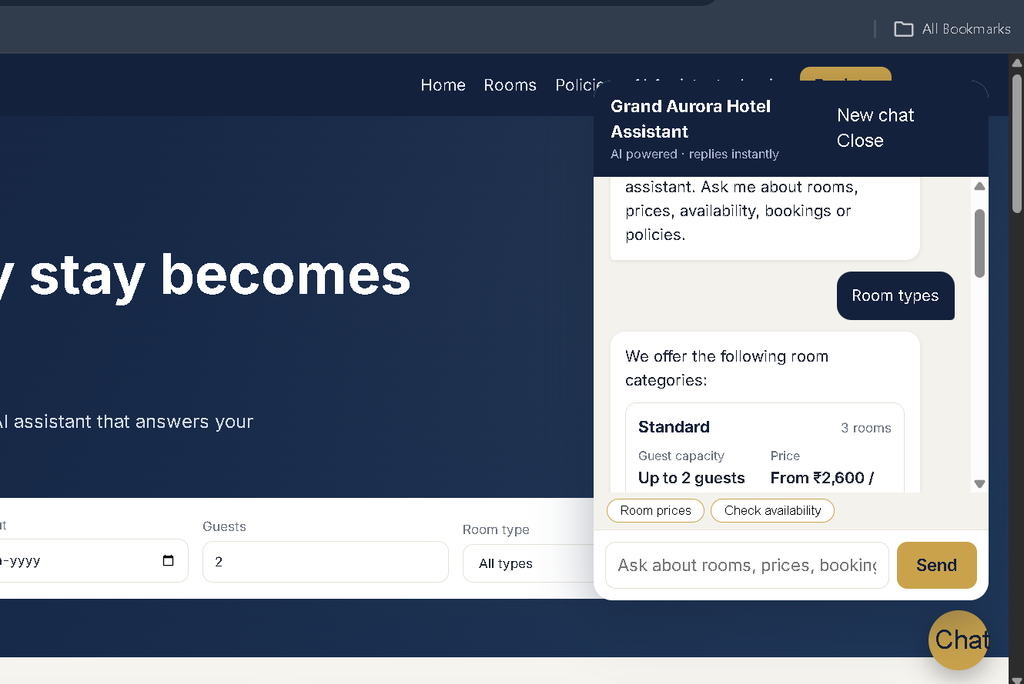
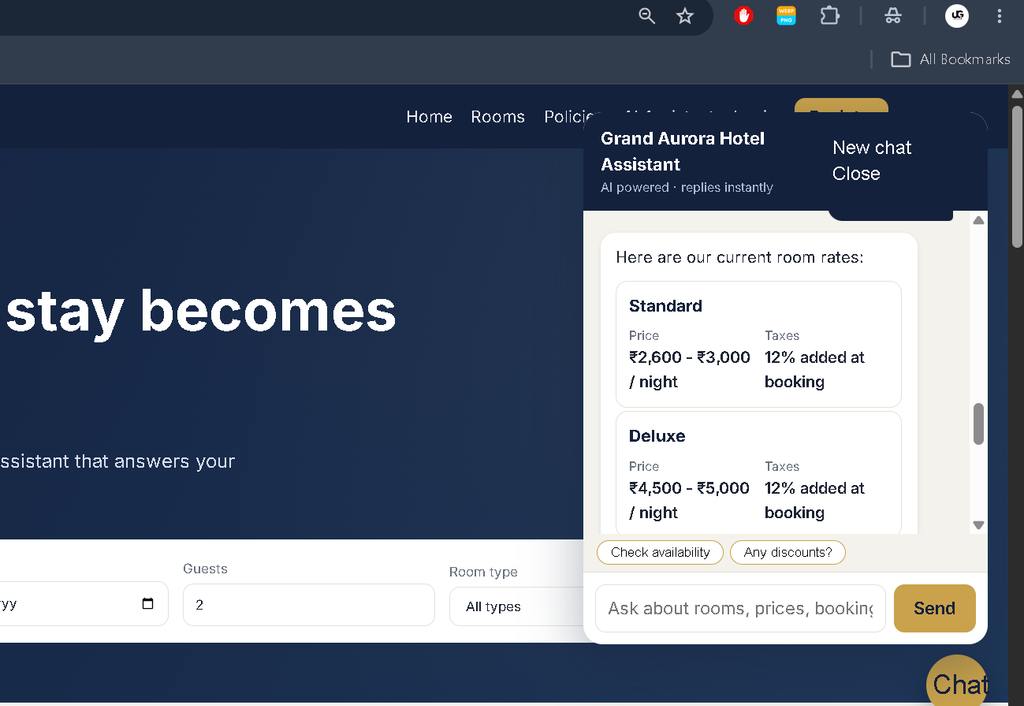
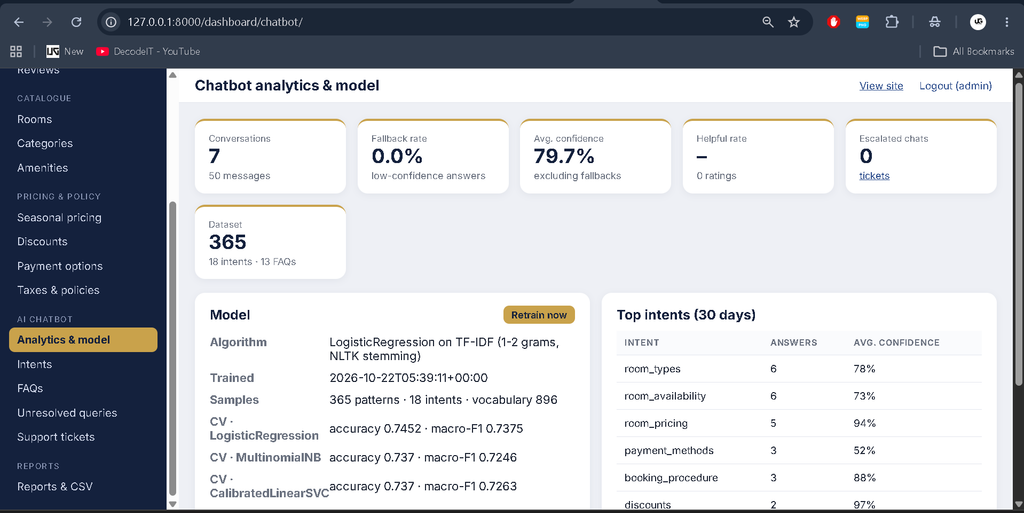
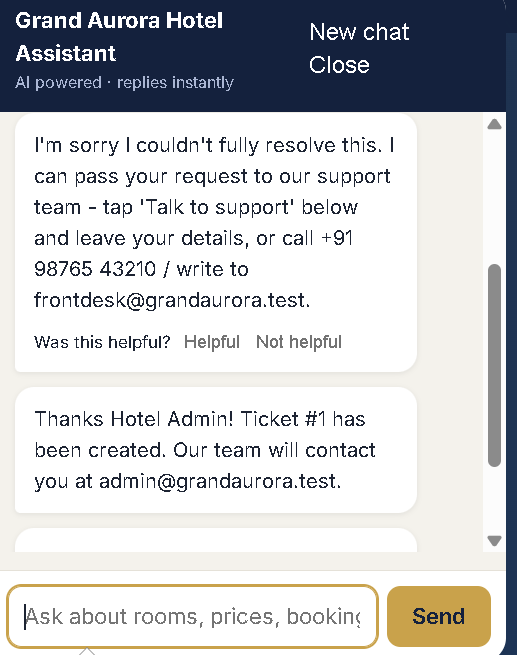
The chatbot is available throughout the website and answers common hotel-related questions using an intent-classification model and live Django data.
- Recognize customer questions using text preprocessing and machine learning.
- Handle queries about room availability, pricing, amenities, and hotel policies.
- Extract dates, number of nights, guest counts, room types, and booking references.
- Answer questions about the logged-in customer’s own bookings.
- Use conversation history to support follow-up questions.
- Search a FAQ knowledge base when intent confidence is low.
- Record unresolved queries and support ticket requests.
- Allow authorized staff to manage chatbot intents, patterns, responses, FAQs, and retraining.
5. Payment, Reviews, and Notifications
- Support mock payments and pay-at-hotel options.
- Calculate refunds when bookings are cancelled.
- Allow customers to submit reviews and ratings after a stay.
- Send booking confirmation emails after successful booking transactions.
- Display in-app notifications for relevant booking updates.
Which Technologies Are Used?
- Python and Django: Backend logic, booking workflows, authentication, and dashboard functionality.
- SQLite / MySQL: Store hotel, customer, booking, and payment information.
- Scikit-learn: Train and evaluate the chatbot’s intent-classification models.
- NLTK: Tokenize and preprocess chatbot messages.
- HTML, CSS, JavaScript: Build the website and interactive dashboard.
- Joblib: Save and load trained machine-learning artifacts.
How Does the ML Chatbot Work?
The chatbot processes a user’s message using NLTK preprocessing, converts text into TF-IDF features, and predicts the most suitable intent. The training command compares Logistic Regression, Multinomial Naive Bayes, and a calibrated Linear SVM using stratified cross-validation.
The selected model is evaluated and saved for later use. Answers are generated using live hotel data, configured responses, or FAQ similarity matching. Unresolved queries can be reviewed by staff and used to improve future training.
What Software Is Required?
- Python 3.10 or later; Python 3.12 is recommended.
- Visual Studio Code.
- Web Browser.
- Required Python packages listed in
requirements.txt.
How to Download
The complete package is available so you can run, study, and submit it with confidence. It includes:
- Full Source Code
- Project Report
- Synopsis
- PPT Presentation
Screenshot
How to Install the Project in VS Code
Open the extracted project folder in Visual Studio Code and create a virtual environment using the terminal.
Windows PowerShell
python -m venv venv
venv\Scripts\Activate.ps1
pip install -r requirements.txt
python manage.py makemigrations hotel chatbot
python manage.py migrate
python manage.py createsuperuser
python manage.py seed_demo
python manage.py train_chatbot
python manage.py runserver
If PowerShell blocks environment activation, run Set-ExecutionPolicy -Scope Process Bypass in the current terminal and activate the environment again.
macOS and Linux
python3 -m venv venv
source venv/bin/activate
pip install -r requirements.txt
python3 manage.py makemigrations hotel chatbot
python3 manage.py migrate
python3 manage.py createsuperuser
python3 manage.py seed_demo
python3 manage.py train_chatbot
python3 manage.py runserver
Open http://127.0.0.1:8000/ for the website or http://127.0.0.1:8000/dashboard/ for the management dashboard. Sign in to the dashboard using the superuser account you created.
How to Test the Project?
Run the automated test suite from the activated virtual environment.
python manage.py testTo test individual applications, use python manage.py test hotel, python manage.py test chatbot, or python manage.py test dashboard. Tests cover booking, availability, pricing, chatbot processing, permissions, dashboard workflows, and CSV exports.
Security and Payment Notes
The project uses Django authentication, staff and superuser authorization, CSRF protection, server-side validation, image upload checks, booking ownership verification, chatbot API rate limiting, and CSV formula-injection protection.
Payments are simulated through a mock gateway; card information is not collected or stored. Before production deployment, configure secure environment variables, SMTP, a production database, static and media serving, and a suitable real payment provider.
Why Is This Project Useful for Students?
This project combines full-stack web development with practical machine learning. Students can learn Django models, database transactions, reservation conflict prevention, authentication, reporting, chatbot training, natural-language processing, and automated testing within one application.
Final Thoughts
The Grand Aurora Hotel Booking Management System with ML Chatbot is a useful academic project for understanding hotel reservations and intelligent customer support. Its customer website, management dashboard, booking workflows, reports, and machine-learning chatbot demonstrate how multiple technologies can work together in a real-world-style application.
Frequently Asked Questions
1. Which framework is used in this project?
The project uses Django, a Python web framework, with HTML, CSS, and JavaScript for the frontend.
2. Which database is supported?
SQLite is the default database, and MySQL can be configured as an alternative.
3. What does the machine-learning chatbot do?
It classifies customer messages, answers hotel-related questions using application data, searches FAQs, and records unresolved queries for staff review.
4. Does the project support real online payments?
No. It includes mock payment options and pay-at-hotel functionality. A real payment gateway must be configured separately for production.
5. How do I start the project?
Install the requirements, run the Django migrations, create a superuser, seed the demo data, train the chatbot, and start the development server with python manage.py runserver.
Keywords: Hotel Booking Management System Using Python Django with ML Chatbot, Django Hotel Booking Project, Python Hotel Management System, Machine Learning Chatbot Project, Hotel Reservation System Django, AI Chatbot for Hotel Booking