Create a URL Shortener Using Django Framework
A URL Shortener Using Django is a practical web application for converting long web addresses into compact links that are easier to share and manage. Long URLs can become difficult to copy, remember, or present neatly in messages and online content. This project solves that problem with a custom Django workspace where registered users can create short links, redirect visitors to the original destinations, and review click activity.
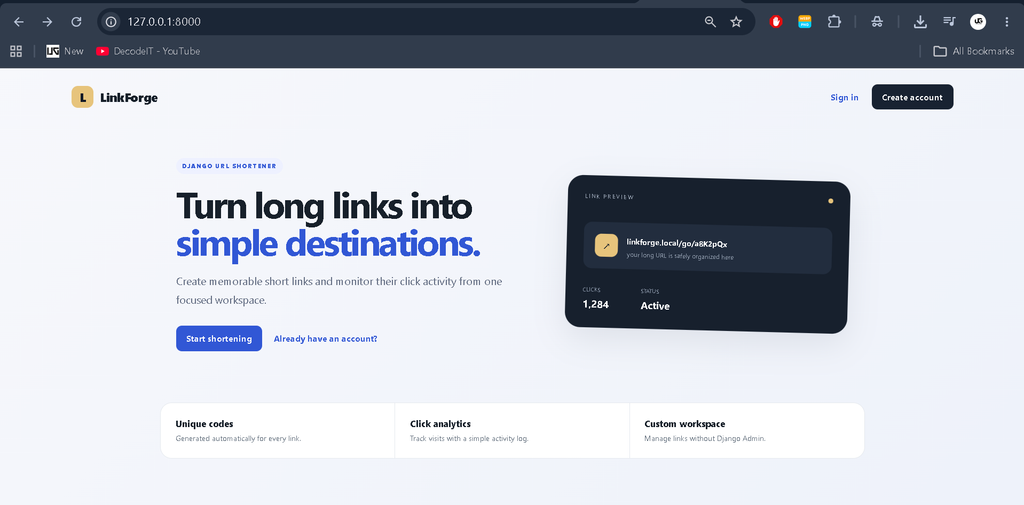
The project is designed as a medium-level college application rather than a basic form demonstration. It combines authentication, database operations, URL validation, automatic short-code generation, redirect handling, analytics, search, filtering, and a responsive dashboard. The interface is also built independently of Django Admin so that the complete workflow can be understood from the application’s own pages.
Complete Advance AI Topics: Click Here
Real Time Projects on YouTube:- DecodeIT
Project Overview
| Project Detail | Description |
|---|---|
| Project Name | URL Shortener Using Django Framework |
| Framework | Python Django |
| Database | SQLite |
| Frontend | HTML and CSS |
| Authentication | Django Authentication |
Key Features
- User Registration and Login: Users can create accounts and securely access their own URL workspace.
- Automatic Short-Code Generation: Every saved destination receives a unique seven-character code.
- URL Redirection: A visitor opening a generated short path is redirected to the original URL.
- Click Tracking: Each successful redirect creates a click event and updates the link counter.
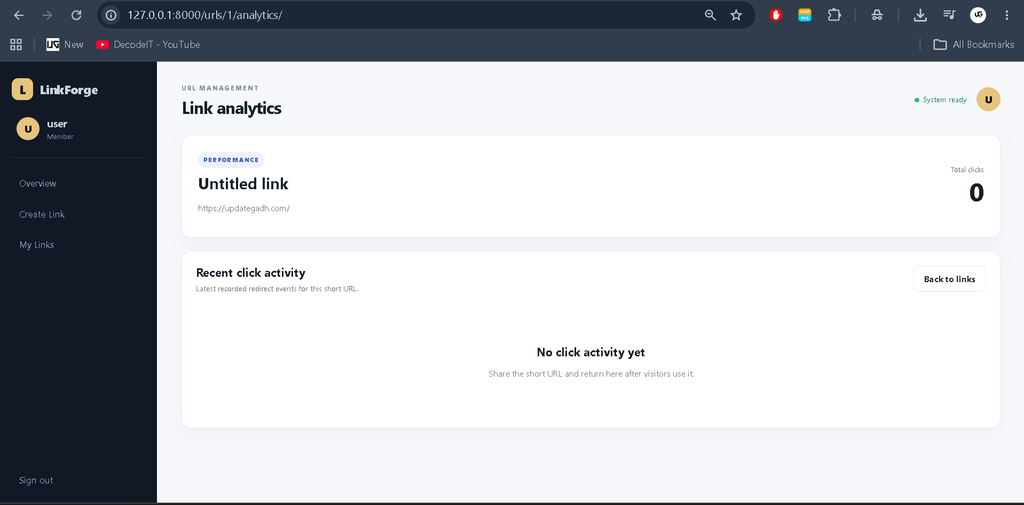
- Analytics Page: Users can inspect total clicks and recent click activity for individual links.
- Search and Filtering: The dashboard can search by title, original URL, or short code and filter active or paused records.
- Custom Dashboard: KPI cards, a professional table, status badges, and quick actions provide a complete management experience.
User Roles
The project uses a straightforward authenticated-user model. A registered user can manage the short URLs belonging to that account, while unauthenticated visitors can access the landing page and registration or login screens. Each user’s links are isolated through ownership relationships, so the dashboard does not expose another user’s records. A separate enterprise permission system is unnecessary for this college-level application.
Technologies Used
Python is used for the application logic, while Django provides routing, authentication, forms, database models, sessions, and request handling. SQLite is used as the development database because it is simple to configure and works well for a college project. The interface uses HTML templates and CSS with responsive layouts. No Django Admin dependency is required for the main workflow.
Project Modules
1. Authentication Module
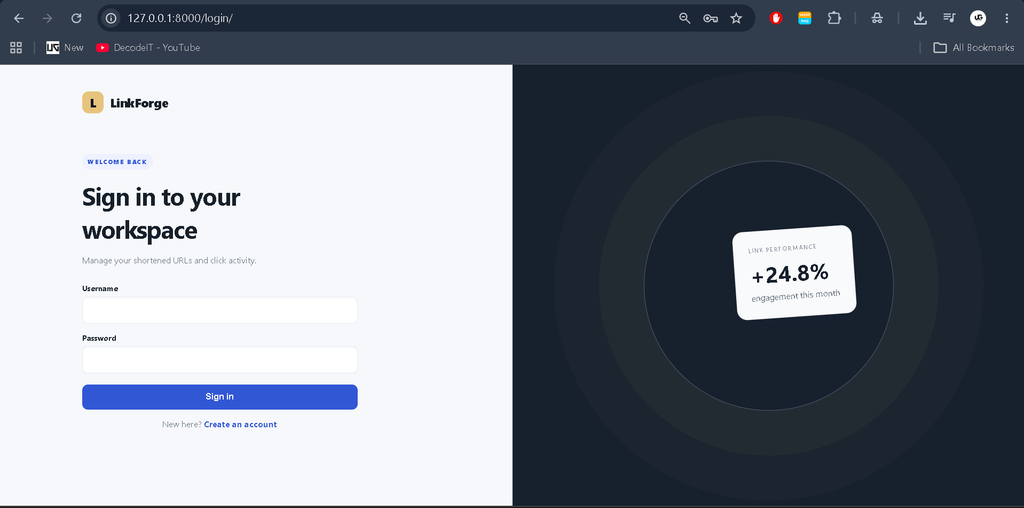
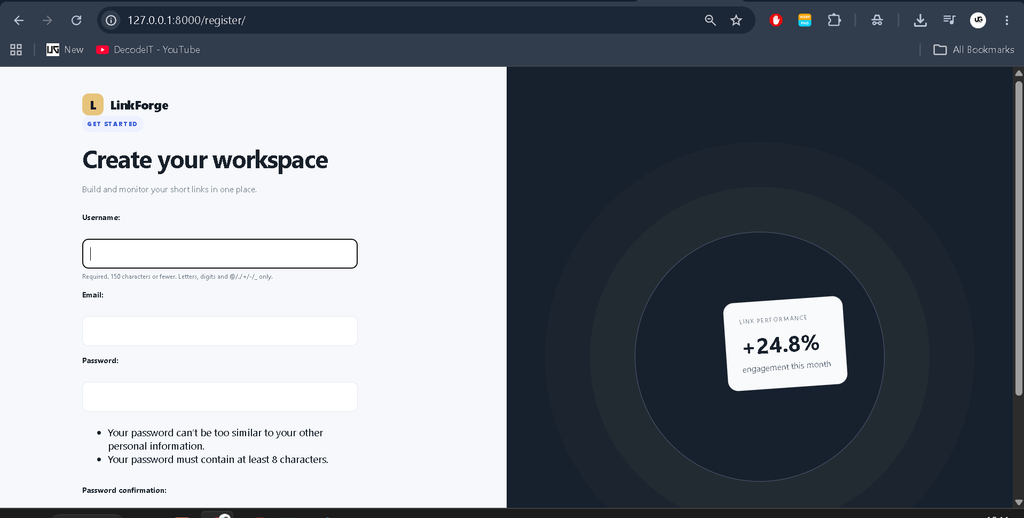
The authentication module contains registration, login, and logout functionality. Registration collects a username, email address, and password. Django’s built-in password handling is used instead of storing raw passwords. Login verifies credentials and sends authenticated users to the dashboard.
2. URL Management Module
The main URL module allows a user to enter an original web address and an optional title. After validation, the system creates a database record and generates a unique short code. The record stores the owner, original URL, title, click count, active state, and creation or update timestamps. Users can also remove their own links from the dashboard.
3. Redirect and Analytics Module
The redirect route receives the short code, checks that the link exists and is active, records a click event, increments the counter, and redirects the visitor to the saved destination. The click event stores the time, available IP address, and user-agent information. This provides a simple activity history without introducing a complicated analytics platform.
Professional Dashboard
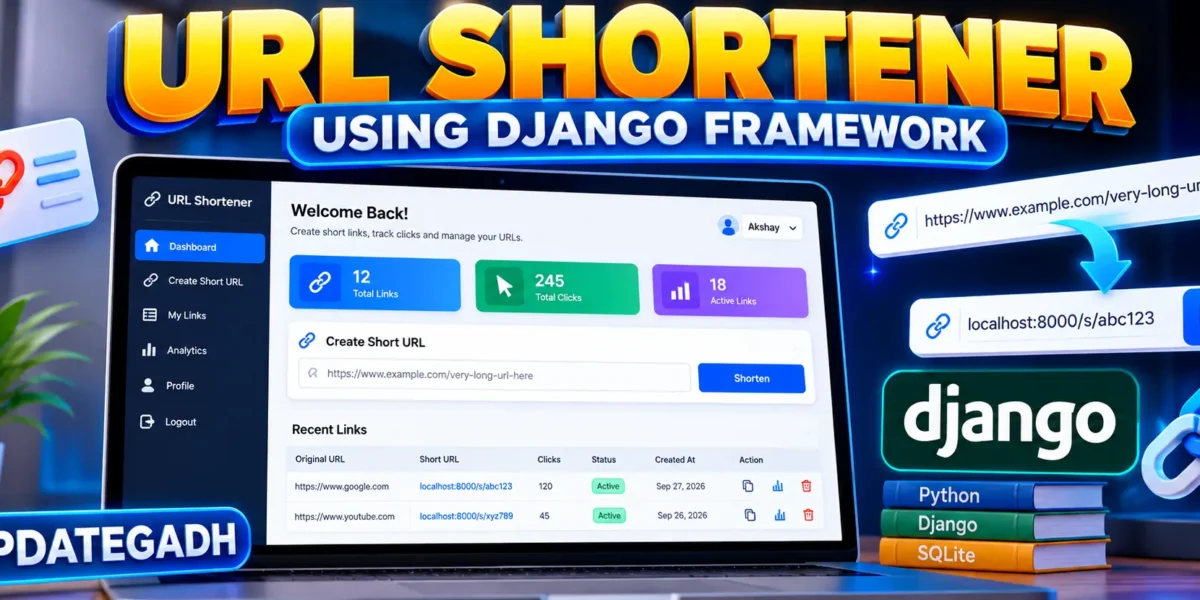
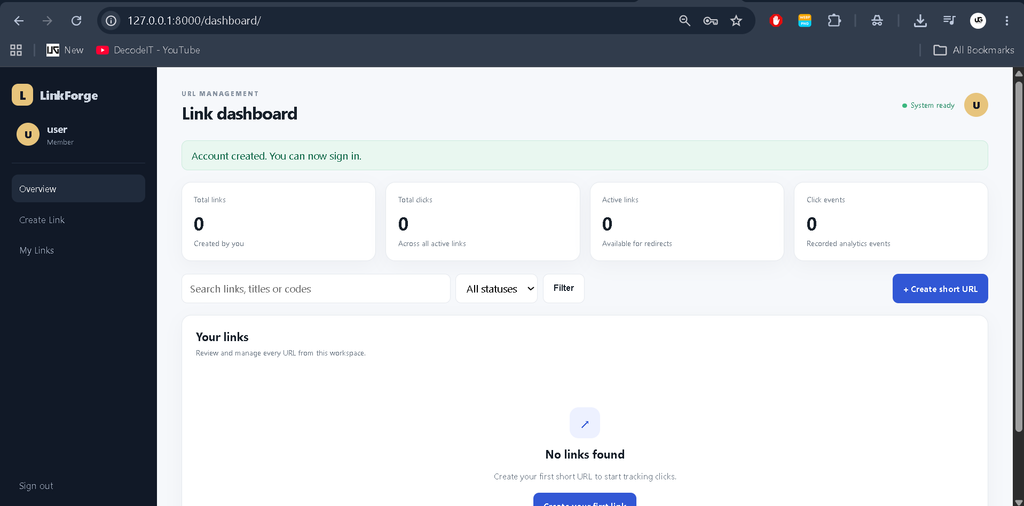
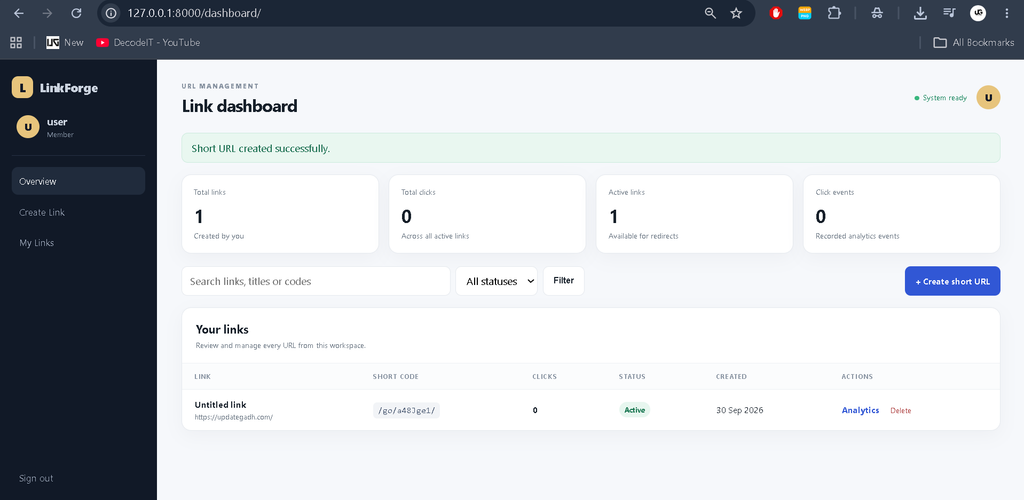
The dashboard is designed specifically for the URL-shortening domain. A dark navigation sidebar provides access to the main workspace, link creation, and account actions. The top area displays the page title and current user identity. Four KPI cards summarize total links, total clicks, active links, and recorded click events.
Below the summary area, a search and filter toolbar helps users locate records quickly. The main table displays each link’s title, original destination, short code, click count, status, creation date, and available actions. An individual analytics page provides the selected link’s click total and recent event history. The layout adapts to smaller screens so the application remains usable on laptops, tablets, and mobile devices.
Database Design
The central ShortURL model stores each shortened destination and connects it to a Django user through a foreign key. Its unique short code identifies the public redirect path. The Click model is connected to ShortURL and stores individual redirect events. This relationship keeps the database structure small while still supporting meaningful analytics. Created, updated, and last-clicked timestamps help the dashboard present useful activity information.
Download complete source code
Screenshot
Installation and Setup
Download the project files and open the project folder in Visual Studio Code. Create a virtual environment before installing the dependencies. On Windows, the setup can be performed with the following commands:
python -m venv venv
venv\Scripts\activate
pip install -r requirements.txt
python manage.py makemigrations
python manage.py migrate
python manage.py runserver
For Linux or macOS, activate the environment with source venv/bin/activate. After the development server starts, open http://127.0.0.1:8000/ in a browser. There is no need to create a Django Admin account for the application’s normal workflow because management is handled through the custom dashboard.
How the System Works
The workflow starts when a user creates an account and signs in. From the dashboard, the user opens the create-link page and submits a valid destination URL. Django validates the form and saves the record. A unique short code is generated automatically. When someone visits the short path, the application finds the corresponding record, checks its active status, creates a click event, updates the counter, and sends the visitor to the original address.
After links begin receiving visits, the owner can return to the dashboard to see the updated click count. The analytics page provides a more focused view of recent activity. Search and status filters make it easier to manage a larger collection of links without adding unnecessary enterprise complexity.
Usage
After installation, register a user account and sign in. Select Create Link, enter a complete URL beginning with http:// or https://, and optionally provide a title. Submit the form to generate the short URL. Test the generated /go/... path in a browser. Every successful redirect is recorded automatically. Use the Analytics action beside a link to inspect its recent click events.
Frequently Asked Questions
What is the purpose of this project?
It converts long URLs into shorter paths that are easier to share while providing basic click tracking and link management.
Which database is used?
The project uses SQLite as the default database, making local installation simple and suitable for a college development environment.
Does the project use Django Admin?
No. The main functionality is available through a custom dashboard so the project’s interface and workflow remain independent of Django Admin.
Can multiple users use the system?
Yes. Users can register individual accounts, and their dashboard records are associated with their own account.
How are clicks counted?
When an active short URL is opened, the system records a click event and increases that link’s click counter before redirecting the visitor.
Future Scope
- Add optional custom aliases so users can choose a memorable short code.
- Add date-based charts for visualizing click trends over time.
- Add link expiration dates for temporary destinations.
- Add export options for downloading link and click reports.
- Introduce a production database and deployment configuration for a hosted environment.
Conclusion
The URL Shortener Using Django Framework is a practical medium-level project that demonstrates several important web-development concepts in one connected application. It covers authentication, form validation, database relationships, automatic identifier generation, redirection, event tracking, search, filtering, and dashboard design. Because the code remains organized around familiar Django models, forms, views, templates, and static files, it is suitable for students who want a project that is more complete than a basic CRUD example while still being understandable and maintainable.
Keywords:
URL Shortener in DjangoDjango URL ShortenerURL Shortener Using PythonPython Django URL ShortenerCreate URL Shortener in DjangoDjango URL Shortener ProjectURL Shortening System in DjangoDjango Short URL GeneratorShort URL Generator in PythonDjango URL Redirect SystemURL Shortener Project in PythonDjango Web Development ProjectPython Django College ProjectDjango Project with Source CodeURL Shortener with Click AnalyticsDjango Link Management SystemHow to Create URL Shortener in DjangoURL Shortener Django TutorialDjango SQLite ProjectPython URL Shortener Project