
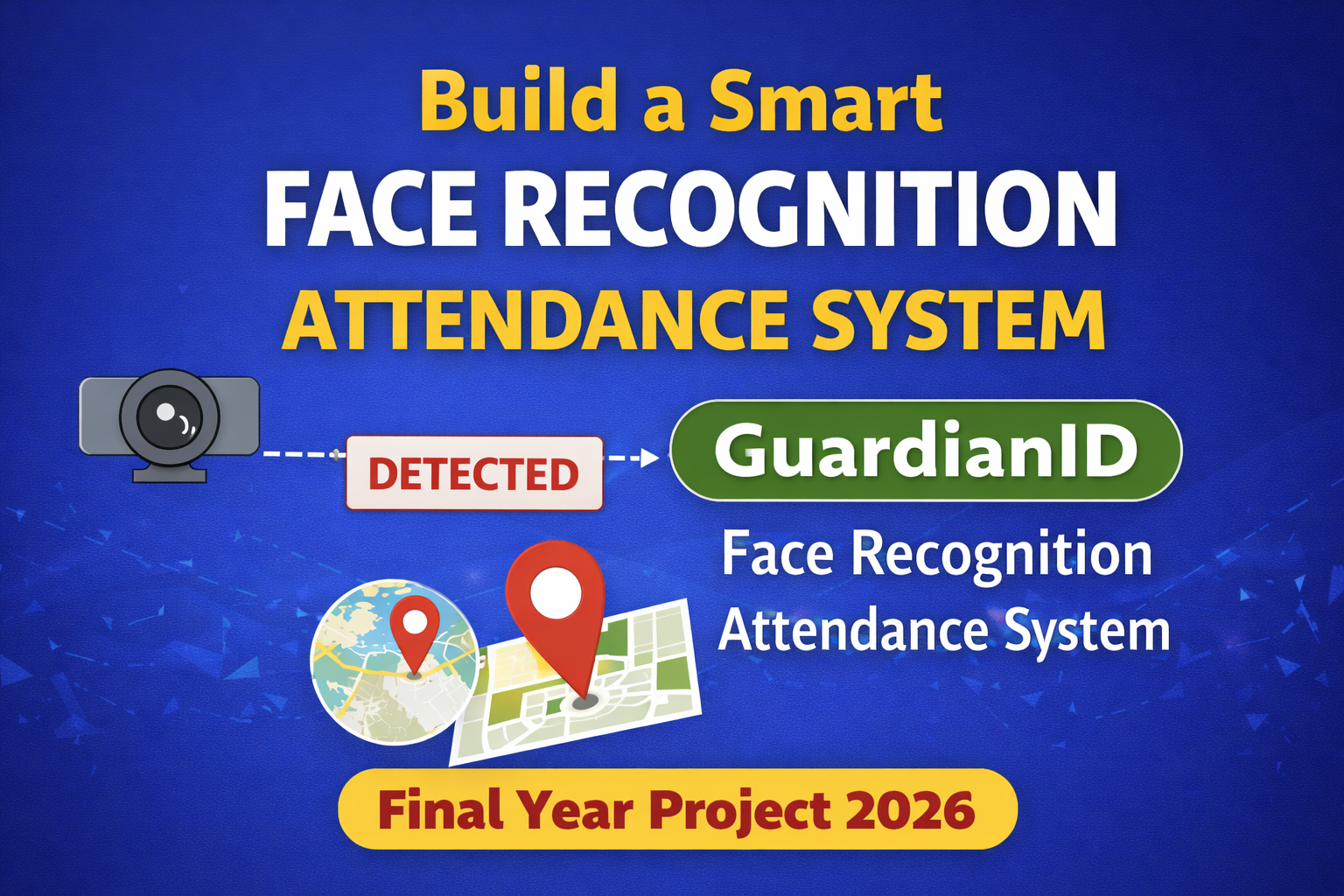
Face Recognition Based Attendance Management System
GuardianID is a smart Face Recognition Attendance & Secure Entry System that uses AI (OpenCV), time tracking, geo-location validation, and automatic report generation. Its a perfect final year project because it looks advanced, but the core logic is very easy to explain in viva.
Problem Statement
Traditional attendance systems face these common issues:
- Proxy attendance (friend marks attendance)
- ID card swapping / RFID misuse
- Manual errors in registers
- No real-time entry tracking
- No proper reporting system
- No location validation (attendance can be marked from outside)
Colleges and institutions need a secure, automated system that can verify identity properly and reduce admin workload.
What Makes GuardianID Different?
Most students build only Face Recognition Attendance System. But GuardianID goes one step ahead and becomes more real-world usable.
- Face Recognition + Attendance (no proxy possible)
- Entry + Exit time tracking (late entry detection)
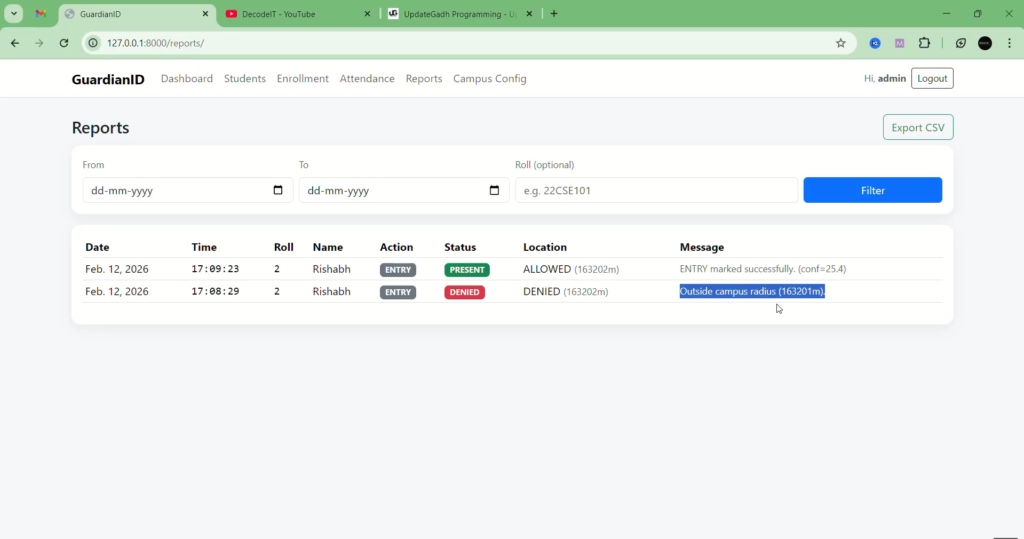
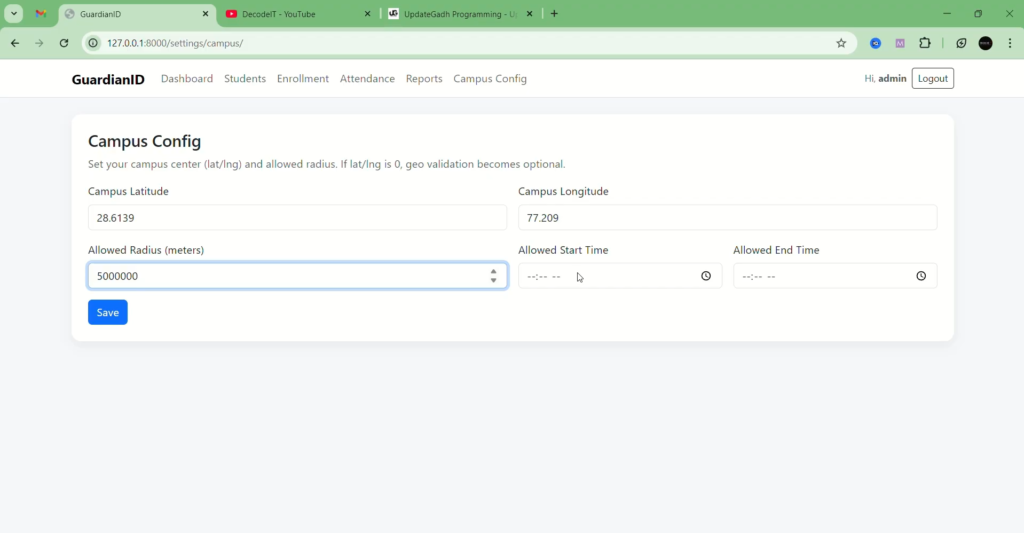
- Geo-location validation (within campus radius)
- Automatic CSV / Excel report generation
- Admin dashboard analytic
So its not just attendance, its more like a smart campus security + tracking system.
Complete Advance AI Topics: Click Here
YT:- DecodeIT
How GuardianID Works (Simple Flow)
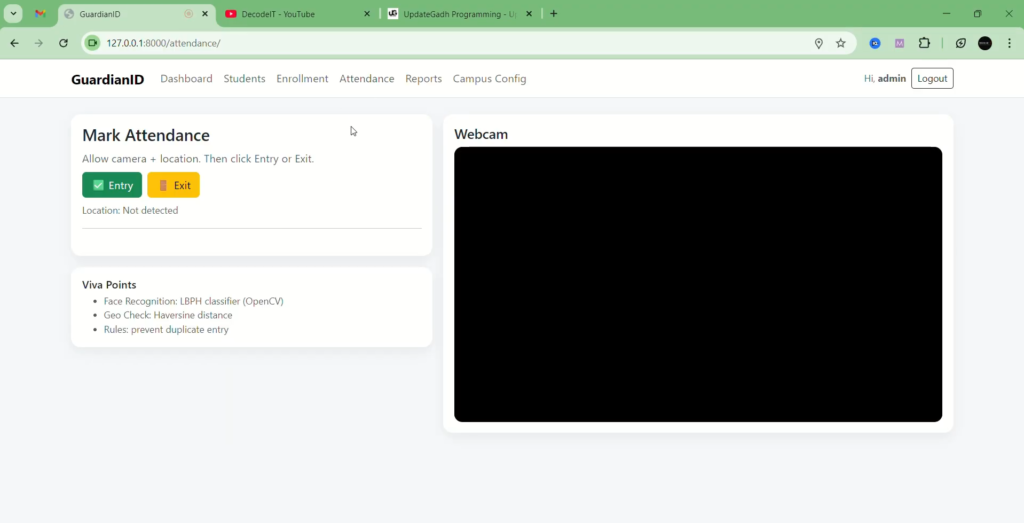
- Student opens attendance page on browser
- Browser requests location permission
- Webcam captures student face
- Django backend receives image
- OpenCV generates face encodings and matches with saved encodings
- System checks geo-radius (campus area validation)
- Attendance saved with date + time + entry/exit status
Logic is simple, but output looks professional and industry-like.
Technology Stack Used
- Backend: Django (Python)
- AI/Computer Vision: OpenCV + face recognition encoding
- Database: MySQL (production ready)
- Frontend: HTML + CSS + Bootstrap + JavaScript
- Geo Validation: Haversine formula (distance calculation)
- Reports: CSV export + filters
Core Features (MVP)
Student Module
- Student face registration
- Mark attendance using webcam
- Geo-location validation (campus only)
- Entry + Exit tracking
Admin Module
- Add / Update / Remove students
- View daily attendance logs
- Filter attendance by date / student
- Export reports in CSV
- See late entry and early exit logs
Dashboard Analytics
- Total present/absent today
- Monthly attendance percentage
- Student-wise attendance summary
- Time-based insights (late arrivals)
Real-World Use Cases
- Colleges: Smart class attendance + lab entry security
- Schools: Student arrival tracking
- Companies: Employee attendance + secure entry
- Exam centers: Identity verification
- Restricted zones: Authorized access control
This makes the project feel practical, not just a college demo system.
Why This Is a Perfect Final Year Project
- Easy to explain in viva (encoding + matching + distance check)
- Looks like a real product, not only CRUD
- AI + Security combo gives strong impression
- Can be extended to live deployment
- High chances of getting best project tag
Optional Advanced Features (Premium Add-ons)
If you want to make it even more sellable, you can add these upgrades:
- Anti-spoof detection (photo/video detection)
- Email/SMS alerts for late entry
- Live entry monitoring page for security
- Multi-camera support
- Face mask detection
- QR fallback if camera fails
How to Download
The complete package is available so you can run, study, and submit it with confidence. It includes:
- Full Source Code
- Project Report
- Synopsis
- PPT Presentation

FAQs – Face Recognition Based Attendance Management System
1. What is a Face Recognition Based Attendance Management System?
It is an attendance system that uses face recognition technology to identify registered individuals and automatically record their attendance.
2. How does the face recognition attendance system work?
The system captures a face through a camera, detects the face, compares it with previously registered face data, and records attendance when a matching person is recognized.
3. Which technologies can be used to develop this project?
A typical implementation can use Python, OpenCV, Tkinter, and CSV or MySQL for attendance storage and management.
4. What is the role of OpenCV in this project?
OpenCV provides computer-vision functionality used for tasks such as capturing images from a camera, detecting faces, and performing face-recognition operations.
5. Can attendance be recorded automatically?
Yes. Once a registered person is successfully recognized, the system can record their attendance automatically along with relevant attendance details.
6. Where is attendance information stored?
Depending on the implementation, attendance records can be stored in a CSV file or database such as MySQL.
7. Can new users be registered in the system?
Yes. A face-recognition attendance system can include a registration process for capturing and storing facial data of new users.
8. Is a camera required for face recognition?
Yes. A camera or webcam is required to capture the person’s face for detection and recognition.
9. What are the main benefits of this attendance system?
It can reduce manual attendance work, make attendance recording faster, and provide a computerized method for maintaining attendance records.
10. Can this project be used as a student project?
Yes. A Face Recognition Based Attendance Management System is suitable as a practical computer-vision project for students and can be extended with features such as database storage, attendance reports, admin login, and a graphical interface.
Attendance is a daily problem in almost every college. Thats why GuardianID works really well as a final year project. It has AI, security, real-world usability, and its easy to present.
If you want more such projects and step-by-step tutorials, dont forget to check my YouTube channel also (link above). It will help a lot.
Keywords:
face recognition attendance with python github face recognition attendance system using python face recognition based attendance system using python source code github face recognition attendance system using python opencv face recognition base paper face recognition based attendance system face recognition based attendance system project report face recognition based attendance system project source code face recognition based attendance management system face recognition based attendance system project face recognition based attendance system github face recognition based smart attendance system face recognition based door lock system face recognition based attendance



[…] (If are you Looking for the paid Advance Face Recognition Attendance System then cheak this project … […]
[…] Complete Advanced Project: Face Recognition Based Attendance System […]