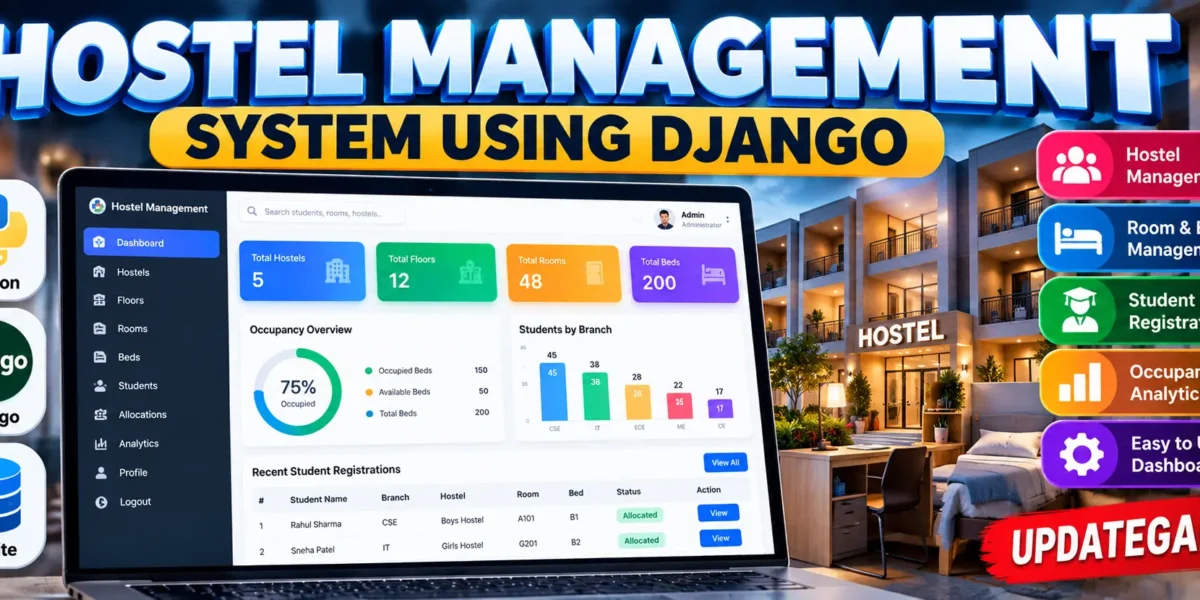
Hostel Management System Using Python Django
The Hostel Management System (HMS) is a medium-level Django web application designed to organize hostel infrastructure and student accommodation records. It brings hostels, floors, rooms, beds, and student registrations into one connected system. Instead of maintaining separate records for each part of the accommodation process, administrators can use a single dashboard to monitor capacity, manage resources, allocate beds, and review occupancy information.
Complete Advance AI Topics: Click Here
Real Time Projects on YouTube:- DecodeIT
Project Overview
| Project Detail | Information |
|---|---|
| Project Name | Hostel Management System (HMS) |
| Languages | Python, HTML, CSS, JavaScript |
| Framework | Django |
| Database | SQLite |
| Application Type | Web Application |
The implemented project follows a clear hierarchy: a hostel contains floors, a floor contains rooms, and a room contains beds. Students can then be registered against a hostel, floor, room, and available bed. This relationship makes the application suitable for demonstrating database design and practical Django development at college level.
Key Features
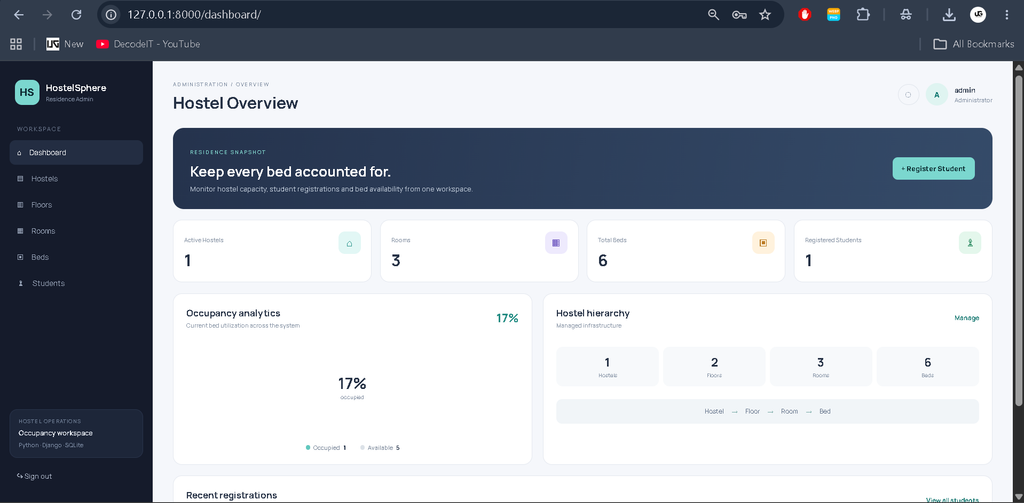
- Dashboard: Displays hostels, floors, rooms, total beds, registered students, occupied beds, available beds, and an occupancy percentage.
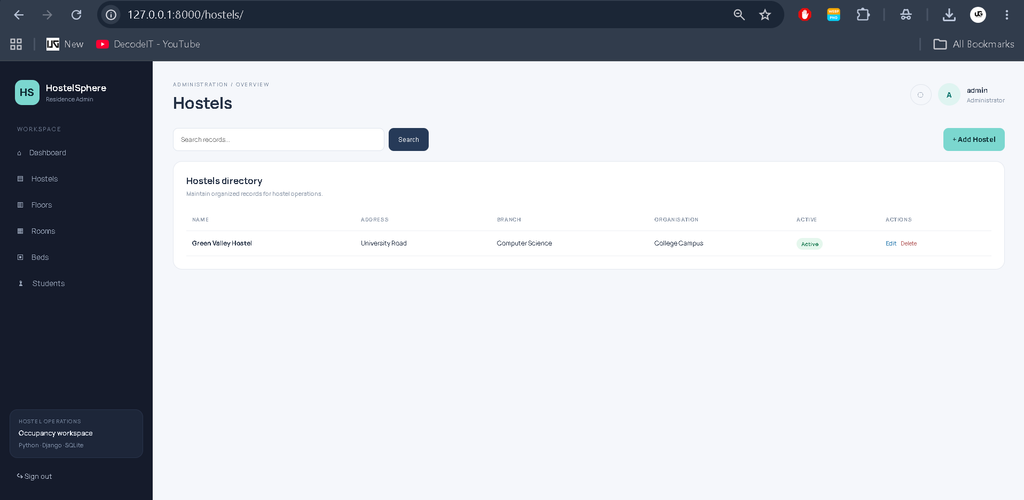
- Hostel Management: Add, edit, search, and delete hostel records with address, branch, organisation, and active status.
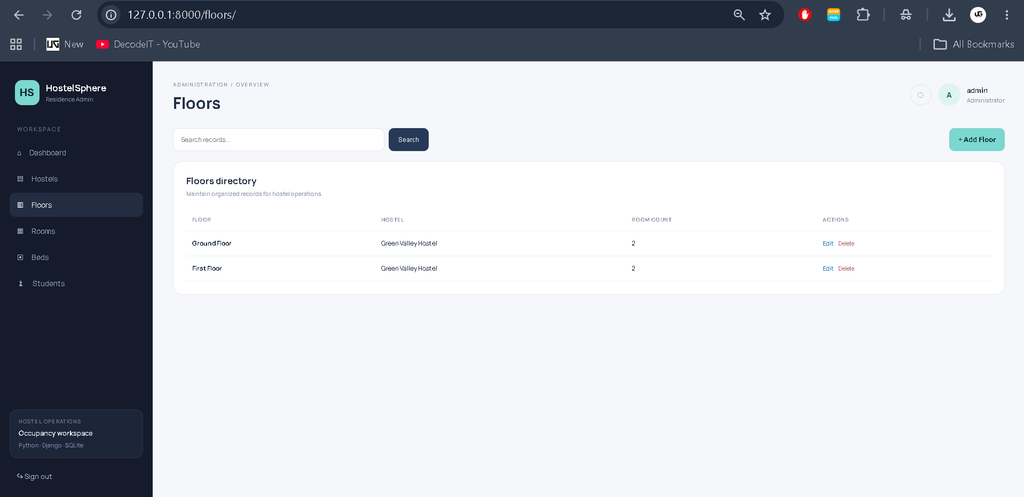
- Floor Management: Maintain floors under individual hostels and record the expected room count.
- Room Management: Store room numbers, their floor relationship, and capacity.
- Bed Management: Maintain individual beds and their Available or Occupied status.
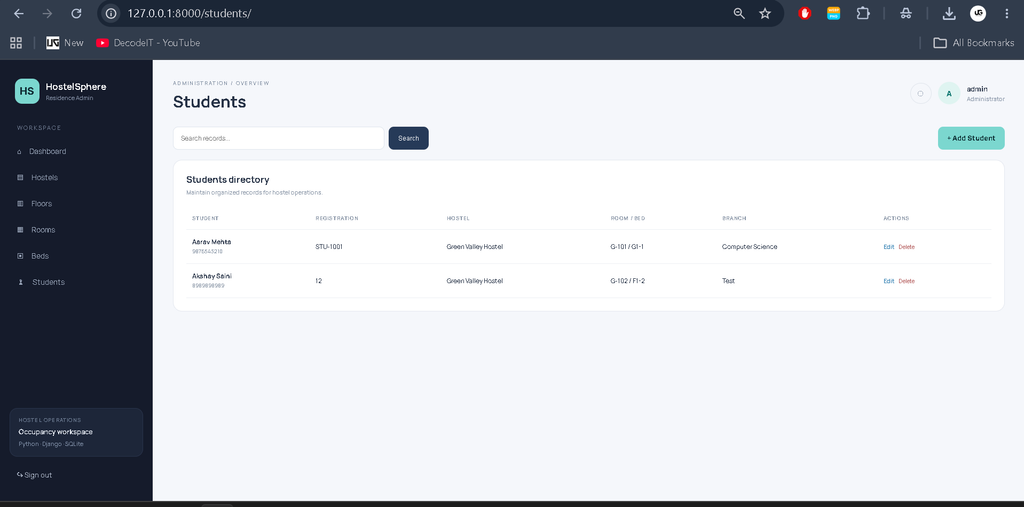
- Student Registration: Store student contact, registration, branch, organisation, and accommodation details.
- Bed Allocation: A student can be linked to a bed, and the selected bed is marked Occupied when registration is saved.
- Occupancy Analytics: The dashboard calculates current utilization from the number of occupied and total beds.
- Search: Management pages provide simple record search for relevant names, numbers, branches, and related hostel data.
Professional Dashboard UI
The project uses a hostel-oriented administrative interface rather than a plain beginner dashboard. Its visual identity uses deep navy panels, soft neutral backgrounds, teal highlights, and compact data cards. A fixed sidebar provides access to Dashboard, Hostels, Floors, Rooms, Beds, and Students. The top area identifies the current workspace and logged-in administrator.
The dashboard starts with a prominent residence snapshot panel and a quick action for registering a student. KPI cards summarize the infrastructure. An occupancy analytics panel shows the current percentage of occupied beds, while a hierarchy panel presents the hostel-to-bed structure. A recent registrations table gives administrators a quick view of the latest students and their allocated accommodation.
Project Modules
1. Authentication
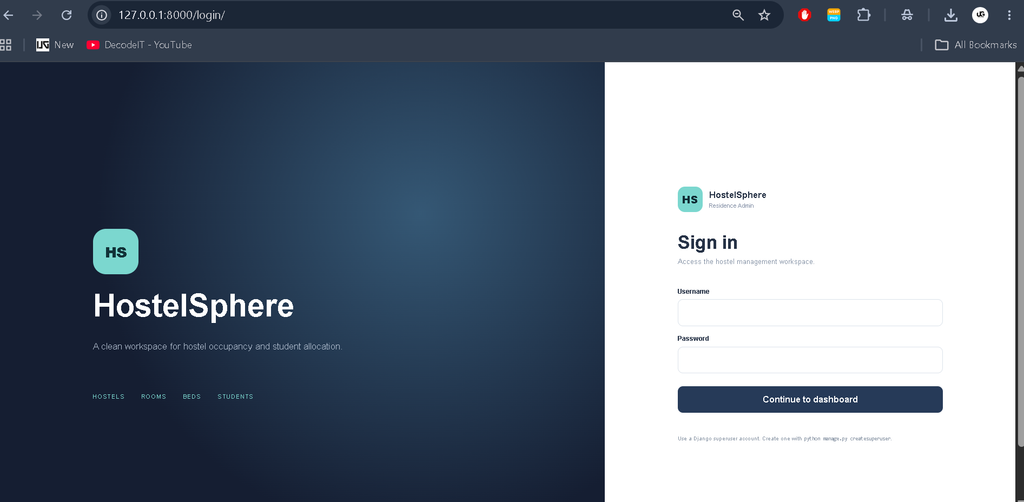
Django authentication protects the dashboard and management pages. Administrators can sign in using a Django user account and sign out when the session is complete. This keeps the operational sections away from unauthenticated visitors.
2. Hostel Management
The hostel module stores the name, address, branch, organisation, active state, and creation time. Search helps administrators locate a hostel quickly when several records are present.
3. Floor and Room Management
Each floor belongs to a hostel, while each room belongs to a floor. The floor record includes a room count field and the room record includes a capacity field. These relationships create the infrastructure hierarchy required for bed allocation.
4. Bed Management
Each bed belongs to a room and has an availability state. The system uses Available and Occupied statuses so administrators can identify which accommodation spaces can still be assigned.
5. Student Registration
The student module stores the student’s name, registration number, email, phone, branch, organisation, hostel, floor, room, and bed. The bed is linked as a one-to-one relationship, which prevents the same bed from being assigned to multiple students through the implemented model.
Database Structure
SQLite is used as the default database because it is included in the Django setup and is convenient for a college project. The main models are Hostel, Floor, Room, Bed, and Student. Hostel is connected to multiple floors, Floor to multiple rooms, and Room to multiple beds. Student records connect the accommodation selection to the corresponding hostel, floor, room, and bed. These relationships demonstrate primary-key and foreign-key concepts without introducing unnecessary database complexity.
How the System Works
The administrator first creates or reviews the hostel structure. Floors are added under a hostel, rooms are added under floors, and individual beds are registered under rooms. When a student joins the hostel, the administrator opens the registration form and records personal and academic details. The appropriate hostel, floor, room, and available bed can then be selected. When the registration is saved with a bed, the bed status changes to Occupied. If the student record is deleted, the allocated bed is returned to Available status by the application.
Download complete source code
Screebshot
Installation and Setup
Install Python 3.8 or a compatible newer version and open a terminal in the project folder. A virtual environment is recommended for keeping project dependencies separate.
python -m venv venv
venv\Scripts\activate
pip install -r requirements.txt
Prepare the SQLite database with Django migrations and create an administrator account.
python manage.py makemigrations
python manage.py migrate
python manage.py createsuperuser
python manage.py runserver
After the server starts, open the local address shown by Django in the browser. For demonstration purposes, the project also includes a seed script that creates sample infrastructure, a sample student, and an administrator account.
python seed_demo.pyUsage
Sign in first and open the dashboard. Use the Hostels module to maintain hostel information, then create floors, rooms, and beds in their respective modules. Open Students to register a student and select the accommodation details. The Beds page can be used to review current availability. The dashboard automatically summarizes the current infrastructure and occupancy figures from the database.
Frequently Asked Questions
What is the purpose of this project?
It provides a centralized Django application for managing hostel infrastructure, student registration, bed allocation, and occupancy information.
Which technologies are used?
The core application uses Python and Django with HTML, CSS, JavaScript, and SQLite for the web application and database.
What database is included?
SQLite is included as the default database configuration for easy local development and academic demonstration.
Can administrators manage floors and rooms?
Yes. Floors and rooms have dedicated management modules and are linked through Django model relationships.
How does bed allocation work?
A student registration can select a bed. When the registration is saved, the selected bed is marked Occupied.
Does the dashboard show occupancy?
Yes. It calculates occupied beds as a percentage of total beds and also shows available and occupied counts.
Can the project be extended?
Yes. The Django models, forms, templates, and dashboard can be extended for additional academic requirements.
Future Scope
- Add separate staff and administrator permissions for larger hostel teams.
- Introduce printable student allocation slips and hostel reports.
- Add room-level vacancy summaries and date-based occupancy reports.
- Add student check-in and check-out history for better residence tracking.
- Add notifications for allocation updates and important hostel announcements.
Learning Value
This project is also useful for learning how separate application modules can work together through Django relationships. Students can study how ModelForm handles input, how views process requests, how templates display database information, and how authentication protects operational pages. The occupancy calculation demonstrates how stored records can be converted into a useful dashboard metric. Because the application uses a straightforward hierarchy, it remains suitable for academic demonstration and can be understood without advanced architecture or external infrastructure.
Conclusion
The Hostel Management System provides a practical example of a complete Django college project built around a real administrative workflow. Its hostel, floor, room, bed, and student models form a connected database structure, while authentication, CRUD operations, search, allocation, and occupancy analytics make the application more useful than a basic static demonstration. The professional dashboard also gives students a strong foundation for presenting a functional hostel management solution while keeping the source code understandable and maintainable.
Keywords:
Hostel Management System|
Hostel Management System – Google Search
hostel management system lu
hostel management system project
hostel management system lucknow university
hostel management system project in html with source code pdf
hostel management system project github
hostel management system last date 2026
hostel management system project in python with source code
hostel management system project report pdf
hostel management system er diagram