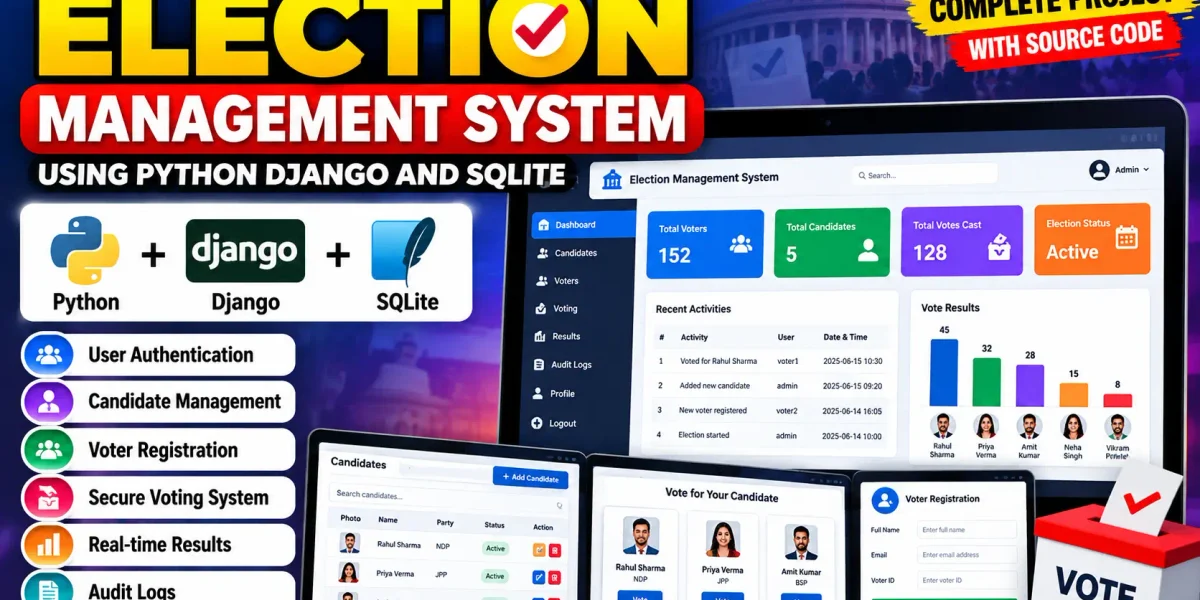
Election Management System Using Python Django and SQLite
The Election Management System Using Python Django and SQLite is a medium-level college project designed to demonstrate how an election workflow can be organized through a web application. The system brings voter registration, authentication, candidate management, vote recording, result calculation and activity tracking into one connected platform. It uses Python and Django for the application layer and SQLite for database storage, while Bootstrap-based responsive styling creates a modern interface that is easier to use on desktop and mobile screens.
Complete Advance AI Topics: Click Here
Real Time Projects on YouTube:- DecodeIT
Project Overview
The main purpose of this project is to replace a fragmented election workflow with a structured digital process. A visitor can register as a voter, sign in, view the active election and participate through the voting page. Administrators can manage candidate records, review system activity and monitor the current election from a custom dashboard. The application is intentionally designed at a college-project level: it is more complete than a basic CRUD demonstration, but it avoids enterprise infrastructure and unnecessary third-party integrations.
| Project Name | Election Management System |
|---|---|
| Language | Python 3.7+ |
| Framework | Django 3.1 |
| Database | SQLite |
| Frontend | HTML, CSS, JavaScript, Bootstrap |
Key Features
- User Authentication: Registered users can securely sign in and sign out through the custom application interface.
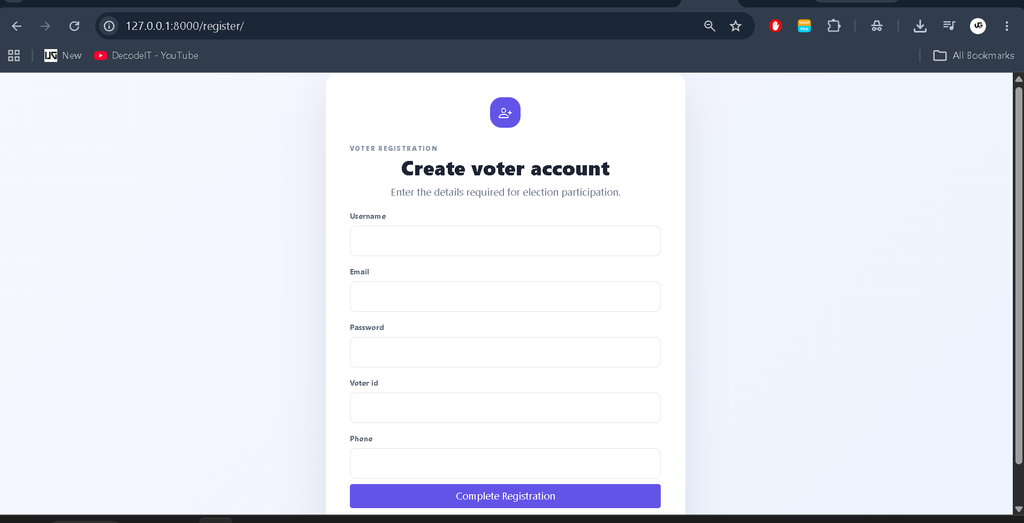
- Voter Registration: New voters can create an account with a unique voter ID and basic contact information.
- Role-Based Access: The project separates administrator functions from voter functions through simple Admin and Voter roles.
- Candidate Management: Administrators can add, search, update and delete candidate information for an election.
- Voting Mechanism: A registered voter can select an active candidate and submit one recorded vote.
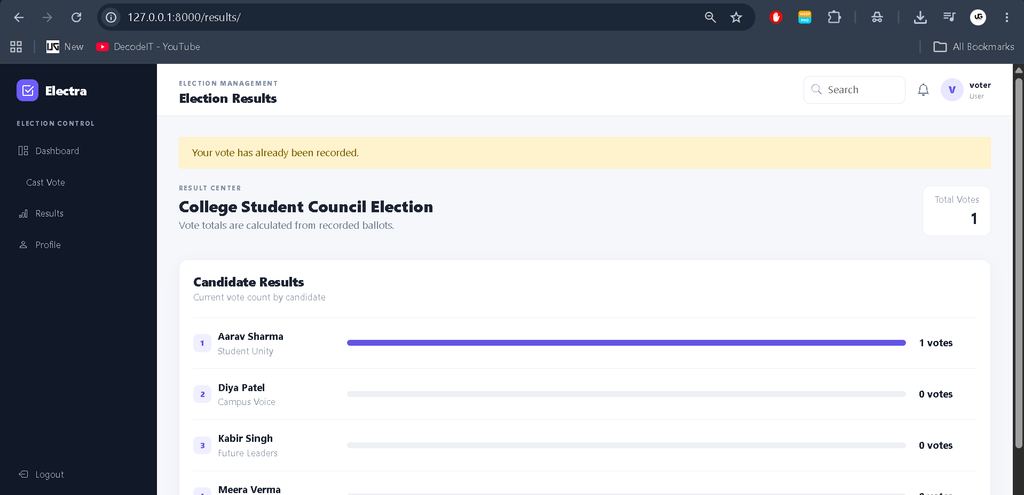
- Results: Candidate vote totals are calculated from stored vote records and displayed in a clean result view.
- Audit Logs: Important activities such as login, candidate changes and vote submission are recorded for administrative review.
User Roles
Administrator
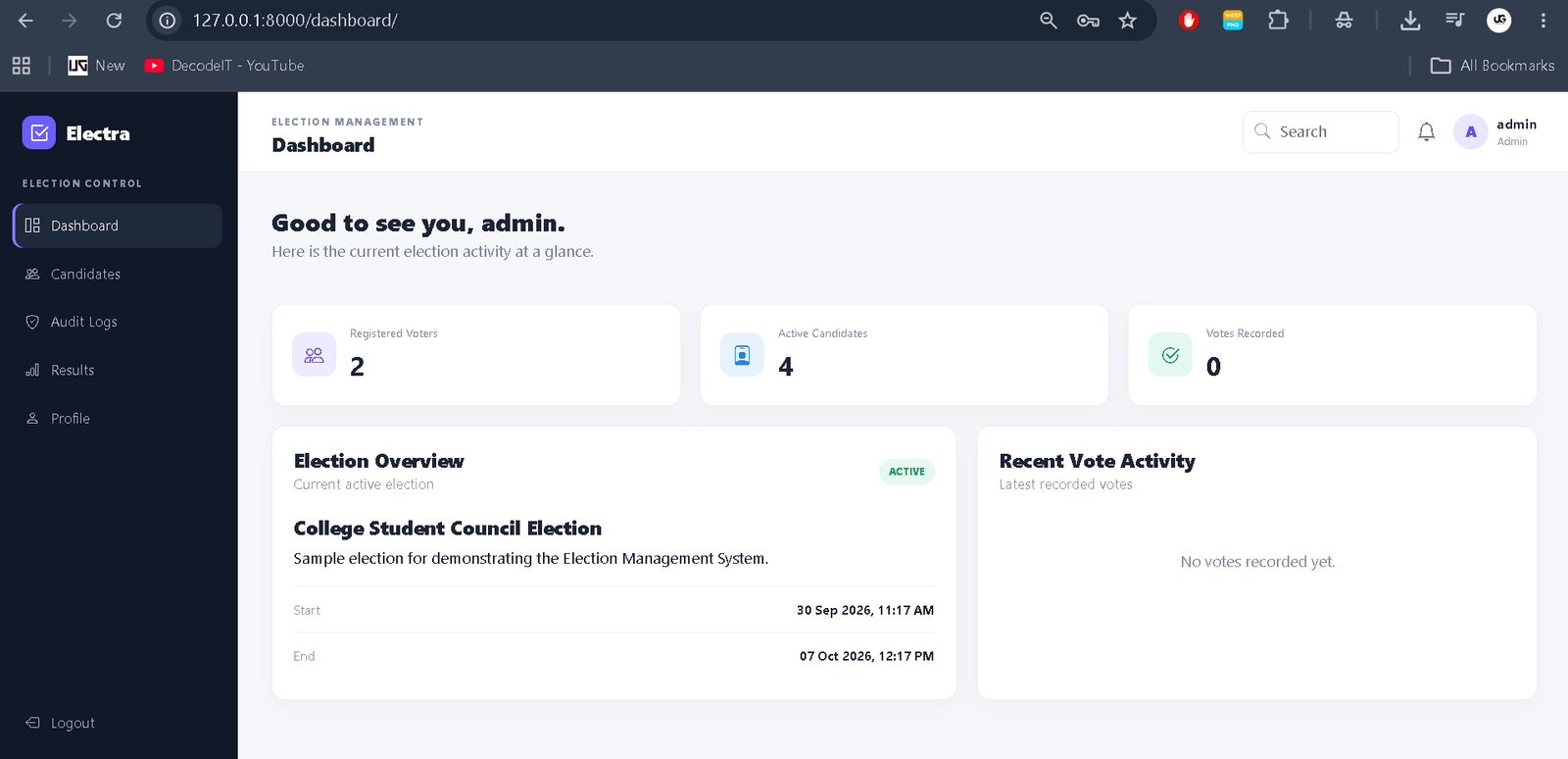
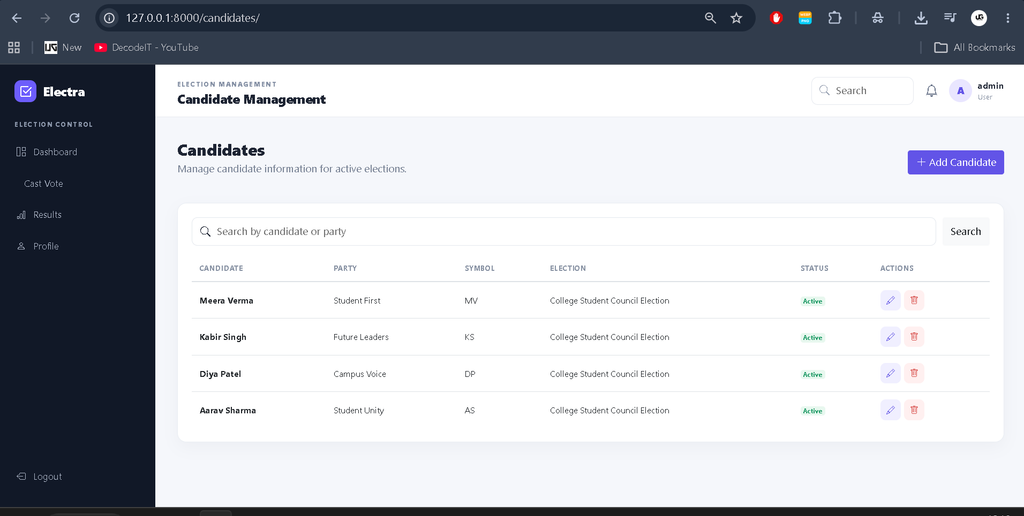
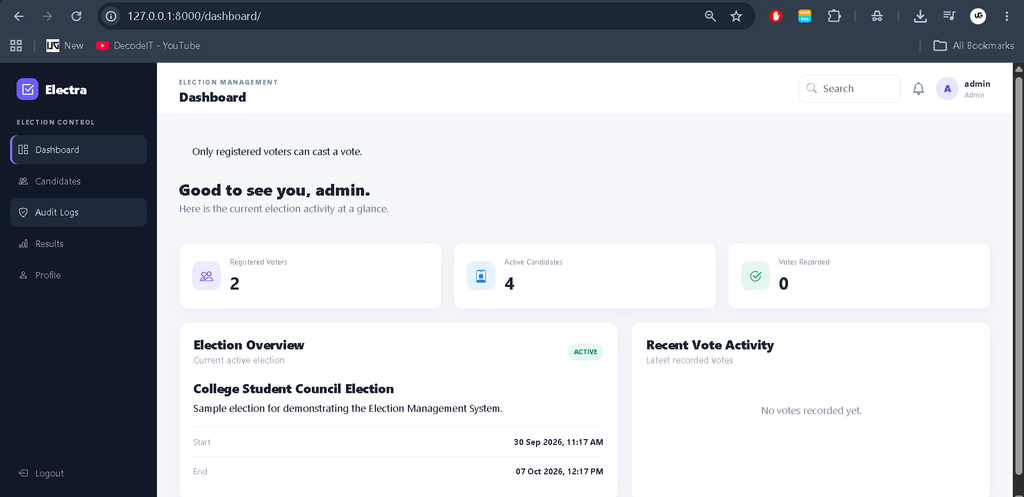
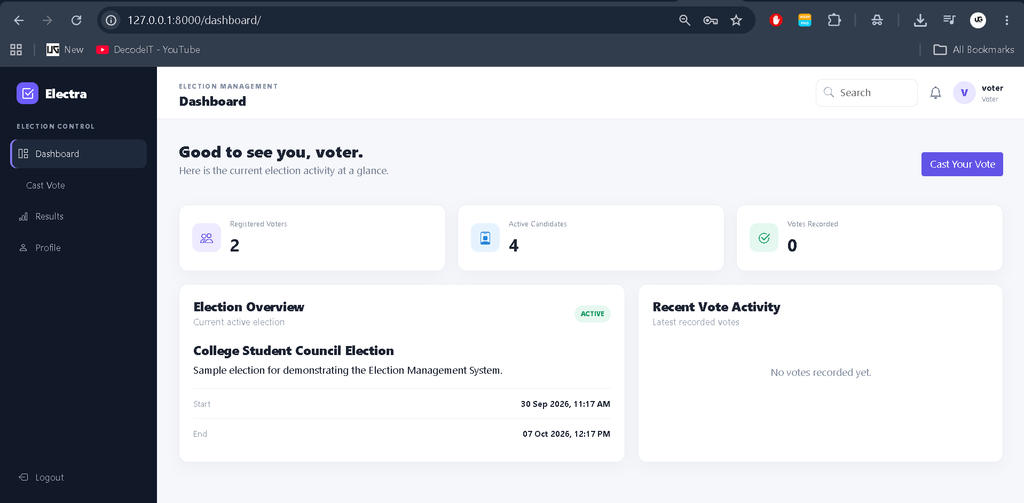
The administrator manages candidate information and reviews audit activity. The custom dashboard provides a quick overview of registered voters, active candidates and recorded votes. Candidate pages include search controls, status information and action buttons, making routine management easier.
Voter
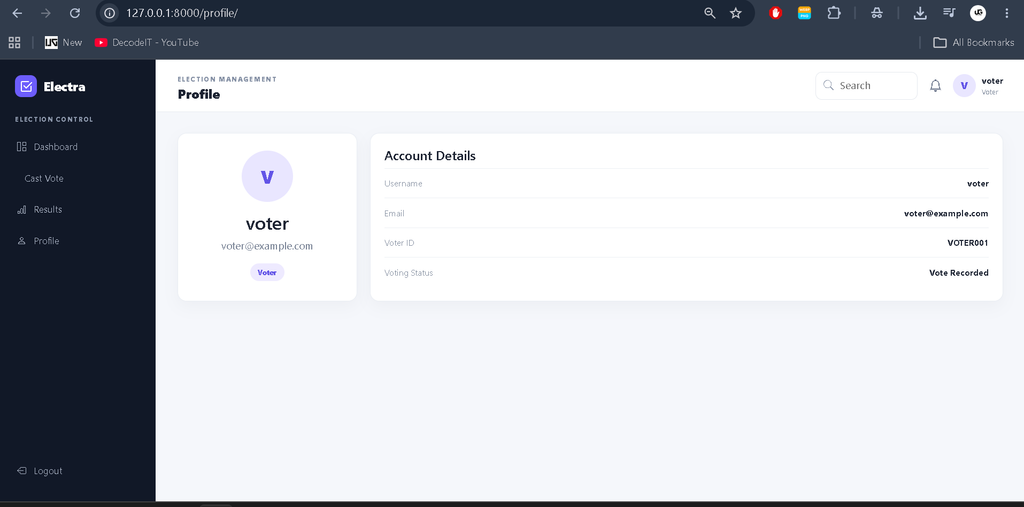
A voter can register, log in, open the active election, view candidate information and cast a vote. The application records the voting status against the voter profile so the same account cannot submit another ballot through the normal workflow. Voters can also review the result page and their account profile.
Project Modules
The system is organized into connected modules rather than isolated pages. The authentication module handles registration and login. The election and candidate module stores election information and candidate details. The voting module connects a voter, candidate and election in each vote record. The results module counts votes for the selected election, while the audit module keeps a chronological record of important actions. The profile module shows account and voting information.
Professional Dashboard UI
The interface uses a dedicated election-management visual identity instead of the default Django administration screen. A dark navigation sidebar provides access to relevant modules, while the top navigation contains search, notification and profile elements. Dashboard KPI cards display registered voters, active candidates and recorded votes. Supporting panels show election details and recent vote activity. Data tables use status badges, search controls and clear action buttons. The voting page uses candidate cards with radio selection, while the results page presents vote totals through horizontal progress indicators.
How the System Works
The workflow begins when a voter creates an account with a unique voter ID. After authentication, the system checks the user’s role and sends the user to the appropriate dashboard. An administrator can prepare candidate records for the active election. A voter opens the voting page, selects one active candidate and submits the form. The application creates a vote record and marks the voter profile as having voted. The results screen then calculates candidate totals directly from the stored records. Important operations are also written to the audit log.
Project Benefits
This project is useful for students because each module demonstrates a common Django development concept in a realistic context. Models show how related election records can be connected, forms demonstrate validation, views control the workflow, and templates present the information through a responsive interface. The custom role checks also make it easier to understand how different users can receive different application functions. Because SQLite keeps the setup lightweight, students can concentrate on application logic and database relationships without configuring a separate database server.
Technologies Used
- Python 3.7+: Main programming language.
- Django 3.1: Web framework for routing, views, forms, authentication and database access.
- SQLite: Lightweight relational database suitable for a college project.
- HTML and CSS: Page structure and custom interface styling.
- Bootstrap: Responsive components and layout support.
- JavaScript: Frontend support where interactive behavior is required.
Download complete source code
Screenshot
Installation and Setup
Install Python and open the project folder in VS Code or another suitable IDE. Create and activate a virtual environment, then install the dependencies.
python -m venv ems_env
ems_env\Scripts\activate
pip install -r requirements.txt
python manage.py makemigrations
python manage.py migrate
python manage.py seed_data
python manage.py runserver
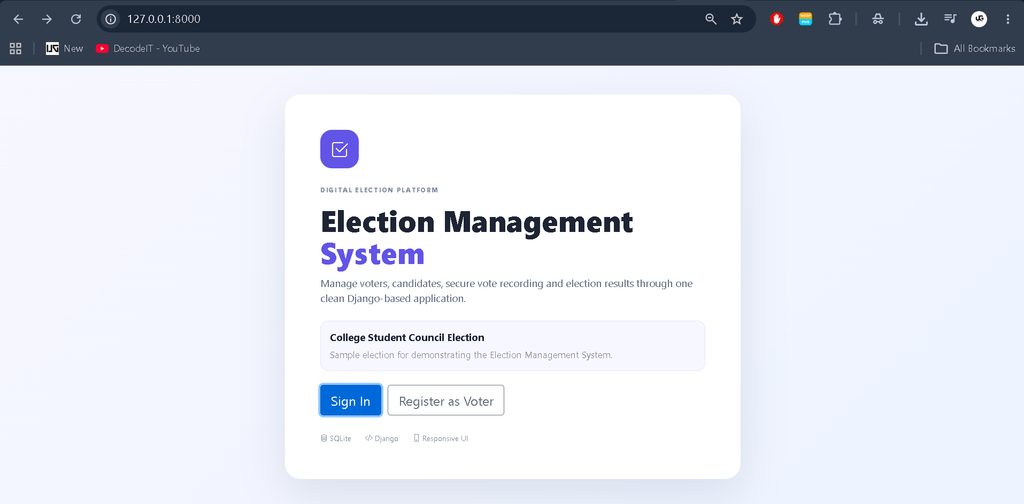
After starting the development server, open http://127.0.0.1:8000/ in a browser. The included seed command creates sample administrator, voter, election and candidate data so the complete workflow can be tested quickly.
Usage
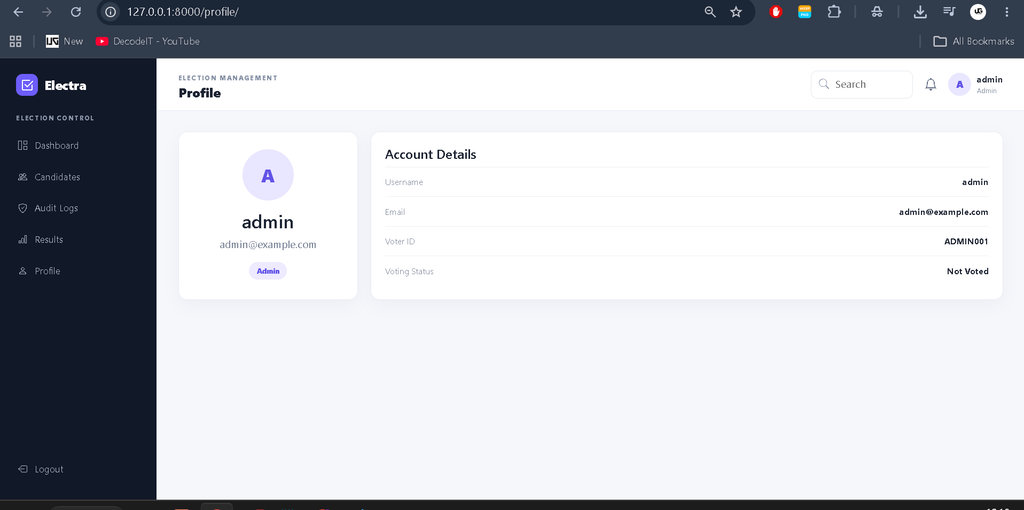
For an administrator demonstration, sign in with the seeded administrator account and open Candidate Management. Add or edit candidates and inspect Audit Logs. For the voter workflow, use the sample voter account or register a new voter. Open Cast Vote, select a candidate and submit the ballot. The result page displays the updated totals. The Profile page provides account information and voting status.
Frequently Asked Questions
What is the purpose of this project?
It demonstrates a connected digital election workflow for college-level learning, including registration, authentication, candidate management, voting and results.
Which database is used?
The project uses SQLite, which is included with Python and is practical for development and academic demonstrations.
Does the project use Django Admin?
No. The project provides custom management pages so the main workflow can be demonstrated through its own professional interface.
Can more candidates be added?
Yes. An administrator can add, edit, search and remove candidate records through the custom Candidate Management module.
Can one voter vote more than once?
The normal application workflow prevents a voter profile from submitting another vote after a vote has been recorded.
Is Django REST Framework required?
No. The core project works without it. The supplied implementation uses standard Django views, forms and database operations.
Future Scope
- Introduce stronger identity verification and additional authentication controls.
- Add downloadable election summary reports for administrators.
- Improve accessibility features and multilingual interface support.
- Add configurable election schedules and multiple election management screens.
- Introduce stronger production security, infrastructure review and independent testing before any real-world deployment.
Conclusion
The Election Management System provides a practical example of building a complete Django web application around a clearly defined workflow. It combines authentication, voter records, candidate management, vote storage, result calculation and audit tracking in a single SQLite-backed project. Its custom dashboard and responsive pages make it suitable for a college demonstration, while the modular structure gives students a useful foundation for learning Django models, forms, views, templates and database relationships. The project should be treated as an educational application rather than a production public-election platform.
Keywords:
Election Management System|
Election Management System – Google Search
election management system 2026
election management system login
election management system portal
election management system portal 2026
election management system rajasthan
election management system 2026 rajasthan
election management system project
election management system rajasthan login
election management system portal rajasthan