Fuel Management System in Python
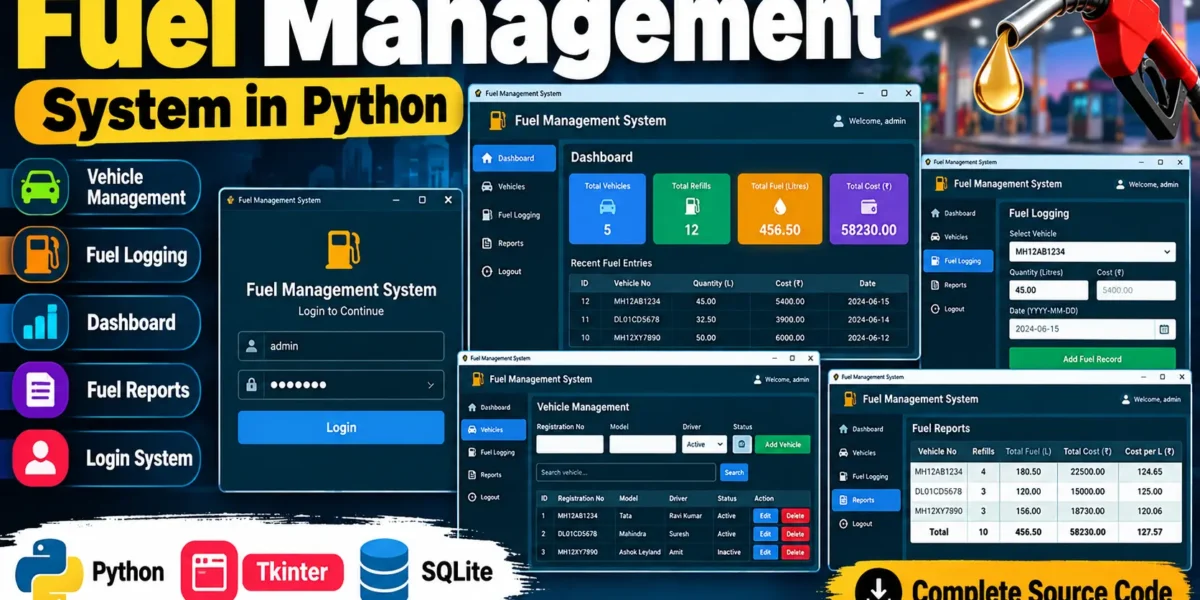
The Fuel Management System in Python is a desktop-based application designed to manage vehicle information and maintain fuel refill records in an organized way. The system provides a graphical interface where users can securely log in, manage vehicles, record fuel transactions, and view summarized fuel information.
The project is developed using Python with Tkinter for the graphical user interface and SQLite for database management. The application stores user accounts, vehicle information, and fuel records inside a local SQLite database file. Its modular structure keeps the database, vehicle management, fuel logging, and reporting functionality separated, making the project easier to understand and maintain.
Complete Advance AI Topics: Click Here
Real Time Projects on YouTube:- DecodeIT
Project Overview
| Project Name | Fuel Management System |
|---|---|
| Programming Language | Python |
| GUI Framework | Tkinter |
| Database | SQLite |
| Database File | database.db |
| Database Library | sqlite3 |
| Supporting Libraries | pandas, matplotlib |
| Developer | UPDATEGADH |
Key Features
- User Login: The application provides a login screen where the user must enter valid credentials before accessing the system.
- Vehicle Management: Users can add, edit, search, and delete vehicle records.
- Vehicle Information: The system stores registration number, vehicle model, driver, and vehicle status.
- Vehicle Status: Vehicles can be maintained with Active or Inactive status.
- Fuel Logging: Users can record fuel quantity, fuel cost, date, and the related vehicle.
- Fuel Validation: The system validates fuel quantity, cost, and date before saving a transaction.
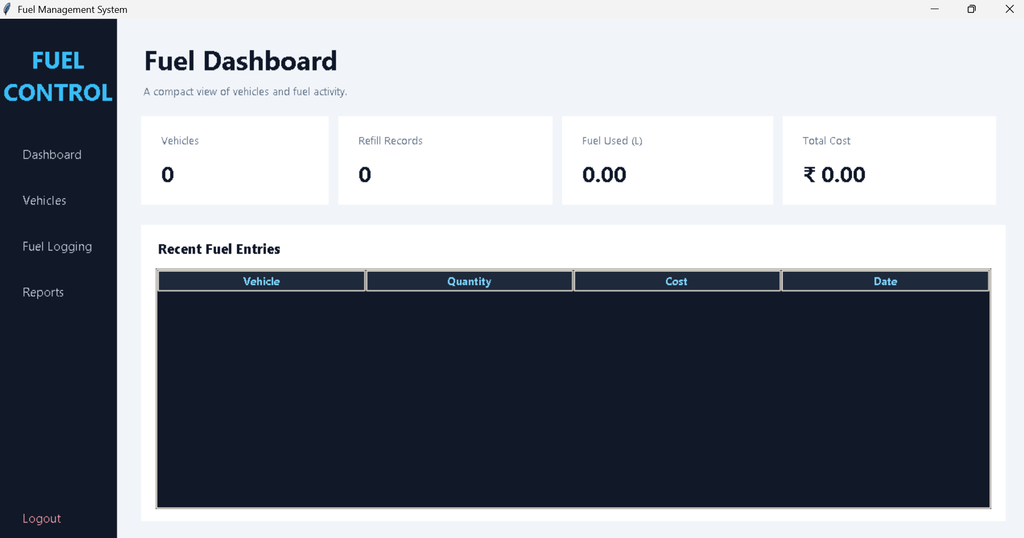
- Dashboard: The dashboard displays vehicle count, refill records, total fuel quantity, and total fuel cost.
- Recent Entries: Recent fuel transactions are displayed on the dashboard.
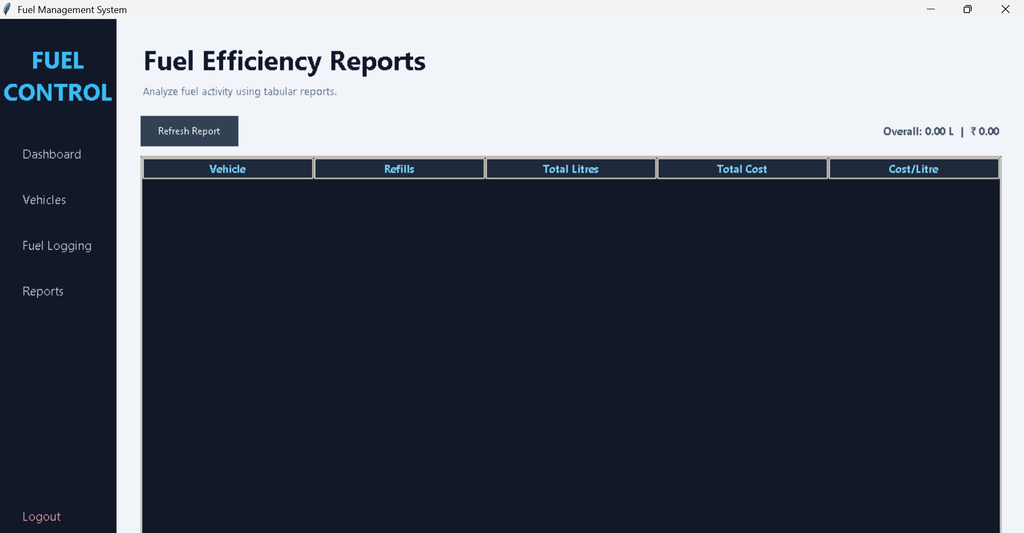
- Fuel Reports: The report section displays vehicle-wise refill count, total litres, total cost, and average cost per litre.
- SQLite Database: User, vehicle, and fuel information is stored in the local SQLite database.
Database Used in the Project
The project uses SQLite as its database. The Python sqlite3 module is used to create the database connection and execute SQL queries. The database file used by the application is named database.db.
When the application starts, the required database tables are created automatically if they do not already exist. This means the user does not need to manually create the database before running the project.
The project contains three main database tables:
- users: Stores user login information.
- vehicles: Stores vehicle registration, model, driver, and status information.
- fuel_log: Stores fuel transactions connected to individual vehicles.
User Authentication
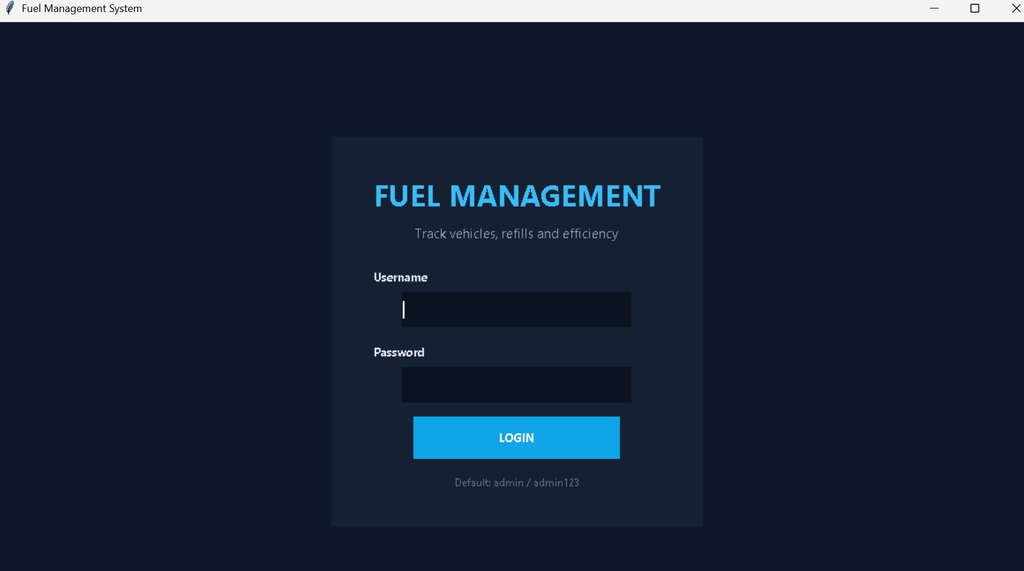
The application includes a login system before the main dashboard can be accessed. A default administrator account is automatically created when the database is initialized.
The default credentials included in the project are:
- Username: admin
- Password: admin123
The password is converted into a SHA-256 hash before authentication and storage. If the entered username and password are incorrect, the application displays a login failure message.
Download Source Code
Screenshot
Vehicle Management
The Vehicle Management module is used to maintain the vehicles registered in the system. Each vehicle contains a registration number, model, driver, and status.
The module supports adding new vehicles, editing existing records, searching vehicle information, and deleting selected vehicles. Registration numbers are unique, so duplicate registration numbers cannot be inserted into the database.
The search option can filter vehicle records using registration number, model, or driver. The vehicle status can also be set to either Active or Inactive.
Fuel Logging
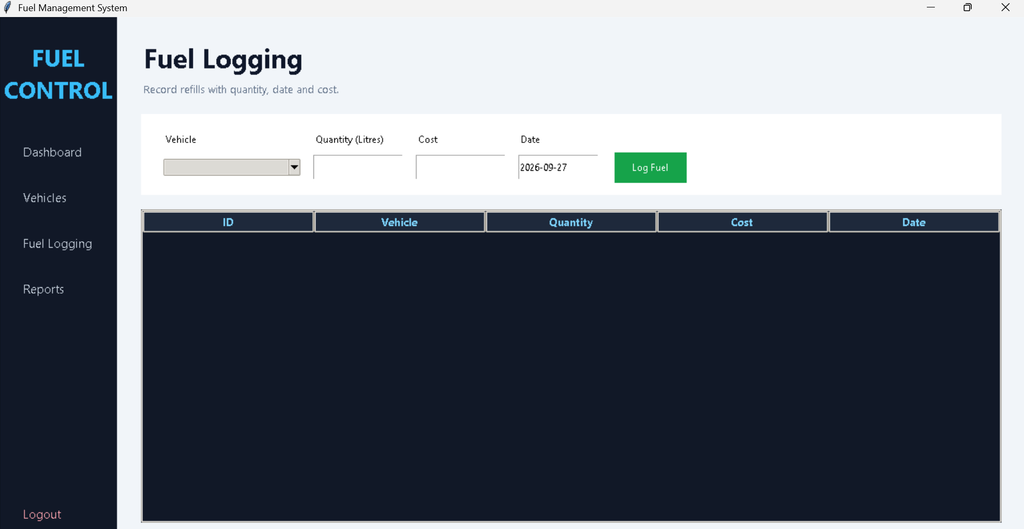
The Fuel Logging module is used to record individual fuel refill transactions. Before entering a fuel record, an active vehicle must be available in the system.
For each transaction, the application records the selected vehicle, fuel quantity in litres, cost, and date. The current date is automatically placed in the date field when the module is opened.
The application validates the entered values before saving them. Fuel quantity must be greater than zero, cost cannot be negative, and the date must follow the YYYY-MM-DD format. After successful insertion, the new fuel transaction appears in the fuel records table.
Dashboard
The Fuel Management System includes a dashboard that provides a quick summary of the stored information. The dashboard displays four important values: total vehicles, total refill records, total fuel quantity, and total fuel cost.
A recent fuel entries table is also available on the dashboard. It displays the vehicle registration number, fuel quantity, cost, and date for recent fuel transactions. This allows the user to review recent activity without opening the separate fuel logging section.
Fuel Reports
The Reports module provides a vehicle-wise summary of the fuel records stored in the database. The report groups fuel transactions according to each vehicle.
For every vehicle, the report displays the number of refill records, total fuel quantity in litres, total fuel cost, and calculated cost per litre. The overall report also displays the combined fuel quantity and total cost of the stored fuel transactions.
How the System Works
When the program is started, the application initializes the SQLite database and creates the required tables. The login screen is then displayed. After successful authentication, the main dashboard becomes available.
The user can first add vehicles through the Vehicle Management section. Once an active vehicle exists, fuel transactions can be entered through Fuel Logging. Each transaction is linked to its vehicle through the vehicle ID stored in the fuel log table.
The dashboard reads the stored information from SQLite and displays overall fuel activity. The Reports section uses the same stored transactions to calculate vehicle-wise totals and cost per litre.
Installation and Setup
Install Python 3.x on your computer and extract the project ZIP file. Open the extracted project folder in VS Code and open the terminal in the project directory.
Install the dependencies using:
pip install -r requirements.txtAfter installation, start the application using:
python fuel_management.pyThe database.db file is created automatically when the application initializes the database for the first time.
Frequently Asked Questions
Which database is used in this project?
The project uses SQLite. The database is stored locally in the database.db file.
Which Python module is used for SQLite?
The application uses Python’s built-in sqlite3 module for connecting to the database and executing SQL queries.
What information is stored in the vehicle table?
The vehicle table stores registration number, model, driver, and vehicle status.
What information is stored in a fuel record?
A fuel record stores the related vehicle, fuel quantity, cost, and date.
Does the project have a login system?
Yes. The application includes username and password authentication. The default account is admin with the password admin123.
Future Scope
- Additional user accounts can be added to support multiple users.
- More advanced report filtering can be introduced for specific dates or vehicles.
- Fuel records can be extended with additional operational information if required.
- The existing reporting module can be expanded with graphical visualization using the project’s included visualization dependency.
Conclusion
The Fuel Management System in Python provides a practical way to manage vehicles and maintain fuel transactions through a desktop application. With Python, Tkinter, and SQLite, the project provides authentication, vehicle management, fuel logging, dashboard summaries, and vehicle-wise reports in a single application.
Keywords:
Fuel Management System
fuel management system
fuel management system login
fuel management system indian railways
fuel management system check engine light chevy
fuel management system sri lanka army
fuel management system check engine light
fuel management system chevy
fuel management system for fleet
fuel management system south africa
fuel management system ministry of health