AI-Powered Resume Analyzer Using Python and Streamlit
Resume Analyzer is a practical AI-powered web application designed for students, job seekers, and anyone who wants to understand how closely a resume matches a particular job opportunity. The project accepts a resume in PDF format and a job description, extracts the readable resume content, and sends both pieces of information to Google Gemini for analysis. Instead of depending only on simple keyword matching, the application uses AI to produce a broader comparison and presents the result in an easy-to-understand Streamlit interface.
Complete Advance AI Topics: Click Here
Real Time Projects:- DecodeIT
Project Introduction
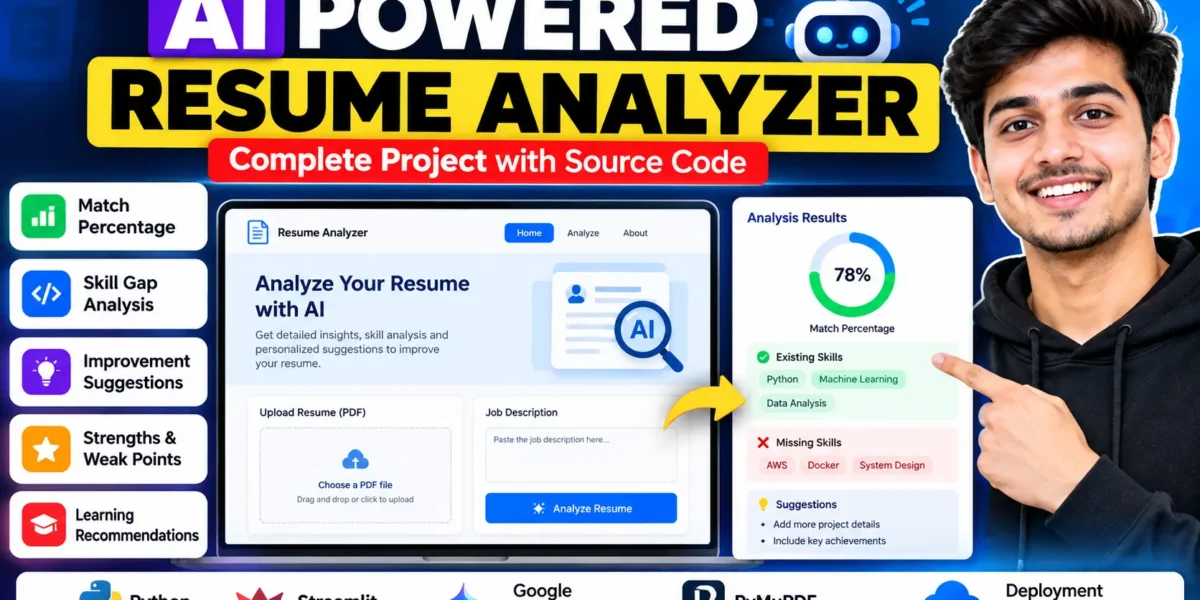
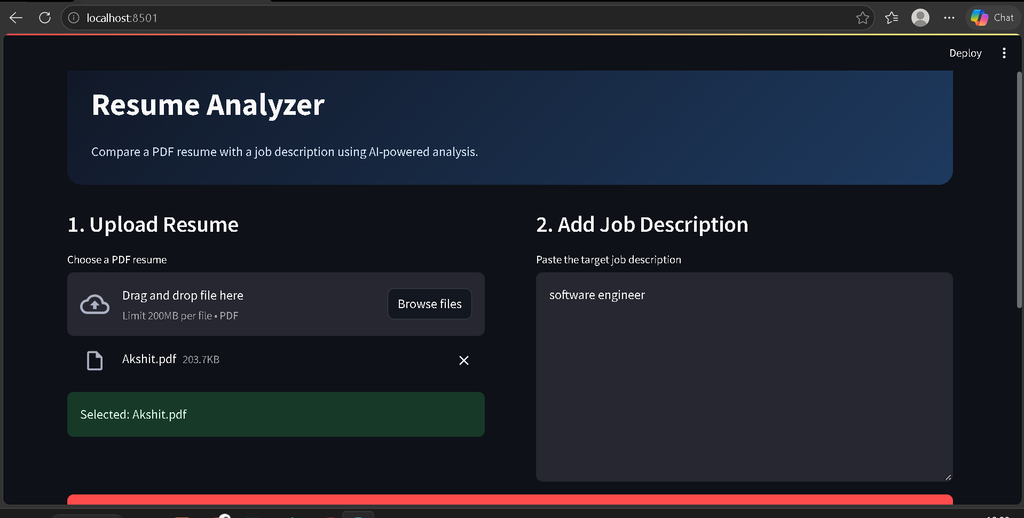
For students preparing for placements and internships, a resume often needs to be adjusted according to the role being targeted. Resume Analyzer provides a simple way to review that alignment. A user uploads a PDF resume, pastes the target job description, and starts the analysis. The application then presents a match percentage together with existing skills, missing skills, strengths, weak points, improvement suggestions, and learning recommendations.
The project is also useful as a college-level demonstration because it combines Python, PDF text extraction, a web interface, and an external AI service in one understandable workflow. The implementation remains focused on the stated resume-analysis purpose rather than introducing unrelated modules.
Project Overview
| Project Detail | Information |
|---|---|
| Project Name | AI-Powered Resume Analyzer |
| Primary Language | Python |
| Web Interface | Streamlit |
| AI Service | Google Gemini API |
| PDF Processing | PyMuPDF |
| Deployment | Streamlit Cloud |
| Database | Not required for the described workflow |
Key Features
- PDF Resume Upload: The user can select a resume in PDF format directly from the application.
- Resume Text Extraction: PyMuPDF reads the text from the uploaded document so that the resume content can be analyzed.
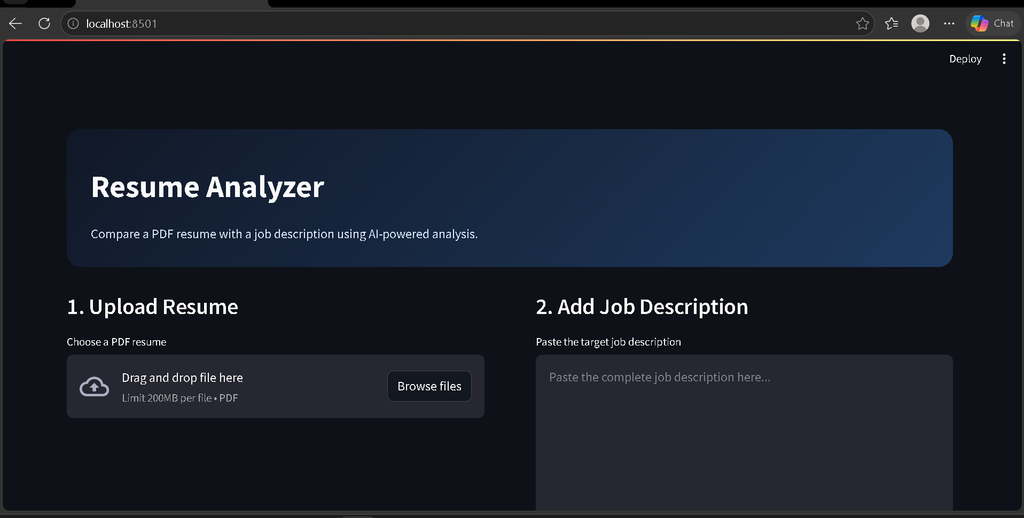
- Job Description Input: A dedicated text area allows the user to paste the target job description.
- AI-Powered Comparison: Gemini analyzes the resume and job description together.
- Match Percentage: The application displays an overall percentage representing the relationship between the resume and the supplied role.
- Skill Gap Analysis: Relevant existing and missing skills are shown separately.
- Strengths and Weak Points: The result highlights useful resume strengths and areas that may need attention.
- Improvement Suggestions: The system provides practical suggestions for improving resume content.
- Learning Recommendations: Skill gaps can be followed by learning recommendations based on the comparison.
- Extracted Text Preview: Users can inspect the text obtained from the PDF before relying on the AI-generated analysis.
Project Modules
Resume Upload and Extraction
The first module handles the PDF file selected by the user. PyMuPDF opens the uploaded document in memory and extracts text from its pages. This keeps the workflow focused on the information already present in the resume.
Job Description Input
The second module collects the job description through a Streamlit text area. The user can paste the role requirements, skills, and other relevant details that should be considered during comparison.
AI Analysis
The analysis module sends the extracted resume text and job description to Google Gemini. The application asks Gemini to return structured information covering the match percentage, summary, existing skills, missing skills, strengths, weak points, improvement suggestions, and learning recommendations. The response is converted into structured data before it is displayed.
Results Dashboard
The result section presents the match percentage and counts of identified existing and missing skills. Additional sections organize the AI response so that users can quickly understand the comparison instead of reading one large block of generated text.
User Workflow
- Open the Resume Analyzer application.
- Upload a text-based PDF resume.
- Paste the required job description.
- Click the Analyze Resume button.
- The application extracts readable text from the PDF.
- Gemini compares the resume information with the supplied job description.
- The application displays the match percentage, skill analysis, strengths, weak points, suggestions, and learning recommendations.
- Open the extracted-text area when you want to verify what was read from the PDF.
Download Complete Source Code
Screenshot
Technologies Used
Python provides the main application logic. Streamlit is used to create the browser-based interface without requiring a separate frontend framework. PyMuPDF handles text extraction from PDF resumes. Google Gemini API provides the AI-powered comparison and feedback. Streamlit Cloud can be used to deploy the application for demonstration.
Installation and Setup
Download or copy the project files into a local project folder and create a Python virtual environment. Install the dependencies from requirements.txt using the Python package installer.
python -m venv venv
venv\Scripts\activate
pip install -r requirements.txt
Next, provide a Gemini API key through the GEMINI_API_KEY environment variable or Streamlit Secrets. The sample .env.example file shows the expected variable name. Do not place a real API key inside public source code.
After the dependency installation and API configuration are complete, start the application with:
streamlit run app.pyOpen the local Streamlit address shown in the terminal, upload a PDF resume, enter the job description, and run the analysis.
Usage Information
The project is designed for a straightforward user experience. A student can use it before applying for an internship or placement by comparing the current resume with the description of a target role. The resulting sections can help the user identify skills already represented in the resume, skills that are not clearly represented, strengths that should be retained, weak areas that deserve attention, and possible learning recommendations.
The application should be treated as an analysis aid rather than a replacement for personal review. The quality of the result depends on the readable content of the PDF, the job description supplied by the user, and the AI response.
Frequently Asked Questions
What type of resume can be uploaded?
The application accepts resumes in PDF format. A text-based PDF is recommended because the project extracts readable text from the document.
Does the project require a database?
No database is required for the described workflow. The application processes the uploaded resume and job description during the analysis session.
Which AI service is used?
The project uses the Google Gemini API for comparing the resume with the supplied job description and generating structured feedback.
What does the match percentage mean?
It is the AI-generated comparison result based on the resume information and job description provided to the application. It should be used as guidance rather than as a guaranteed hiring score.
Can the project be deployed?
Yes. The provided project is suitable for Streamlit Cloud deployment after configuring the Gemini API key through the platform’s secrets settings.
Future Scope
- Improve PDF handling for a wider range of resume layouts.
- Provide more detailed formatting-oriented resume feedback.
- Add additional controls for customizing the type of analysis requested.
- Improve the presentation of AI-generated results while keeping the workflow focused on resume and job comparison.
- Extend deployment configuration for easier student demonstrations.
Conclusion
AI-Powered Resume Analyzer is a practical intermediate-level college project that demonstrates how Python, Streamlit, PDF processing, and the Google Gemini API can be combined into a useful career-oriented application. The project keeps the workflow simple: upload a resume, provide a job description, run the AI analysis, and review the resulting comparison. Its match percentage, skill gap analysis, strengths, weak points, improvement suggestions, and learning recommendations make the application useful for students preparing resumes while also giving them a clear example of modern AI integration.
Keyword:
Resume Analyzer
Resume Analyzer
resume analyzer ai
resume analyzer project
resume analyzer github
resume analyzer free
Al Resume Analyzer Python Project