Parking Management System Using Python and Django
The Parking Management System Using Python and Django is a practical web application designed to organize everyday parking operations through a single digital workspace. Instead of maintaining vehicle details, parking availability, entry times and payment information manually, the system connects these activities through a structured Django application.
Complete Advance AI Topics: Click Here
Real Time Projects on YouTube:- DecodeIT
Project Overview
The system, presented as SPOT Parking Desk, focuses on the complete parking session workflow. An authorized operator can maintain parking spaces, register a vehicle when it enters, assign an available spot, monitor active vehicles and close the session when the vehicle leaves. The application records the entry and exit information and calculates the parking charge using the hourly rate configured for the selected spot. A payment record is then created so completed sessions can be reviewed later.
Django provides the application structure, authentication support, database integration and server-side form handling. SQLite is configured for local development, while the model structure can also be adapted for PostgreSQL when the project is moved to a production-style environment. The interface uses a responsive management-dashboard approach rather than a plain collection of forms.
Key Features
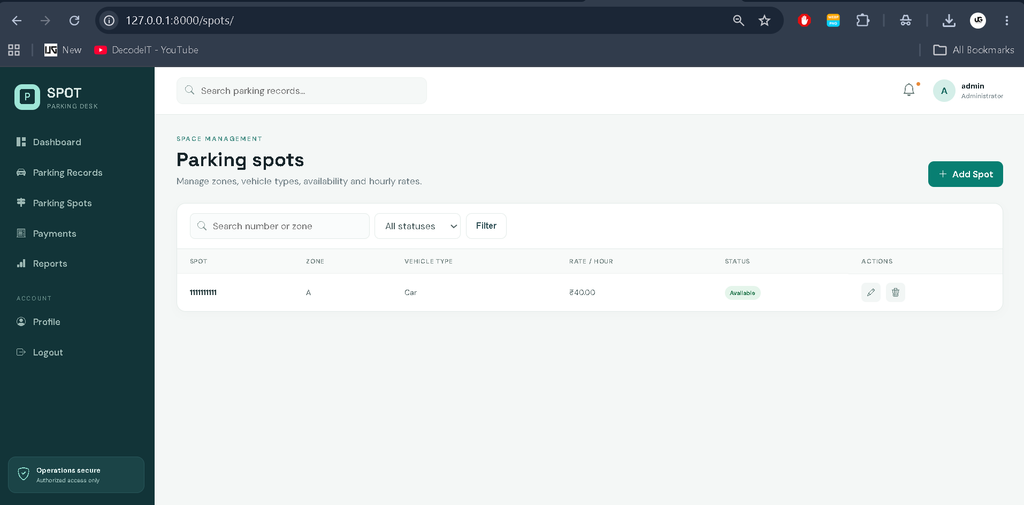
- Parking Spot Management: Administrators can add, update and remove parking spots while maintaining their zone, vehicle type, status and hourly rate.
- Vehicle Entry Registration: Operators can record the vehicle number, owner name, phone number, vehicle type and assigned parking spot.
- Availability Validation: A new vehicle can only be assigned to a spot marked as available, helping prevent duplicate occupancy.
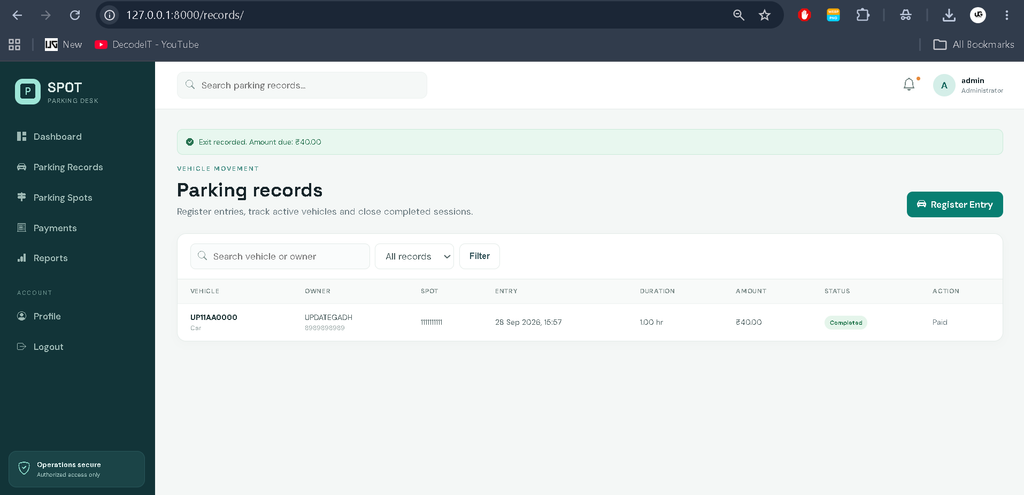
- Entry and Exit Tracking: Each parking record stores the entry time and, after checkout, the exit time and completed status.
- Automatic Parking Charges: The application calculates billable hours and multiplies them by the hourly rate of the selected spot.
- Payment Records: Completed sessions can be recorded with cash, UPI or card as the payment method and receive a unique receipt number.
- Search and Filtering: Parking records and spots can be searched and filtered by relevant information and status.
- Reports: The reports area provides a compact operational summary of collected payments and parking sessions.
User Roles
The project keeps role management intentionally simple so it remains suitable for a college environment. Django authentication is used for authorized access to the management workspace. A staff or administrator account can manage parking spots, process entries and exits, review payments and inspect reports.
Professional Dashboard
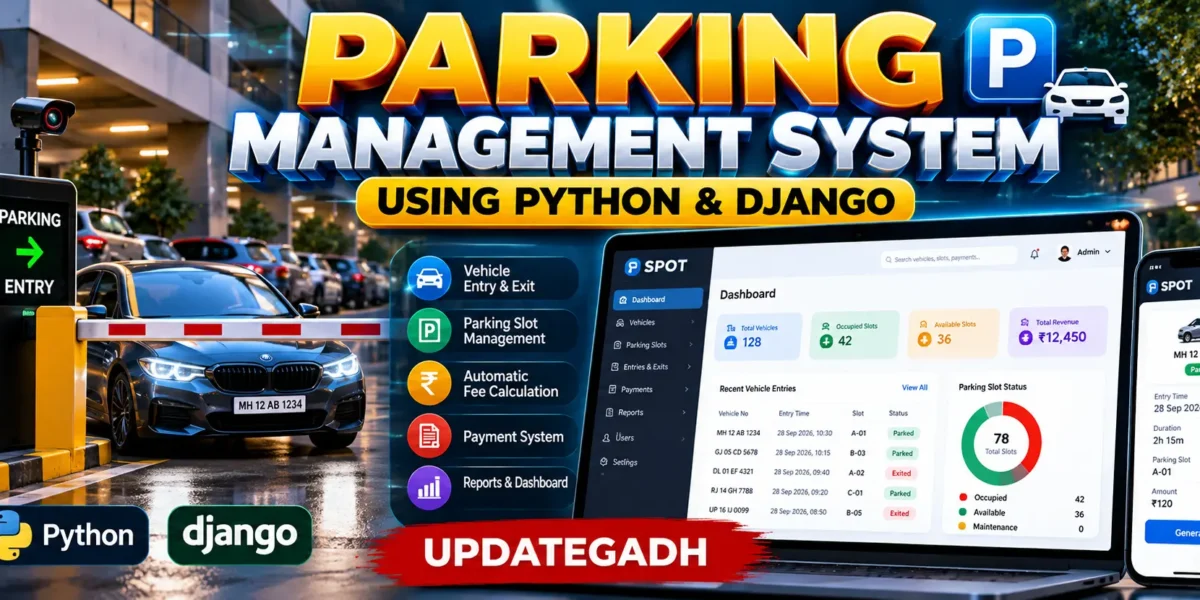
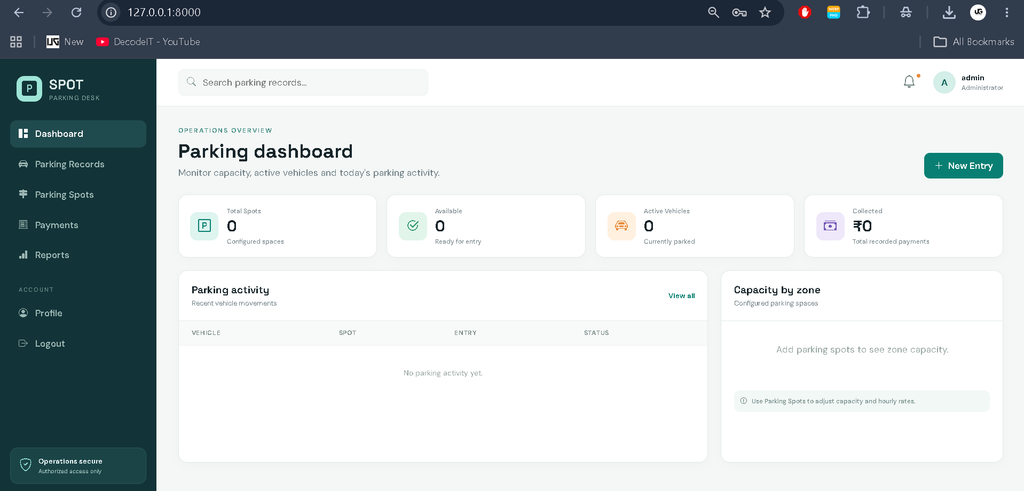
The dashboard gives the operator an immediate view of the parking environment. KPI cards show total configured spots, currently available spaces, active vehicles and recorded payment collection. A recent activity table displays vehicle movement with the assigned spot and current session status. A zone-capacity panel provides a simple visual indication of how the configured spaces are distributed. Quick actions make it easy to register a new vehicle without navigating through multiple pages.
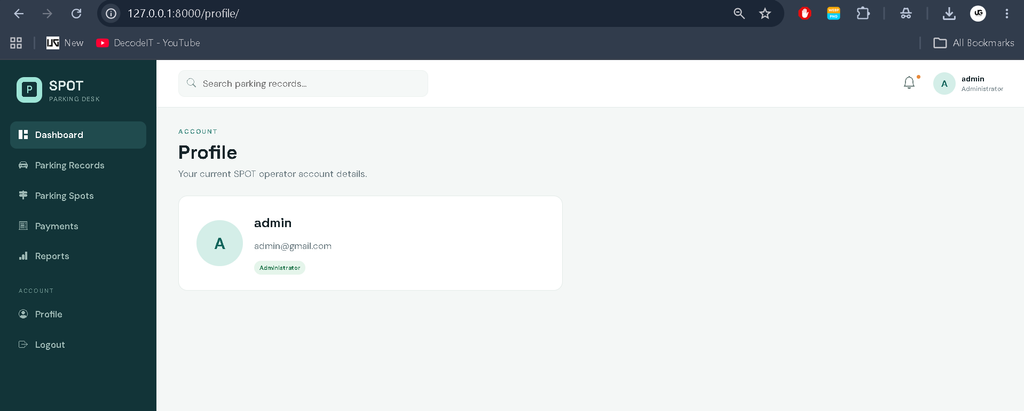
The UI has a dedicated visual identity for the parking domain, using a deep teal operations theme, spacious cards, status badges and clear tables. The sidebar contains Dashboard, Parking Records, Parking Spots, Payments, Reports, Profile and Logout. The top bar includes search, notification styling and the logged-in operator profile. The layout adapts for desktop, tablet and mobile widths.
Project Modules
1. Authentication
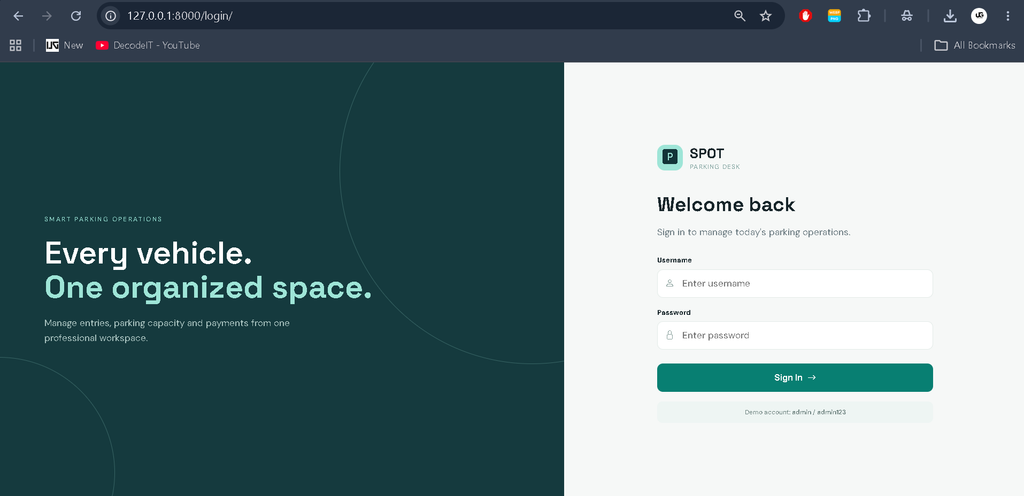
The login module protects the management pages using Django authentication. Invalid credentials display a useful message, while successful login redirects the operator to the dashboard.
2. Parking Spot Management
This module maintains the physical parking inventory. Each spot has a unique number, zone, supported vehicle type, operational status and hourly rate. The status can be available, occupied or under maintenance.
3. Parking Records
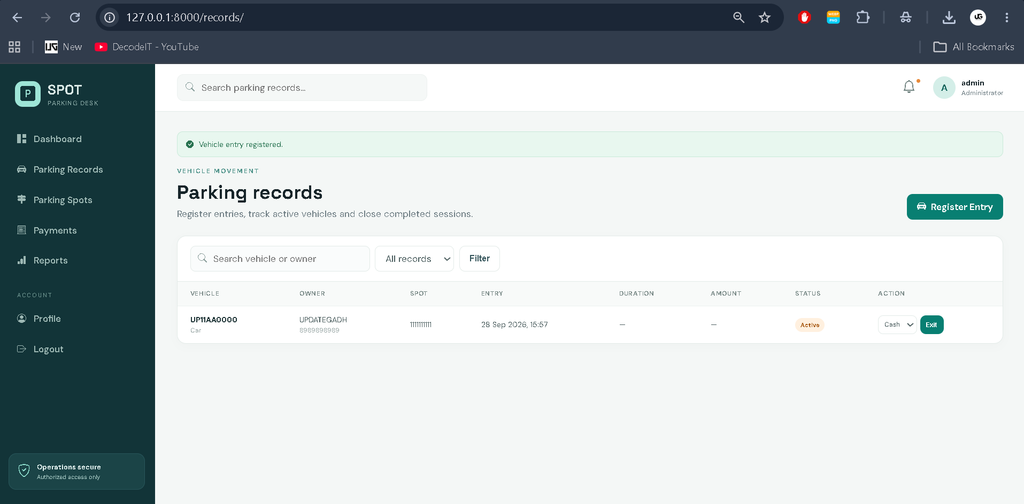
The records module is the central workflow of the project. When an entry is registered, the selected spot becomes occupied and the parking record becomes active. When the operator completes the exit process, the system stores the exit time, calculates the duration and charge, changes the spot back to available and creates the related payment record.
4. Payments and Reports
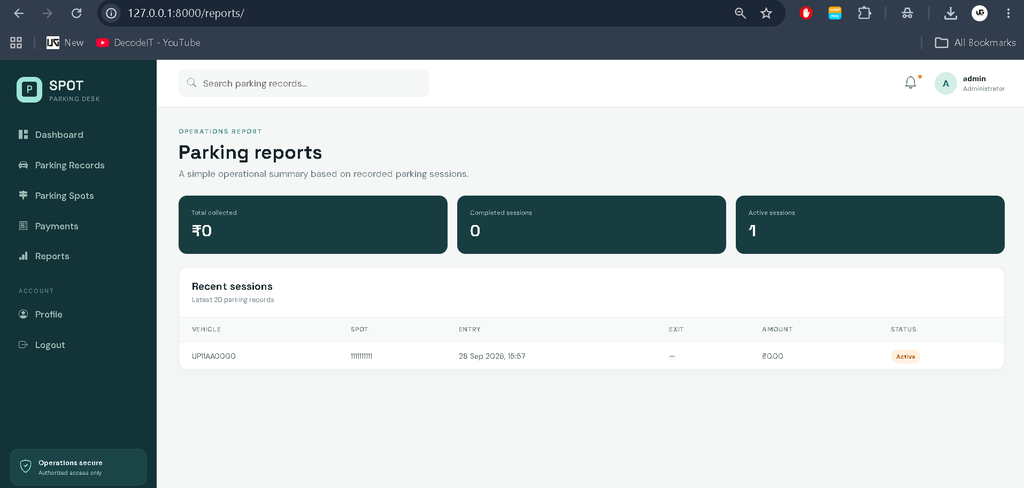
The payment page lists completed transactions with receipt numbers, vehicle information, amount, payment method and payment time. The reports page summarizes collected revenue and completed or active sessions while also showing recent records.
Download complete source code
Screenshot
How the System Works
The workflow begins with an authenticated operator opening the dashboard. Before a vehicle arrives, the parking inventory can be prepared through the Parking Spots module. During entry, the operator selects an available spot and enters the vehicle details. Once saved, the spot is marked occupied so another active record cannot use it. When the vehicle leaves, the operator chooses a payment method and completes the exit action. The system calculates the billable duration in hourly units, calculates the amount from the spot rate and creates a payment receipt. This keeps the parking state and transaction state connected.
Installation and Setup
Open the project folder in VS Code and create a virtual environment. On Windows, use the following commands:
python -m venv venv
venv\Scripts\activate
pip install -r requirements.txt
python manage.py migrate
python manage.py seed_data
python manage.py runserver
After the server starts, open http://127.0.0.1:8000/ in a browser. The included seed command creates sample parking spots and a demonstration administrator account. For local development, the project uses SQLite, so no separate database server is required. A .env.example file is also included for environment-based configuration of the secret key, debug setting and database URL.
Usage
Sign in through the login screen and review the dashboard. Use Parking Spots to prepare the available spaces and configure their hourly rates. Use Register Entry whenever a vehicle arrives. Check active sessions from Parking Records and complete the exit process when a vehicle leaves. Review the generated payment details in Payments and use Reports for a quick operational summary. This connected flow makes the application more useful than a collection of unrelated CRUD screens.
Frequently Asked Questions
What is the purpose of this project?
It provides a digital workflow for managing parking spots, vehicle entries and exits, parking duration and payment records.
Which technology is used?
The backend is developed with Python and Django. The interface uses HTML and CSS with Django templates, while SQLite is used for local database storage.
Can a vehicle be assigned to an occupied spot?
No. The entry form validates the selected parking spot and accepts only a spot whose current status is available.
How is the parking fee calculated?
The system calculates billable hours from the entry and exit times and multiplies that duration by the hourly rate stored for the selected spot.
Which payment methods are supported?
The current payment form supports cash, UPI and card records.
Is PostgreSQL supported?
The application is structured so PostgreSQL can be used for a production-oriented setup, while SQLite remains the configured local-development database.
Is this an advanced enterprise system?
No. It is intentionally scoped as a medium-level college project that demonstrates a complete, understandable parking workflow without AI, IoT, blockchain, microservices or complex infrastructure.
Future Scope
- Introduce printable or downloadable parking receipts.
- Add date-range filters to the reports module for more focused summaries.
- Provide a dedicated customer-facing booking workflow if advance reservations become necessary.
- Add configurable parking-rate schedules for different time periods.
- Improve notification handling for operational reminders and important parking events.
Conclusion
The Parking Management System Using Python and Django demonstrates how a college-level web application can solve a practical operational problem without unnecessary complexity. Its connected workflow covers parking-space management, vehicle entry, occupancy tracking, exit processing, automatic fee calculation and payment history. The professional dashboard gives operators a clear overview while the Django backend keeps the data organized through models, forms and authentication. Because the project remains focused on the actual parking domain, it is suitable for academic learning, demonstrations and further customization by students who want to understand how a complete Django management application is structured.
Keywords:
Parking Management System
Parking Management System – Google Search
parking management system project
parking management system github
parking management system images
parking management system er diagram
parking management system in india
parking management system philippines
parking management system saudi arabia
parking management system ui design
parking management system hikvision