Student Data Management System Using Python
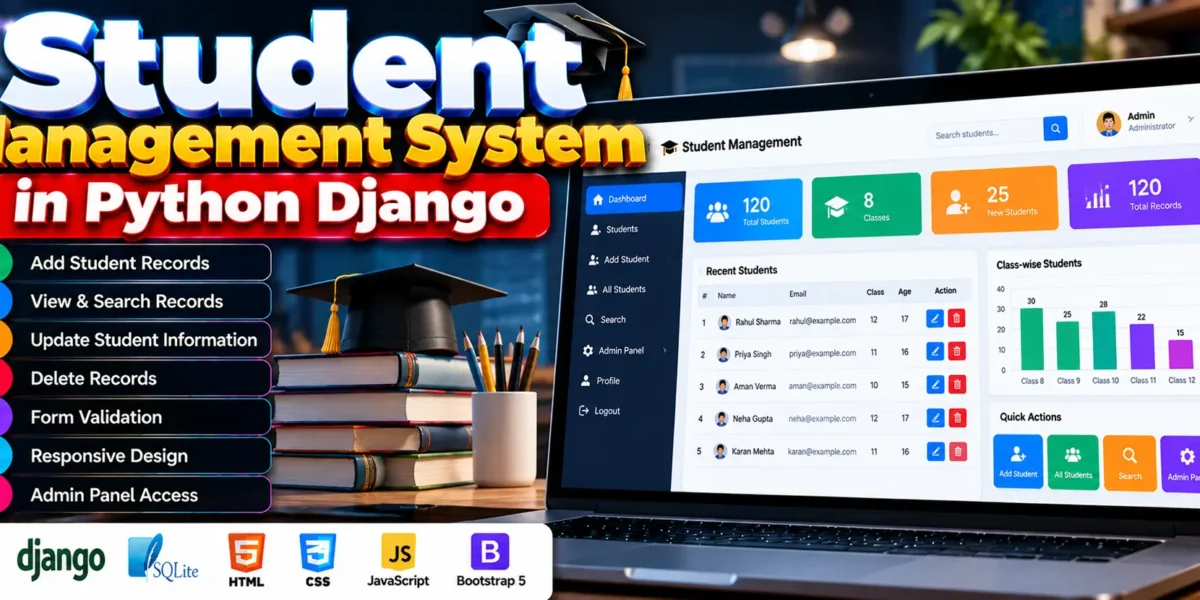
The Student Data Management System is a web application developed using Python Django to help schools and colleges manage student records. It allows users to add, view, update, search, and delete student information through a web interface.
The system uses SQLite to store student data and HTML, CSS, Bootstrap, and JavaScript to build its interface. Django provides the backend logic and database operations.
Complete Advance AI Topics: Click Here
Real Time Projects on YouTube:- DecodeIT
What Is the Student Management System?
The Student Management System is a Django-based web application for organizing student records. It provides features for maintaining student details, validating form inputs, and searching stored information.
The project uses Python Django, SQLite, and frontend web technologies to manage student data.
What Are the Project Details?
The project is developed as a web application using Python Django and SQLite, with HTML, CSS, and JavaScript for the interface.
| Project Detail | Description |
|---|---|
| Project Name | Student Data Management System |
| Languages Used | Python (Django), HTML, CSS, JavaScript |
| Database | SQLite (Default Django Database) |
| Type | Web Application |
What Features Are Available in the Student Management System?
The system provides student record management, search, form validation, responsive design, and access to Django’s built-in administration interface.
- Create Student Records: Add student details, including name, email, class, and age.
- Read and View Records: View the stored student records and access individual student information.
- Update Student Information: Edit existing student details, such as email and class information.
- Delete Records: Remove outdated or incorrect student entries. Deletion is restricted to authorized users.
- Responsive Design: Uses HTML, CSS, and Bootstrap to support desktops, tablets, and smartphones.
- Form Validation: Validates user input before saving information to the database.
- Search Functionality: Search student records using details such as name or email.
- Admin Panel Access: Django’s built-in administration interface allows superusers to manage student data and system settings.
Which Technologies Are Used in This Project?
The project uses Django for backend development, SQLite for database storage, and frontend technologies to create the user interface.
- Frontend: HTML5, CSS3, Bootstrap, and JavaScript.
- Backend: Python Django.
- Database: SQLite.
- Django Templating Engine: Connects frontend templates with backend logic.
- Django ORM: Simplifies database operations.
What Software Is Required to Run the Project?
The project requires Python, Django, Visual Studio Code, SQLite, and a web browser. The source code may also include a dependency file listing the required Python packages.
- Python
- Django
- Visual Studio Code
- SQLite
- Web browser
How to Download
The complete package is available so you can run, study, and submit it with confidence. It includes:
- Full Source Code
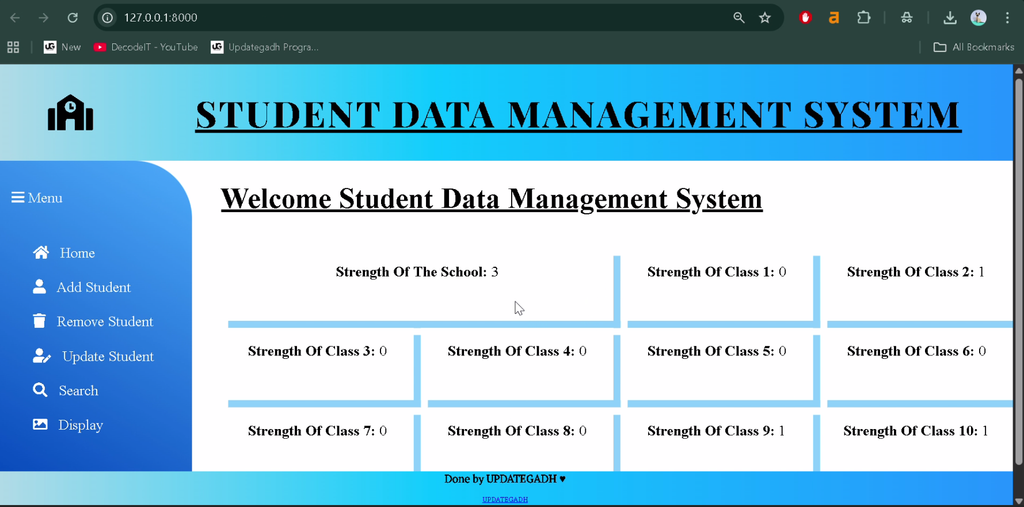
Screenshot
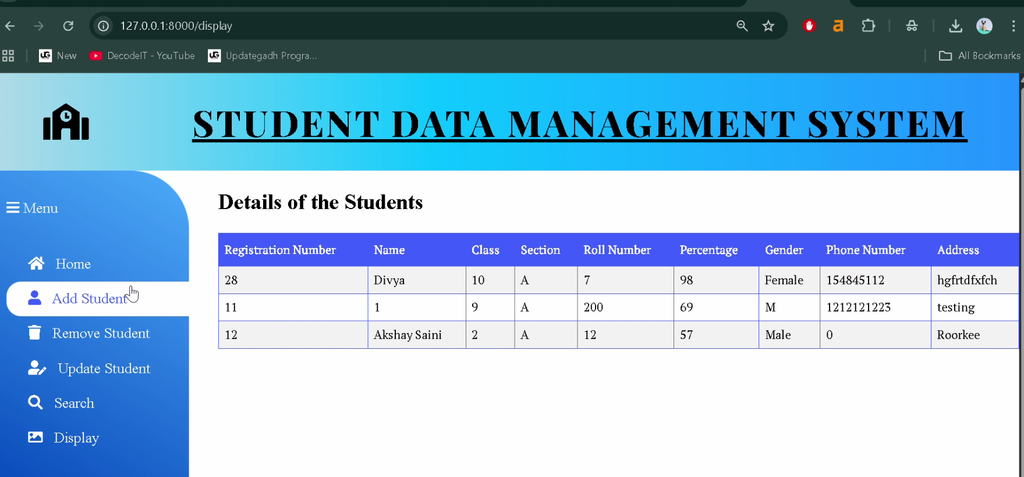
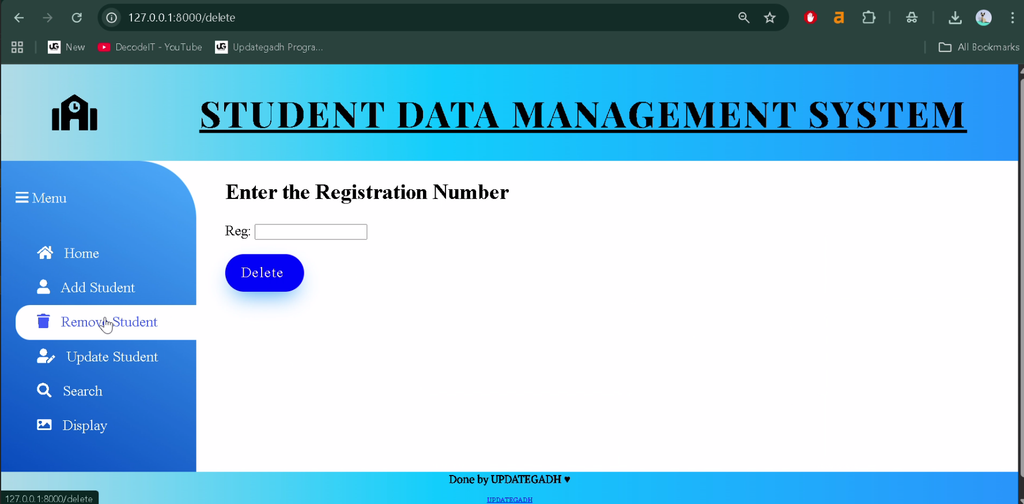
How to Install the Student Management System in VS Code?
To install the project, open its source folder in Visual Studio Code, create a virtual environment, and install the required dependencies.
Step 1: Open the Project Folder
Extract the source code and open the project folder in Visual Studio Code. Open the integrated terminal using Terminal > New Terminal.
Step 2: Create a Virtual Environment
python -m venv venvStep 3: Activate the Virtual Environment
Run this command on Windows:
venv\Scripts\activateStep 4: Install Dependencies
If the project includes a requirements.txt file, install its dependencies:
pip install -r requirements.txtIf no dependency file is included, install Django:
pip install djangoHow to Run the Student Management System?
After installing the dependencies, apply the database migrations and start the Django development server from the directory containing manage.py.
Step 1: Apply Database Migrations
python manage.py migrateStep 2: Start the Development Server
python manage.py runserverStep 3: Open the Application
Visit the following address in your browser:
http://127.0.0.1:8000/Note: These are standard Django commands. Actual setup may vary depending on the supplied source code and configuration. If the project requires an administrator account, create one using:
python manage.py createsuperuserHow Does the Student Management System Work?
The application uses Django to process student information and SQLite to store records. Users can create, view, update, search, and delete records through the available interface.
Superusers can access Django’s built-in administration interface to manage student data and system settings.
What Are the Main Uses of This Project?
The project is designed to organize student information in one web application. Its record management and search features make it possible to maintain and retrieve student details through the interface.
Frequently Asked Questions
1. What is the Student Data Management System?
It is a web application developed using Python Django to manage student records.
2. Which database is used in this project?
The project uses SQLite as its database.
3. Can users update student details?
Yes, existing student information can be edited using the update functionality.
4. Does the system support searching student records?
Yes, student records can be searched using details such as name or email.
5. How do I run the project in VS Code?
Install the dependencies, run python manage.py migrate, and start the server with python manage.py runserver. Then open http://127.0.0.1:8000/ in your browser.
Conclusion
The Student Data Management System provides a Django-based interface for maintaining student records. It includes record creation, viewing, updating, deletion, search functionality, form validation, responsive design, and Django administration access.