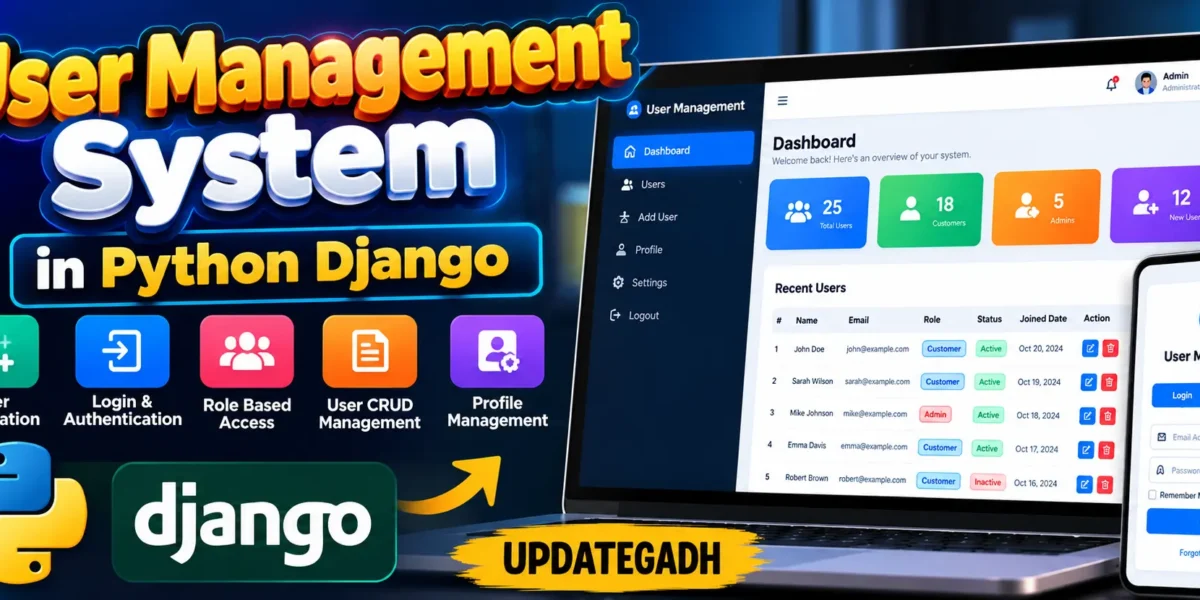
User Management System in Python Django
The User Management System in Python is a medium-level college project built with Django to organize user accounts through a practical web interface. Instead of depending on Django’s default administration screen, the project provides a custom management workspace where administrators can manage accounts while customers can register and maintain their own profiles. The system uses SQLite for data storage, Bootstrap for responsive layout support, and a custom dashboard interface for a cleaner college-project presentation.
Complete Advance AI Topics: Click Here
Real Time Projects on YouTube:- DecodeIT
Project Overview
The application follows a simple but complete workflow. A new customer can create an account, sign in, open the dashboard and maintain profile information. An administrator has additional access to a user directory where accounts can be created, viewed, searched, filtered, edited and deleted. Role checks keep customer-only accounts away from administrative screens. Profile records are connected with Django users so personal information, role information and profile images remain organized.
| Project Detail | Information |
|---|---|
| Project Name | User Management System in Python |
| Language / Framework | Python and Django |
| Database | SQLite |
| Frontend | HTML, CSS, Bootstrap and Material Icons |
| User Roles | Admin and Customer |
User Roles
Admin
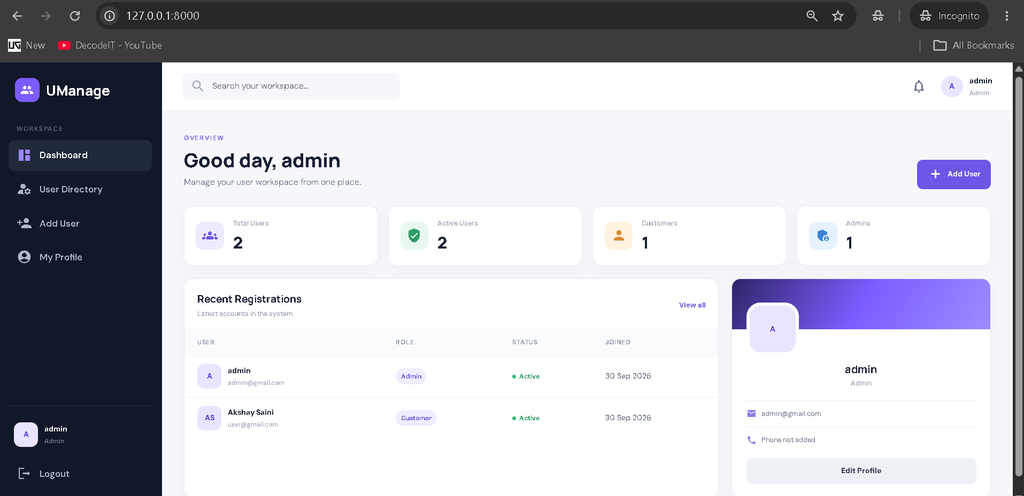
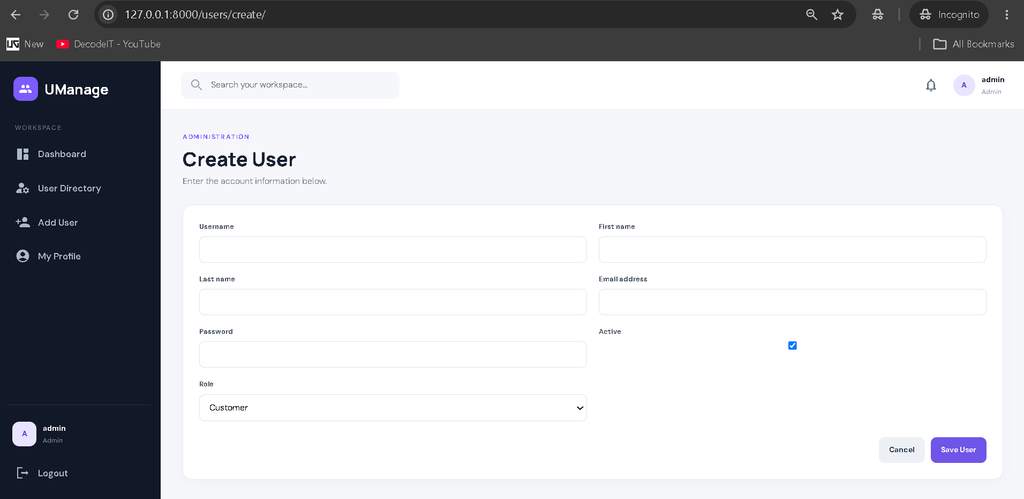
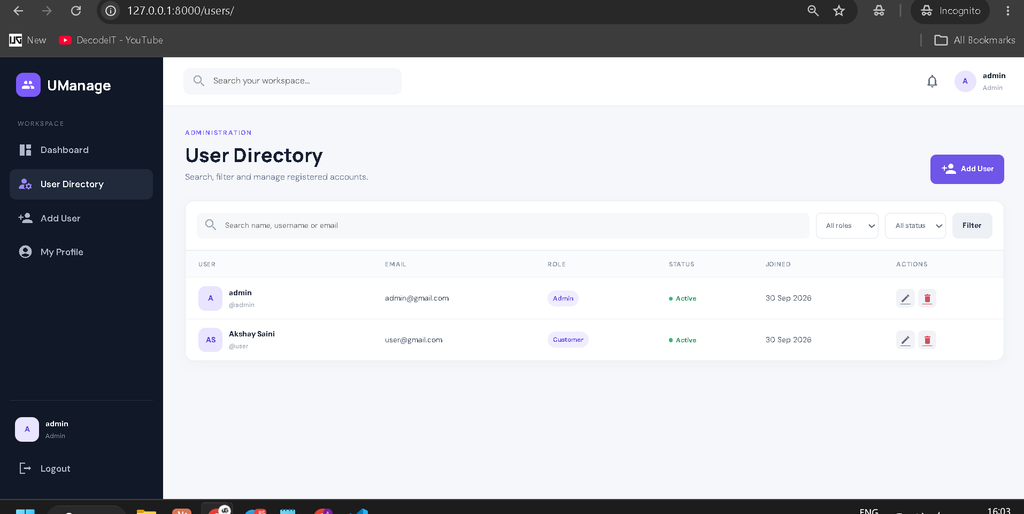
The administrator manages the user directory from the custom dashboard. Admin users can create new accounts, review registered users, search records, filter accounts by role or status, update account information and remove users when required. The project uses a role check before opening these management views, so the administrative workflow is separate from the normal customer experience.
Customer
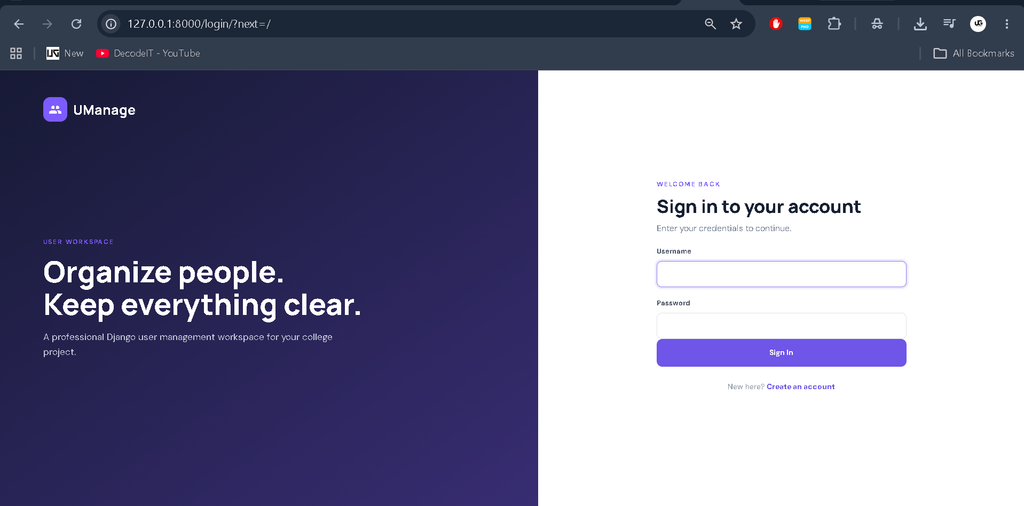
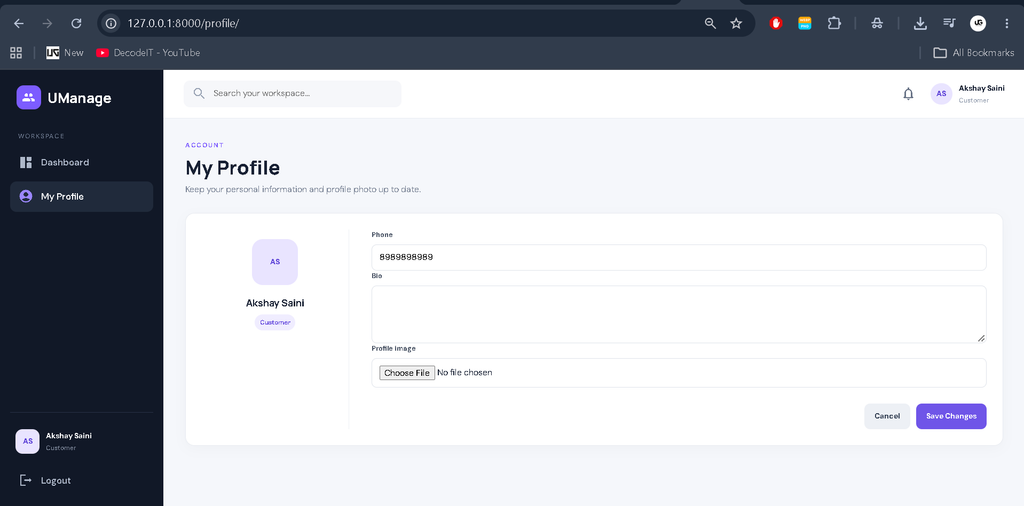
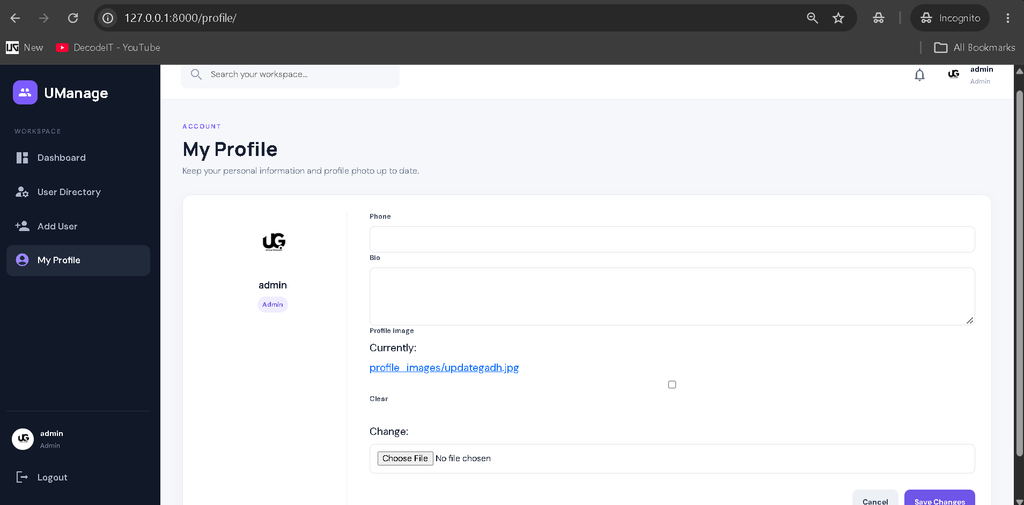
Customers can register through the public registration form and sign in with their credentials. After authentication, they can view the dashboard and update their own profile, including phone information, biography and profile photo. Customer accounts do not receive access to the administrator’s create, list, edit or delete user screens.
Key Features
- Registration and Login: Customers can create accounts and authenticate through Django’s built-in authentication workflow.
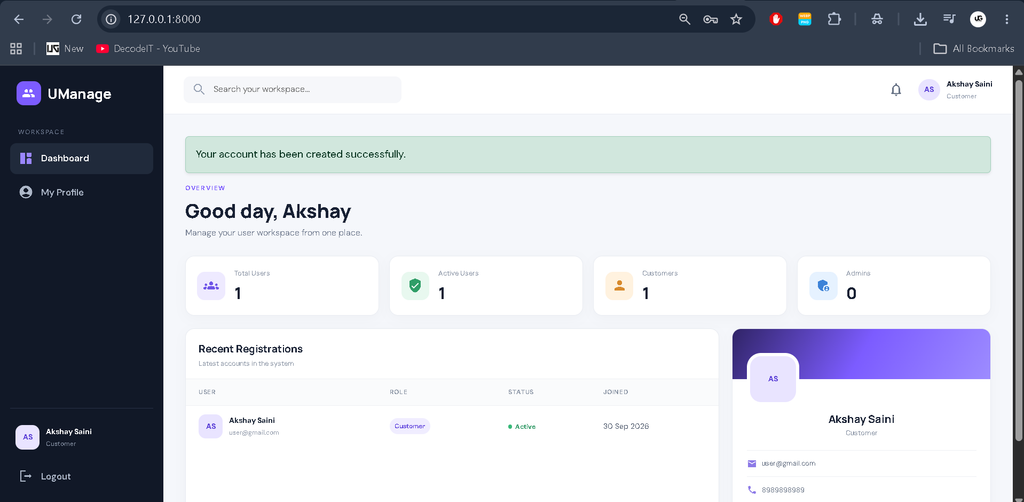
- Custom Dashboard: The main workspace presents relevant user statistics and recent registrations without using Django Admin.
- User CRUD: Administrators can create, read, update and delete user accounts.
- Search and Filters: The directory can be searched by username, name or email and filtered by role and active status.
- Profile Management: Customers can edit their phone number, biography and profile image.
- Image Compression: Uploaded profile images larger than 1 MB are resized and compressed before storage.
- Responsive Interface: The layout adapts to desktop, tablet and mobile screens with a collapsible sidebar.
- Role-Based Access: Custom access checks protect administrative pages from customer accounts.
- Feedback Messages: Django messages provide confirmation and error feedback after important actions.
Project Modules
The project is divided into connected modules so the code remains understandable. The authentication module handles registration, login and logout. The profile module manages customer information and image uploads. The administration module contains the user directory, create, edit and delete screens. The dashboard module displays totals for users, active accounts, customers and administrators along with recent registrations. These modules share the same SQLite database and authentication session.
Professional Dashboard UI
The interface is designed specifically for a user-management application. A dark sidebar contains Dashboard, User Directory, Add User and My Profile navigation. The top bar provides a workspace search area, notification indicator and signed-in user information. Dashboard cards show total users, active users, customers and administrators. A recent-registration table makes current records easy to scan, while the profile panel gives quick access to account information. Forms, status badges, action buttons and tables use consistent spacing and responsive styling.
How the System Works
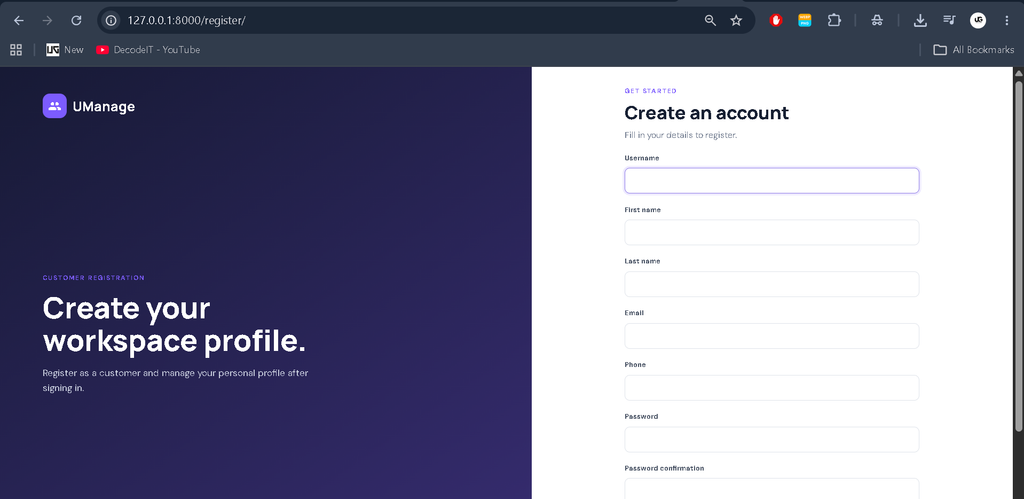
The workflow starts when a customer opens the registration page and submits valid details. Django validates the form and creates the account, after which the user can sign in. A profile record is automatically connected to the account. On the dashboard, customers can update their profile. When an administrator signs in, the application identifies the administrator role and exposes the user-management screens. The administrator can search or filter records and perform the available account actions. This creates a connected workflow from registration to profile management and administration.
Download complete source code
Screenshot
Installation and Setup
Install Python and open the project folder in VS Code. Create a virtual environment and activate it. Then install the required packages:
python -m venv venv
venv\Scriptsctivate
pip install -r requirements.txt
Prepare the SQLite database with Django migrations:
python manage.py migrate
python manage.py createsuperuser
The createsuperuser command creates the first administrative account. Start the development server with:
python manage.py runserverOpen the displayed local address in a browser. The project uses a custom management dashboard, so the normal application pages are used for administration rather than Django Admin.
Usage
For a customer demonstration, register a new account, sign in and open My Profile to upload an image and update personal information. For the administrator demonstration, sign in using the superuser account, open User Directory and test searching, filtering, creating, editing and deleting accounts. The dashboard statistics update from the stored user records, making the project suitable for demonstrating database-driven functionality during a college presentation.
Frequently Asked Questions
What is the purpose of this project?
It provides a structured web interface for registration, authentication, profile management and administrator-controlled user management.
Which technology is used?
The project is developed with Python and Django, with SQLite as the database and Bootstrap-supported responsive frontend styling.
What are the available roles?
The project uses two roles: Admin and Customer. Admins manage user records, while customers manage their own profiles.
Does it use Django Admin?
No. The management workflow is implemented through custom Django views and templates so the project has its own dashboard interface.
Can customers delete other users?
No. Customer accounts are restricted from the administrative create, list, edit and delete views.
How are profile images handled?
Profile images are stored through Django media configuration. Images larger than 1 MB are compressed before saving.
Validation and Data Handling
Form validation is used wherever users enter account information. Registration checks the email address and prevents duplicate email accounts, while Django’s password validation supports stronger account credentials. Administrator forms separate account details from role selection so the workflow remains clear. Profile forms accept only the information needed by the application and use Django’s file handling for image uploads. The database stores account and profile information in related records, allowing the dashboard and directory pages to display current data without maintaining duplicate user details.
Future Scope
- Add email-based account verification and password reset.
- Introduce pagination for very large user directories.
- Add downloadable user reports for administrators.
- Provide configurable notification preferences.
- Add additional profile fields when the application requires them.
The project also keeps responsibilities separated between account authentication, profile data and administrator actions. This structure makes the source easier to follow during project evaluation because each important screen has a clear purpose. It also demonstrates practical Django concepts such as models, forms, templates, URL routing, decorators, sessions, media configuration and database queries without introducing unnecessary enterprise architecture.
Conclusion
The User Management System in Python Django is a practical medium-level college project that demonstrates authentication, role-based access, database operations, profile management and responsive interface development in one connected application. Its custom dashboard makes the project more presentable than a basic CRUD example while keeping the implementation understandable for students. The combination of Django, SQLite, Bootstrap and organized application modules provides a solid foundation for learning how real web applications manage users and permissions.
keywords:
User Management System
User Management System – Google Search
user management system design
user management system login
user management system doh
user management system ui design
user management system github
user management system project
user management system open source
user management system ui
user management system ums