Train Ticket Reservation System Using Python and Django
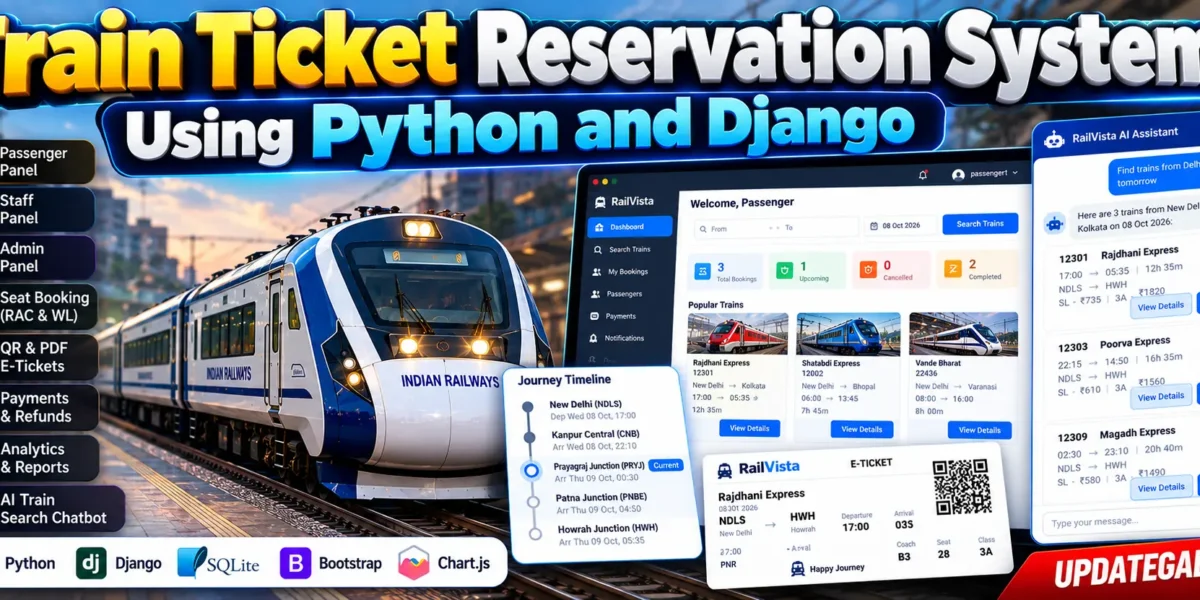
This Project is a complete and modern Train Ticket Reservation System developed using Django. The project provides a realistic railway reservation experience with separate Passenger, Staff and Admin portals. It manages train searches, routes, coaches, seats, reservations, payments, PNR tickets, cancellations, refunds, notifications and railway operations from a centralized platform.
The system also includes an interactive journey timeline, segment-based seat availability, RAC and waiting-list management, QR-based e-tickets, PDF tickets, analytics and a floating AI/ML train-search chatbot for passengers. The chatbot allows users to search for suitable trains directly from the User Panel and continue to the existing booking process.
Table of Contents
Complete Advance AI Topics: Click Here
Real Time Projects on YouTube:- DecodeIT
Project Overview
| Project Details | Information |
|---|---|
| Project Name | Train Ticket Reservation System |
| Technology | Python Django |
| Database | SQLite / PostgreSQL |
| Frontend | HTML, CSS, JavaScript, Bootstrap Icons |
| Charts | Chart.js |
| AI Feature | AI/ML Train Search Chatbot |
About
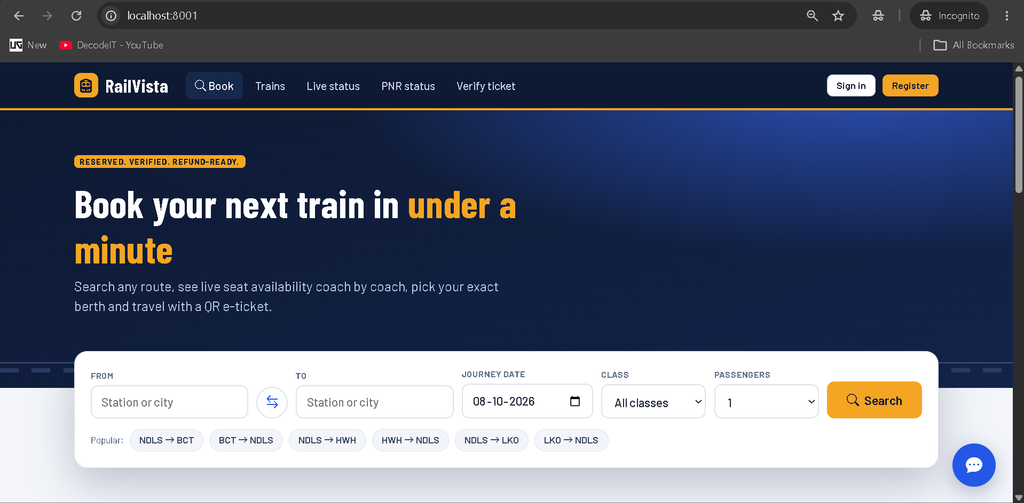
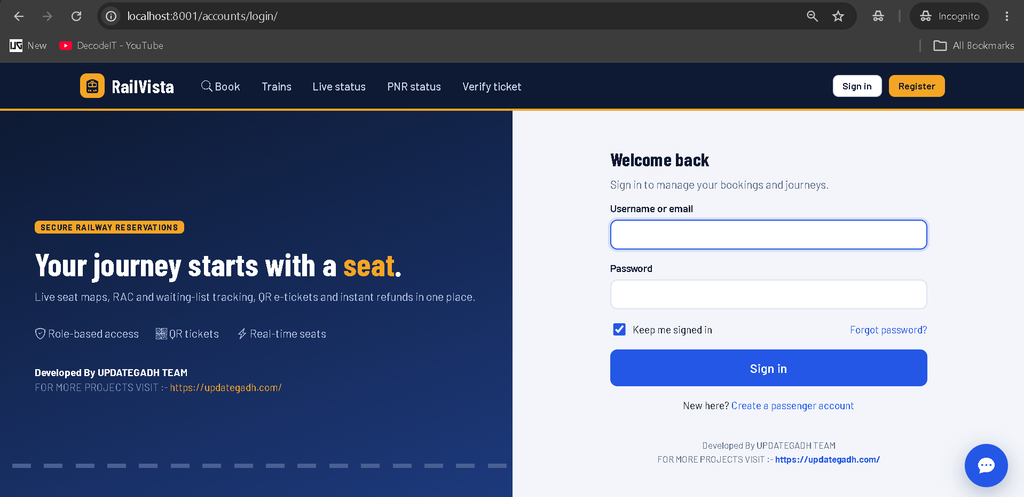
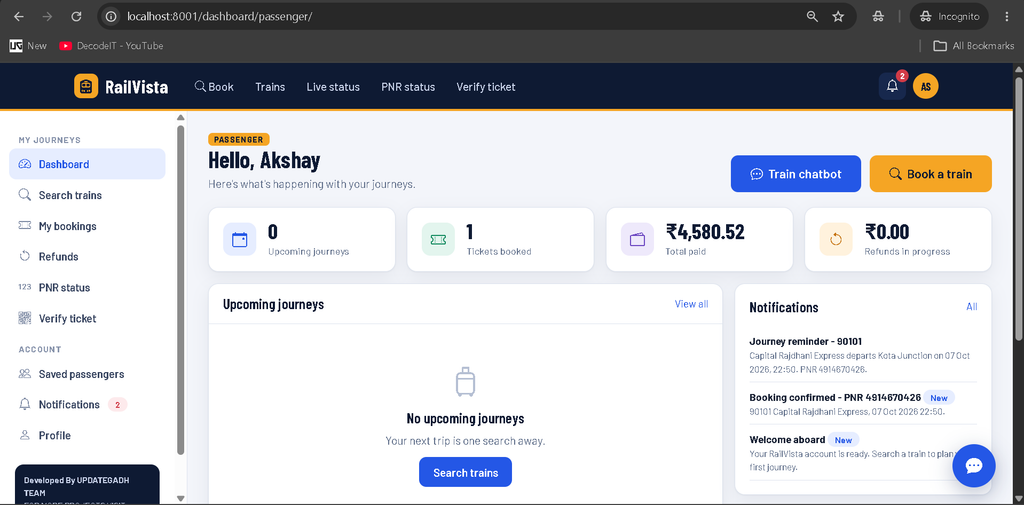
Train Ticket Reservation System is designed to provide a complete railway reservation workflow instead of a simple train-search application. Passengers can search trains, check availability, select classes, choose coaches and seats, add passengers, complete payment and receive their reservation details.
The platform also supports railway staff and administrators. Staff members can manage train operations, boarding information, platforms and train status, while administrators can manage master data, users, bookings, refunds, schedules and analytics.
Passenger Features
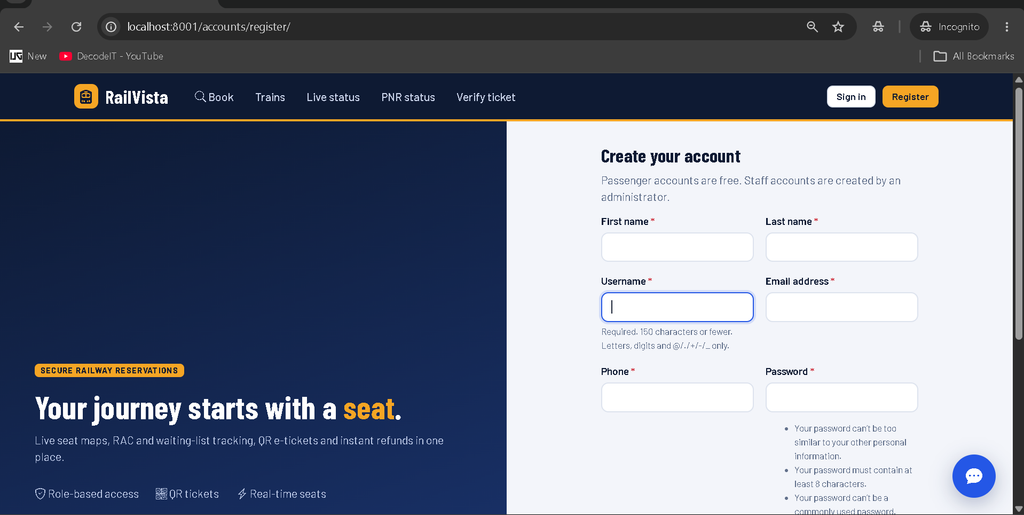
- User registration and login
- Passenger profile management
- Saved passenger management
- Train search and route selection
- Train comparison
- Class selection
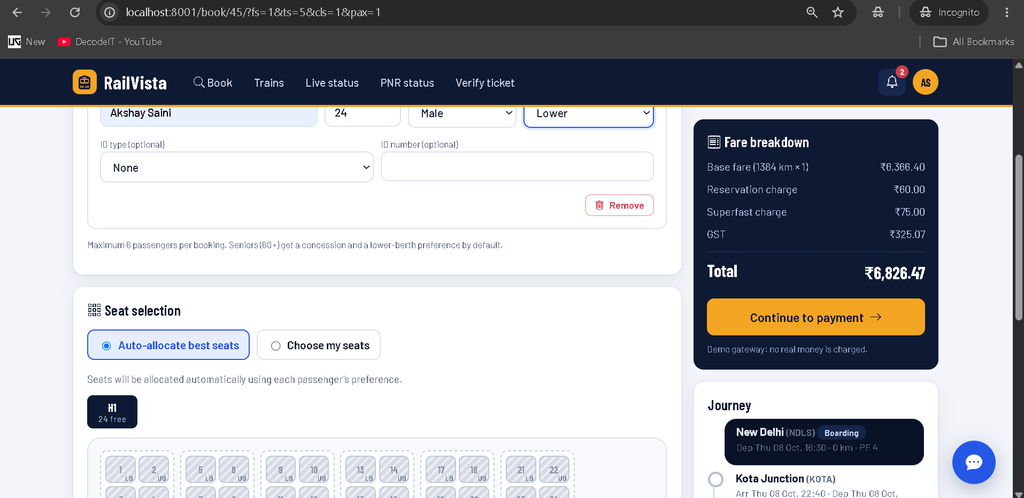
- Interactive coach and seat selection
- Automatic seat allocation
- Live AVL, RAC and WL availability
- Passenger management during booking
- Fare calculation and breakdown
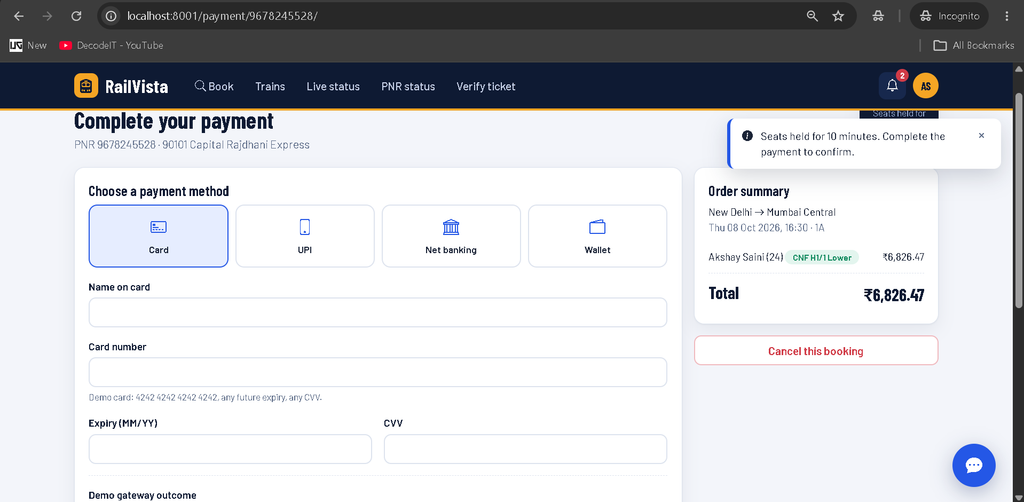
- Demo payment workflow
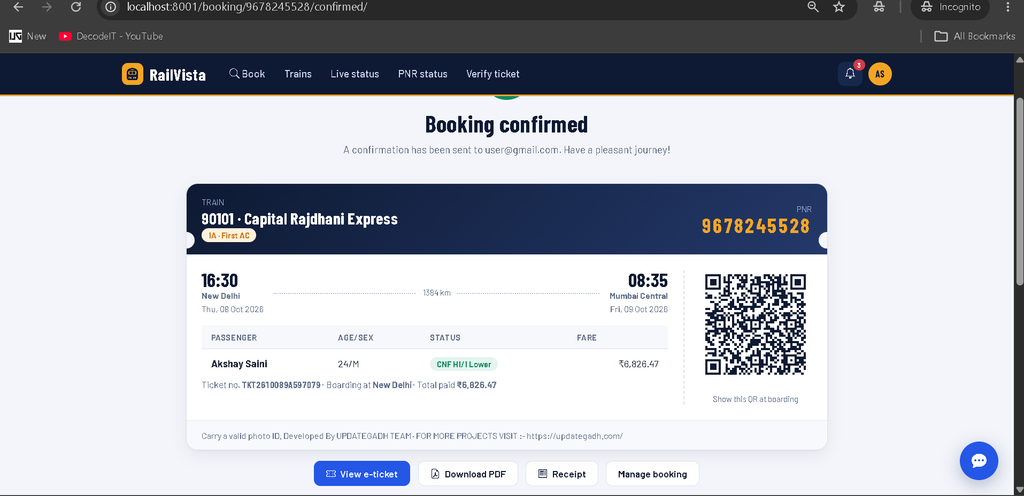
- PNR and ticket generation
- QR e-ticket generation
- PDF ticket and receipt generation
- Booking cancellation
- Individual passenger cancellation
- Refund tracking
- Notifications
- Train status information
- Journey timeline
AI/ML Train Search Chatbot
One of the newly integrated features in Train Ticket Reservation System is a floating AI/ML train-search chatbot available inside the Passenger/User Panel. Instead of navigating through multiple pages to find a train, users can interact with the chatbot directly from the corner of the dashboard.
The chatbot appears as a floating button in the bottom-right corner of the User Panel. When the user clicks it, a compact chat window opens above the button. The widget remains available while the user scrolls through the dashboard.
Users can enter queries such as:
- Find trains from Delhi to Mumbai
- Show trains from Delhi to Mumbai tomorrow
- Find a train from Delhi to Kolkata
The chatbot processes the basic search requirements such as source station, destination station and journey date, then searches the actual train records available in the project’s database.
Chatbot Search Results
Instead of displaying a large train list, the chatbot returns a limited number of relevant trains. Each result can display important information such as train number, train name, source, destination, departure time, arrival time, journey duration, fare and availability.
Users can then select View Details to open the existing train information page or select Book Now to continue directly to the existing booking workflow.
The chatbot is integrated with the existing train and booking system, so it does not require a separate booking module or duplicate train database.
Interactive Railway Journey Timeline
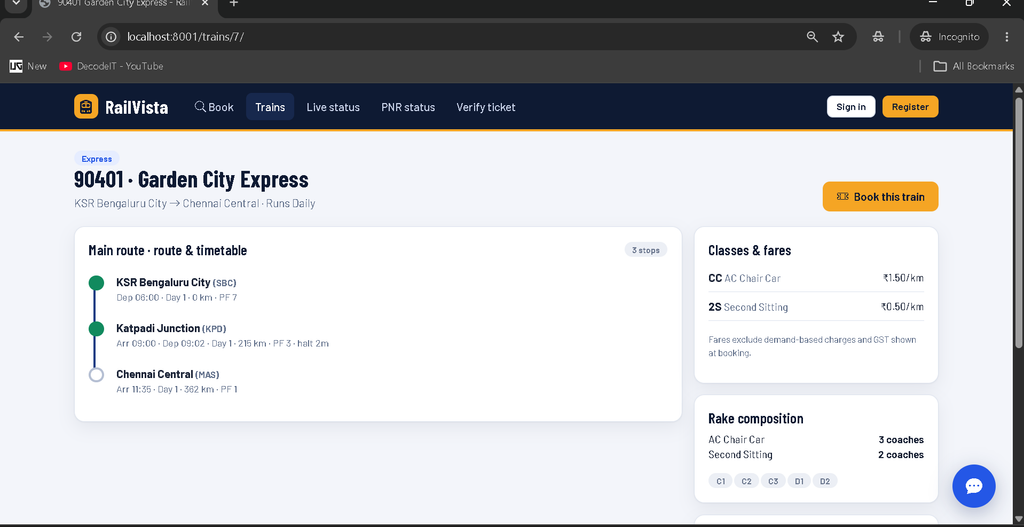
Train Ticket Reservation System also provides a visual journey timeline that makes train routes easier to understand. The timeline represents completed, current and upcoming stations differently.
- Passed Stations: Dark blue timeline indicates stations already passed.
- Current Station: The current station is highlighted with an active blue indicator.
- Upcoming Stations: Future stations use a light grey timeline.
This design gives passengers a more realistic representation of their railway journey and makes the current train position easier to understand.
Railway Management Features
- Station management
- Train type management
- Train management
- Route management
- Train stops
- Coach management
- Seat management
- Coach class management
- Fare management
- Train schedules
- Platform assignments
Booking and Reservation Engine
The booking engine is designed around real railway reservation concepts. Availability is calculated according to the journey segment, which means a seat used between two stations can become available again for a later segment.
When confirmed seats are unavailable, eligible passengers can enter RAC or the waiting list. Cancellation or expired seat holds can automatically trigger passenger promotion through the reservation workflow.
Seats can also be temporarily held during the booking process. The project includes a ten-minute seat hold mechanism before the reservation is completed.
Fare and Refund Management
Train Ticket Reservation System includes a detailed fare calculation system. Fare can be calculated using journey distance, coach class, train type and applicable charges. Senior passenger concessions, demand-based surcharges, reservation charges, superfast charges and GST can also be included according to the configured project settings.
The cancellation system supports different refund conditions depending on how early the booking is cancelled. RAC and waiting-list cancellations can use applicable clerkage rules, while cancelled trains can trigger full refunds for affected bookings.
Staff Panel
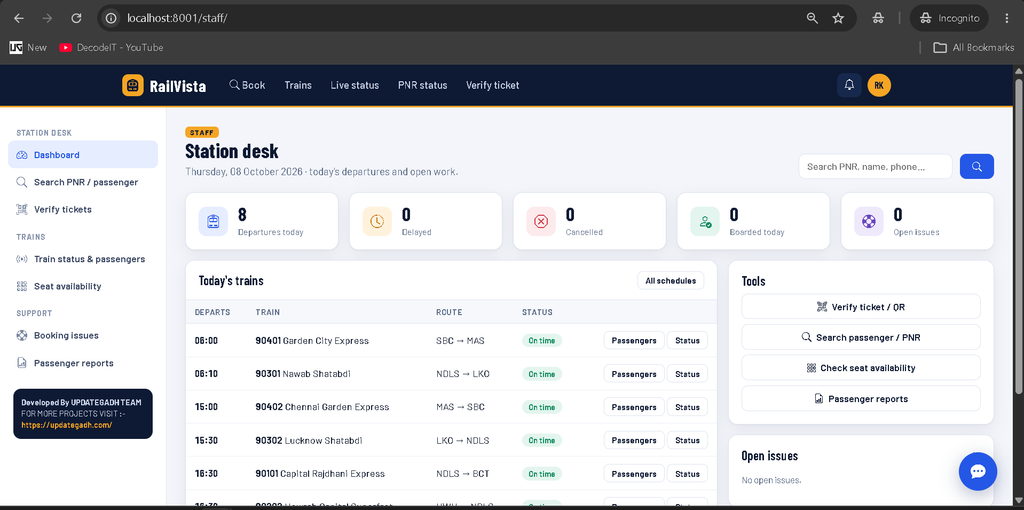
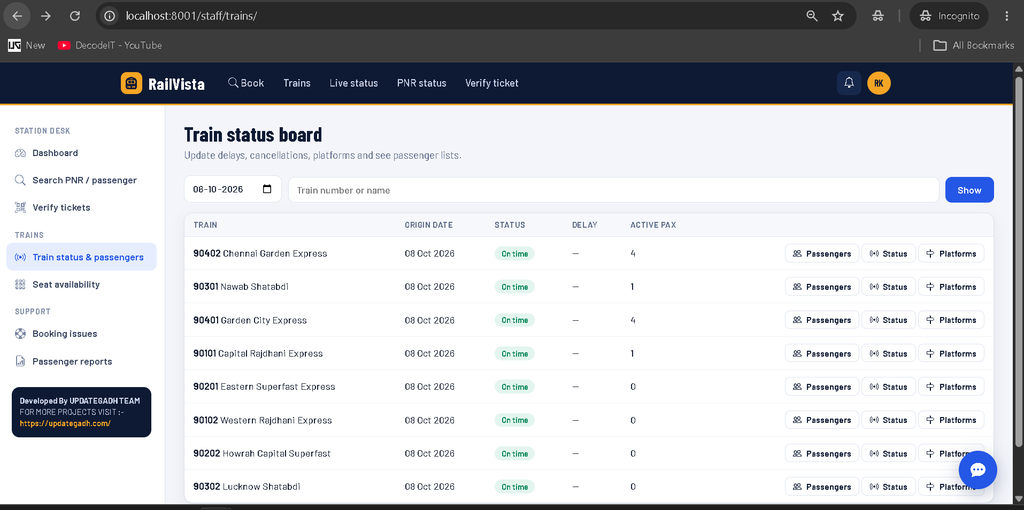
The Staff Panel provides tools for railway operational management. Staff can view train schedules, search passengers, verify tickets, manage boarding information and update train status.
- Staff dashboard
- Train schedule board
- Passenger search
- Ticket verification
- Boarding management
- Train delay management
- Train rescheduling
- Train cancellation
- Platform management
- Passenger lists
- CSV export
- Support issue management
- Reports
Admin Panel Features
The Admin Panel is the central management area of the Train Reservation System. It allows administrators to control railway master data, users, bookings, payments, refunds, reservations and system analytics from a single dashboard.
Admin Dashboard
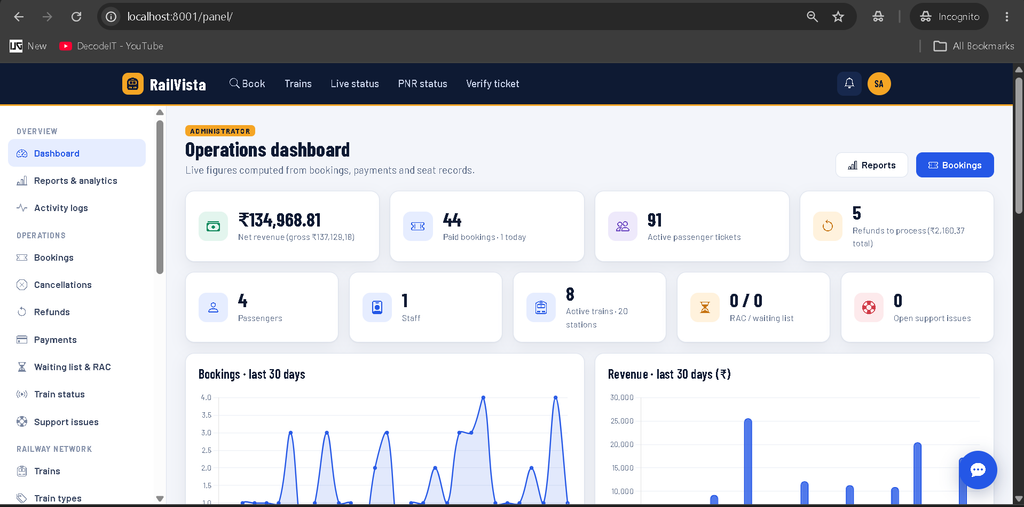
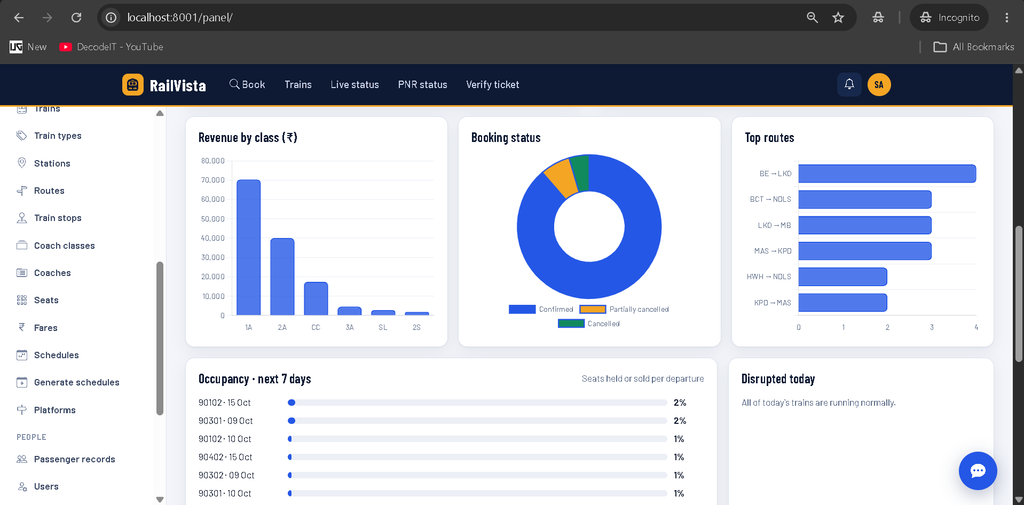
The administrator dashboard displays live information calculated from the project’s database. It provides an overview of revenue, bookings, passengers, refunds, railway operations and support activities.
- Net and gross revenue
- Paid bookings and today’s bookings
- Active passenger tickets
- Pending refunds and refund amounts
- Total passengers
- Total staff
- Active trains and stations
- RAC and waiting-list counts
- Open support issues
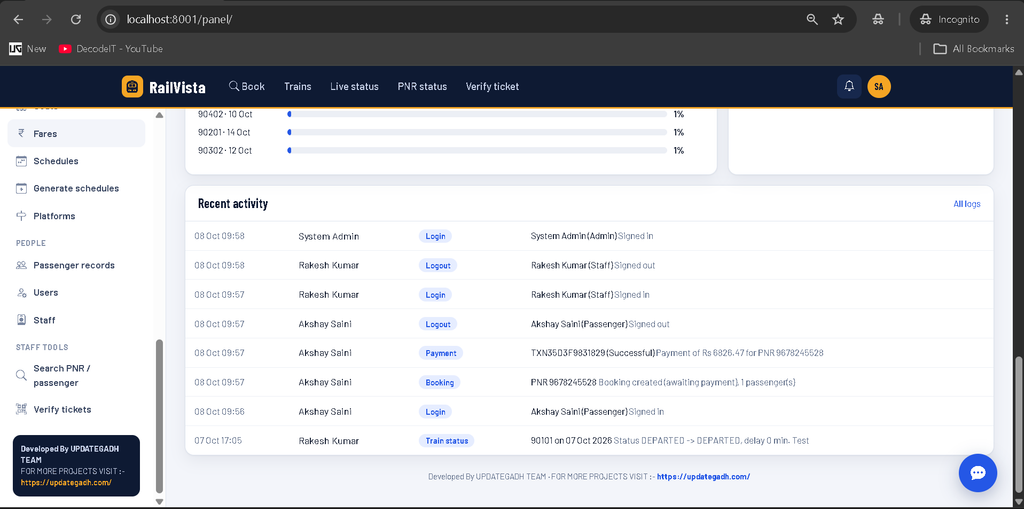
- Recent activity logs
Admin Analytics
Train Ticket Reservation System provides database-driven analytics through the Admin Dashboard. Administrators can monitor booking and revenue trends using interactive charts.
- Bookings for the last 30 days
- Revenue for the last 30 days
- Revenue by coach class
- Booking status distribution
- Top railway routes
- Seat occupancy for upcoming departures
- Today’s disrupted trains
User and Staff Management
Administrators can manage registered users and railway staff from the Admin Panel. User accounts can be searched and filtered, while staff records include employee information, designation, station and joining details.
Railway Master Data Management
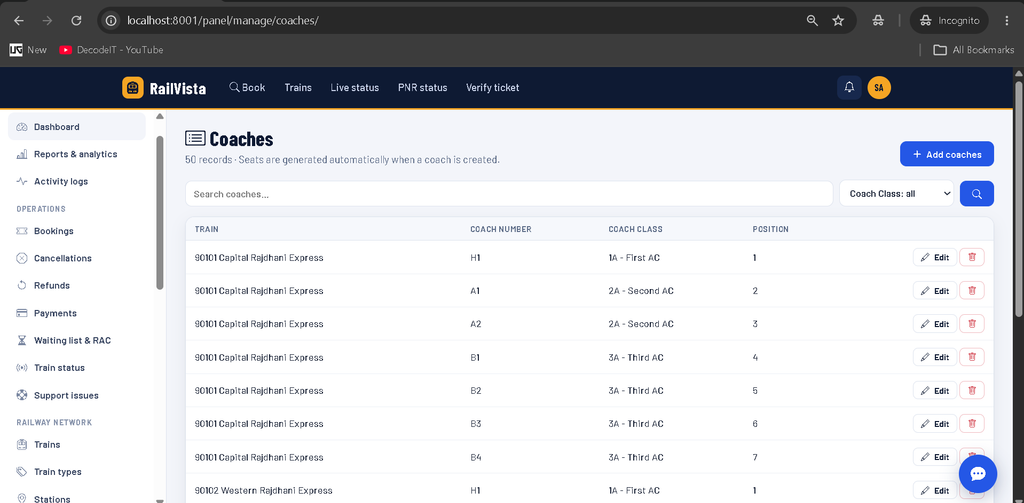
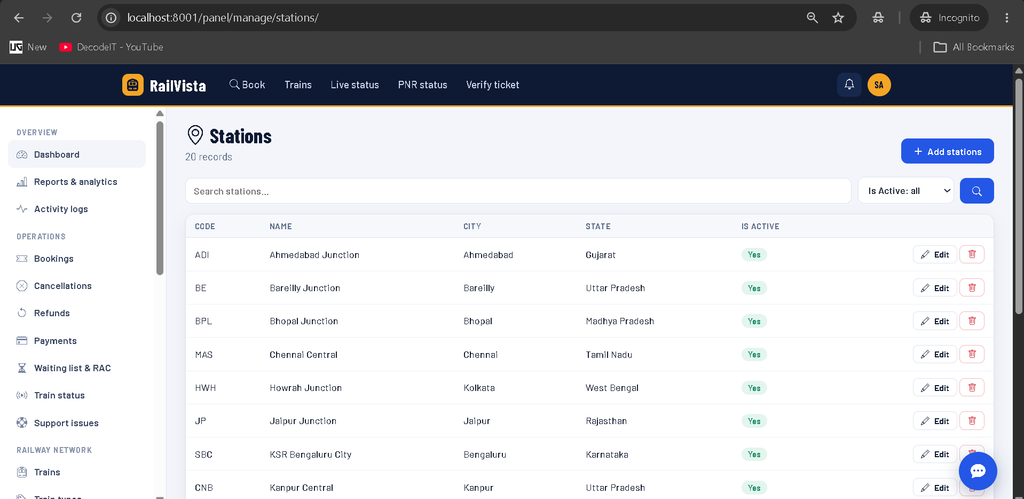
The Admin Panel provides CRUD management for the major railway master records. Administrators can manage stations, train types, coach classes, trains, routes, train stops, coaches, seats, fares, schedules and platform assignments.
Booking Management
Administrators can search and manage passenger bookings using PNR, passenger information, username, email or train number. Bookings can also be filtered by status, coach class and journey dates.
Passenger Management
The Passenger Management section provides an overview of registered passengers, including their contact information, ticket count, total amount paid, joining date and account status. Administrators can also access a passenger’s bookings and edit their account information.
Refund Management
Administrators can review refunds generated through booking cancellations. The refund management screen provides the refund reference, PNR, passenger, amount, current status and processing date. Pending refunds can be moved through processing, completed or failed states.
RAC and Waiting List Management
The Admin Panel includes dedicated RAC and Waiting List management. Administrators can search passengers by name, PNR or train and manually trigger promotion when required. The reservation engine also supports automatic RAC and waiting-list promotion after eligible cancellations.
Payment and Cancellation Records
Payment records contain transaction IDs, invoice numbers, booking references, amounts, payment methods, statuses and payment dates. Cancellation records include passenger count, fare amount, cancellation charges, refund amount and cancellation information.
Reports and CSV Export
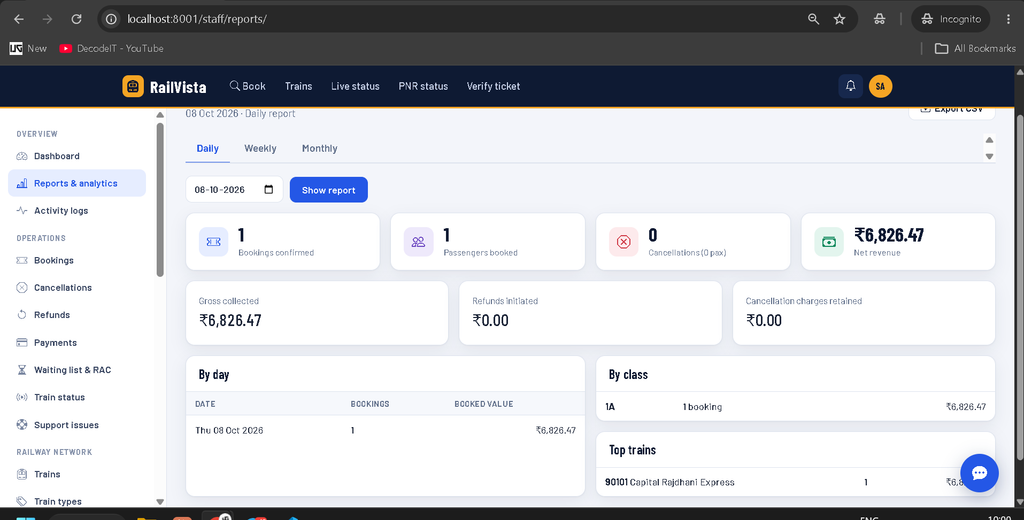
Train Ticket Reservation System includes daily, weekly and monthly reporting. Administrators can view booking counts, passenger numbers, cancellations, revenue, refunds, cancellation charges, class-wise statistics and top-performing trains. Reports can also be exported as CSV files for further analysis.
Activity Logs
The Activity Logs section records important system actions with information about the user, action, affected object, details, IP address and timestamp. This provides administrators with better visibility into system activity.
How to Download
The complete package is available so you can run, study, and submit it with confidence. It includes:
- Full Source Code
- Project Report
- Synopsis
- PPT Presentation
Screenshot
Notifications and Email System
Train Ticket Reservation System includes notifications for important reservation events such as booking confirmation, cancellation, reminders and password-related operations. The project can use Django’s email system for SMTP-based email delivery.
For development, emails can be displayed through the console. For an actual SMTP configuration, the required email host, port, username, password and TLS settings can be configured through environment variables.
Security Features
- CSRF protection
- POST-only logout
- Role-based access control
- Login throttling
- PBKDF2 password hashing
- Password validation
- Signed QR ticket tokens
- Card information is not stored
- Secure cookie configuration
- HTTPS and HSTS production configuration
Technology Stack
- Python
- Django
- SQLite
- PostgreSQL support
- HTML5
- CSS3
- JavaScript
- Bootstrap Icons
- Chart.js
- Pillow
- QR Code generation
- ReportLab
Installation Guide in VS Code
Follow these steps to run the project in Visual Studio Code.
Step 1: Open the Project
Extract the project ZIP file and open the project folder in VS Code.
Step 2: Create Virtual Environment
python -m venv venvStep 3: Activate Virtual Environment
For Windows:
venv\Scripts\activateFor Linux or macOS:
source venv/bin/activateStep 4: Install Requirements
pip install -r requirements.txtStep 5: Apply Database Migrations
python manage.py migrateStep 6: Add Demo Data
python manage.py seed_data --with-bookingsThis creates railway network data, demo users and sample booking records.
Step 7: Start the Server
python manage.py runserver localhost:8001Open the displayed local server address in your browser.
Demo Login Credentials
| Role | Username |
|---|---|
| Admin | admin |
| Staff | staff1 |
| Passenger | passenger1 |
For security, change demonstration passwords before deploying the application in a real environment.
Project Benefits
- Complete railway reservation workflow
- Separate passenger, staff and admin portals
- Real database-driven dashboard statistics
- Interactive seat and coach management
- RAC and waiting-list automation
- QR and PDF ticket generation
- Refund and cancellation management
- Train status management
- Operational analytics
- Floating AI/ML train-search chatbot
- Professional railway journey timeline
- Responsive dashboard interface
Final Thoughts
Train Ticket Reservation System is a strong Django-based project for understanding how a complete railway reservation platform can be designed and managed. It combines passenger booking, railway operations, reservation logic, payments, refunds, notifications and analytics in one application.
Train Ticket Reservation System Train Ticket Reservation System train ticket reservation system github train ticket booking system train ticket booking system design train ticket booking system Ild train seat reservation system train ticket booking system er diagram train ticket reservation project online train reservation system online train ticket reservation system