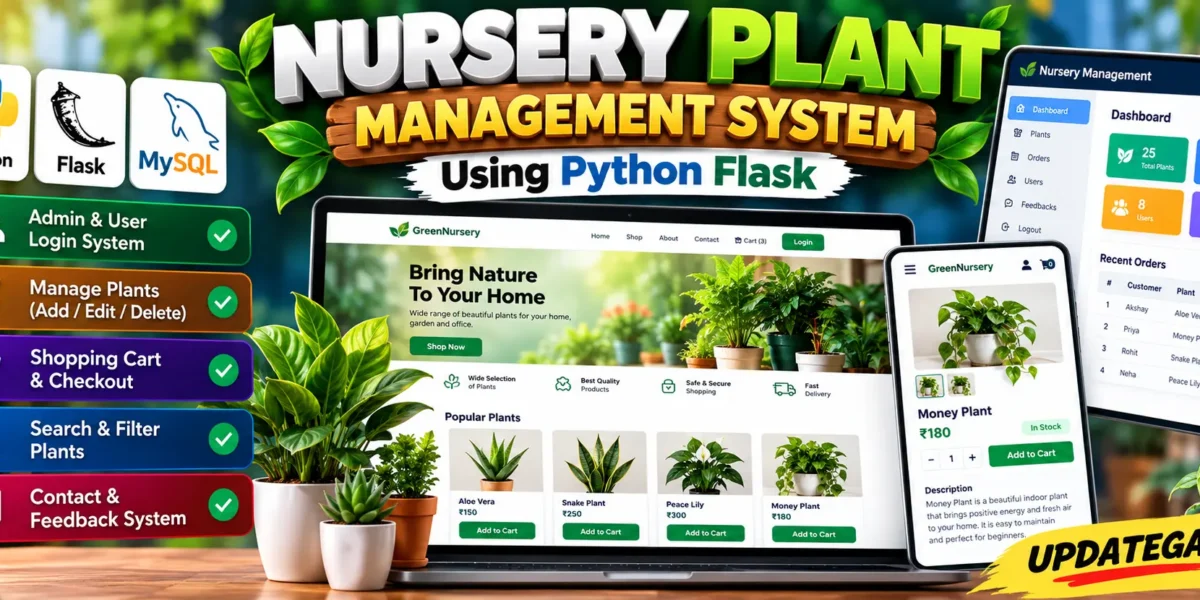
Nursery Plant Management System Using Python Flask and MySQL
The Nursery Plant Management System is a medium-level web application designed to organize common nursery activities through a single online platform. Built with Python Flask and MySQL, the system provides a structured way to maintain plant information, display available plants, manage customer carts, place orders, and collect feedback. Its responsive interface is designed to remain simple enough for students to understand while still looking like a practical full-stack college project.
The application brings the main nursery workflow together instead of keeping plant records and customer requests in separate manual processes. Administrators can maintain plant information and availability, while visitors and registered users can explore the shop. Customers can add available plants to a cart, review selected items, complete checkout, and send questions or feedback through the contact section.
Complete Advance AI Topics: Click Here
Real Time Projects on YouTube:- DecodeIT
Project Overview
| Attribute | Details |
|---|---|
| Project Name | Nursery Plant Management System |
| Language/s Used | Python, HTML, CSS, JavaScript |
| Framework | Flask |
| Database | MySQL |
| Authentication | Admin and Viewer Roles |
Project Introduction
The main goal of the system is to provide a clear digital workflow for a plant nursery. Instead of maintaining plant details manually, the application stores records in MySQL and presents them through a responsive Flask interface. Plant records include the name, category, description, price, and availability status. This information can then be displayed in the shop so customers can quickly understand what is currently available.
Visitors can explore the home page and shop, while registered users can add available plants to a cart, complete checkout, and submit feedback through the contact page.
Project Flow Overview
Home Page
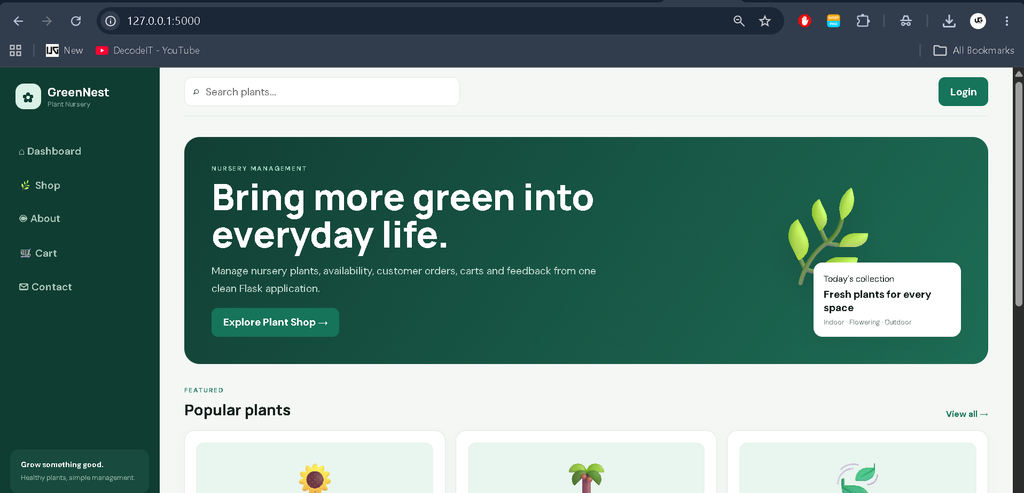
The home page acts as the starting point for the system. It introduces the nursery and provides quick access to the plant shop and other important sections. Featured plant records can be displayed directly on the landing page so visitors can immediately discover available products.
About Page
The About section presents the nursery’s purpose, plant focus, and customer-service approach.
Shop Page
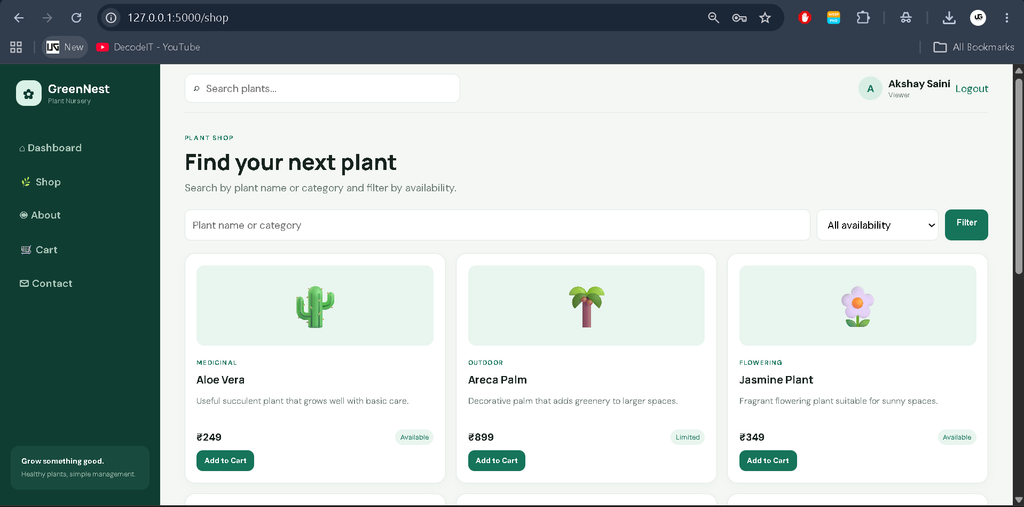
The Shop page displays plant names, descriptions, categories, prices, and availability, with search and filtering for easier browsing.
Cart and Checkout
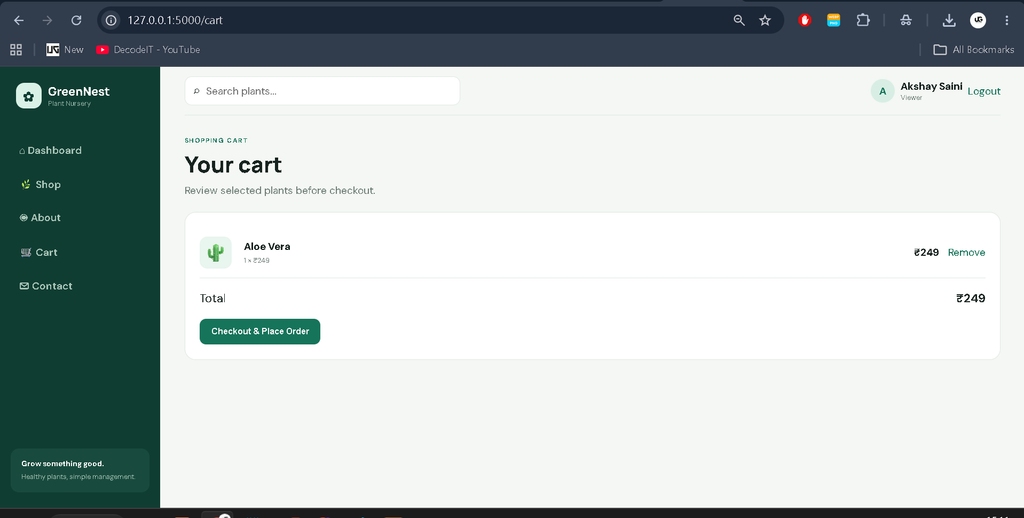
Registered customers can add available plants to their cart. The cart shows selected quantities and calculated item totals. During checkout, the system creates an order record and clears the selected cart items, providing a connected shopping workflow.
Contact Page
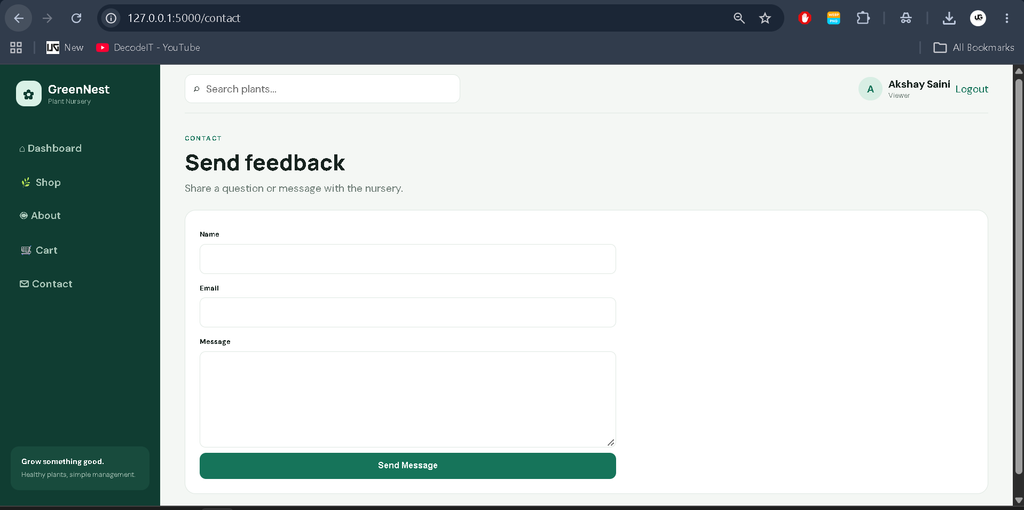
The Contact page collects a name, email, and message and stores submitted feedback in MySQL.
Available Features
- Admin and Viewer Authentication: Accounts use role information to control access to management functions.
- Plant Management: Administrators can add, edit, delete, and view plant records.
- Availability Management: Plants can be marked as Available, Limited, or Out of Stock.
- Plant Search: Users can search the catalog by plant name or category.
- Availability Filtering: Shop records can be filtered according to their current availability.
- Shopping Cart: Registered customers can add plants, review quantities, and remove selected items.
- Checkout: The system creates an order from the current cart and calculates the total amount.
- Contact and Feedback: Messages can be submitted and stored in the database.
- MySQL Integration: SQLAlchemy connects the Flask application with MySQL database records.
- Responsive Design: The interface adapts to desktop, tablet, and mobile screens.
User Roles
The project uses Admin and Viewer roles as described in the supplied requirements. The Admin role is intended for nursery management and can access the plant management area, where records can be added, edited, deleted, and reviewed. The Viewer role is intended for normal access to the nursery system without administrative catalog controls. Registered customers can use the cart and checkout workflow.
Technical Stack
Python is the main programming language and Flask provides the web framework. HTML, CSS, and JavaScript are used for the interface, with the design following a responsive nursery-oriented visual style. MySQL stores application records, while SQLAlchemy handles database models and queries. Flask-Login manages authenticated sessions and Werkzeug provides password hashing. The project remains modular so students can understand individual components without dealing with an unnecessarily complicated architecture.
Project Modules
1. Authentication Module
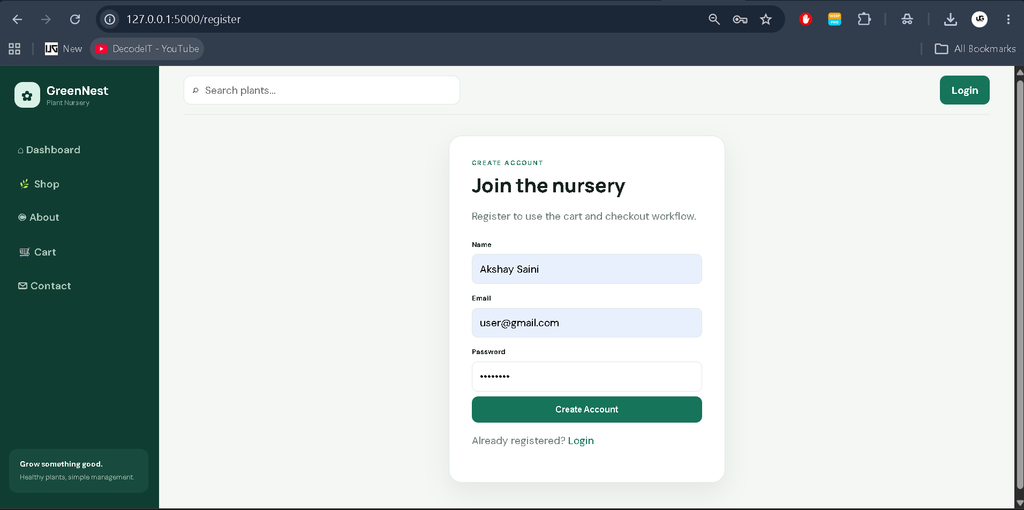
The authentication module provides registration, login, logout, password hashing, and role-based access. Protected routes cover the dashboard, cart, checkout, and administration.
2. Plant Management Module
This module manages the nursery catalog. Each plant stores its name, category, description, price, and availability status. Administrators can maintain these records through dedicated forms. The management table provides edit and delete actions, making routine catalog updates straightforward.
3. Shopping Module
The shopping module supports catalog search, availability filtering, cart quantities, total calculation, and order creation at checkout.
4. Feedback Module
The feedback module stores the sender’s name, email, message, and submission time from the contact form.
Download complete source code
Screenshot
Professional Dashboard and UI
The project uses a green nursery-focused interface. A dark sidebar provides navigation, while the top bar includes plant search and account information. Dashboard cards summarize plants, availability, orders, and cart items. Plant cards, tables, forms, and responsive layouts keep the interface professional and suitable for a college project.
Database Structure
MySQL stores users, plants, cart items, orders, order items, and feedback. User records connect carts and orders to accounts, while order items preserve plant names, quantities, and prices.
How the System Works
A visitor explores the shop and uses search or availability filters. After login, a customer can add plants to the cart and place an order. An Admin maintains plant records and availability, while Contact submissions are stored for review.
Installation and Setup
Open the Nursery-Plant-Management-System folder in Visual Studio Code. Create a virtual environment with python -m venv venv and activate it using venv\Scripts\activate on Windows or source venv/bin/activate on Mac/Linux. Install the dependencies with pip install -r requirements.txt. Create a MySQL database named plant_nursery. Configure the MySQL connection through the application’s database setting or the DATABASE_URL environment variable. Start the project with python run.py and open the local Flask address in your browser.
Usage
Users can register, browse plants, search, filter availability, add items to a cart, and place orders. Admins can add, edit, change availability, or remove plant records. The Contact page accepts nursery feedback or questions.
Frequently Asked Questions
What is the purpose of this project?
It provides a web-based system for managing nursery plant records, availability, customer carts, orders, and feedback.
Which technologies are used?
The project uses Python, Flask, HTML, CSS, JavaScript, MySQL, SQLAlchemy, Flask-Login, and Werkzeug.
Can an Admin manage plants?
Yes. Admin users can add, edit, delete, and view plant records from the dedicated management section.
Can customers add plants to a cart?
Yes. Registered users can add available plants to their cart, review the selected items, and complete checkout.
Does the system track plant availability?
Yes. Each plant includes an availability status that can be shown in the shop and maintained by an Admin.
Which database is required?
The project uses MySQL. A database named plant_nursery should be created before running the application.
Future Scope
- Add dedicated order history and order-status management for customers.
- Add plant image uploads and richer product gallery support.
- Add detailed sales reports and date-wise nursery summaries.
- Introduce stock quantity tracking alongside availability status.
- Add online payment integration after the basic checkout workflow is stable.
- Deploy the application on a production hosting environment with a managed MySQL database.
Conclusion
The Nursery Plant Management System using Python Flask and MySQL is a practical medium-level college project that brings plant catalog management and customer shopping activities into one connected application. It demonstrates authentication, role-based access, database relationships, plant CRUD operations, availability management, cart handling, checkout, feedback forms, search, filtering, and responsive interface design. Because the project stays focused on the supplied nursery workflow, students can understand its structure and explain each module clearly while still having a useful foundation for future improvements.
Keywords:
Nursery Management System
Nursery Management System – Google Search
nursery management system haryana
nursery school management system
nursery application management system
nursery inventory management system
nursery plant management system
nursery management system haryana government
nursery management system project
nursery management system project pdf
nursery management system project in php github,Nursery Plant Management System
Nursery Plant Management System – Google Search
plant nursery management system project documentation
plant nursery management system project in php
plant nursery management system project
plant nursery management system er diagram
plant nursery techniques
plant nursery activities
plant nursery near
nursery management techniques
nursery plants examples