
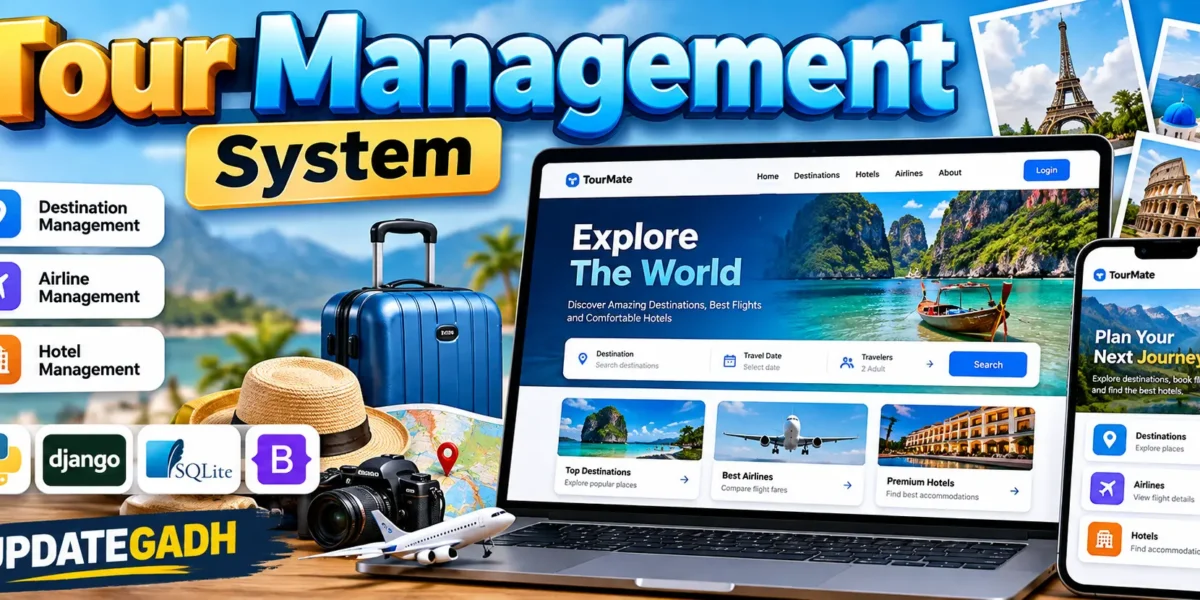
Tour Management System Using Python and Django
The Tour Management System is a medium-level college web application designed to organize important travel-management records through a single Django-based platform. Instead of maintaining destinations, airline information, and hotel details separately, the system brings these records together in one structured workspace. The project uses Python and Django for backend development, SQLite for data storage, and Bootstrap with custom CSS for a responsive interface.
The main goal is to provide a practical management application that is easy for a college student to understand while still looking and working like a professional system. The project focuses on three core areas: destination management, airline management, and hotel management. A secure login flow, dashboard, validation, search, filtering, and connected database relationships make the application more complete than a basic CRUD demonstration.
Complete Advance AI Topics: Click Here
Real Time Projects on YouTube:- DecodeIT
Project Overview
| Project Detail | Information |
|---|---|
| Project Name | Tour Management System |
| Language/s Used | Python, HTML, CSS, Bootstrap |
| Framework | Django |
| Database | SQLite |
| Application Type | Web Application |
| Project Level | Medium College Project |
Key Features
- Secure Login: Django authentication protects the main management workspace and keeps operational pages available to authenticated users.
- Destination Management: Administrators can add, edit, search, filter, and remove destinations with country, category, and description information.
- Airline Management: Airline records contain the airline name, unique code, fare, and an optional destination relationship.
- Hotel Management: Hotel records store the property name, location, room type, fare, and associated destination.
- Dashboard: A travel-focused dashboard presents destination, airline, and hotel totals along with recent records and quick actions.
- Search and Filtering: Management pages provide practical search fields and relevant filters for larger record collections.
- Validation: Django forms validate important fields before records are stored in the database.
- Responsive UI: Bootstrap and custom CSS allow the interface to adapt across desktop, tablet, and mobile screens.
User Roles and Access
The project keeps roles intentionally simple for a college-level implementation. The main operational role is an authenticated administrator who manages travel records. Django’s built-in authentication system handles login and session management, while the Django Admin panel provides additional administrative controls. This approach keeps the project understandable without introducing an unnecessarily complicated permission architecture.
Project Modules
1. Destination Module
The destination module acts as the foundation of the travel data. Each destination can contain a name, country, category, and description. Users can search by destination or country and filter records by category. Destinations can also be connected to airline and hotel records, creating useful relationships within the database.
2. Airline Module
The airline module stores airline names, unique airline codes, fare information, and optional destination associations. The listing page provides search functionality and clear edit and delete actions. The unique code field helps prevent duplicate airline identifiers.
3. Hotel Module
The hotel module organizes accommodation information using hotel name, location, room type, fare, and destination. Search and room-type filtering make it easier to locate suitable records. The module is connected to destinations so accommodation data can be viewed in a travel context.
Download complete source code
Screenshot
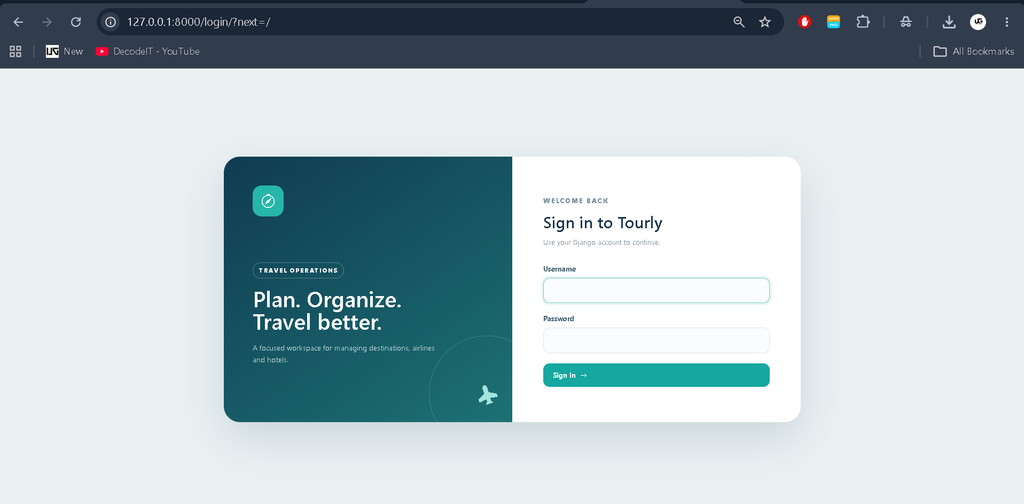
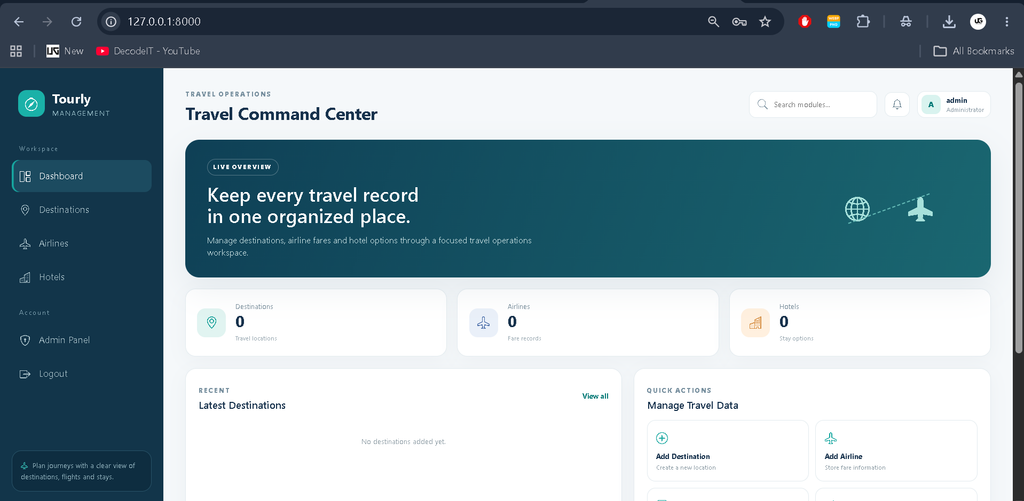
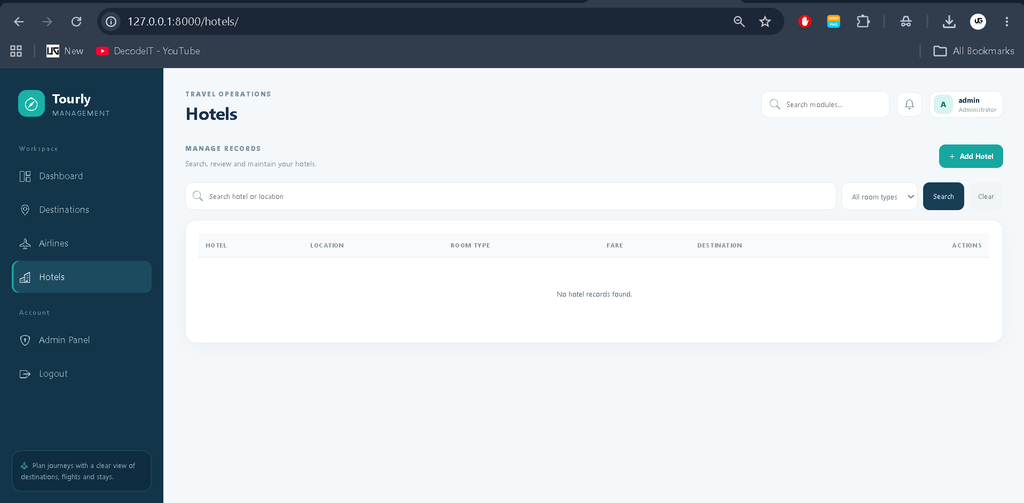
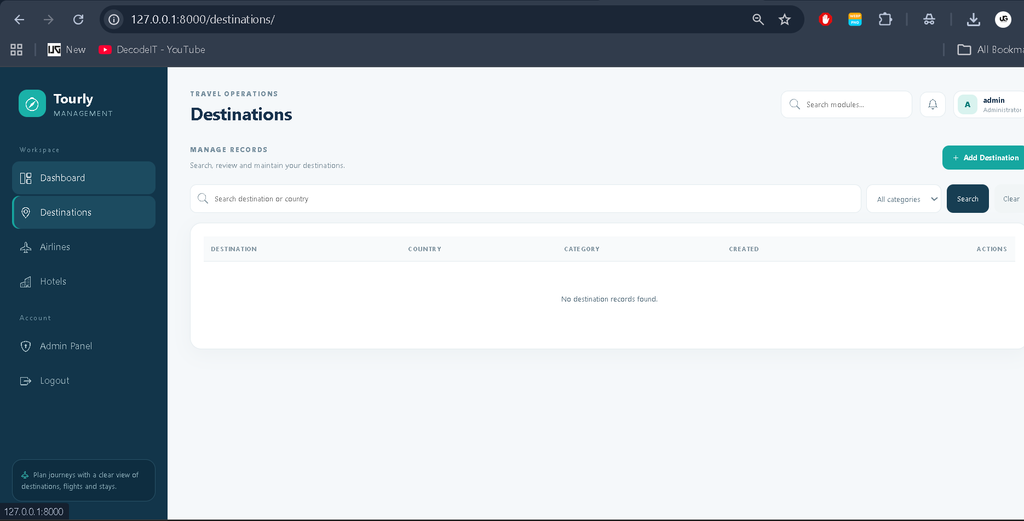
Professional Dashboard UI
The interface uses a travel-oriented visual identity rather than a plain student-project layout. A dark teal sidebar contains the main navigation, while the top area provides page context, search, notifications, and the logged-in profile. The dashboard includes KPI cards for the three main record groups, a recent-destination panel, quick management actions, and a recent hotel table.
The design uses rounded panels, clear spacing, compact status badges, travel icons, responsive tables, and a destination-inspired color palette. Forms use consistent labels, focused input states, validation messages, and clear action buttons. On smaller screens, navigation and data areas adapt to remain usable. The design is intentionally different from a generic enterprise dashboard while maintaining a professional college-project appearance.
How the System Works
The workflow begins when an administrator signs in with a Django user account. After authentication, the dashboard displays current record counts and recent information. From there, the administrator can open a destination, airline, or hotel module. A record can be created through a validated form, stored using Django ORM, and immediately displayed in the related listing.
Destination relationships allow airlines and hotels to reference a known travel location. Search requests are processed by Django views and translated into database queries. Update and delete actions operate on the selected record, while success messages provide feedback after completed operations. This creates a connected workflow from authentication to dashboard, database management, review, and maintenance.
Technologies Used
- Python: Provides the core programming language for the application.
- Django: Handles URL routing, views, templates, authentication, forms, ORM, and administration.
- SQLite: Provides a lightweight relational database suitable for college development and testing.
- HTML and CSS: Structure and customize the user interface.
- Bootstrap: Supports responsive layouts and common interface components.
Installation and Setup
Install Python and VS Code before starting. Extract the project and open the folder containing manage.py. Create and activate a virtual environment, then install the project dependency with the following commands:
python -m venv env
env\Scriptsctivate
pip install -r requirements.txt
For macOS or Linux, activate the environment with source env/bin/activate. Next, prepare the database:
python manage.py makemigrations
python manage.py migrate
Create an administrator account with python manage.py createsuperuser, then start the development server using:
python manage.py runserverOpen the local server address in a browser and sign in. The Django administration area is available through the /admin/ path.
Usage
After signing in, use the sidebar to move between Destinations, Airlines, and Hotels. Add a destination first when you want to associate later airline or hotel records with it. Use the search and filter controls on listing pages to locate records. Edit existing information when fares or details change, and use the delete action only when a record is no longer required.
Frequently Asked Questions
What is the purpose of this project?
It provides a centralized Django interface for organizing destination, airline, and hotel information for a travel-management workflow.
Which database is used?
The project uses SQLite, the default lightweight database included in the configuration.
Is login required?
Yes. The management workspace is protected by Django authentication so operational pages are not publicly accessible.
Can records be searched?
Yes. Destinations, airlines, and hotels include relevant search controls, while destinations and hotels also provide useful filters.
Can the project be customized?
Yes. Django models, forms, templates, and styles can be extended for additional travel-management requirements while keeping the current structure understandable.
Future Scope
- Add customer-facing tour browsing and booking workflows.
- Introduce itinerary management for combining destinations, flights, and accommodation.
- Add printable summary reports for selected travel records.
- Extend the database from SQLite to MySQL or PostgreSQL for larger deployments.
- Add additional staff permissions if the project later requires multiple operational roles.
From a learning perspective, the project also demonstrates how separate Django components work together in a realistic application. Models define the stored travel data, forms control user input, views manage requests, and templates present the results. This makes the system suitable for demonstrations, semester submissions, and practical study of database-driven web development.
Conclusion
The Tour Management System provides a practical foundation for a college-level travel management application. Its Django backend, SQLite database, responsive Bootstrap interface, authentication, connected records, validation, search, filtering, and dashboard create a complete workflow without turning the project into an enterprise platform. Students can study the project to understand Django MVT architecture, ORM relationships, forms, authentication, templates, and responsive interface development. The modular structure also leaves room for realistic future improvements while keeping the current implementation focused on destinations, airlines, and hotels.
Keywords:
Tour Management System
Tour Management System – Google Search
tour management system project
tour management system bhel
tour management system er diagram
tour management system github
tourism management system
tourism management system project pdf
tourism management system website
tourism management system er diagram,Tour Management System Using Python and Django
tourism management system project github,Tour Management System Using Python and Django,Tour Management System


Thank you for always being open and honest with your readers It’s refreshing to see a blogger who is unafraid to be vulnerable and real