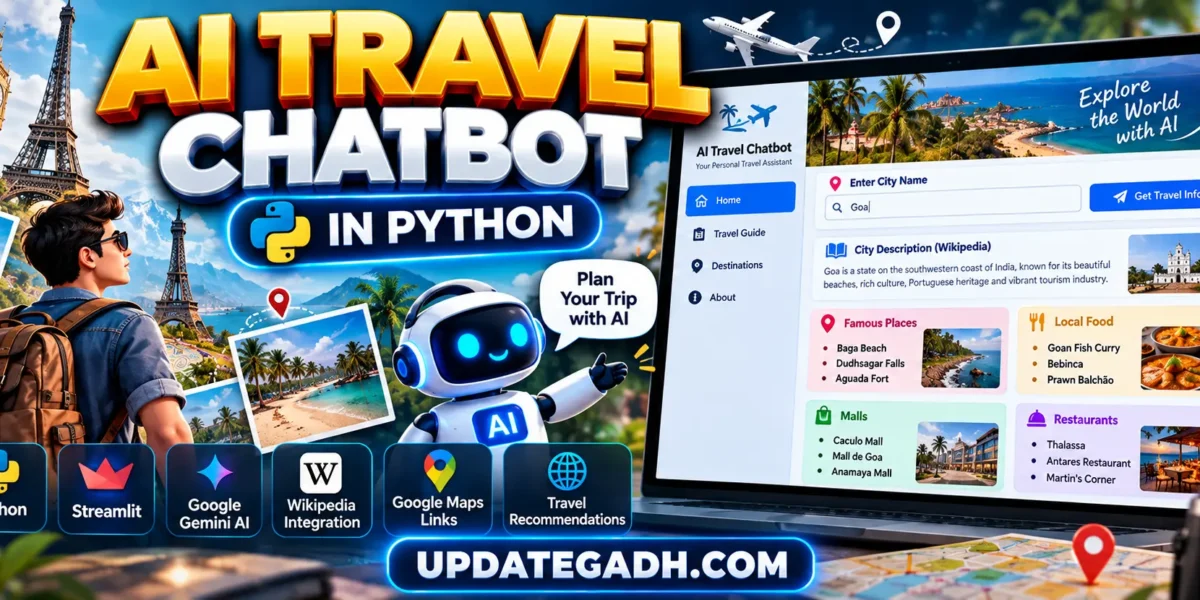
AI Travel Chatbot in Python
AI Travel Chatbot in Python is a Python-based web application designed to help users quickly explore travel information about different cities. The project combines Streamlit, Google Gemini AI, Wikipedia, and Google Maps to create a simple and interactive travel assistant.
Planning a trip usually requires searching for destinations, local food, shopping places, restaurants, and other information from multiple websites. This project brings some of these requirements together in one application. Users simply enter a city name, and the application generates a city description along with recommended places, local foods, malls, and restaurants.
The project is particularly useful for students who want to learn how Python, Generative AI APIs, web application development, external information sources, and URL generation can be combined to build a practical real-world application.
Table of Contents
Complete Advance AI Topics: Click Here
Real Time Projects on YouTube:- DecodeIT
Project Overview
| Project Name | AI Travel Chatbot in Python |
|---|---|
| Language/s Used | Python |
| Framework | Streamlit |
| AI Technology | Google Gemini Generative AI |
| Information Source | Wikipedia |
| Maps Integration | Google Maps Search Links |
What Does the AI Travel Chatbot Do?
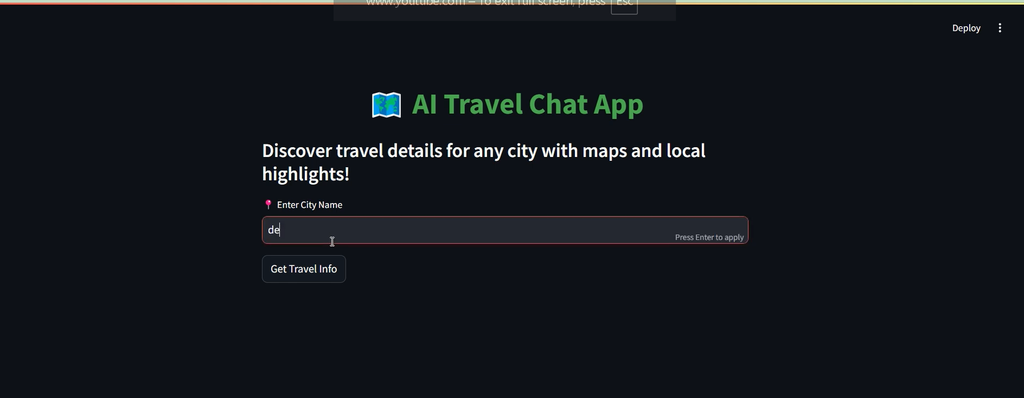
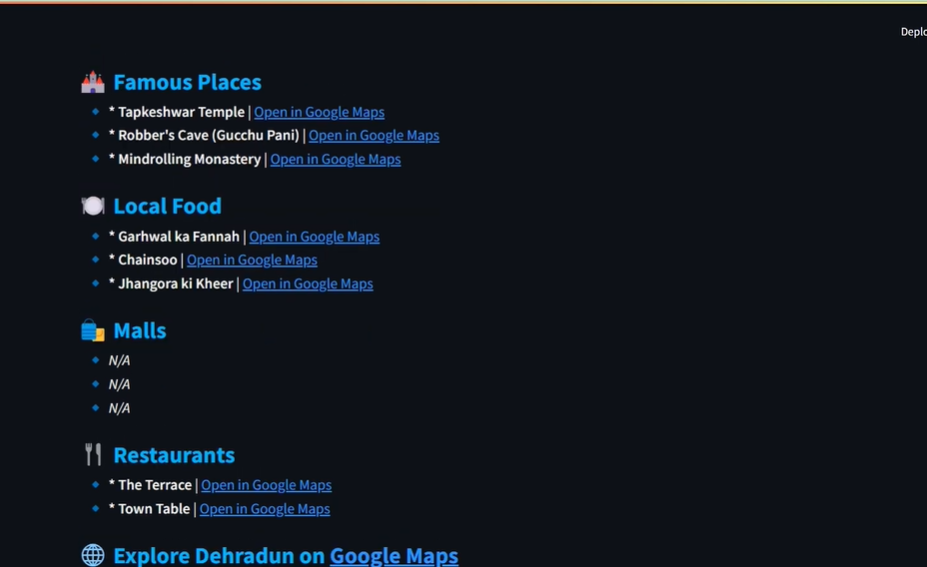
The application works as a simple AI-powered travel assistant. The user enters the name of a city and clicks the Get Travel Info button. The application then collects a short description of the city from Wikipedia and requests travel recommendations from Google Gemini.
The Gemini prompt asks for recommendations in four categories:
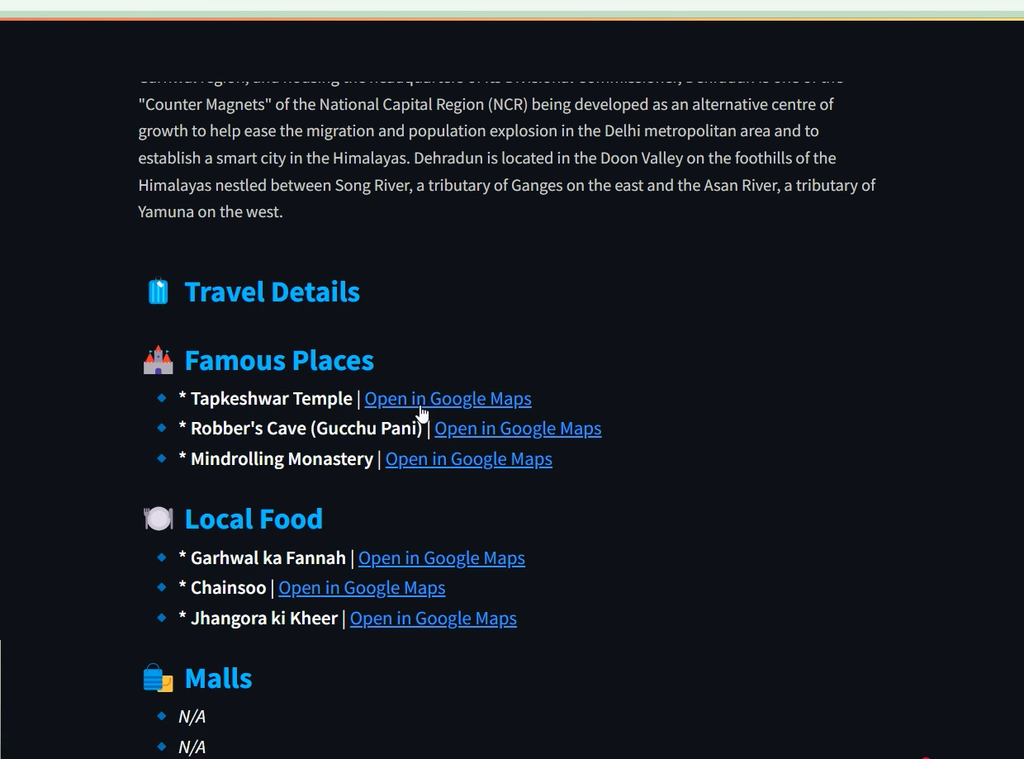
- Famous Places: Three places to visit.
- Local Food: Three popular local foods.
- Malls: Three known malls.
- Restaurants: Three recommended restaurants.
Each displayed place, mall, or restaurant is accompanied by an automatically generated Google Maps search link, allowing users to explore the location directly.
Available Features
1. City Search
Users can enter the name of any city into the Streamlit input field. The entered city becomes the basis for the complete travel-information search.
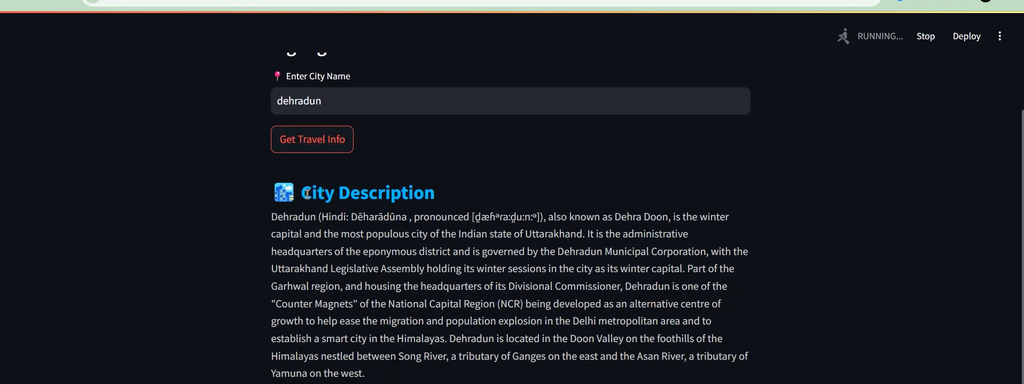
2. Wikipedia City Description
The application uses the Wikipedia Python library to retrieve a short description of the selected city. It attempts to return a four-sentence summary and also includes handling for Wikipedia disambiguation results.
3. Gemini AI Travel Recommendations
Google Gemini Generative AI is used to generate travel recommendations for the selected city. The application asks Gemini to return names of famous places, local foods, malls, and restaurants.
4. Famous Places
The chatbot displays up to three famous places recommended for the selected city. Each place can be opened through Google Maps.
5. Local Food Recommendations
The application displays up to three popular local foods associated with the selected destination.
6. Mall Recommendations
Users can see up to three known malls recommended for the selected city, along with Google Maps search links.
7. Restaurant Recommendations
The chatbot displays up to three recommended restaurants generated through Gemini AI.
8. Google Maps Integration
The project automatically creates Google Maps search URLs using the selected place and city. This allows users to continue exploring a recommended location on Google Maps.
9. Explore the Complete City
In addition to individual recommendations, the application provides a Google Maps link for exploring the complete city.
10. Custom Streamlit Design
The project includes custom HTML and CSS styling to improve the default Streamlit appearance. It uses styled headings, section headers, travel items, descriptions, and map links to provide a cleaner interface.
11. Error Handling
The application handles cases where a city description cannot be retrieved, Gemini returns an error, or the generated response cannot be parsed correctly.
How to Download
The complete package is available so you can run, study, and submit it with confidence. It includes:
- Full Source Code
- Project Report
- Synopsis
- PPT Presentation
Demo Video
Screenshot
How the AI Travel Chatbot Works
Step 1: Enter a City
The user enters a city name in the Streamlit text-input field.
city = st.text_input("📍 Enter City Name")Step 2: Get the City Description
When the user clicks the button, the application uses Wikipedia to retrieve a short description of the city.
summary = wikipedia.summary(
    city,
    sentences=4,
    auto_suggest=False
)
Step 3: Request AI Travel Information
The city name is inserted into a Gemini prompt. Gemini is instructed to provide three famous places, three local foods, three malls, and three restaurants.
prompt = f"""
Provide concise travel details for {city} including:
1. Three famous places to visit
2. Three popular local foods
3. Three known malls
4. Three recommended restaurants
Only give names in bullet points, no extra description.
"""
Step 4: Parse the Gemini Response
The application processes the Gemini response line by line and identifies which category each recommendation belongs to. The results are stored separately in lists for places, foods, malls, and restaurants.
Step 5: Generate Google Maps Links
The project uses Python’s urllib.parse module to safely create Google Maps search URLs.
def get_maps_link(place, city):
    query = urllib.parse.quote(f"{place} {city}")
    return f"https://www.google.com/maps/search/?api=1&query={query}"
Step 6: Display Travel Information
The final information is displayed through Streamlit sections with individual Google Maps links. Users can therefore move from the chatbot directly to map searches for the recommended locations.
Technology Stack
- Python: Core programming language.
- Streamlit: Used to build the interactive web interface.
- Google Gemini: Generates AI-based travel recommendations.
- Wikipedia: Provides city descriptions.
- urllib.parse: Creates properly encoded Google Maps search URLs.
- HTML and CSS: Used for improving the application’s visual presentation.
Software and Tools Required
- Python 3.x
- Visual Studio Code
- Google Gemini API key
- Internet connection
- Required Python libraries
Installation Guide
Step 1: Extract the Project
Extract the AI Travel Chatbot project and open the project folder in Visual Studio Code.
Step 2: Create a Virtual Environment
python -m venv venvStep 3: Activate the Environment
venv\Scripts\activateStep 4: Install Required Packages
pip install streamlit wikipedia google-generativeaiStep 5: Configure Gemini API
Configure your own Google Gemini API key in the project before running the application.
genai.configure(api_key="YOUR_GEMINI_API_KEY")Step 6: Run the Application
streamlit run app.pyAfter running the command, open the Streamlit URL shown in the terminal.
Project Structure
AI Travel Chatbot/
│
├── app.py
├── app2.py
├── requirements.txt
└── runcmd
How to Use the Project
- Run the Streamlit application.
- Enter the name of a city.
- Click Get Travel Info.
- Read the city description retrieved from Wikipedia.
- Review AI-generated famous places.
- Explore recommended local foods.
- Check suggested malls and restaurants.
- Click Open in Google Maps for a location.
- Use the final city-level Google Maps link to explore the destination.
Project Benefits
- Simple and easy-to-use travel assistant.
- Demonstrates practical use of Generative AI.
- Combines multiple Python libraries in one application.
- Provides AI-generated travel recommendations.
- Connects recommendations with Google Maps.
- Uses Wikipedia for city information.
- Does not require a database.
- Provides a good example of Python API integration.
- Useful for students learning Streamlit and AI application development.
Future Enhancements
The project can be extended by adding live weather information, hotel recommendations, flight information, travel budgets, itinerary generation, user preferences, destination images, travel-history storage, authentication, and more advanced conversational chatbot functionality.
Final Thoughts
As a student project, AI Travel Chatbot in Python is a practical example of how artificial intelligence can be combined with web development to solve a real-world problem. Instead of manually searching multiple websites for basic destination information, users can enter a city and receive useful travel recommendations through a single Streamlit application.
Keywords: AI Travel Chatbot in Python, AI Travel Chatbot, Python travel chatbot, travel chatbot using Python, Streamlit travel chatbot, Gemini AI travel chatbot, AI travel assistant, Python AI project, Streamlit project, travel recommendation system, Google Gemini Python project