
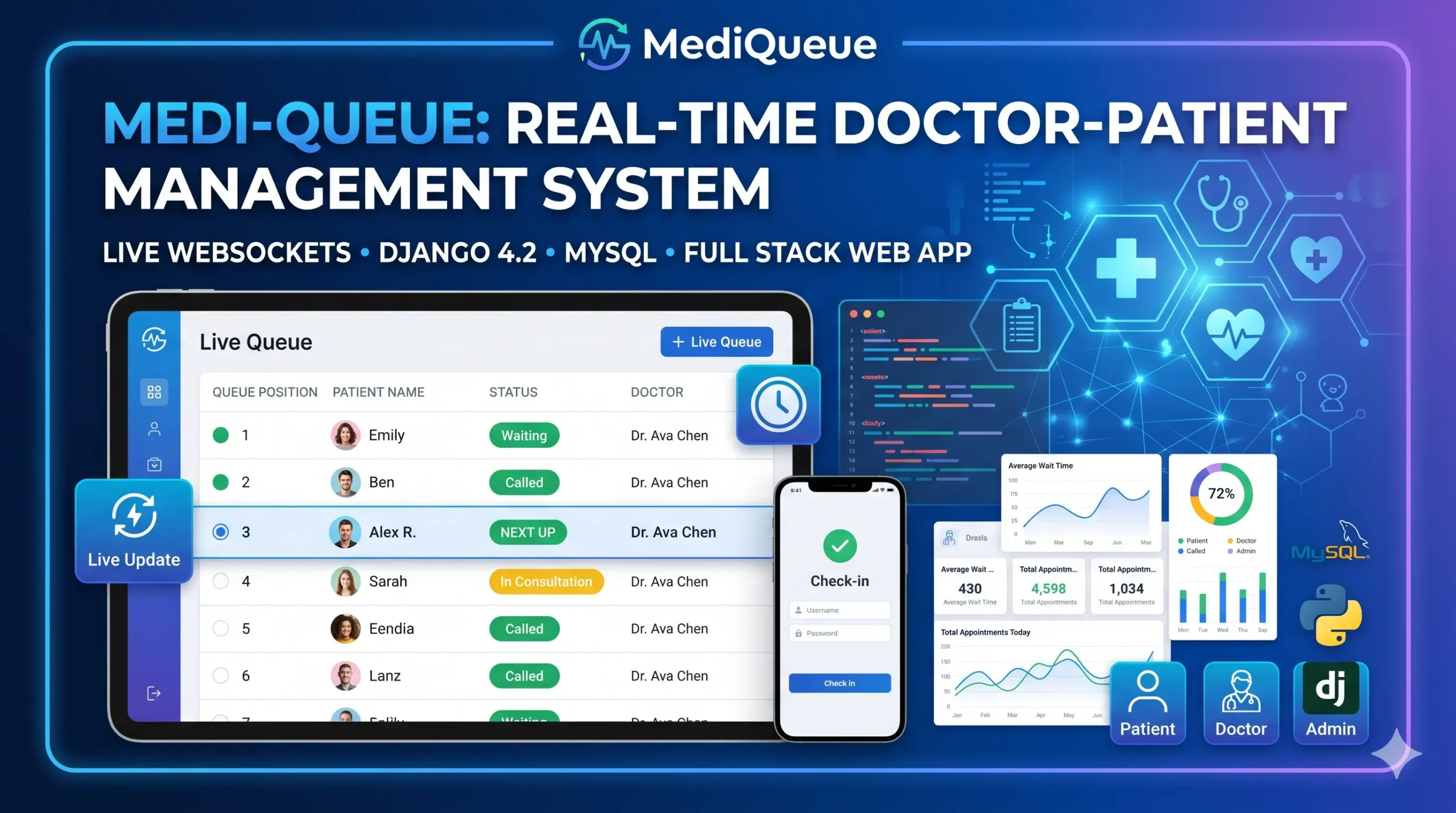
Building MediQueue: A Real-Time Medical Queue & Appointment System with Django
In the modern healthcare landscape, waiting rooms are often the biggest pain point for both patients and providers. Traditional token systems are static, opaque, and frankly, outdated. MediQueue is a full-stack digital solution designed to revolutionize the clinic experience using real-time technology.
1. Project Overview: The Digital Waiting Room
MediQueue isn’t just a booking site; it’s a live ecosystem. It replaces physical queues with a browser-based system that updates instantly. Whether a patient is checking in from their smartphone or a doctor is calling the next person in line, the data syncs across all devices without a single page refresh.
Core Capabilities:
- Live WebSocket Queue: Real-time updates for all connected users.
- Smart Check-In: Digital “tokens” assigned upon arrival.
- Comprehensive Medical Records: Integrated vitals, diagnosis, and prescription management.
- Role-Based Dashboards: Specialized interfaces for Patients, Doctors, and Administrators.
2. The Tech Stack: Appointment System with Django
To handle real-time data and secure medical information, we chose a modern, enterprise-ready stack:
- Backend: Django 4.2 (The “Batteries-Included” Framework).
- Real-Time Layer: Django Channels 4.1 & Daphne (ASGI server).
- Database: MySQL 8.0 for ACID-compliant data integrity.
- Frontend: Bootstrap 5.3 for a responsive, mobile-first UI.
- Communication: Native Browser WebSocket API for low-latency updates.
3. Database Architecture: The Heart of MediQueue
A medical system is only as good as its data model. We partitioned the logic into four distinct Django apps:
Accounts & Profiles
Extending Django’s AbstractUser, we created a custom user model that handles three roles: Patient, Doctor, and Admin.
- DoctorProfile: Stores license numbers, specializations, and ratings.
- PatientProfile: Tracks blood groups, allergies, and insurance data.
Appointments & TimeSlots
Instead of simple date-time strings, we implemented a DoctorAvailability system. Doctors set their weekly schedule, and the system auto-generates TimeSlot objects, preventing double bookings.
Queue Tracker
The QueueEntry The model is the star of the show. It tracks a patient’s position, status (Waiting, Called, Skipped), and timestamps for every stage of the visit.
Demo Video
Screenshot
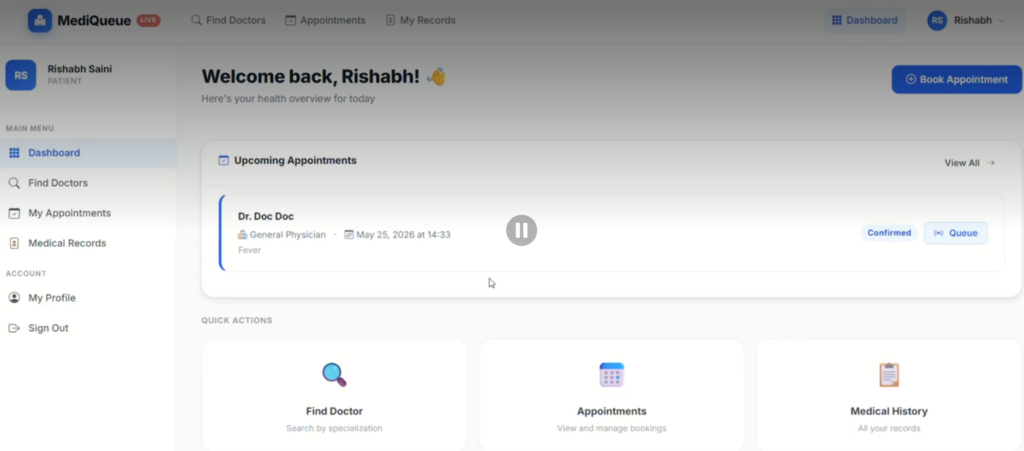
Watch the Complete Demo Video:- https://www.youtube.com/@Decodeit2
4. How the Real-Time Queue Works
The magic happens in queue_tracker/consumers.py. When a doctor clicks “Call Next,” the following flow occurs:
- Trigger: The Doctor’s browser sends a JSON action over WebSocket.
- Logic: The
QueueConsumerupdates the database, marking the next patient as “Called.” - Broadcast: The server sends a
queue_updatemessage to the specific groupqueue_{doctor_id}. - UI Update: Every patient and staff member viewing that doctors queue sees the list update instantly.
Example WebSocket Message:
JSON
{
  "type": "queue_update",
  "queue": [{ "position": 1, "patient_name": "Rishabh Saini", "status": "Waiting" }],
  "stats": { "waiting_count": 5, "completed_today": 12 }
}
5. Streamlined Medical Records
MediQueue bridges the gap between queue management and clinical documentation.
- Vital Tracking: Capture BP, SpO2, Temperature, and Pulse.
- Prescription Engine: An inline formset allows doctors to add multiple medicines with specific dosages and durations.
- The “Sign-Off” Workflow: When a doctor completes a record, the system automatically marks the appointment as finished and triggers a WebSocket call to the next patient.
70+ Python Projects with Source Code for Beginners,
6. Setting Up : Appointment System with Django
Ready to deploy? Here is the quick-start guide to getting MediQueue running locally:
Prerequisites
- Python 3.10+
- MySQL 8.0+
Installation Steps
Bash
# Clone the repository and enter the directory
cd mediqueue

# Setup Virtual Environment
python -m venv venv
source venv/bin/activate # Linux/Mac

# Install Dependencies
pip install django djangorestframework channels daphne mysqlclient pillow whitenoise

# Database Migration
python manage.py makemigrations
python manage.py migrate

# Start the ASGI Server
daphne -b 0.0.0.0 -p 8000 mediqueue.asgi:application
7. The Future of Clinic Management(Appointment System with Django)
MediQueue demonstrates how modern web technologies like Django Channels can solve age-old logistical problems. By providing patients with transparency and doctors with efficiency, it transforms the healthcare experience from a stressful wait into a streamlined process.
How to Download
Get This Project
The complete package is available so you can run, study, and submit it with confidence. It includes:
- PPT Presentation
- Full Source Code
- Project Report
- Synopsis
For any queries or a quick response, reach out on WhatsApp: +91 79834 34684
Keywords:
- appointment system with Django GitHub
- appointment system with django pdf
- django booking system github
- doctor appointment-system django github
- appointment system with django example
- django appointment github
- django appointment demo
- appointment-booking-system github
- doctor appointment system,
- doctor appointment booking system,
- doctor appointment system project,
- abstract for doctor appointment booking system,
- class diagram for online doctor appointment system,
- doctor appointment booking system project,
- doctor appointment management system,
- online doctor appointment system ppt,
- online doctor appointment system project documentation pdf,
- online doctor appointment system project in php free,
- sequence diagram for online doctor appointment system,
- srs document for online doctor appointment system,




[…] Real-Time Medical Queue & Appointment System with Django […]