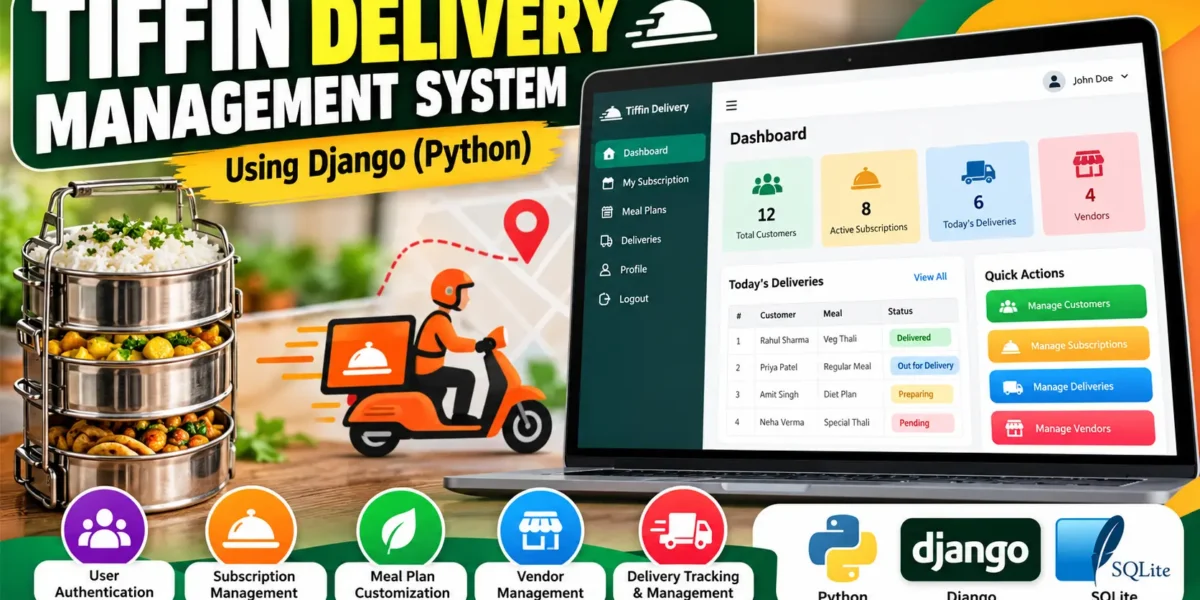
Tiffin Delivery Management System Using Django
Project Introduction
The Tiffin Delivery Management System is a web-based application created to organize the everyday activities involved in a tiffin delivery service. Managing subscriptions, meal preferences, customer information, vendors, and deliveries manually can become difficult when the number of customers increases. This project brings those activities into one structured platform built with Python and Django.
The application provides separate experiences for customers and staff. Customers can create an account, maintain their profile, select a tiffin subscription, personalize meal preferences, and view their delivery records. Staff users can manage vendors, create delivery records, search operational information, and update delivery status through a dedicated operations dashboard.
Complete Advance AI Topics: Click Here
Real Time Projects on YouTube:- DecodeIT
Project Overview
The system is designed as an intermediate-level college project rather than a basic form or CRUD demonstration. Django handles authentication, database operations, validation, routing, and the administrative workflow, while SQLite stores the application data. The interface uses HTML, CSS, and JavaScript-related web technologies with a responsive visual layout designed specifically for this project.
| Project Detail | Specification |
|---|---|
| Project Name | Tiffin Delivery Management System |
| Language / Framework | Python, Django |
| Frontend | HTML, CSS, JavaScript |
| Backend | Django |
| Database | SQLite |
| Application Type | Web Application |
Key Features
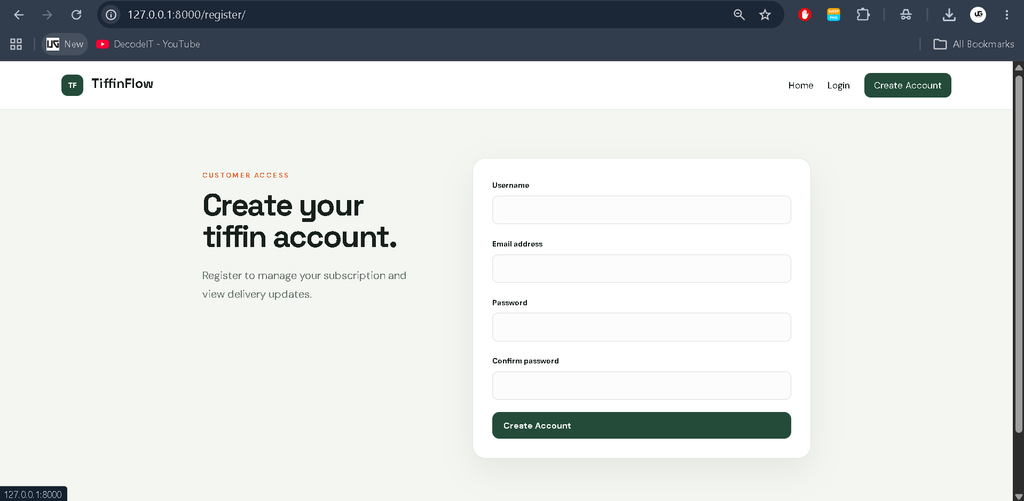
- Customer Authentication: Users can register, sign in, and sign out through dedicated authentication pages. Registration includes validation for required information and password confirmation.
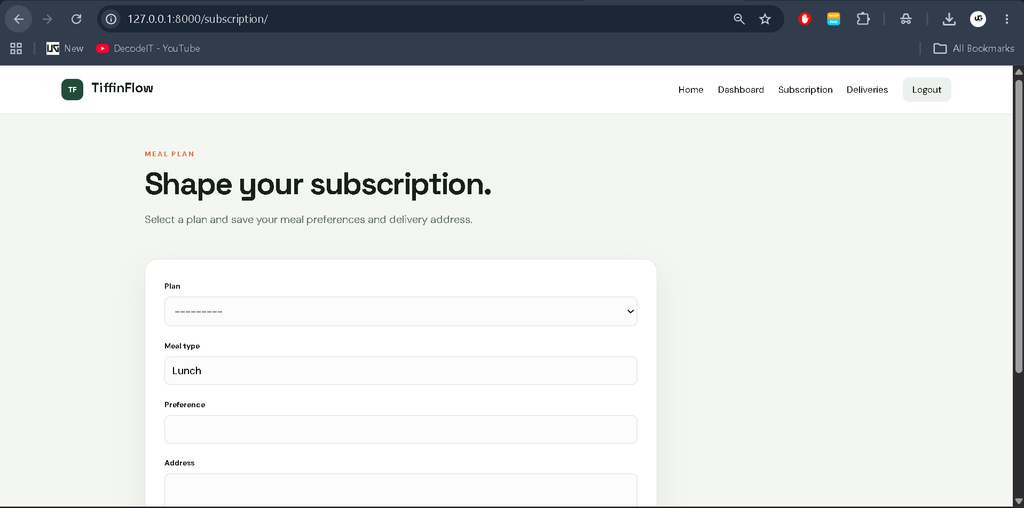
- Subscription Management: A customer can select a plan, specify a meal type, save preferences, and maintain the address used for the service.
- Meal Customization: The subscription form provides a preference field so customers can record relevant meal requirements within their selected service.
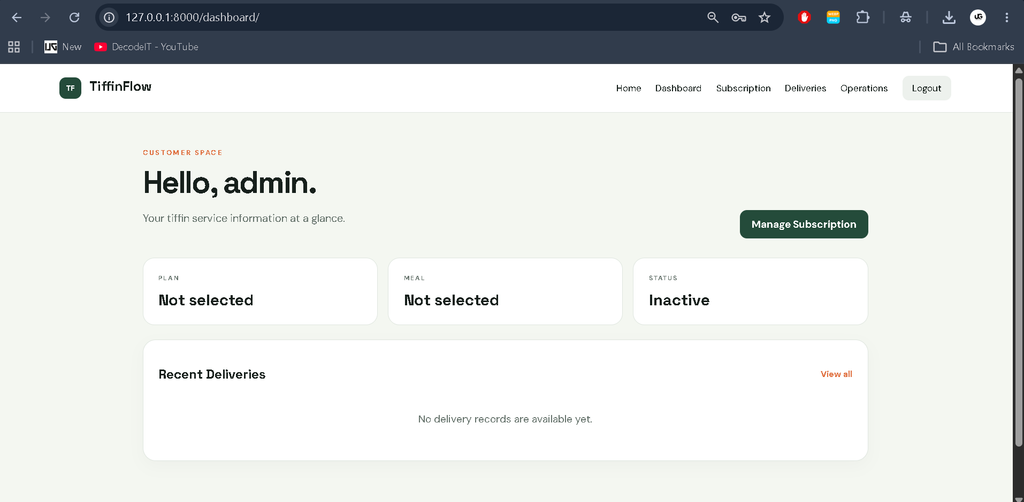
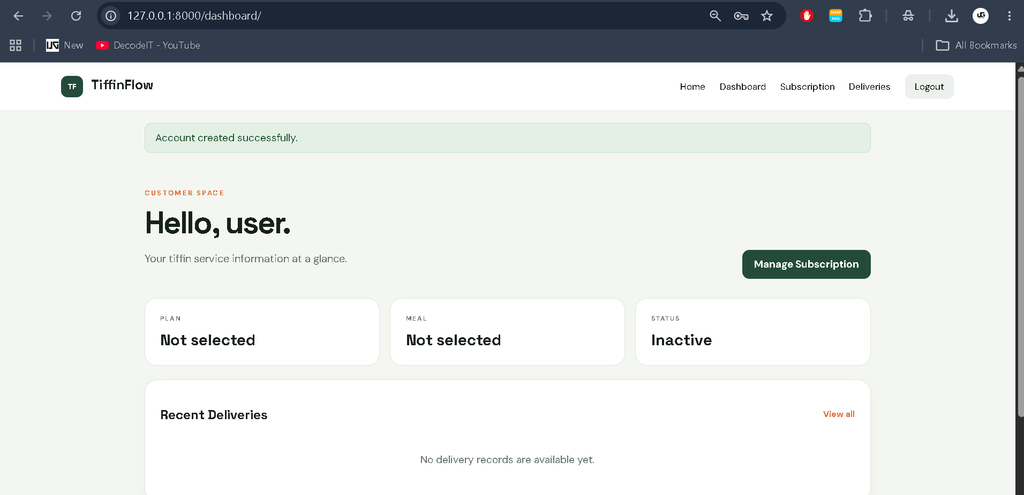
- Customer Dashboard: The dashboard summarizes the current plan, meal selection, subscription state, and recent delivery activity.
- Delivery Tracking: Customers can view delivery records and filter them by status. Staff can move deliveries through Pending, Preparing, Out for Delivery, and Delivered states.
- Vendor Management: Staff users can add, search, and remove vendor records. Vendor information can then be associated with delivery records.
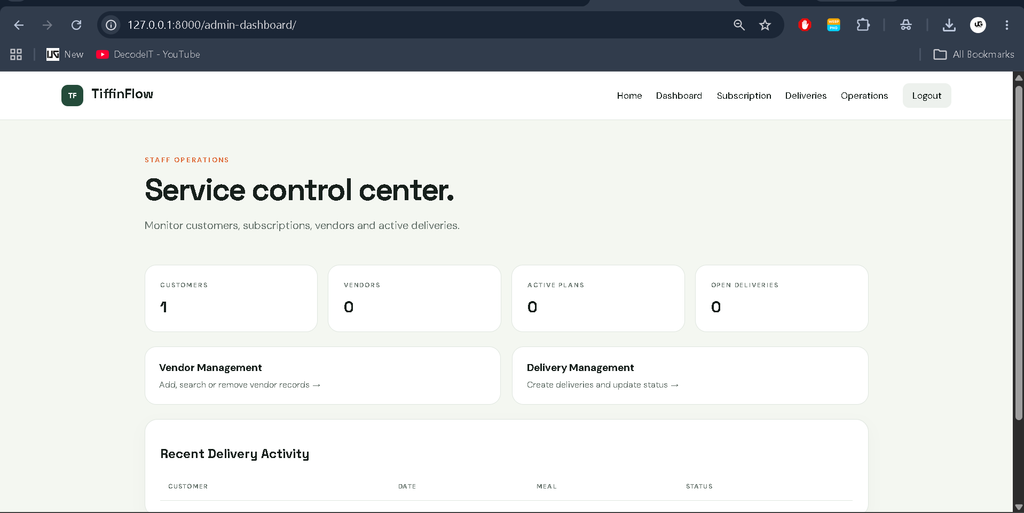
- Operations Dashboard: Authorized staff receive a separate dashboard showing customer, vendor, active subscription, and open delivery counts along with recent delivery activity.
User Roles
Customer
The customer role is intended for people receiving tiffin services. Customers can register an account, update basic profile details, configure their subscription, and review delivery information. Their delivery page only exposes records associated with their own account.
Staff / Administrator
The staff role is used for operational management. Staff members can access the operations dashboard, maintain vendors, create delivery records, search delivery information, and update delivery statuses. Django’s staff permission check prevents ordinary customers from opening staff-only pages.
Project Modules
Authentication Module: Handles registration, login, logout, and authenticated access.
Subscription Module: Stores the customer’s selected plan, meal type, preferences, address, and active state.
Vendor Module: Maintains supplier name, contact information, address, and active state.
Delivery Module: Connects customers and vendors with a delivery date, meal, address, notes, and status.
Dashboard Module: Provides customer and staff-specific summaries without mixing their permissions.
Technologies Used
- Python: Main programming language for application logic.
- Django: Web framework used for routing, authentication, forms, models, templates, and administration.
- HTML: Structures the application pages and forms.
- CSS: Provides the custom visual design, responsive layout, cards, tables, forms, and status indicators.
- JavaScript: Supports browser-side interaction such as confirmation handling.
- SQLite: Lightweight relational database used to store project information.
Download complete source code
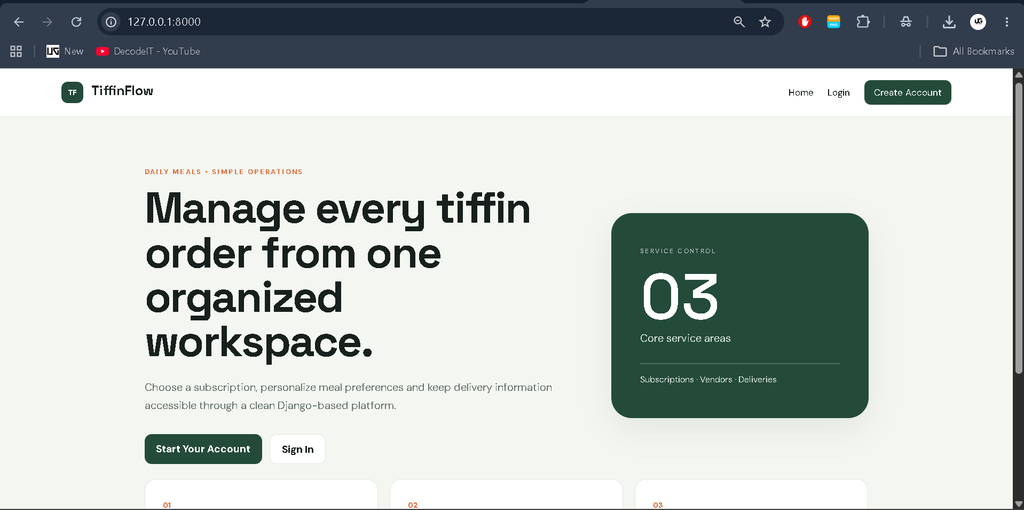
Screenshot
How the System Works
A new customer first creates an account and signs in. After authentication, the dashboard displays the current service information. The customer can open the subscription area and choose a plan, meal type, preference, and delivery address. These details are stored against the authenticated account.
Staff members work from the operations area. They can maintain vendor records and create delivery entries by selecting a customer, vendor, date, meal, and address. Delivery status can then be changed as the order progresses. The customer sees the resulting status in their own delivery page, creating a simple connection between operational management and customer visibility.
Installation and Setup
Extract the project and open its folder in Visual Studio Code. Make sure Python and pip are installed. Create and activate a virtual environment, then install the project dependencies.
python -m venv venv
venv\Scripts\activate
pip install -r requirements.txt
Prepare the SQLite database with the Django migration command:
python manage.py migrateFor the prepared demonstration account and sample records, run:
python manage.py seed_demoYou can also create a separate administrator with:
python manage.py createsuperuserStart the local server with:
python manage.py runserverThen open http://127.0.0.1:8000/ in a browser. The Django administration area is available at /admin/. The prepared project credentials are username admin, password admin123, and email admin@admin.com.
Usage
Customers should begin with registration, sign in, configure their subscription, and use the delivery page to check current records. Staff users should use the operations dashboard for vendor and delivery management. Search and status filtering help locate operational records without requiring users to browse every row manually.
System Workflow in Practice
The project keeps the daily workflow connected without introducing unrelated services. Account information belongs to the authenticated customer, subscription information records the selected meal service, vendor information is maintained by staff, and delivery records connect the customer and vendor with a date and status. This structure makes it easier to understand how information moves through the application. Validation is handled through Django forms, while protected views make sure that customer and staff areas remain separated. The result is a focused system that can be demonstrated module by module during a college project presentation.
Frequently Asked Questions
Which database does the project use?
The project uses SQLite as specified for the application.
Who can manage vendors?
Only authenticated staff users can access the vendor management pages.
Can customers change their meal preferences?
Yes. Customers can update the preference field within their subscription information.
Can delivery status be updated?
Yes. Staff users can update a delivery through the available operational statuses.
Is the project suitable for a college submission?
Yes. It is structured as an intermediate-level Django web application with authentication, database models, forms, dashboards, role-based access, and operational management.
Future Scope
- Introduce additional subscription-plan configuration while keeping the existing workflow.
- Improve delivery history views with more detailed date-based filtering.
- Expand customer profile information for practical tiffin-service administration.
- Add more structured meal preference fields if the service requirements become broader.
- Further refine the responsive interface for different screen sizes.
Conclusion
The Tiffin Delivery Management System provides a practical digital workflow for organizing tiffin subscriptions, customer information, vendors, and deliveries. Its Django backend keeps the application structured while SQLite provides a simple database for college-level deployment. Customers receive a clear area for managing their service, while staff members get an operational workspace for maintaining vendors and delivery records. With authentication, validation, status management, search, filtering, and separate access levels, the project goes beyond a basic demonstration while remaining understandable and suitable for an intermediate college project.
Keyword:
finance management system project in python with source code
timetable management system project in python with source code
python management system project
book store management system project in python with source code
hotel management system project in python with mysql
contact management system project in python
pharmacy management system project with source code
pharmacy management system project in python tkinter
tiffin delivery management system using python pdf
tiffin delivery management system using python github
tiffin delivery management system using python geeksforgeeks
Tiffin Delivery Management
Tiffin Delivery Management – Google Search
tiffin service management app
tiffin service management software
tiffin service management crm
tiffin service management
tiffin service management system
another word for tiffin
what is meant by tiffin,tiffin service management
is tiffin service a profitable business