Restaurant Management System Using Python Django
The Restaurant Management System is a web-based college project developed with Python, Django, and SQLite. It is designed to organize common restaurant operations through one connected application instead of maintaining sales, stock, customer, and supplier information separately. The project follows a practical medium-level approach, making it suitable for students who want to understand how a Django application can connect forms, database models, authentication, and management screens.
Complete Advance AI Topics: Click Here
Real Time Projects on YouTube:- DecodeIT
Project Overview
The application provides a central workspace for restaurant staff or administrators. Its main workflow connects inventory with point-of-sale activity. Items can be maintained in the inventory, customers and suppliers can be recorded, and sales can be entered from the POS section. When a sale is saved, the system calculates the transaction total from the selected item price and quantity and reduces the available inventory. This keeps the basic operational data connected inside the SQLite database.
| Project Detail | Description |
|---|---|
| Project Name | Restaurant Management System |
| Language / Framework | Python with Django |
| Database | SQLite |
| Application Type | Web Application |
Key Features
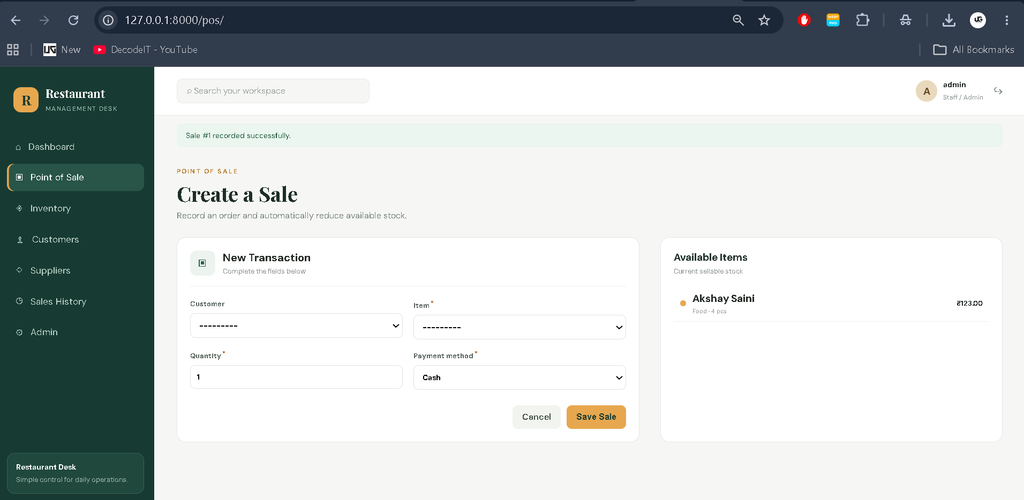
- Point of Sale: Staff can create a sale by selecting an available inventory item, customer, quantity, and payment method. The application validates stock before recording the transaction.
- Inventory Management: Restaurant items can be added, searched, viewed, and deleted. Each record stores category, quantity, unit, price, reorder level, and optional supplier information.
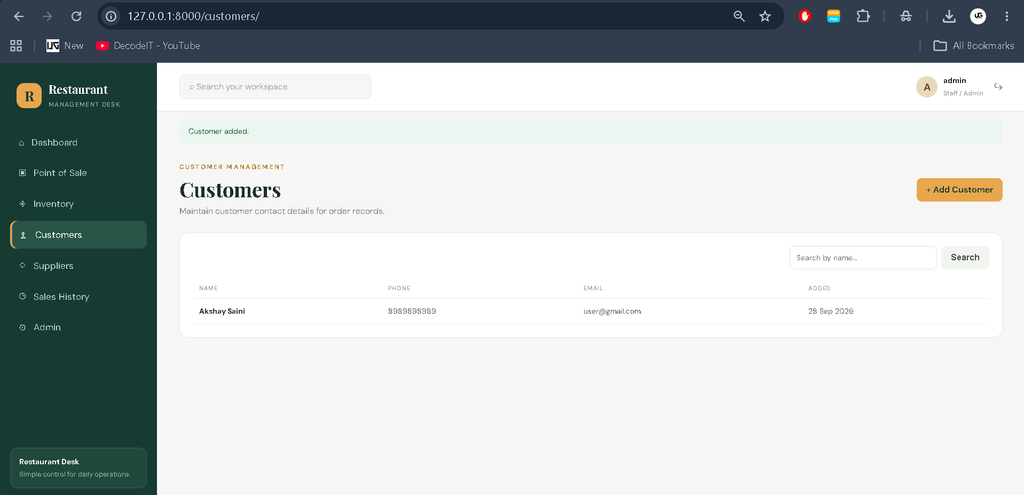
- Customer Management: Customer names, phone numbers, and email addresses can be maintained for order records.
- Supplier Management: Supplier names, companies, and contact numbers can be recorded and associated with inventory.
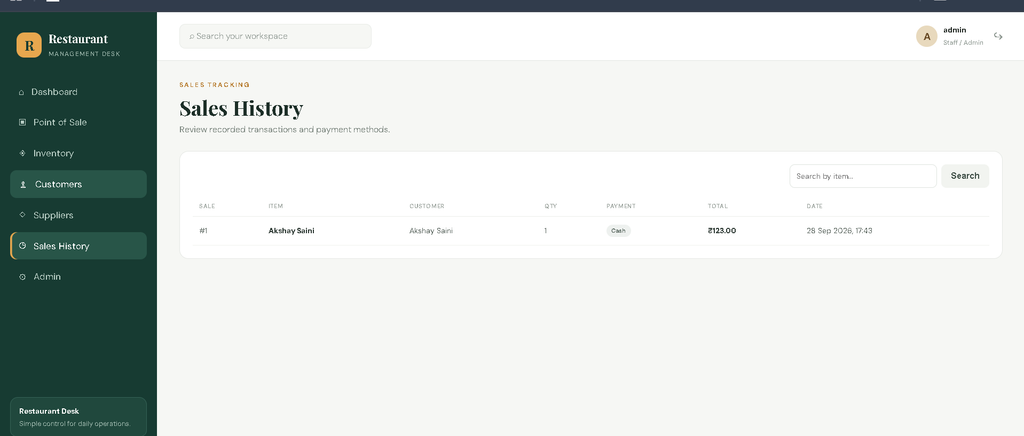
- Sales Tracking: A sales history page provides transaction details including item, customer, quantity, payment method, total, and date.
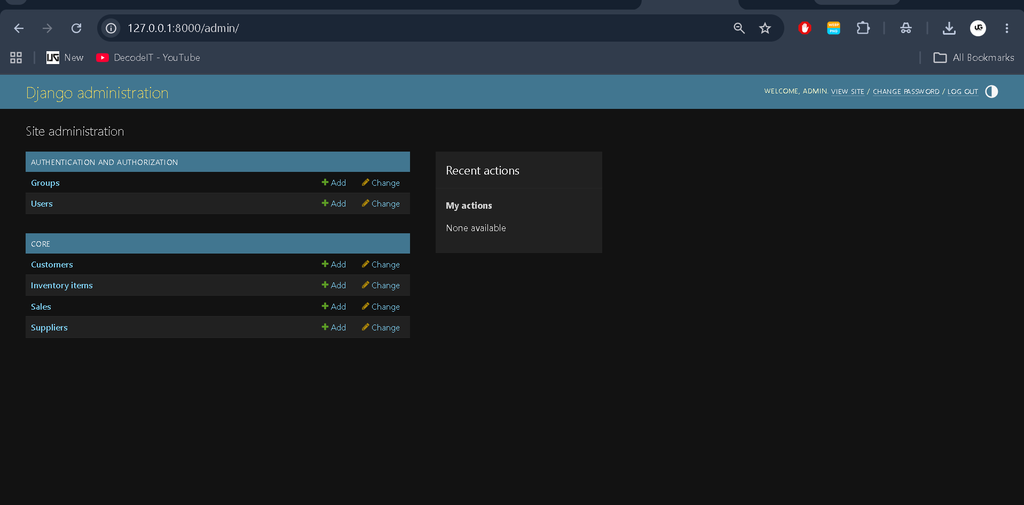
- User Authentication: Protected management pages require login, while Django’s administration interface provides an additional management area.
User Roles
The project uses Django authentication to protect the operational workspace. A logged-in administrator or staff account can access the dashboard and management modules. Django’s built-in admin interface can be used for controlled database administration. The implementation keeps permissions understandable for a college project rather than introducing a complicated enterprise permission architecture.
Professional Dashboard
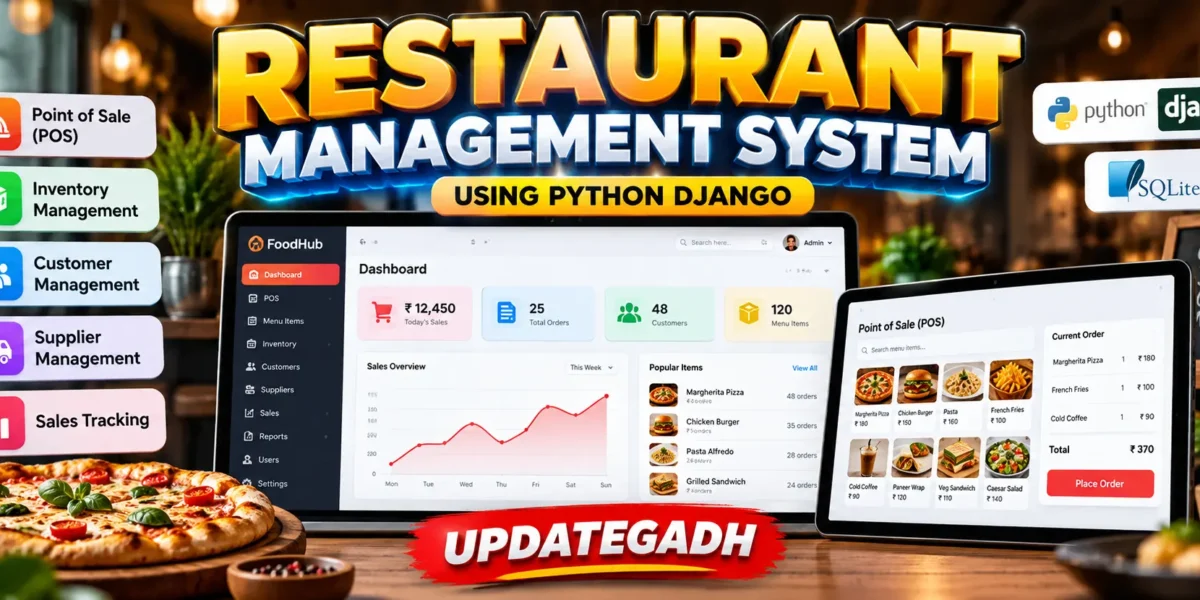
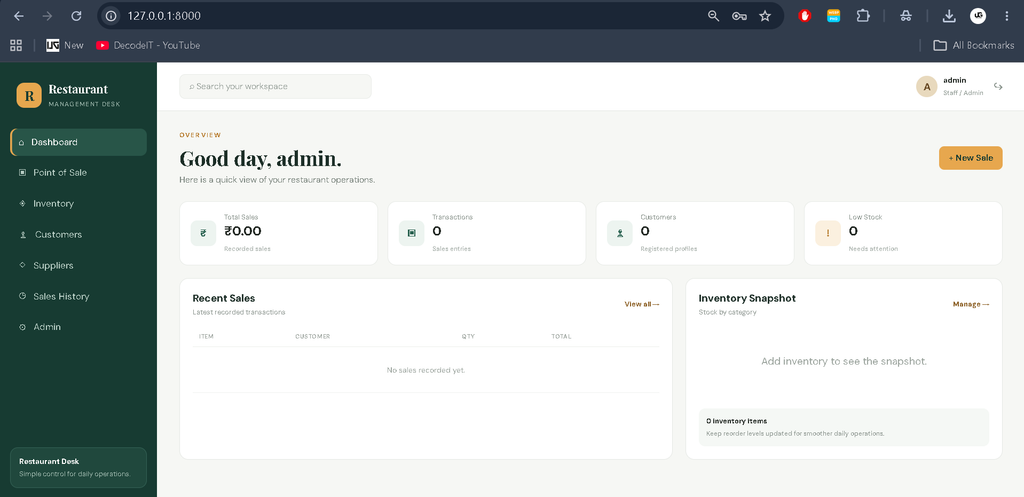
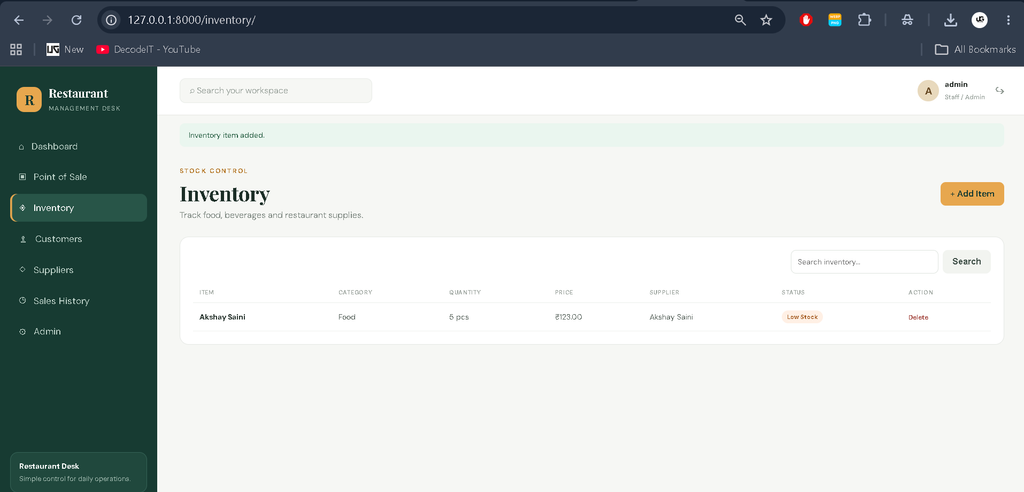
The dashboard gives the project a restaurant-focused management interface. A dedicated sidebar provides access to Dashboard, Point of Sale, Inventory, Customers, Suppliers, Sales History, and Admin. The top navigation area displays the logged-in account and workspace search styling. KPI cards show total recorded sales, transaction count, customer count, and low-stock items. A recent-sales table provides a quick view of the latest transactions, while an inventory snapshot summarizes stock by category.
Project Modules
Point of Sale Module
The POS module is the main transaction area. A sale form accepts the customer, item, quantity, and payment method. Before saving, the application checks whether enough stock is available. The sale total is calculated from item price multiplied by quantity, and the sold quantity is deducted from inventory.
Inventory Module
The inventory section provides a professional table for restaurant stock. Users can search items and review category, quantity, unit, price, supplier, and stock status. A reorder level is stored for each item so that the interface can identify records that need attention.
Customer and Supplier Modules
Separate customer and supplier sections keep contact information organized. Both areas provide simple search and table-based views. Forms are used to create records, with Django handling required-field validation.
Sales Module
The sales history page presents recorded transactions in a structured table. Users can search by item and review the customer, quantity, payment method, total, staff account, and transaction date.
Technology Used
Python is used for application logic, while Django provides URL routing, authentication, forms, templates, models, and database integration. SQLite is the default database, which keeps local project setup simple for students. HTML templates and CSS create the responsive user interface. The design uses a restaurant-oriented visual identity with a dark green navigation area, warm accent color, clean tables, responsive cards, and mobile adaptations.
Installation and Setup
First, install Python and open the project folder in VS Code or another terminal. Create and activate a virtual environment, then install the dependencies.
python -m venv venv
venv\Scriptsctivate
pip install -r requirements.txt
python manage.py migrate
python manage.py createsuperuser
python manage.py runserver
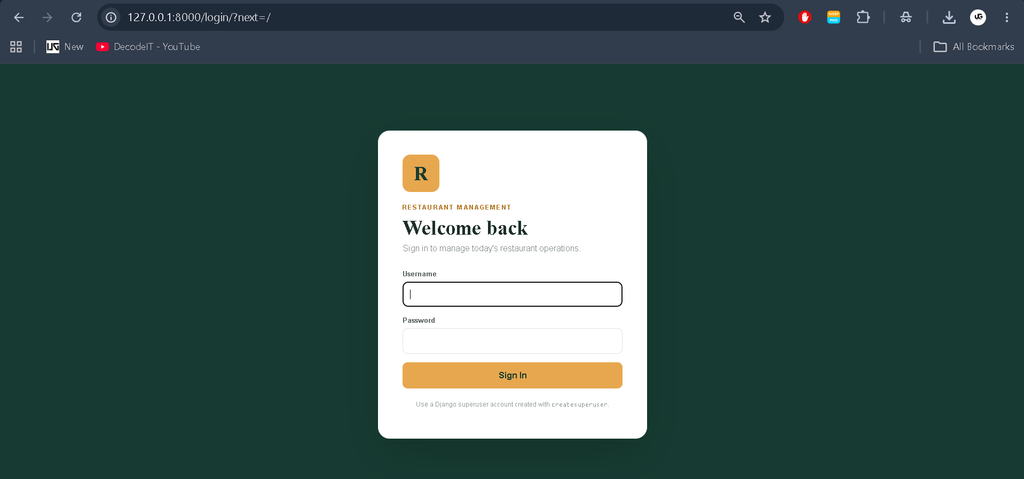
On macOS or Linux, activate the environment with source venv/bin/activate. After the development server starts, open http://127.0.0.1:8000/ in a browser and sign in with the Django account created during setup.
Download complete source code
Screenshot
How the System Works
The workflow begins with authentication. After login, the user reaches the dashboard and can move to inventory, customers, suppliers, POS, or sales history. Inventory records provide the items used by the POS. When a valid sale is submitted, Django creates the sales record and updates the related inventory quantity. Customer information can be linked to the transaction, while the payment method is stored with the sale. The dashboard then reflects the recorded sales and inventory status.
Frequently Asked Questions
What is the purpose of this project?
It provides a single web application for managing restaurant sales, inventory, customers, suppliers, and transaction history.
Which technology is used?
The project uses Python with the Django framework and SQLite as the database.
Does the POS update inventory?
Yes. After a valid sale is recorded, the sold quantity is deducted from the selected inventory item.
Can customer information be stored?
Yes. The customer module stores name, phone, and optional email information and can associate a customer with a sale.
How is authentication handled?
The project uses Django’s built-in authentication system to protect the management workspace.
Can inventory be searched?
Yes. The inventory, customer, supplier, and sales pages provide relevant search controls.
Which database is required?
The supplied project is configured for SQLite, so a separate database server is not required for local development.
Project Benefits for Students
This project is useful for understanding a complete Django workflow in a realistic business domain. Students can study how database models represent customers, suppliers, inventory items, and sales, while forms connect user input to those models. The POS workflow also demonstrates a practical relationship between two modules: a transaction depends on an inventory item, and a completed transaction changes the available quantity. The dashboard then presents information already stored in the database instead of relying on sample statistics. This makes the project suitable for demonstrating database relationships, authentication, validation, CRUD operations, template inheritance, and responsive interface design during a college project presentation.
The code structure separates configuration, application logic, forms, models, templates, static styling, and migrations. This organization makes the project easier to read and modify. A student can add records through the web interface, inspect them through Django admin, and understand how a request moves from a URL to a view, form, model, database operation, and rendered template. The supplied SQLite setup also makes classroom demonstration straightforward because the project can be run locally without configuring a separate database server.
Future Scope
- Introduce printable billing and receipt generation for completed sales.
- Add more detailed date-wise and category-wise sales reports.
- Provide dedicated staff permissions using Django’s permission system.
- Add inventory purchase records for more detailed supplier workflows.
- Improve dashboard analytics with additional restaurant-specific visual reports.
Conclusion
The Restaurant Management System demonstrates how Django can be used to build a connected business application at a medium college-project level. Instead of presenting isolated forms, it links authentication, inventory, customers, suppliers, POS transactions, sales history, and dashboard information through a SQLite database. Its responsive management interface also gives students practical experience with templates, forms, models, validation, CRUD operations, and database relationships. The project remains understandable while providing enough real-world workflow to serve as a useful academic implementation of restaurant operations.
Keywords:
Restaurant Management System
Restaurant Management System – Google Search
restaurant management system project in java
restaurant management system project
restaurant management system project in python
restaurant management system github
restaurant management system ui design
restaurant management system excel free download
restaurant management system er diagram
restaurant management system class diagram
restaurant management system project in php