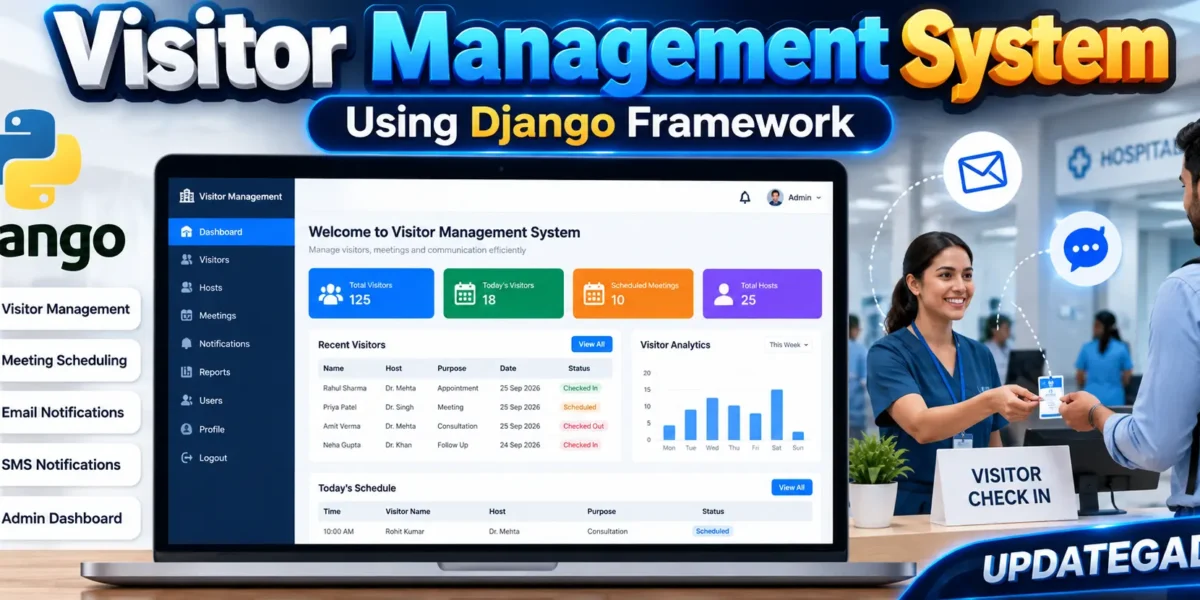
Visitor Management System Using Django
The Visitor Management System is a Django web application designed to organize visitor appointments, host information, meeting status and communication in a healthcare-oriented environment. The system replaces a manual visitor register with a structured digital workflow where staff can record visitor details, assign meetings to hosts, monitor daily activity and update the progress of each visit.
Along with visitor management, the application provides an organization-focused dashboard that brings important operational information into one place. A clean interface helps staff review visitor records, maintain host profiles and access simple reports without depending on Django Admin. The project is suitable for college students because it demonstrates practical Django development, database relationships, form handling, authentication, responsive UI design and notification integration without becoming an enterprise-level system.
Complete Advance AI Topics: Click Here
Real Time Projects on YouTube:- DecodeIT
Project Overview
| Project Detail | Description |
|---|---|
| Project Name | Visitor Management System |
| Backend | Django Framework |
| Frontend | HTML, CSS, Bootstrap |
| Database | SQLite3 |
| Templating | Jinja2 templates |
| Notifications | Email and configurable SMS API |
Key Features
- Staff Authentication: Authorized staff can sign in before accessing visitor records and management pages.
- Visitor Scheduling: Staff can enter visitor details, purpose, meeting date, time and selected host.
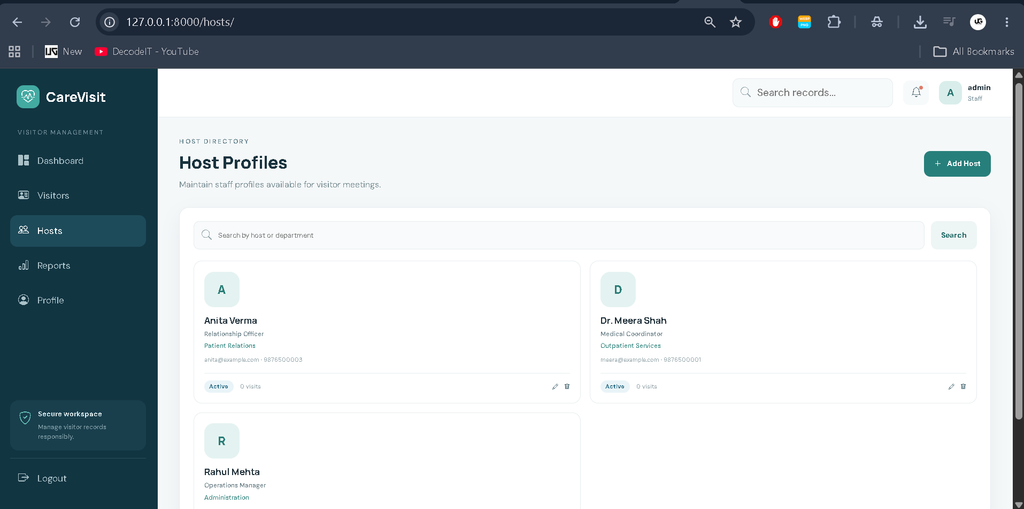
- Host Management: Host profiles can be added, edited, searched and removed from the custom dashboard.
- Status Tracking: Meetings can move through Pending, Approved, Checked In, Completed and Cancelled states.
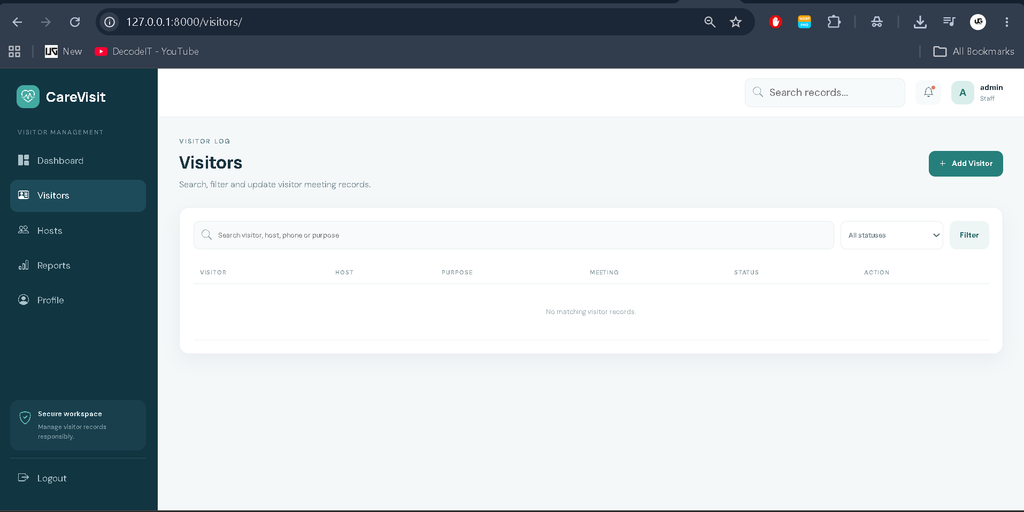
- Search and Filtering: Visitor records can be searched by visitor, host, phone or purpose and filtered by status.
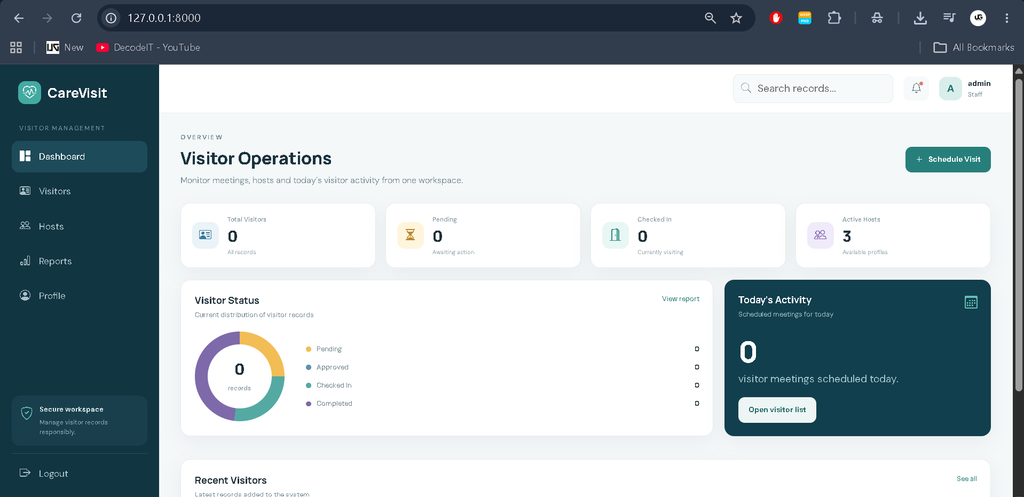
- Dashboard: KPI cards and a visual status area summarize visitor activity and active hosts.
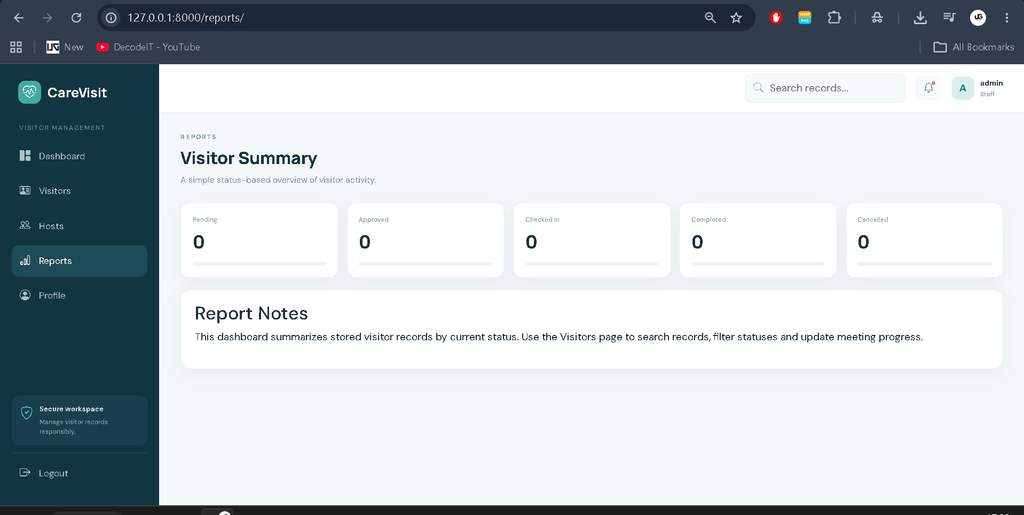
- Reports: A simple status-based report provides a quick operational summary.
- Notifications: Email notifications are prepared for meeting creation and status changes, while an SMS helper can be connected to a suitable provider.
User Roles
The main user in this college-level implementation is the staff member. Staff members use the authenticated workspace to schedule meetings, maintain host profiles, review visitor information and update visit statuses. A separate complex permission hierarchy is not required for this project, keeping the workflow understandable while still demonstrating authentication and protected pages.
Project Modules
1. Authentication Module
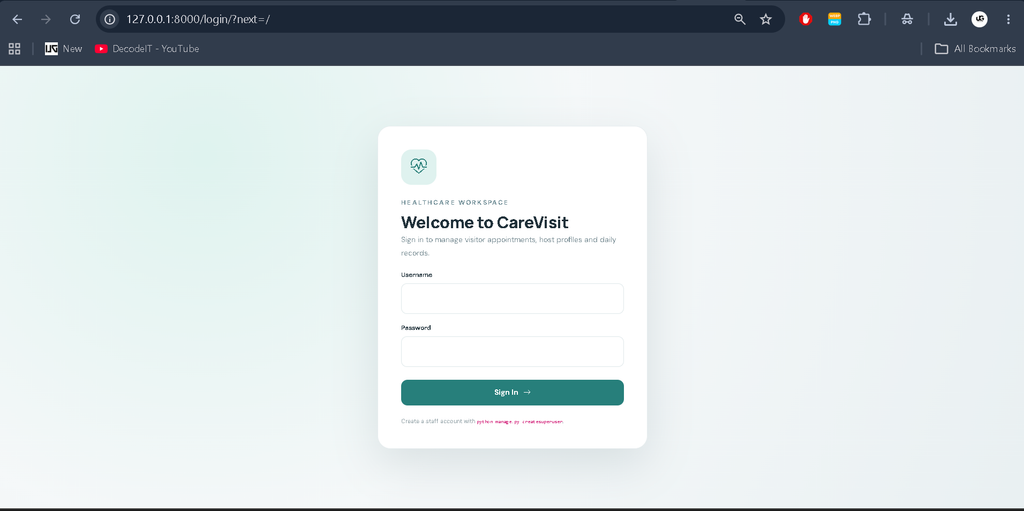
The login page protects the management workspace. Django authentication is used for signing in and signing out, while unauthenticated users are redirected to the login page.
2. Visitor Module
The visitor module stores personal contact details, meeting purpose, host, date, time, notes and current status. Staff can create records, search them and change their status as a meeting progresses.
3. Host Module
The host directory stores staff members who receive visitors. Each profile contains a name, department, designation, email, phone number, optional image and active status. The directory also shows the number of related visitor records.
4. Notification Module
When a visitor meeting is created or its status changes, the application calls notification helpers for email and SMS. Email settings can be configured in the Django settings file, while the SMS helper accepts API credentials and a configurable endpoint.
5. Reports Module
The reports page groups visitor records by status. This gives staff a quick view of pending, approved, checked-in, completed and cancelled meetings without introducing an unnecessarily complicated analytics system.
Professional Dashboard
The dashboard is designed specifically for a healthcare visitor workflow. A dark teal sidebar provides navigation for Dashboard, Visitors, Hosts, Reports and Profile. The top bar contains search, notifications and the signed-in staff profile. KPI cards show total visitors, pending visits, checked-in visitors and active hosts. The dashboard also includes a visitor-status visualization, today’s scheduled activity and a recent visitor table.
The design uses a calm healthcare-oriented visual identity with teal, navy and soft neutral surfaces. Tables include status badges and practical actions, while forms use clear labels, responsive controls and validation messages. The layout adapts to desktop, laptop, tablet and mobile screen sizes.
Download complete source code
Screenshot
How the System Works
The workflow begins when a staff member signs in. From the dashboard, the staff member can schedule a visitor meeting and select an available host. The visitor record is saved in SQLite3 and notification functions are called. Later, staff can open the Visitors page, search or filter the record and change its status as the meeting progresses. Host profiles are maintained separately, and the Reports page provides a status summary of stored records.
Database Design
The project uses two main application models: Host and Visitor. A visitor record has a foreign-key relationship with a host, allowing one host to have multiple visitor meetings. Date and time fields support appointment scheduling, while created and updated timestamps help maintain a useful record history. This structure is sufficient for the project’s medium scope and avoids unnecessary database complexity.
Installation and Setup
Install Python and create a virtual environment in the project directory. Then install the required packages:
pip install -r requirements.txtCreate the database structure with:
python manage.py makemigrations accounts
python manage.py migrate
Create a staff login using:
python manage.py createsuperuserConfigure the email account and SMS API values inside visitor_management/settings.py. Finally, start the development server:
python manage.py runserverOpen http://127.0.0.1:8000/ in a browser and sign in with the staff account you created.
Usage
After login, use the Dashboard to review current visitor activity. Select Visitors to schedule a new meeting or filter existing records. Use Hosts to maintain staff profiles. Update meeting statuses as visitors move from approval to check-in and completion. Use Reports for a quick status summary and Profile to view the current staff account.
Frequently Asked Questions
What is the purpose of this project?
It digitizes visitor scheduling, host management, status tracking and basic reporting for an organization, with a healthcare-focused workflow.
Which database is used?
The project uses SQLite3, which is practical for local college development and demonstration.
Does the project use Django Admin?
No. The project provides its own custom dashboard and management pages for the main workflow.
Can notifications be configured?
Yes. Email settings can be configured in Django settings, and the SMS helper provides a configurable API structure for a suitable SMS provider.
Can visitor records be searched?
Yes. Staff can search by visitor name, email, phone, purpose or host and can also filter records by status.
Is the interface responsive?
Yes. The custom interface includes responsive layouts for desktop, laptop, tablet and mobile screens.
Future Scope
- Add QR-code based visitor check-in for faster reception workflows.
- Add printable visitor passes and meeting summaries.
- Connect a production-ready SMS provider with delivery-status handling.
- Add date-range reporting for more detailed operational summaries.
- Introduce additional staff roles if the organization requires different access levels.
Benefits for a College Project
This project gives students practice with a complete application flow instead of isolated pages. It connects forms, models, authentication, templates and views so that information entered by staff becomes part of the same visitor workflow. The project also demonstrates how a professional interface can be created without adding unnecessary enterprise architecture. Students can study the relationship between the Visitor and Host models, understand how foreign keys connect related records, and see how status changes affect the operational view of the application.
Conclusion
The Visitor Management System demonstrates how Django can be used to convert a manual visitor process into a practical web application. Its connected workflow covers staff authentication, visitor scheduling, host profiles, status management, notifications, dashboards and simple reports. The healthcare-oriented UI gives the project a professional identity while keeping the code understandable for a college student. With SQLite3 for storage, Bootstrap-based responsive pages and configurable communication helpers, the application provides a solid medium-level project that can be studied, demonstrated and extended in future development.
Keywords:
Visitor Management System Django Visitor Management System Project in Python Django Visitor Management System Visitor Management System Source Code Visitor Management System Project Healthcare Visitor Management System Visitor Management Software Using Django Django Project for College Students Python Django Project Visitor Tracking System Using Django Visitor Registration System Django Visitor Appointment Management System Visitor Check-In Check-Out System Host Management System Django Django CRUD Project Django SQLite Project Django Healthcare Project Visitor Dashboard Django Visitor Management Web Application Visitor Management System Project in Python Django College Project Using Django Final Year Django Project Python Web Development Project Django Framework Project Visitor Record Management System Online Visitor Management System Visitor Management System with SQLite Visitor Management System with Email Notification Visitor Management System with SMS Notification