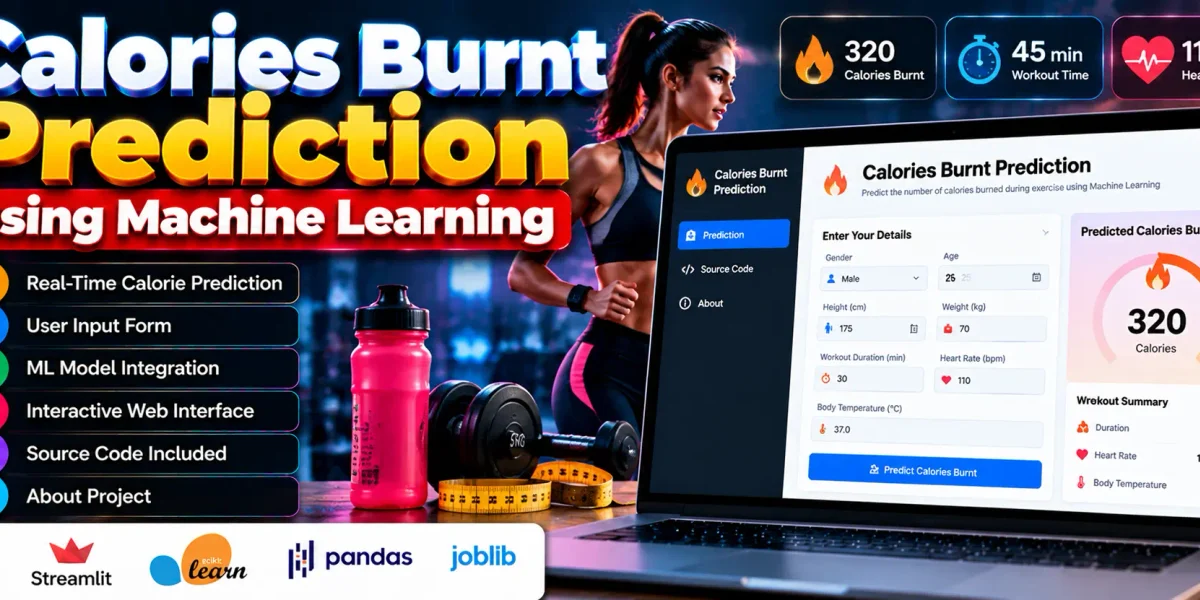
Calories Burnt Prediction
Calories Burnt Prediction is a web application that uses machine learning to estimate the number of calories burned during exercise. Users enter personal and workout details, and the application processes the information to generate a calorie prediction.
The application is built with Python and Streamlit and uses a Random Forest Regressor for prediction. It accepts details such as gender, age, height, weight, workout duration, heart rate, and body temperature.
Complete Advance AI Topics: Click Here
Real Time Projects on YouTube:- DecodeIT
What Are the Project Details?
Calories Burnt Prediction is a machine learning web application developed using Python, Streamlit, scikit-learn, pandas, and joblib.
| Project Detail | Description |
|---|---|
| Project Name | Calories Burnt Prediction |
| Language Used | Python |
| Python Version | 3.x (Recommended: 3.10+) |
| Framework/ Libraries | Streamlit, scikit-learn, pandas, joblib |
| Type | Web Application |
What Features Are Available in Calories Burnt Prediction?
The application provides calorie prediction from workout inputs, an interactive Streamlit interface, a Random Forest Regressor model, and separate Prediction, Code, and About pages.
- Real-Time Calorie Prediction: Estimates calories burned based on the information entered by the user.
- Streamlit-Based Web Interface: Provides an interactive interface for entering workout information and viewing prediction results.
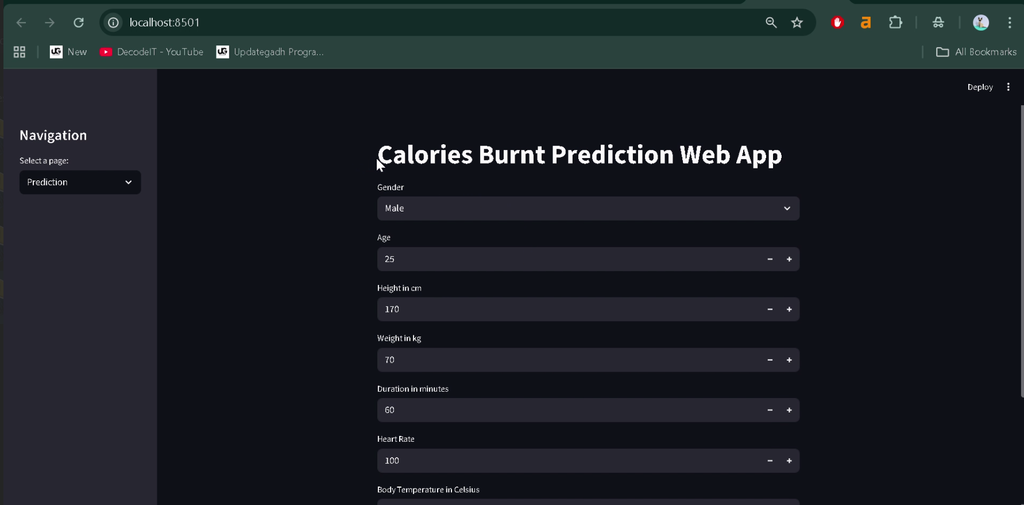
- User Input Fields: Accepts gender, age, height, weight, workout duration, heart rate, and body temperature.
- Machine Learning Model Integration: Uses a Random Forest Regressor to predict calories burned from the supplied input data.
- Sidebar Navigation: Provides sidebar navigation for moving between the application’s pages.
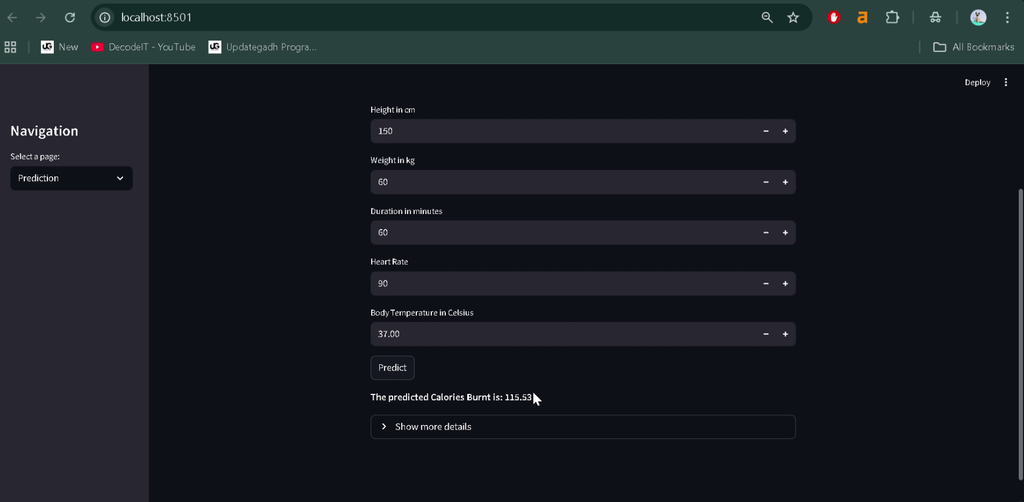
- Prediction Page: Allows users to enter their details and view the predicted calorie value.
- Code Page: Provides access to the project’s source code.
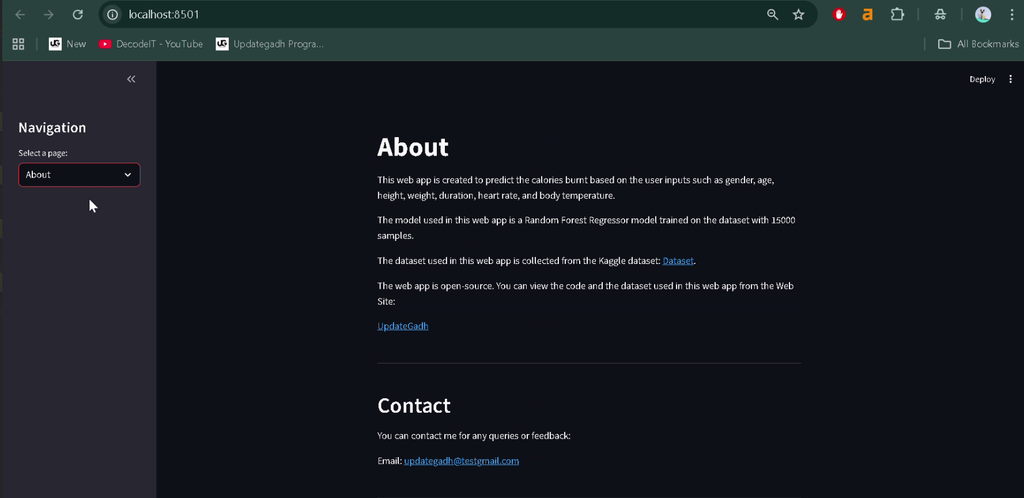
- About Page: Presents an overview of the project and its purpose.
Which Technologies Are Used in This Project?
The application uses Python for its programming logic, Streamlit for the web interface, and machine learning libraries to generate predictions.
- Python: Implements the application logic.
- Streamlit: Creates the interactive web interface.
- scikit-learn: Supports the Random Forest Regressor model.
- pandas: Supports data handling.
- joblib: Loads the trained machine learning model.
How Does Calories Burnt Prediction Work?
The application takes personal and workout inputs, passes the processed information to a trained machine learning model, and displays the estimated calories burned.
- The user enters the required personal and workout details.
- Streamlit widgets collect the input values.
- The application processes the input for the prediction model.
- The trained Random Forest Regressor generates the predicted calorie value.
- The result is displayed in the application interface.
The trained model is loaded using joblib. Prediction results depend on the model and its training data.
What Software Is Required to Run the Project?
The project requires Python 3.x, preferably Python 3.10 or later, along with Streamlit and the required machine learning libraries.
- Python 3.10 or later recommended
- Visual Studio Code
- Streamlit
- scikit-learn
- pandas
- joblib
- A web browser
How to Download
The complete package is available so you can run, study, and submit it with confidence. It includes:
- Full Source Code
Screenshot
How to Install Calories Burnt Prediction in VS Code?
To install the application, open the source code folder in Visual Studio Code, create a virtual environment, and install the required Python packages.
Step 1: Open the Project Folder
Extract the project files and open the folder in Visual Studio Code. Open the integrated terminal using Terminal > New Terminal.
Step 2: Create a Virtual Environment
python -m venv venvStep 3: Activate the Environment
On Windows, run:
venv\Scripts\activateStep 4: Install the Dependencies
If the project includes a requirements.txt file, install its listed packages:
pip install -r requirements.txtIf no requirements file is provided, install the libraries used by the project:
pip install streamlit scikit-learn pandas joblibHow to Run Calories Burnt Prediction?
Run the Streamlit application from the terminal using the project’s main Python file.
Step 1: Locate the Main Python File
Find the Python file that contains the Streamlit application code. The filename may vary depending on the supplied source code.
Step 2: Start the Application
Replace app.py with the actual main filename if it is different.
streamlit run app.pyStep 3: Open the Application
Streamlit normally opens the application in your browser. If it does not, visit:
http://localhost:8501Note: The project must include its trained model file and any required data files. The exact filename and setup commands depend on the supplied source code.
What Is the Purpose of the Prediction, Code, and About Pages?
The application separates its main functions into three pages to organize the user experience.
- Prediction: Accepts personal and workout information and displays the estimated calories burned.
- Code: Provides access to the project’s source code.
- About: Explains the project and its purpose.
Frequently Asked Questions
1. What is Calories Burnt Prediction?
It is a machine learning web application that estimates calories burned during exercise using personal and workout details.
2. Which machine learning algorithm does the project use?
The application uses a Random Forest Regressor to generate calorie predictions.
3. Which inputs are required for prediction?
The application accepts gender, age, height, weight, workout duration, heart rate, and body temperature.
4. Which libraries are used in the project?
The project uses Streamlit, scikit-learn, pandas, and joblib with Python.
5. How can I run the application locally?
Install the required dependencies and run streamlit run app.py, replacing app.py with the actual application filename if necessary.
Conclusion
Calories Burnt Prediction combines Python, Streamlit, and machine learning to estimate calories burned during exercise. Its input form, Random Forest Regressor integration, and separate Prediction, Code, and About pages provide the core functionality of the application.
Keywords: Calories Burnt Prediction, calories burned prediction using machine learning, calories burnt prediction project in Python, calories burned prediction web app, Random Forest Regressor project, calories.csv dataset, calories burned prediction project report