Insurance Management System
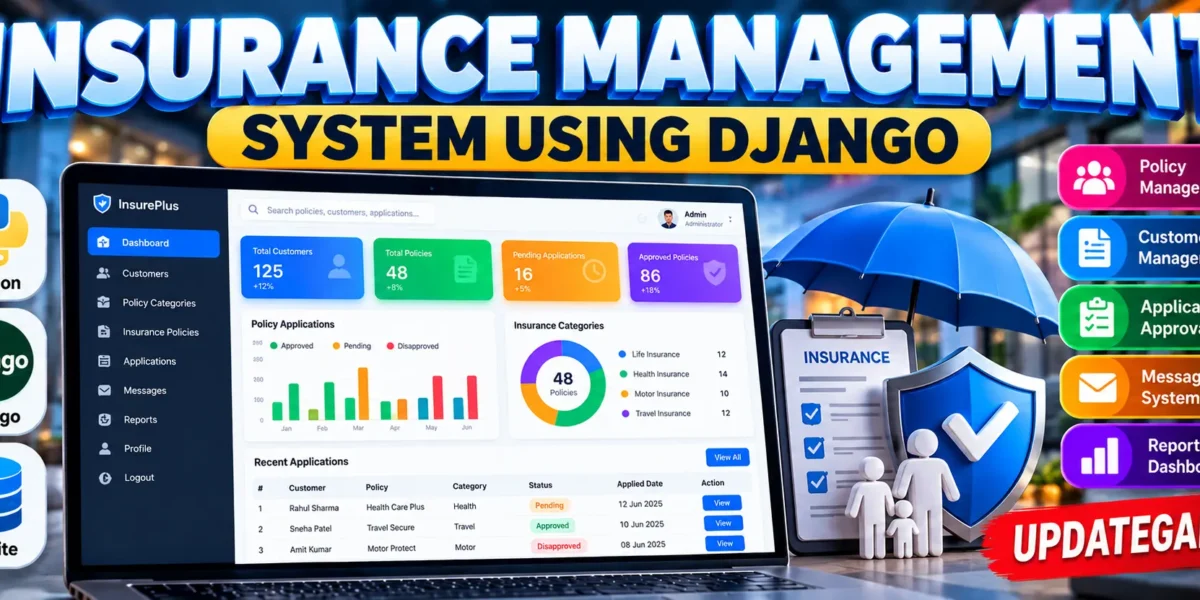
The Insurance Management System using Django is a web-based application designed to manage insurance policies, customers, policy applications, approval processes, and communication between administrators and customers. The project is developed using Python and Django and uses SQLite as its database.
This project is suitable for students who want to understand how a real-world insurance workflow can be implemented using a web framework. It demonstrates authentication, database integration, CRUD operations, role-based functionality, policy management, application approval, status tracking, and customer-admin communication through a connected system.
Complete Advance AI Topics: Click Here
Real Time Projects on YouTube:- DecodeIT
Project Overview
| Project Name | Insurance Management System |
|---|---|
| Language(s) Used | Python, Django |
| Python Version | Python 3.13 / 3.14 for the updated project |
| Database | SQLite |
| Type | Web Application |
Introduction
Managing insurance policies and customer applications manually can become difficult when the number of customers and policies increases. An insurance management application can organize these activities through a centralized web interface.
The Insurance Management System provides separate panels for administrators and customers. Customers can create their accounts, browse available insurance policies, apply for policies, and track the progress of their applications. Administrators can manage customers, policy categories, policies, applications, and customer queries.
The project follows a simple but practical workflow where a customer submits an application and the administrator reviews it before changing its status. This makes the project useful for understanding how different modules can work together in a Django application.
Key Features
- Admin and Customer Login System
- Customer Registration
- Admin Dashboard
- Customer Dashboard
- Customer Management
- Policy Category Management
- Life Insurance Category
- Health Insurance Category
- Motor Insurance Category
- Travel Insurance Category
- Policy Management
- Add, Update, and Delete Policies
- Policy Search and Filtering
- Customer Policy Applications
- Policy Approval Workflow
- Pending Application Tracking
- Approved Application Tracking
- Disapproved Application Tracking
- Application History
- Customer-Admin Messaging
- SQLite Database
- Django Admin Panel
- Responsive User Interface
User Roles and Functionalities
Admin Panel
The administrator is responsible for managing the main insurance operations. An administrator account can be created using Django’s createsuperuser command. After logging in, the administrator can access the management dashboard.
The admin dashboard provides an overview of customers, policies, and policy applications. Administrators can view registered customers and update or delete customer records when required.
The administrator can also create and manage policy categories. The system supports categories such as Life, Health, Motor, and Travel. Each category can be maintained separately so that policies can be organized properly.
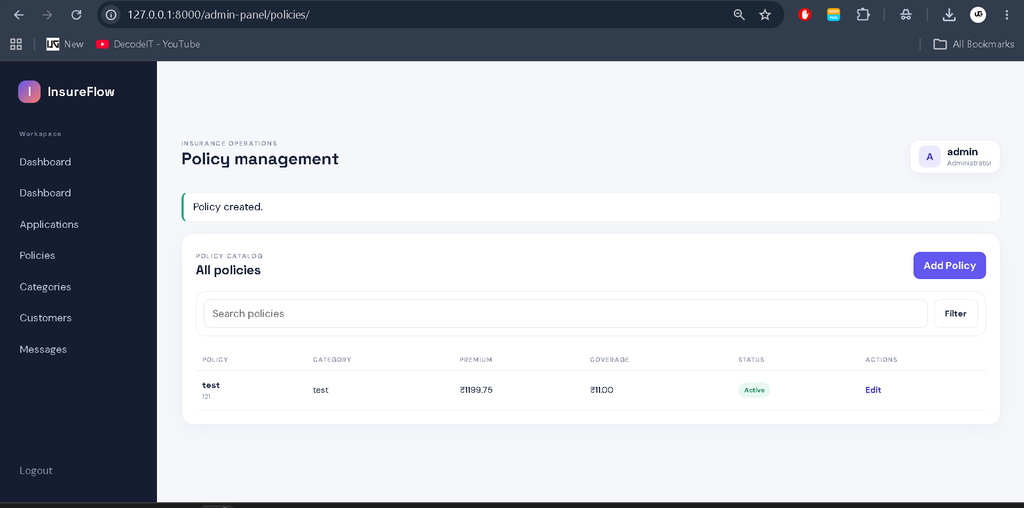
Policy management is another important part of the admin panel. Administrators can create new policies, update existing policies, remove policies, and maintain information such as policy name, policy code, premium, coverage, term, description, category, and active status.
Policy Approval
When a customer applies for an insurance policy, the application is stored with a pending status. The administrator can open the application management section and review submitted applications.
The administrator can then mark an application as Approved or Disapproved. The application status is stored in the database and becomes visible to the customer through the application history section.
Customer Panel
The customer panel allows users to register without waiting for administrator approval. After registration, customers can log in and access their dashboard.
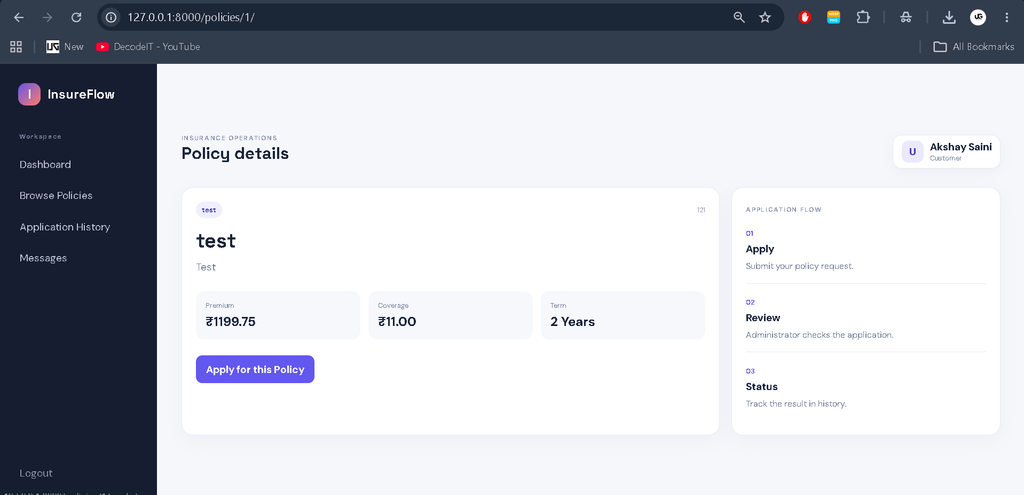
Customers can browse available policies and view important policy information before applying. They can search for policies and filter available policies according to their category.
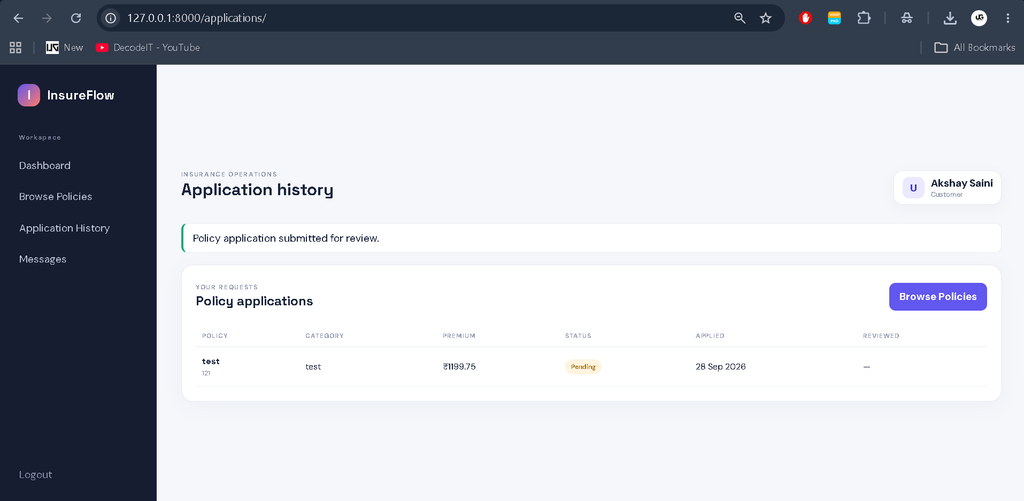
After selecting a policy, the customer can submit an application. The application is then sent to the administrator for review. Customers can return to their application history to check whether their application is still pending, approved, or disapproved.
Insurance Policy Categories
Life Insurance
The Life category can contain policies related to long-term protection and coverage. Administrators can add and manage life insurance policies through the policy management section.
Health Insurance
The Health category is used for policies related to health and medical coverage. Customers can browse available health policies and submit applications through the customer dashboard.
Motor Insurance
The Motor category is designed for vehicle-related insurance policies. Administrators can create motor policies and customers can view and apply for available options.
Travel Insurance
The Travel category organizes policies related to travel coverage. Customers can browse available travel policies and submit an application when required.
Application Workflow
The Insurance Management System follows a connected workflow instead of treating each module separately.
Customer Registration → Customer Login → Browse Policies → Select Policy → Submit Application → Pending Review → Admin Review → Approved/Disapproved → Application History
This workflow allows the customer and administrator modules to work together. Once an application is submitted, the administrator can review it and update the status. The customer can then see the latest status from the application history section.
Download complete source code
Screenshot
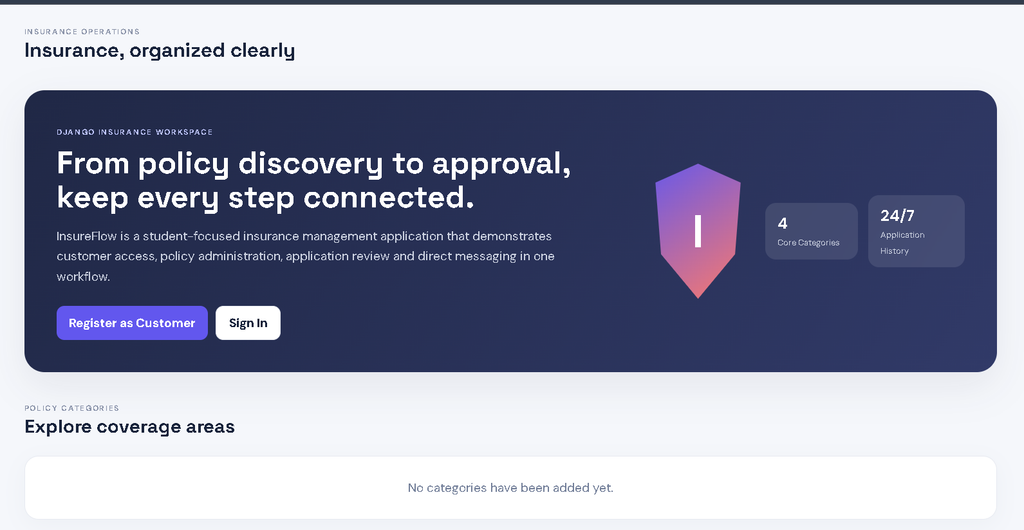
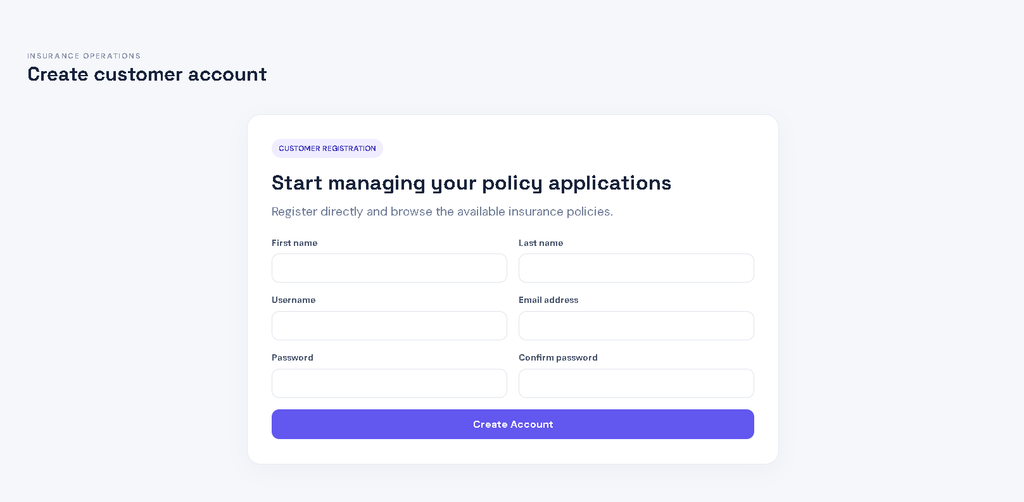
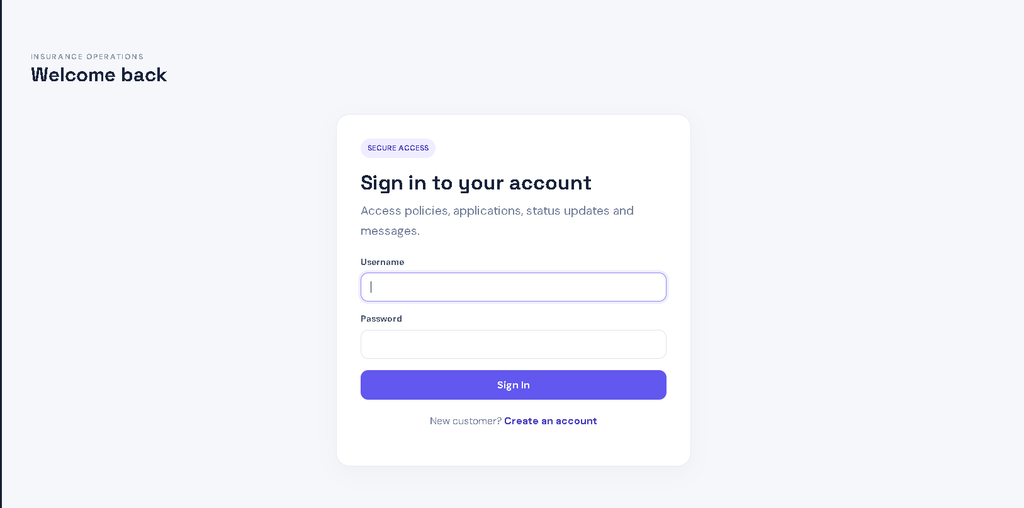
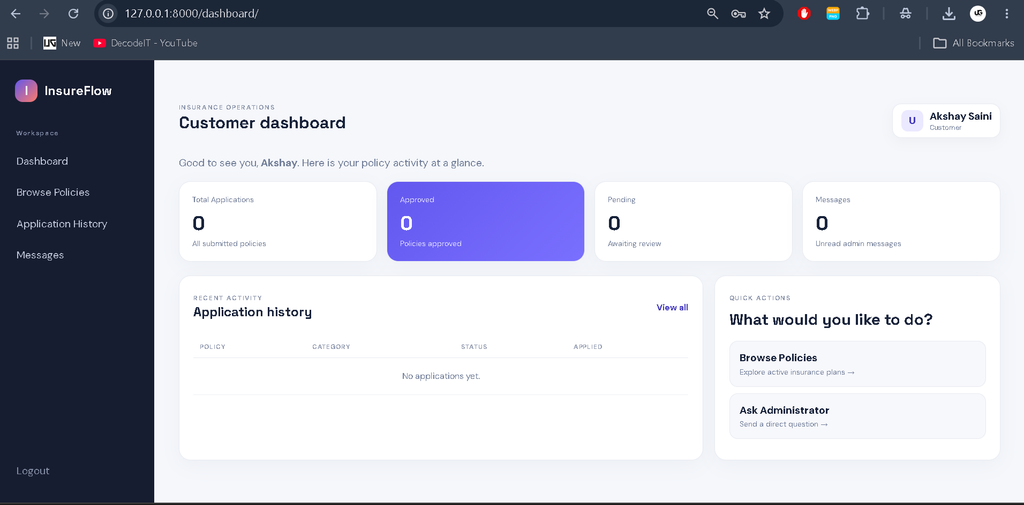
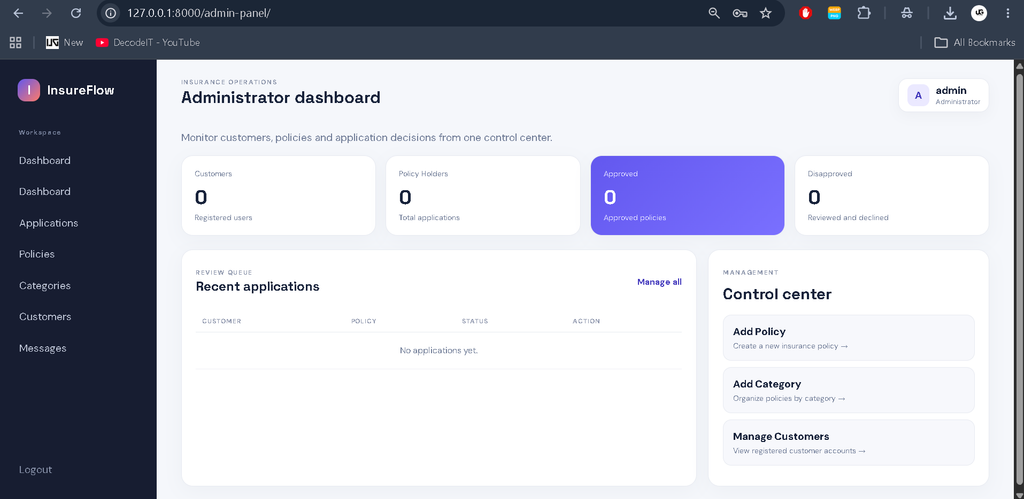
Messaging System
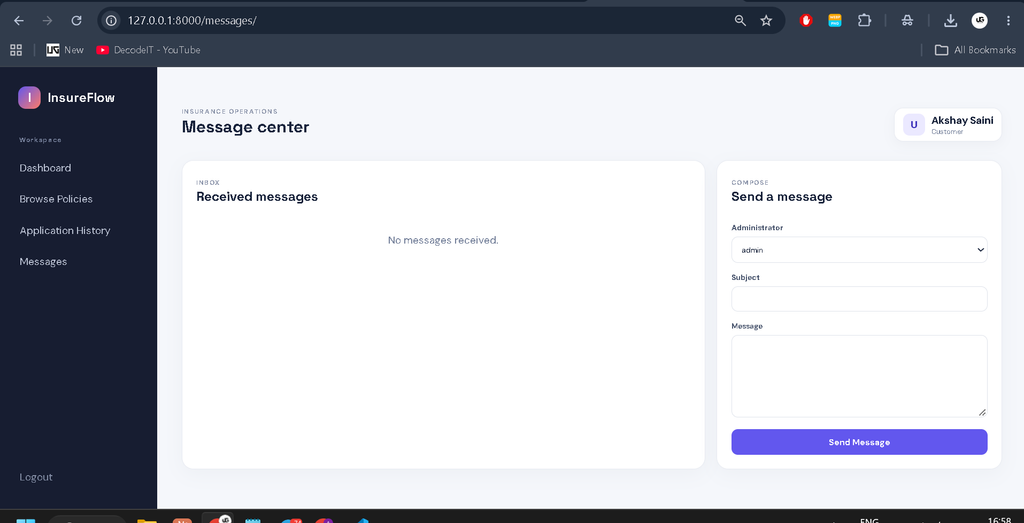
The project also includes a messaging system between customers and administrators. Customers can ask questions directly from the dashboard, while administrators can respond to customer queries.
The messaging module stores the sender, receiver, subject, message body, read status, and creation date. This provides a simple communication channel inside the application.
Database Structure
The application uses SQLite as its database. Django’s ORM is used to create and manage database records.
The major entities used in the project include the Django User model, Policy Category, Policy, Policy Application, and Message.
A policy is connected to a policy category. A policy application connects a customer with the selected policy and stores its current status. Messages connect users as sender and receiver.
These relationships demonstrate practical use of Django models, foreign keys, authentication, and database operations in a college-level web application.
Technologies Used
- Python: Used as the main programming language.
- Django: Used for backend development, authentication, routing, forms, ORM, and administration.
- SQLite: Used as the default relational database.
- HTML: Used to structure the web pages.
- CSS: Used to create the responsive and professional interface.
Software and Tools Required
- Python
- Visual Studio Code
- Django
- SQLite
- Web Browser
- Command Prompt or PowerShell
Installation and Setup
First, install a compatible Python version and make sure Python is added to the system PATH. Open the project folder in Visual Studio Code and open the integrated terminal.
Create a virtual environment using:
python -m venv venvActivate the virtual environment on Windows:
venv\Scripts\activateInstall the required packages:
python -m pip install -r requirements.txtCreate the database migrations:
python manage.py makemigrationsApply the migrations:
python manage.py migrateCreate an administrator account:
python manage.py createsuperuserFinally, start the Django development server:
python manage.py runserverOpen the local server address shown in the terminal, normally:
http://127.0.0.1:8000/How to Use the System
After starting the project, customers can register through the registration page and log in using their credentials. From the customer dashboard, they can browse available insurance policies and open the details of a selected policy.
When a customer applies for a policy, the application is saved with a pending status. The administrator can log in to the admin dashboard and review the submitted application. After reviewing it, the administrator can approve or disapprove the application.
The customer can then open the application history section and check the updated status. Customers can also use the messaging section to communicate with the administrator.
Frequently Asked Questions
Can customers register themselves?
Yes. Customers can create their own accounts through the registration page without waiting for administrator approval.
Which insurance categories are available?
The project includes Life, Health, Motor, and Travel insurance categories.
Can customers track their applications?
Yes. Customers can use the application history section to check the status of submitted applications.
Can administrators approve applications?
Yes. Administrators can review customer applications and change their status to Approved or Disapproved.
Which database is used?
The project uses SQLite as the default database.
Does the project have Django Admin?
Yes. A Django superuser can access the standard Django Admin panel.
Future Scope
- Add secure email notifications for application status updates.
- Add document upload functionality for customer applications.
- Add stronger application validation and verification.
- Add detailed insurance reports and analytics.
- Add audit records for important administrative actions.
- Connect the application with a production database for deployment.
- Add additional policy categories when required.
Conclusion
The Insurance Management System using Django is a practical medium-level college project that demonstrates how an insurance workflow can be converted into a connected web application. It combines customer registration, authentication, policy management, policy applications, approval processing, application history, database relationships, and customer-administrator messaging.
Keeyword:
Insurance Management System
Insurance Management System – Google Search
insurance management system project
insurance management system project in java
insurance management system github
insurance management system er diagram
insurance management system ims
insurance management system project in python
insurance management system project github
insurance management system project ppt
insurance management system project documentation pdf