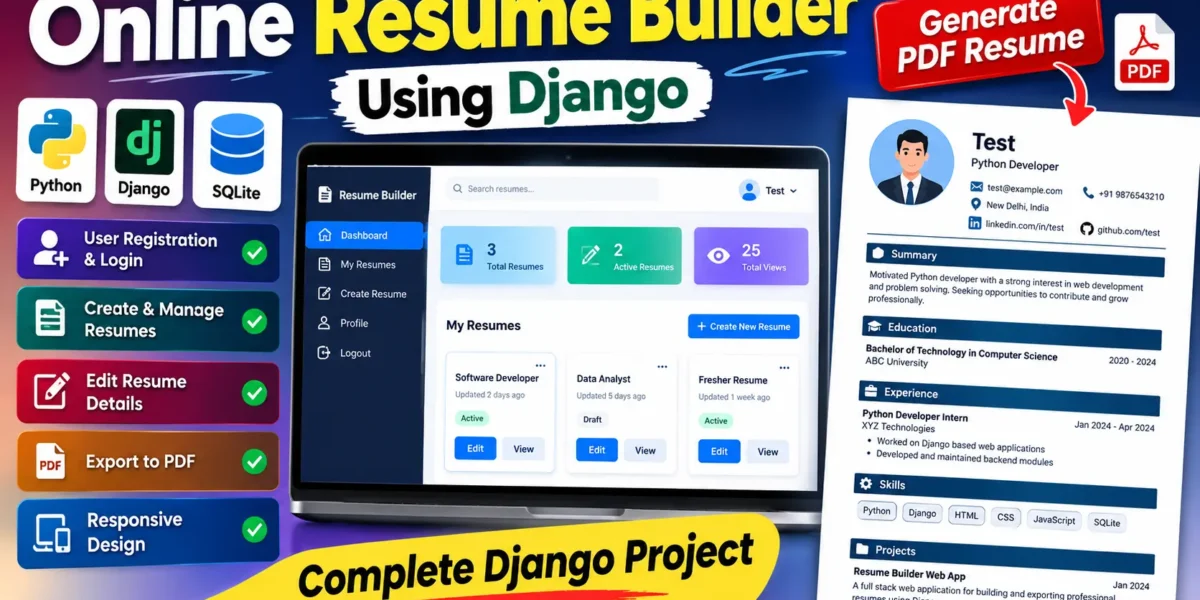
The Online Resume Builder using Python Django is a medium-level web application designed to help users prepare structured resumes through a simple browser-based workflow. Instead of creating every section manually in a separate editor, users can maintain their personal information, education, experience, skills, and project details inside one organized system. After the information is completed, the application presents the resume in a clean preview and provides an option to export it as a professional PDF document.
The project is developed with Python and Django on the backend, while HTML5, CSS3, and JavaScript are used to create the responsive user interface. SQLite provides the database layer for storing accounts and resume information. The project is suitable for a college assignment because it demonstrates authentication, database relationships, form validation, CRUD operations, responsive interface design, and document generation without introducing unnecessary enterprise-level complexity.
Complete Advance AI Topics: Click Here
Real Time Projects on YouTube:- DecodeIT
Project Overview
| Project Name | Online Resume Builder |
|---|---|
| Language/s Used | Python, Django, HTML5, CSS3, JavaScript |
| Database | SQLite |
| Type | Web Application |
| Developer | UPDATEGADH |
Project Introduction
The main purpose of this system is to make resume preparation more organized and manageable. A user first creates an account and signs in to a private workspace. From the dashboard, the user can create one or more resume versions. Each resume stores core profile information and can be extended with education, professional experience, and project records. Skills can be entered as a comma-separated list, while optional profile links can also be saved.
The application separates the resume into logical sections rather than treating it as one large text document. This structure makes the information easier to edit and reuse. It also allows a user to maintain different versions for different applications while keeping the same account. The final PDF is generated from the stored information, giving the project a practical output beyond ordinary database forms.
Key Features
- User Authentication: Registration and login protect each user’s resume workspace.
- Multiple Resumes: Users can create and manage more than one resume profile.
- Personal Information: Name, headline, contact information, location, summary, and profile links can be maintained.
- Education Management: Academic qualifications can be added with institution, duration, and supporting details.
- Experience Management: Work roles can be stored with company, dates, and descriptions.
- Project Management: Academic or professional projects can be added with technologies and descriptions.
- Skills: Skills are displayed as separate visual tags in the resume preview.
- Dashboard Search: Saved resumes can be searched from the dashboard.
- PDF Export: A selected resume can be generated as an A4 PDF document.
- Responsive UI: The interface adapts to desktop, tablet, and mobile screens.
User Roles
The primary application role is the User. A registered user can access only the resumes connected to that account, create new records, update profile information, add education, experience and projects, and export documents. The project also uses Django’s built-in Admin area for administrative management. A superuser can access the Django admin panel to inspect and manage stored records when required for project supervision.
Download complete source code
Screenshot
Project Modules
1. Authentication Module
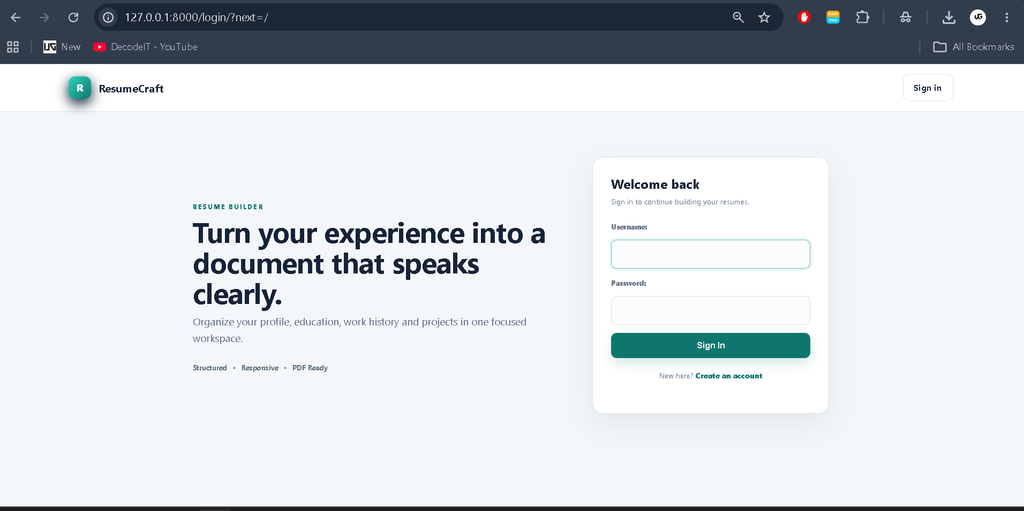
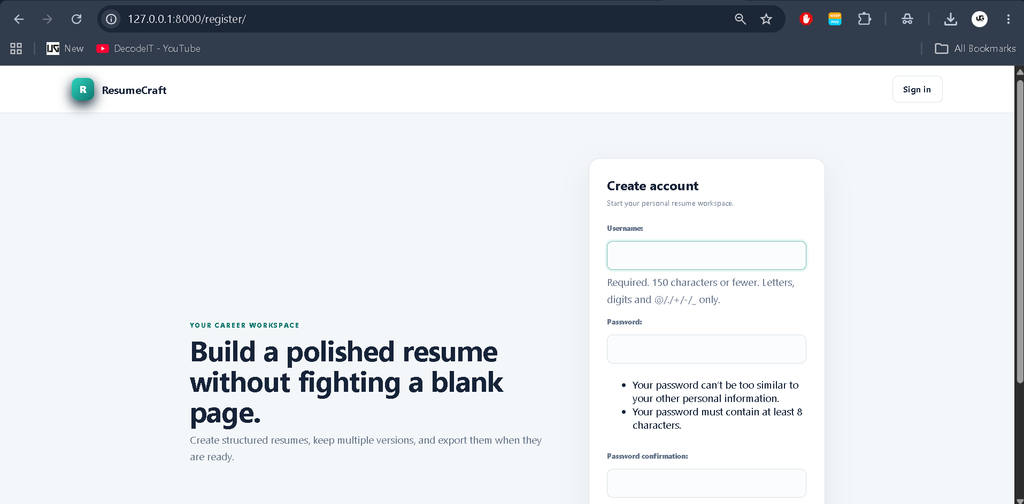
This module handles registration, login, logout, and access protection. Django’s authentication system is used so that resume records remain connected to the correct account. Users are redirected to the dashboard after successful login.
2. Resume Profile Module
The resume profile stores the main information that appears in the generated document. Users can create a new resume and later edit its title, name, headline, contact details, summary, skills, LinkedIn URL, and GitHub URL. Each resume is connected to its owner through a database relationship.
3. Education, Experience and Project Modules
These modules allow the user to add structured entries beneath a selected resume. Every entry belongs to a specific resume, so deleting a resume also removes its related sections. Simple add and remove actions keep the workflow understandable for college-level development.
4. Dashboard and Preview Module
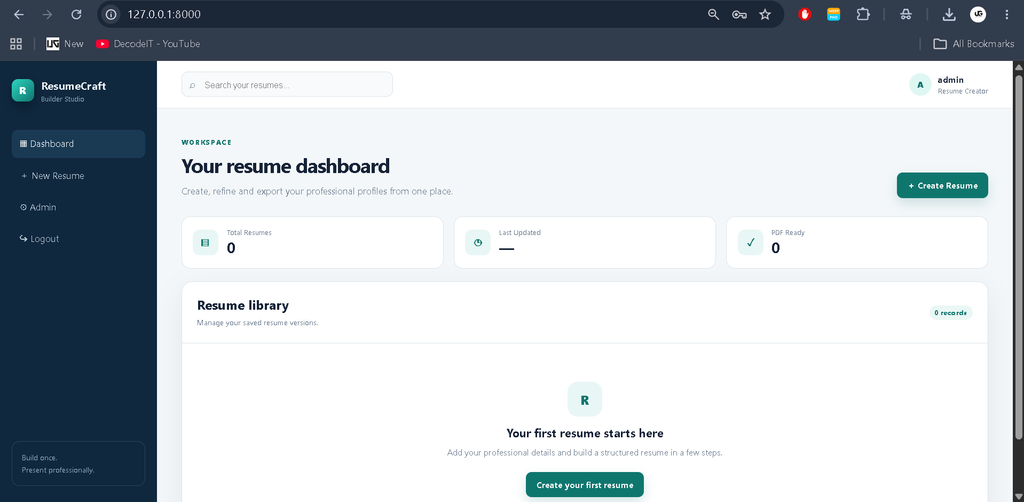
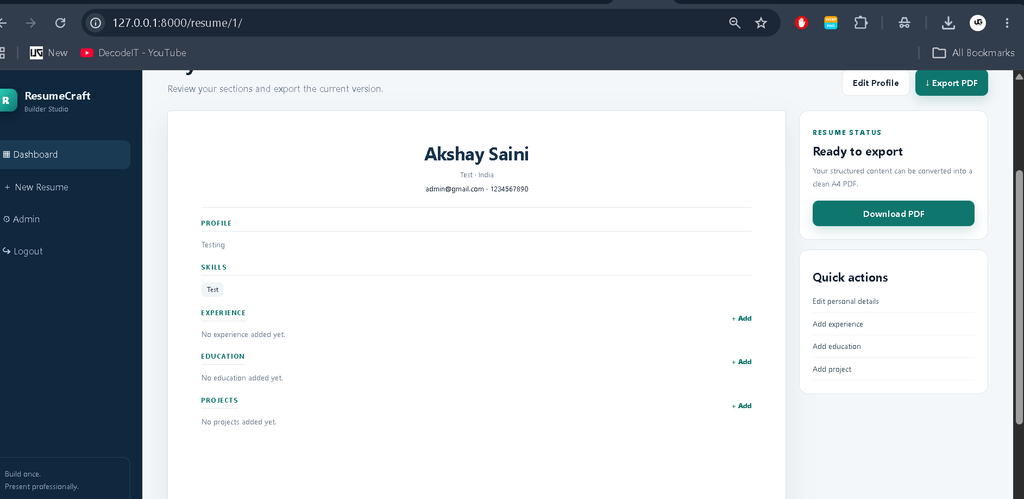
The dashboard presents saved resumes as cards with update information and quick actions. The preview page brings the resume sections together in a paper-style layout. A side panel provides quick links for editing profile information or adding another section.
5. PDF Generation Module
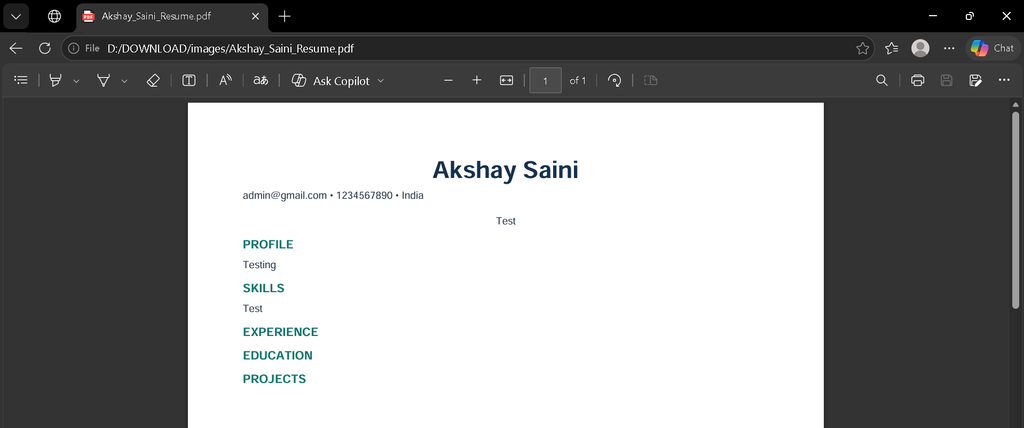
The PDF module converts the stored resume data into an A4 document using ReportLab. It organizes the profile, skills, experience, education, and projects into readable sections. The generated file can be downloaded directly from the browser.
Technologies Used
Python provides the programming language, while Django manages routing, authentication, forms, models, templates, and the administrative interface. SQLite is used as the default database because it is lightweight and convenient for a college project. HTML5 creates the page structure, CSS3 provides the modern responsive visual design, and JavaScript handles lightweight dashboard search. ReportLab is used for PDF generation.
How the System Works
The workflow begins with registration and login. Once authenticated, the user reaches the dashboard and chooses Create Resume. The profile form collects the main resume information and saves it in SQLite. The user can then open the resume workspace and add education, experience, and project entries. The preview page displays all available sections in a professional document-like interface. When the content is ready, the user selects Export PDF, and Django generates the A4 document from the saved records.
Installation and Setup
Open the project in Visual Studio Code and create a virtual environment using python -m venv env. Activate it with env\Scripts\activate on Windows, then install the required packages using pip install -r requirements.txt. Run python manage.py migrate to create the database tables. For administrator access, use python manage.py createsuperuser. Finally, start the application with python manage.py runserver and open the local Django address in a browser.
Usage
After signing in, create a resume and complete the profile form. Add education records for qualifications, experience records for employment or internships, and projects for academic or practical work. Use the preview screen to review the structure before exporting. If information changes later, return to the resume editor, update the relevant section, and generate the PDF again. The dashboard can be used to manage multiple saved resume versions.
Frequently Asked Questions
Is this project suitable for a college submission?
Yes. It demonstrates authentication, relational database models, forms, CRUD operations, responsive UI design, and PDF generation in one practical Django application.
Which database does the project use?
The default database is SQLite. It is included because it requires minimal configuration and is appropriate for local college-project development.
Can a user create more than one resume?
Yes. A single account can create multiple resume records and manage them separately from the dashboard.
Can the resume be exported?
Yes. The resume workspace includes an Export PDF action that generates an A4 PDF using the stored resume information.
Does the application support mobile screens?
Yes. The custom CSS includes responsive layouts for the sidebar, dashboard cards, forms, preview area, and navigation on smaller screens.
Future Scope
- Add multiple visual resume templates while keeping the same stored data.
- Introduce profile photo upload with appropriate validation.
- Add optional resume section reordering for different professional formats.
- Provide additional PDF styling choices for typography and spacing.
- Add cloud deployment configuration for public access.
Conclusion
The Online Resume Builder Using Django is a practical medium-level college project that connects several important web-development concepts into one complete workflow. It combines account management, structured resume data, related database records, responsive interfaces, preview functionality, and PDF generation. The result is more meaningful than a basic CRUD demonstration because the stored information produces a usable final document. At the same time, the architecture remains straightforward enough for students to understand, explain, customize, and extend during academic development.
Keyword:
Online Resume Builder
Online Resume Builder – Google Search
online resume builder free
online resume builder free ai
online resume builder free resume maker enhancv
online resume builder ai
online resume builder leaf
online resume builder canva
online resume builder project
online resume builder mini project
online resume builder for free download