Login and Registration System Using Python Django
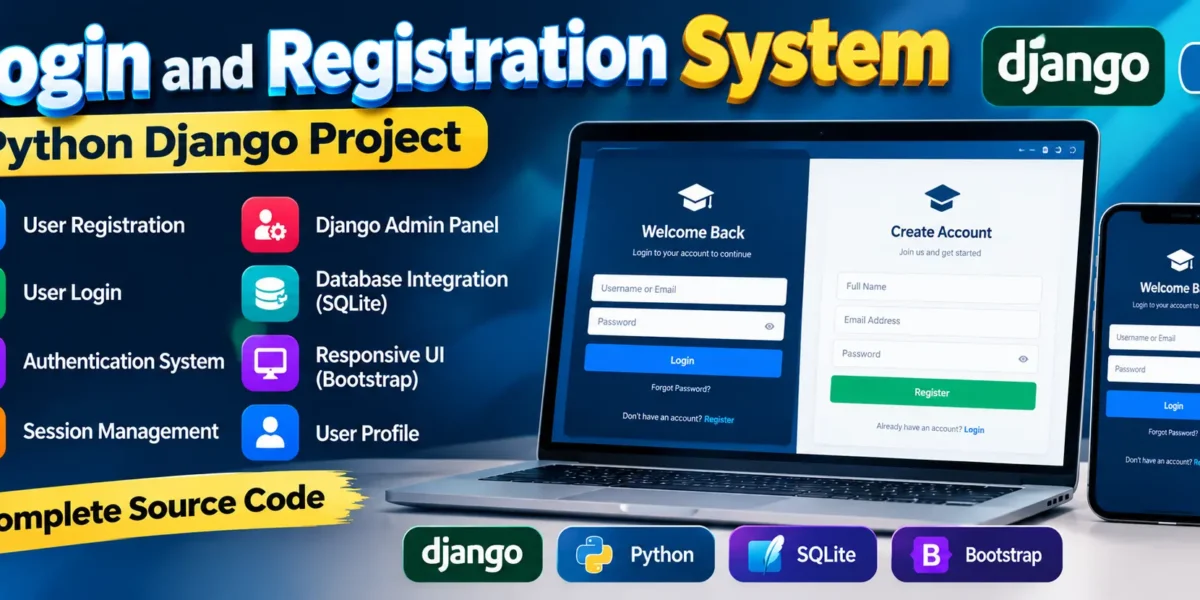
A Django Login and Registration System is a web-based application that allows users to create an account and securely access the system using their registered credentials. This project is developed using Python Django and SQLite, making it a suitable project for students who want to understand the basic concepts of authentication and user management in Django.
User authentication is an important part of modern web applications because it helps control access to application features and maintains user sessions. This project provides a simple implementation of registration, login, authentication, session management, and database integration. It also includes access to the Django Admin Panel for managing user accounts and related settings.
The login interface is designed using Bootstrap, providing a responsive layout that can work across different screen sizes. By studying this project, students can understand how Django handles users, authentication, sessions, forms, and database operations within a web application.
Complete Advance AI Topics: Click Here
Real Time Projects on YouTube:- DecodeIT
Project Details
| Project Name | Django User Login and Registration |
|---|---|
| Language Used | Python (Django) |
| Database | SQLite |
| Project Type | Web Application |
| Developer | UPDATEGADH |
Available Features
User Registration
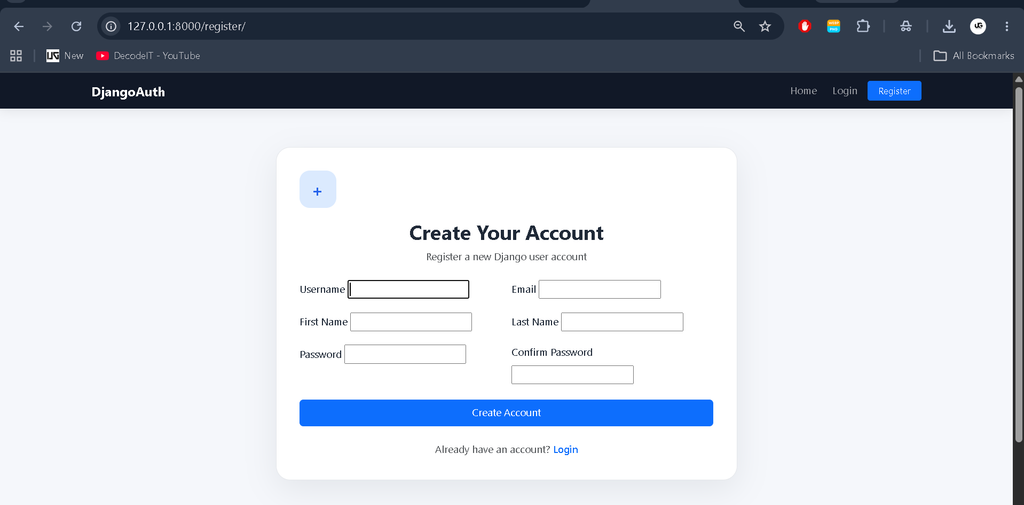
The registration feature allows new users to create an account by providing the required information. The registration process forms the starting point for users who want to access the application.
User Login
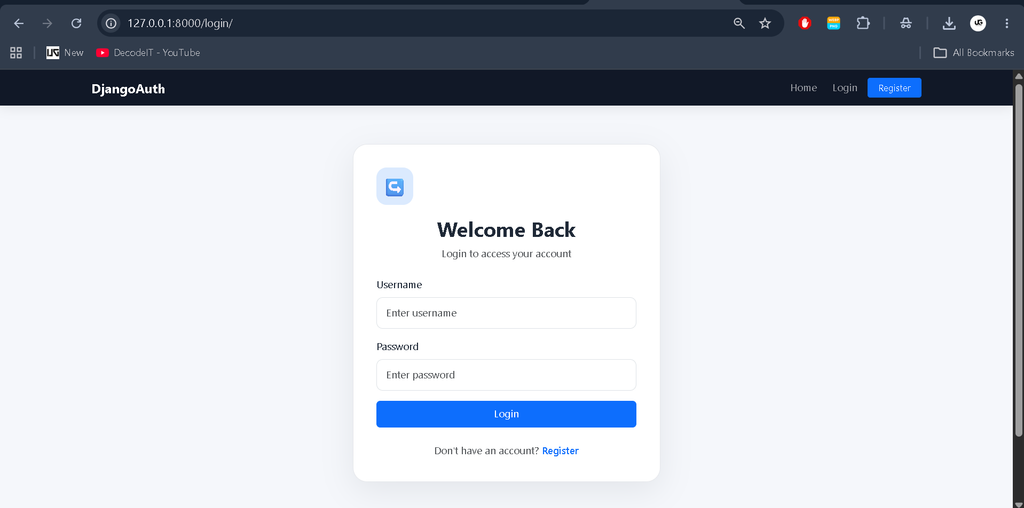
Registered users can log in using their account credentials. The login functionality verifies the user information and provides authenticated access to the application.
Authentication System
Django authentication is used to manage user identity within the application. Authentication helps the system identify registered users and control access after successful login.
Session Management
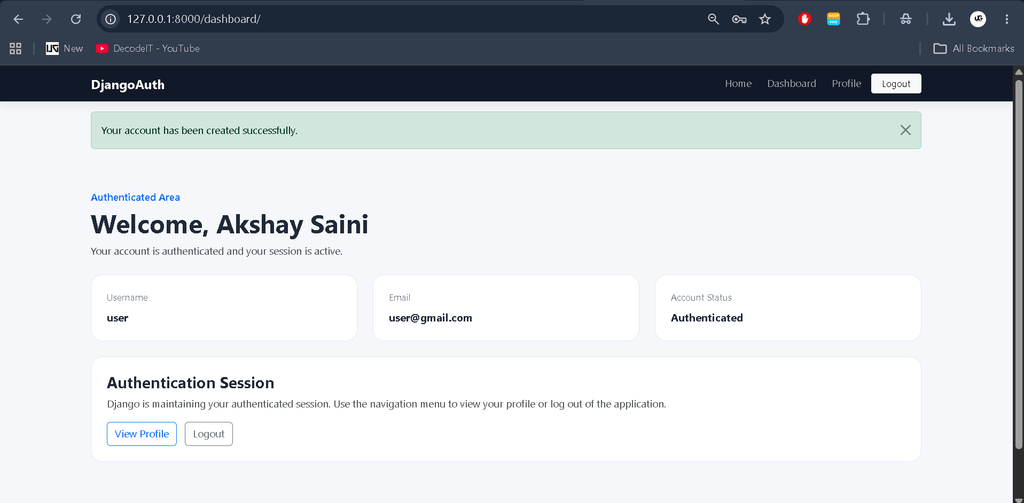
After a successful login, Django manages the user’s session so that the authenticated state can be maintained while the user navigates through the application.
Django Admin Panel
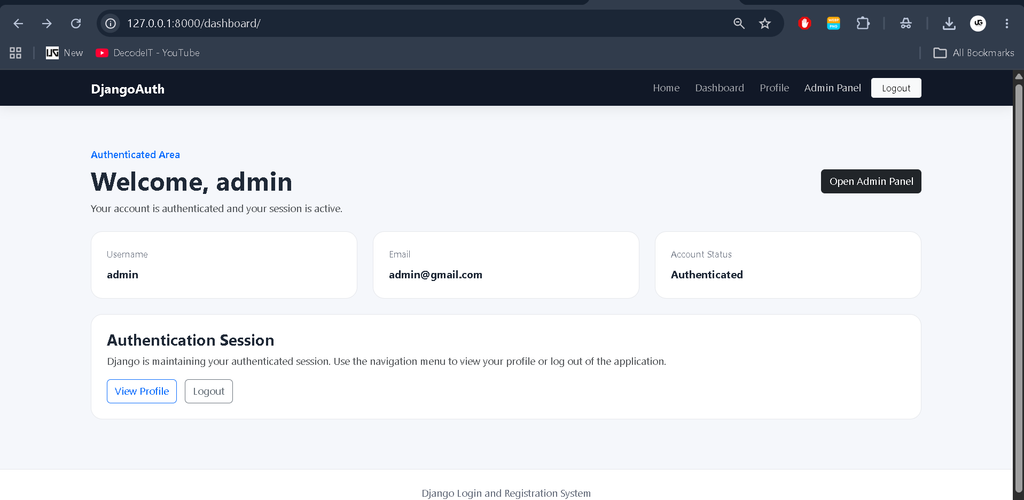
The Django Admin Panel provides an administrative interface for managing user accounts and application settings. It is an important part of the project for understanding how Django provides built-in administration functionality.
Database Integration
The project uses SQLite for storing user-related information. SQLite is integrated with Django’s database system and is suitable for developing and testing this type of authentication project.
How the Login and Registration System Works
The application follows a straightforward authentication workflow. A new user first creates an account through the registration functionality. The submitted information is handled by Django and stored in the connected SQLite database.
After registration, the user can use the login page to enter the registered credentials. Django checks the submitted information against the stored user data. When the credentials are valid, the user is authenticated and a session is created.
The session allows Django to maintain the user’s authenticated state while they continue using the application. When the user logs out, the active session is ended, helping prevent continued access through the previous authenticated state.
Responsive Login Interface
The Django login page uses Bootstrap to provide a responsive user interface. Bootstrap helps structure the authentication pages so that the forms and other interface elements can adapt to different screen sizes.
A responsive authentication interface is useful because users may access web applications from desktop computers, laptops, tablets, or mobile devices. The use of Bootstrap also gives students an opportunity to understand how a Django backend can be combined with a frontend framework.
Download complete source code
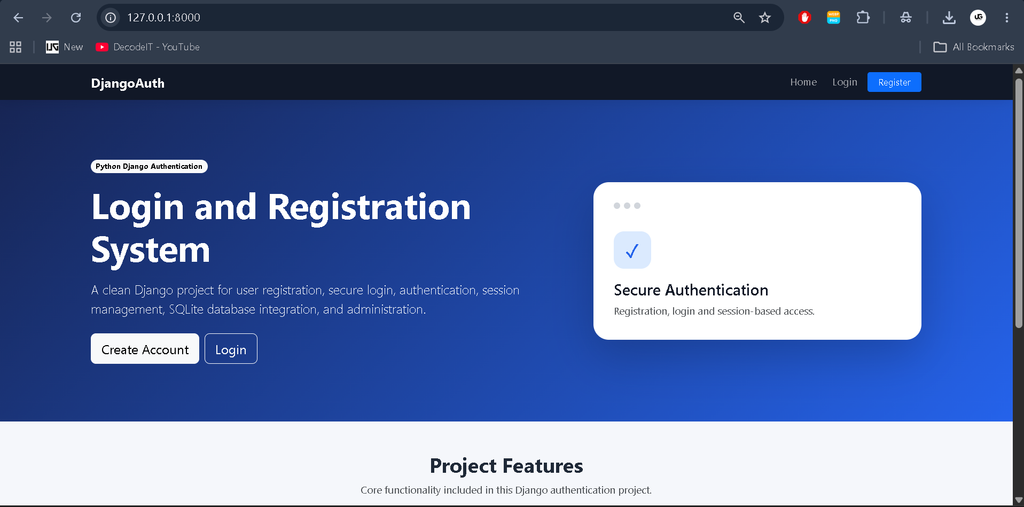
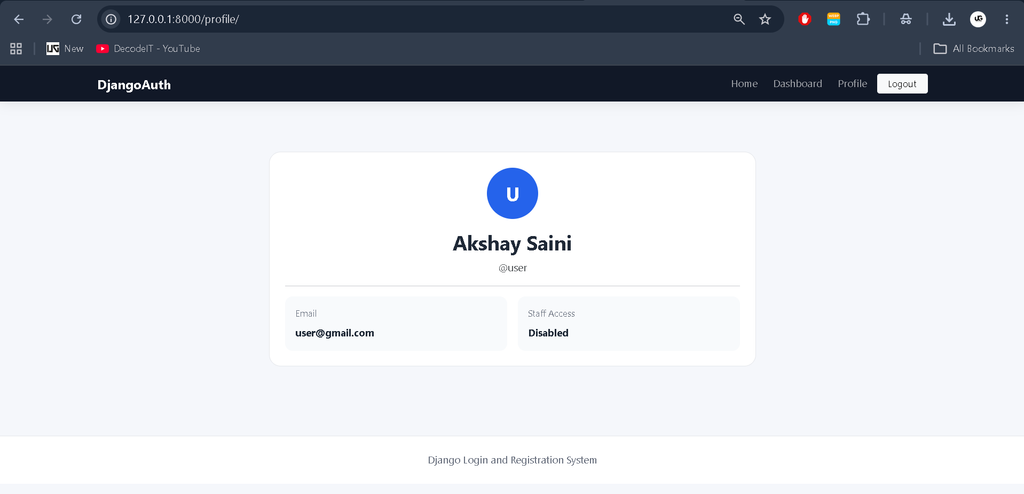
Screenshot
How to Create a Django User Login and Registration System
Follow the steps below to create and configure the Django Login and Registration System.
Step 1: Open PyCharm
Start PyCharm Professional and select File followed by New Project. This opens the project creation interface where you can select the required framework and configure the project location.
Step 2: Choose Django Framework
Select Django as the project framework. Django provides the required structure for creating the web application and implementing authentication functionality.
Step 3: Set Project Location
Choose the folder where you want to store the Django project. Selecting an organized project location makes it easier to manage the source code and related files.
Step 4: Create Application Name
Enter the desired name for the application and continue with the project configuration. Choose a meaningful name so that the project can be easily identified during development.
Step 5: Click Create
After configuring the Django project, click the Create button. PyCharm will create the initial project structure required for development.
Step 6: Start Coding
Once the project has been created, use the required Django source code to implement the registration and login functionality. The project can then be configured with the authentication system, session management, SQLite database, and Bootstrap-based interface.
Database Integration
The project uses SQLite as its database. SQLite is commonly used for Django development projects because it is lightweight and does not require a separate database server for basic applications.
In this project, the database works with Django’s authentication functionality to store and manage user information. This gives students practical experience with the relationship between a Django application, authentication system, and database.
Learning Outcomes
Working with this project helps students understand the basic structure of a Django authentication application. It provides practical exposure to user registration, login processing, authentication, session management, database integration, and the Django Admin Panel.
The project can also help students understand how frontend components such as Bootstrap can be combined with Django to create responsive web interfaces. These concepts are useful when developing larger Django-based applications that require controlled user access.
Frequently Asked Questions
What is the Django Login and Registration System?
It is a Django-based web application that provides user registration, login, authentication, session management, and database integration.
Which programming language is used?
The project is developed using Python with the Django web framework.
Which database is used in the project?
The project uses SQLite for database storage.
Does the project include user authentication?
Yes. User authentication is one of the primary features of the project and is used to verify registered users during login.
Does the project use session management?
Yes. Django session management is used to maintain the authenticated state of users after successful login.
Does the project include an Admin Panel?
Yes. The project includes the Django Admin Panel for managing user accounts and related settings.
Is Bootstrap used in the project?
Yes. Bootstrap is used to create a responsive login interface and improve the presentation of the authentication pages.
Future Scope
- Additional user management functionality can be added to the authentication system.
- The interface can be further customized according to the requirements of a larger application.
- The database configuration can be adapted for other database systems when required.
- Additional authentication-related functionality can be integrated as the application grows.
Conclusion
The Django Login and Registration System is a practical project for learning the fundamentals of authentication in Python Django. It demonstrates how users can register, log in, remain authenticated through session management, and interact with a database-backed application.
With features such as user registration, secure login, authentication, session management, SQLite integration, Bootstrap-based responsive design, and the Django Admin Panel, the project provides students with a clear foundation for understanding authentication-based web development in Django.
For students working on Django assignments, college projects, or beginner-level web development practice, this project provides a useful starting point for understanding how authentication components are organized within a Python Django application.
SEO Details
SEO Title: Django Login and Registration System Using Python
Meta Description: Learn how to create a Django Login and Registration System using Python, SQLite, Bootstrap, authentication, and session management.
Keywords: django login and registration source code, Django Login and Registration System, Django user authentication, Django user registration, Django login page, login and registration system using Python Django, Django authentication tutorial, Django login with SQLite, Django registration system, Django authentication project