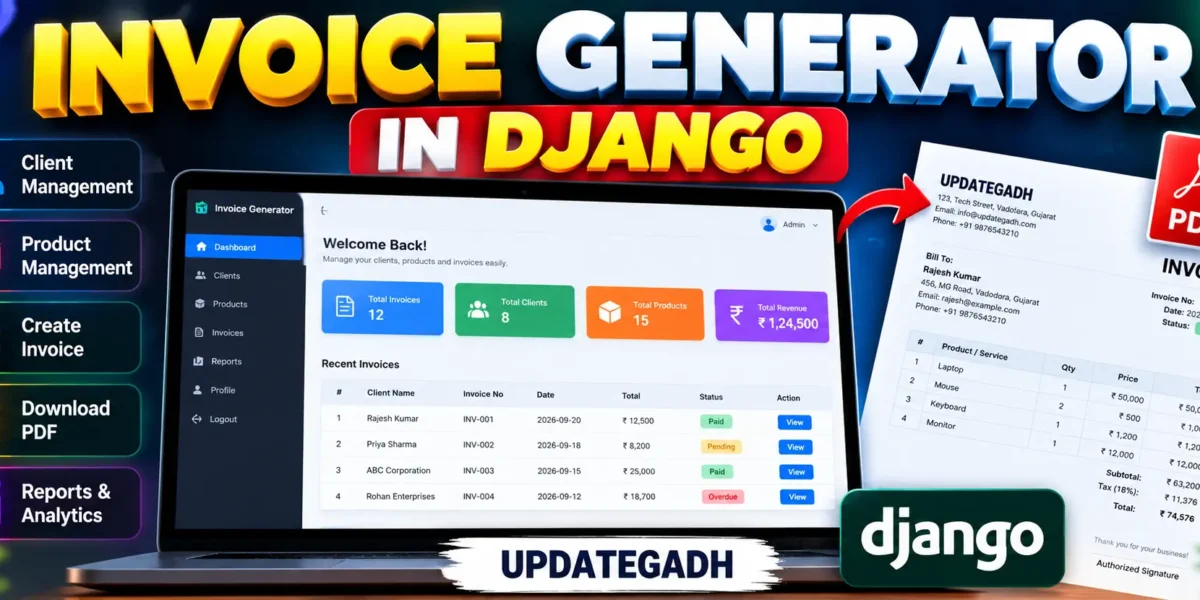
Invoice Generator In Django
Invoice Generator In Django is a web application designed to make everyday billing work easier for small businesses, student projects, freelancers, and service providers. The application combines Python Django on the backend with HTML and CSS for a responsive custom interface. It provides a connected workflow for maintaining clients and products, creating invoices, tracking payment status, viewing billing details, and downloading invoices as PDF files.
The project is designed as a practical college project rather than a basic form-based demonstration. A user can register, sign in, prepare a billing workspace, maintain reusable client and product records, and create invoices from selected products. The dashboard presents useful billing statistics and recent invoice activity without relying on Django Admin.
Complete Advance AI Topics: Click Here
Real Time Projects on YouTube:- DecodeIT
Project Overview
| Project Detail | Information |
|---|---|
| Project Name | Invoice Generator In Django |
| Backend | Python Django |
| Frontend | HTML and CSS |
| Database | SQLite |
| PDF Generation | ReportLab |
Key Features
- User Registration and Login: Users can create an account and access their own billing workspace through a custom authentication interface.
- Professional Dashboard: The dashboard displays client count, product count, invoice count, paid revenue, and recent invoice activity.
- Client Management: Users can add, search, view, and remove client records containing contact information and address details.
- Product and Service Management: Products can be stored with price, description, and tax rate information for reuse while preparing invoices.
- Invoice Creation: Users can select a client, set issue and due dates, choose multiple products, specify quantities, and add notes.
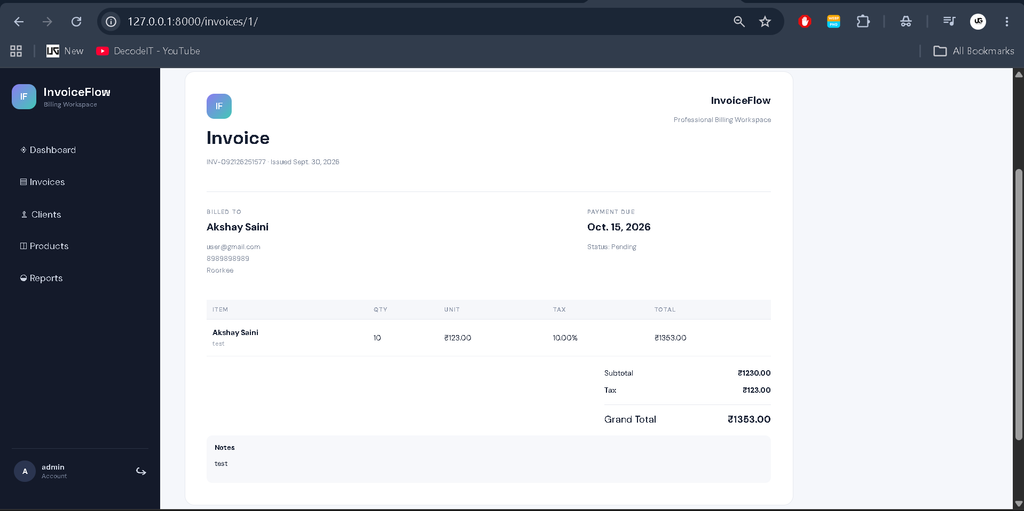
- Automatic Calculations: The system calculates line totals, tax amounts, subtotal, and grand total from stored invoice items.
- Status Tracking: Invoices can be marked as Pending, Paid, or Overdue from the invoice detail page.
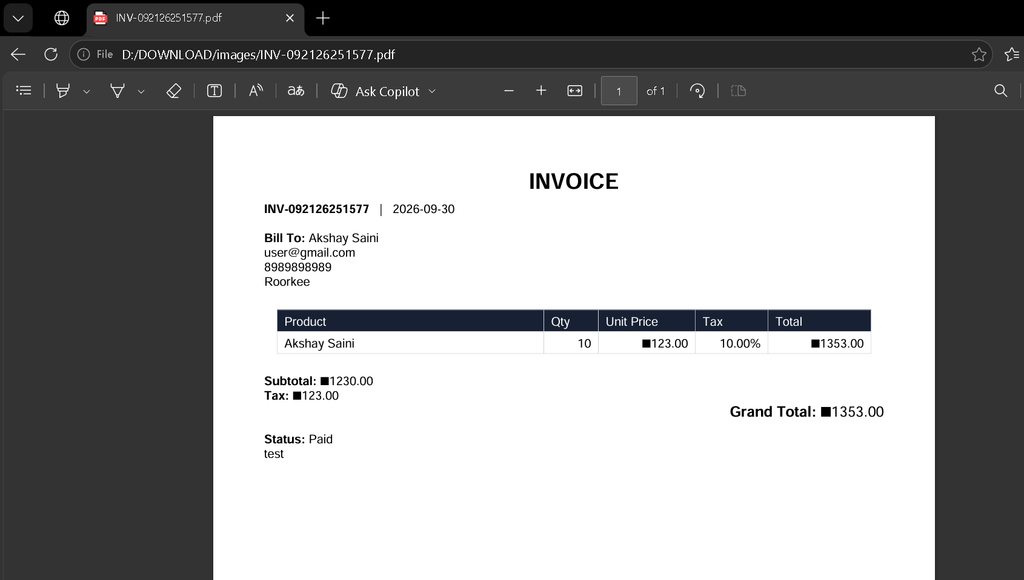
- PDF Invoice: A formatted invoice can be generated and downloaded as a PDF using ReportLab.
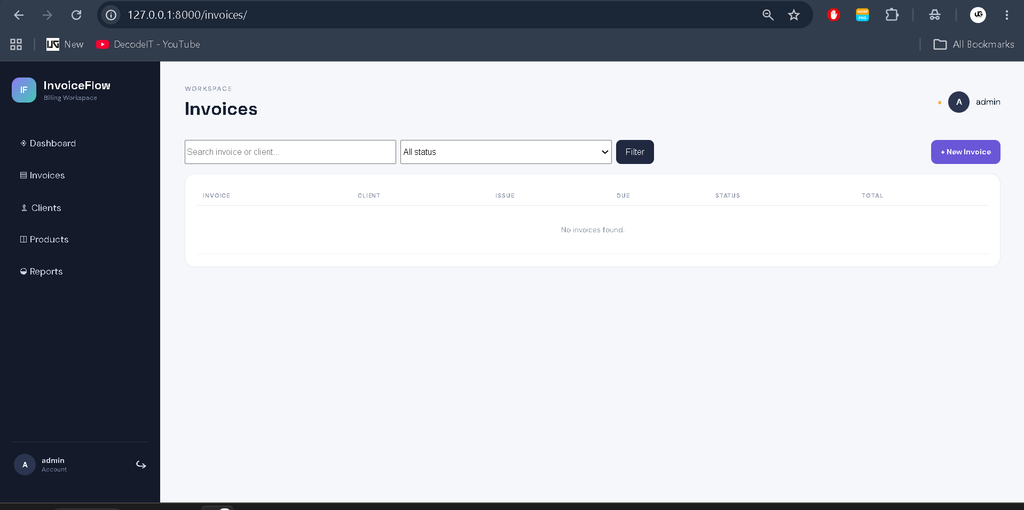
- Search and Filtering: Client, product, and invoice lists provide practical search controls, while invoices can also be filtered by status.
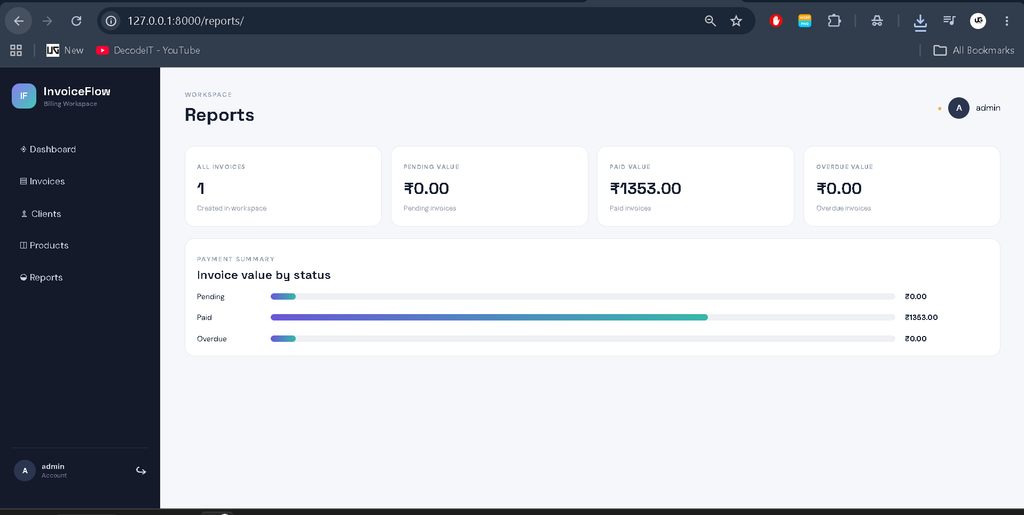
- Reports: A simple reporting page summarizes invoice values by payment status.
User Workflow
The application follows a straightforward workflow. First, the user creates an account and signs in. The dashboard then acts as the central workspace. Before generating an invoice, the user adds clients and products. A product stores its selling price and applicable tax rate, while a client stores the information required on the invoice.
After the basic records are available, the user opens the invoice creation screen and selects a client. The user can choose one or more products and enter quantities. The system creates the invoice number, stores the selected items, calculates tax, and prepares the final invoice total. The invoice detail page then provides a printable business-style view and an option to download the PDF.
Project Modules
Authentication Module
The authentication section contains custom registration, login, and logout pages. Access to billing data is protected through Django authentication decorators, so users work with records associated with their own account.
Client Module
The client module keeps customer information organized. It supports searching by client name and provides a clean table-based view for reviewing saved contacts.
Product Module
The product module stores reusable products or services. Price and tax rate values are saved with each product so invoice creation can use consistent billing information.
Invoice Module
The invoice module connects clients, products, invoice records, and invoice items. Each invoice contains an issue date, due date, payment status, notes, and one or more line items. Database relationships keep the workflow connected.
Reports Module
The reports page gives a simple status-wise view of invoice values. This provides useful information for a college demonstration while keeping the reporting layer understandable and practical.
Download complete source code
Screenshot
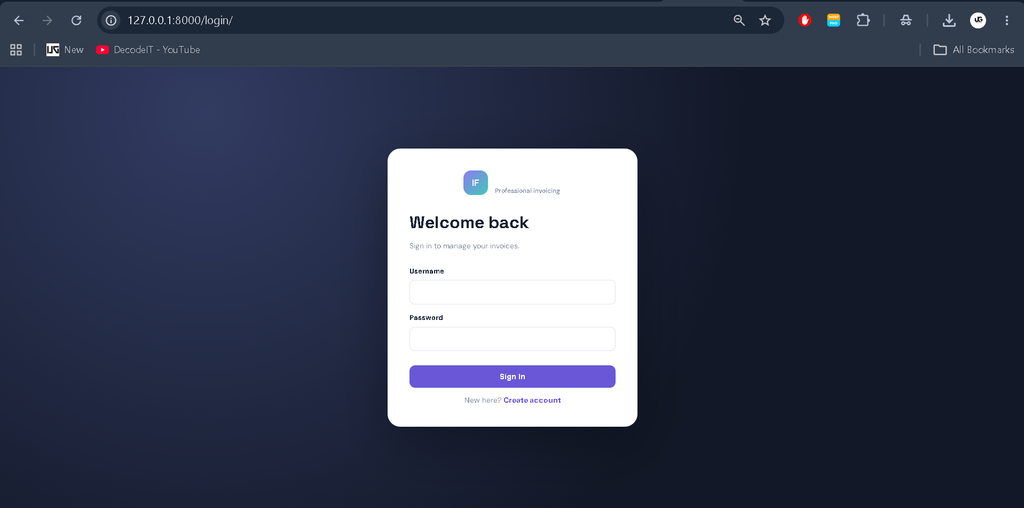
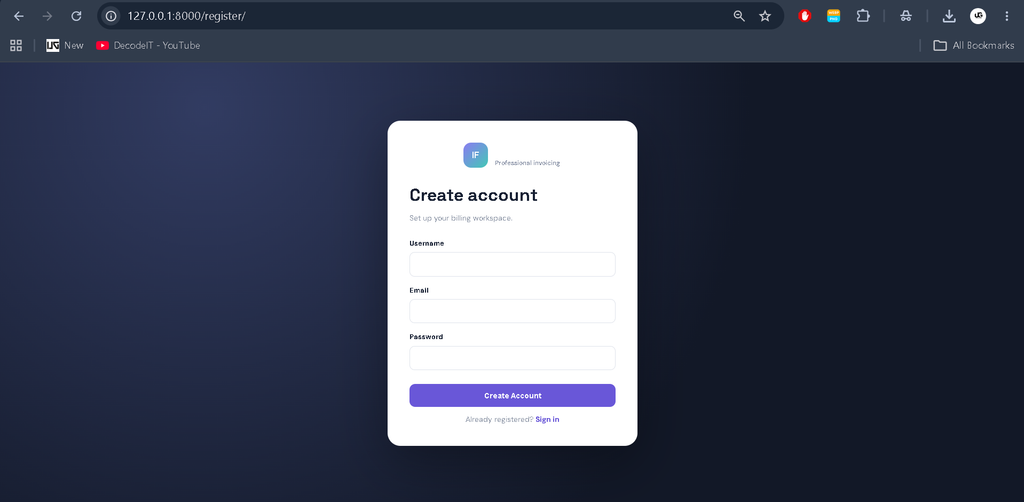
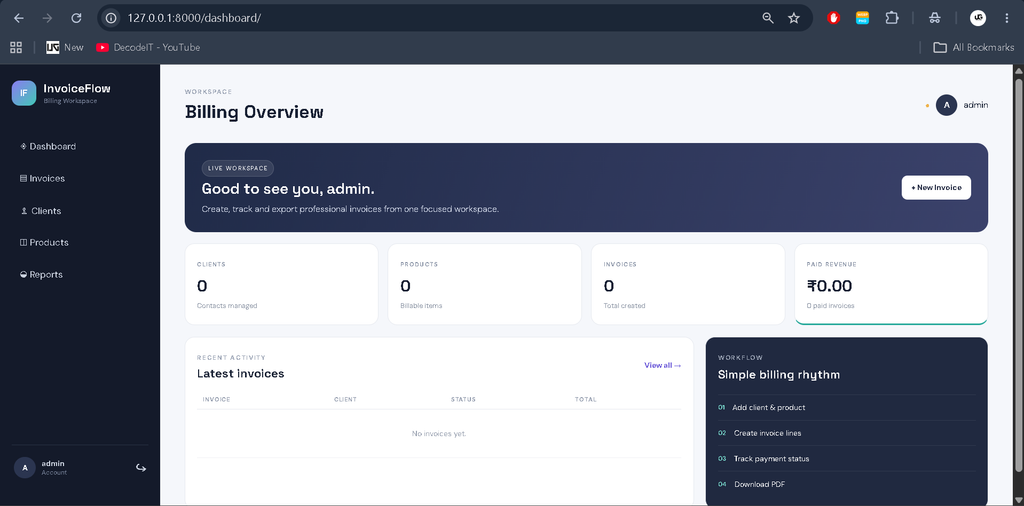
Professional Dashboard and UI
The interface uses a dedicated billing-oriented visual identity instead of a generic Django template. A dark navigation sidebar provides access to Dashboard, Invoices, Clients, Products, and Reports. The main workspace uses compact KPI cards, a recent-activity table, status badges, clear forms, and responsive layouts. The invoice screen uses a document-style presentation so users can review billing information before exporting it.
The layout adapts for desktop, laptop, tablet, and mobile screens. Forms include labels and validation-friendly controls, while management pages use search areas and structured tables. The interface is intentionally professional enough for a college demonstration but remains simple enough for students to understand and extend.
Installation and Setup
To run the project, install Python and open the project folder in VS Code or Command Prompt. Create and activate a virtual environment before installing dependencies.
python -m venv venv
venv\\Scripts\\activate
pip install -r requirements.txt
python manage.py migrate
python manage.py runserver
After the server starts, open http://127.0.0.1:8000/ in a browser. Create a user from the registration page and then add clients and products before creating the first invoice. No Django Admin account is required for normal project usage.
Using the Application
After signing in, begin with the Clients section and add the customer details that should appear on invoices. Next, open Products and Services and enter the items you normally bill, including their price and tax rate. When those records are ready, select New Invoice from the dashboard or invoice page. Choose the customer, confirm the issue and due dates, select the required products, and enter quantities. The system stores the invoice and calculates its financial values from the selected line items.
Use the invoice list to search for a specific invoice or client and filter records by payment status. Open any invoice to review the complete billing document. From this page, the status can be updated when a payment is received or an invoice becomes overdue. The PDF action creates a separate document that can be saved, printed, or shared with a client. This workflow keeps routine billing tasks organized without requiring users to manage database records directly.
Database Structure
The project uses SQLite to keep installation simple for a college environment. The main database entities are Client, Product, Invoice, and InvoiceItem. A user can own multiple clients and products, while an invoice belongs to a client and contains multiple invoice items. Foreign-key relationships preserve the connection between these records. Invoice items retain the product price and tax rate used at creation time, making the generated invoice independent of later product changes.
Frequently Asked Questions
What is the purpose of this project?
It provides a web-based workspace for creating, organizing, tracking, and exporting business invoices.
Which technology is used for the backend?
The backend is developed with Python and the Django web framework.
Which database is included?
SQLite is used because it is lightweight and convenient for a college project.
Can invoices be downloaded as PDF?
Yes. The invoice detail page provides a PDF download generated through ReportLab.
Does the project use Django Admin?
No. The main workflow uses custom registration, authentication, dashboard, forms, tables, and billing pages.
Can invoice status be changed?
Yes. A user can update an invoice to Pending, Paid, or Overdue from its detail page.
Future Scope
- Email delivery of generated invoices to clients.
- More detailed date-wise and revenue-wise reporting.
- Invoice template customization with business branding and logos.
- Support for additional currencies and configurable tax rules.
- Optional database deployment with PostgreSQL for larger installations.
Conclusion
Invoice Generator In Django is a practical medium-level college project that demonstrates authentication, database relationships, CRUD operations, invoice calculations, status management, responsive UI design, and PDF generation in one connected application. Its structure is suitable for academic demonstration while leaving clear opportunities for students to extend the system later. The project keeps the core billing workflow focused: maintain clients and products, create an invoice, track its payment status, review totals, and export a professional PDF document.
Keywords:
Invoice Generator In Django, Django Invoice Generator, Invoice Generator Django Python, Django Invoicing System, Invoice Management System, Invoice Generator In Python, Django Billing System, Python Invoice Generator, Django Project, Django Projects, Python Django Project, Invoice Management, Billing System, PDF Invoice Generator, Django PDF Invoice, Invoice Generation System, Django Web Application, College Project, Django Source Code,invoice generator in django, django invoice generator, invoice generator django python, django invoicing system, invoice management system in django, python invoice generator, django billing system, pdf invoice generator in django, django invoice management project, invoice generator project in python