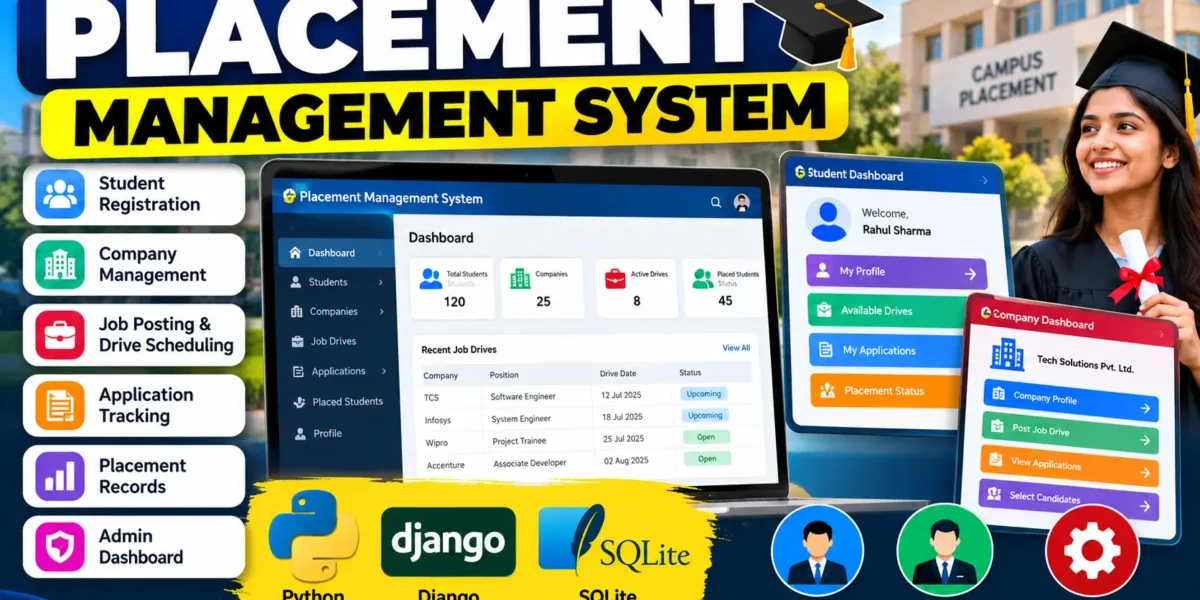
Placement Management System Using Django and SQLite
The Placement Management System is a Django-based web application designed to organize the placement activities of colleges and universities in one centralized system. Instead of depending on scattered registers and manual records, the application provides a structured way to maintain student information, company details, recruitment drives, applications, and final placement records. Django handles the web application logic and authentication, while SQLite stores the project data.
The project is suitable for students who want to understand how a practical academic web application manages a complete workflow. It demonstrates database integration, authentication, form handling, CRUD operations, and status management.
Complete Advance AI Topics: Click Here
Real Time Projects on YouTube:- DecodeIT
Project Overview
| Detail | Description |
|---|---|
| Project Name | Placement Management System |
| Language/s Used | Python, HTML, CSS, JavaScript |
| Framework | Django |
| Database | SQLite |
| Type | Web Application |
Project Introduction
Placement departments regularly work with student profiles, visiting companies, job openings, eligibility requirements, applications, and selection results. When these records are maintained manually, locating information and keeping application status updated can become difficult. This project brings these activities into a single web application so that the placement workflow can be organized and reviewed more easily.
The system provides separate capabilities for students and placement staff. Students can create accounts, maintain their profiles, view available drives, submit applications, and follow their application status. Placement staff can manage company information, create recruitment drives, review applications, update statuses, and maintain final placement records. Administrative access is supported through Django’s built-in administration system.
Key Features
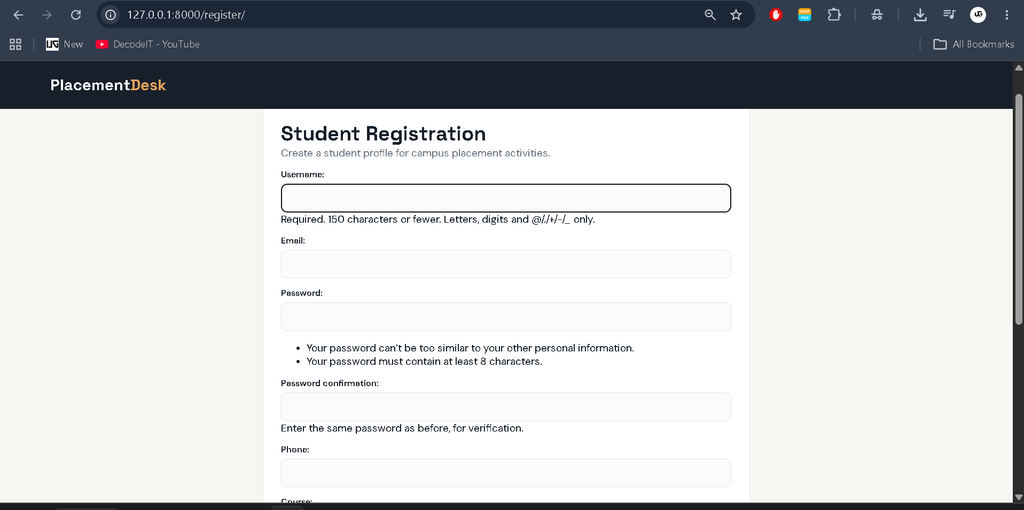
- Student Registration and Login: Students can create accounts and securely sign in to the application.
- Student Profile: Users can maintain course, graduation year, skills, phone information, and resume reference details.
- Company Management: Placement staff can add, search, edit, and remove company records.
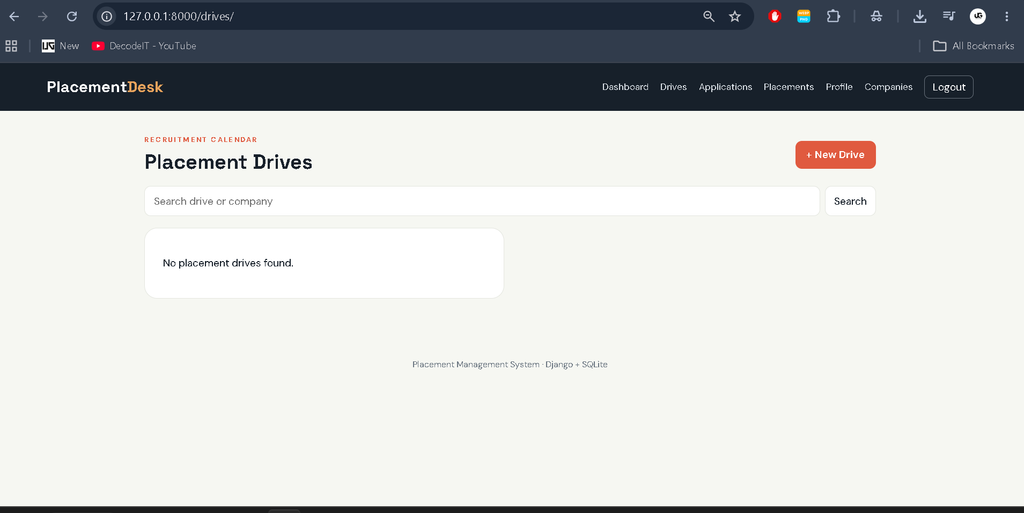
- Placement Drive Management: Staff can create recruitment drives with job descriptions, eligibility criteria, dates, and status.
- Application Tracking: Students can apply for open drives and view the current status of their applications.
- Status Management: Staff can move applications through statuses such as Applied, Shortlisted, Rejected, and Selected.
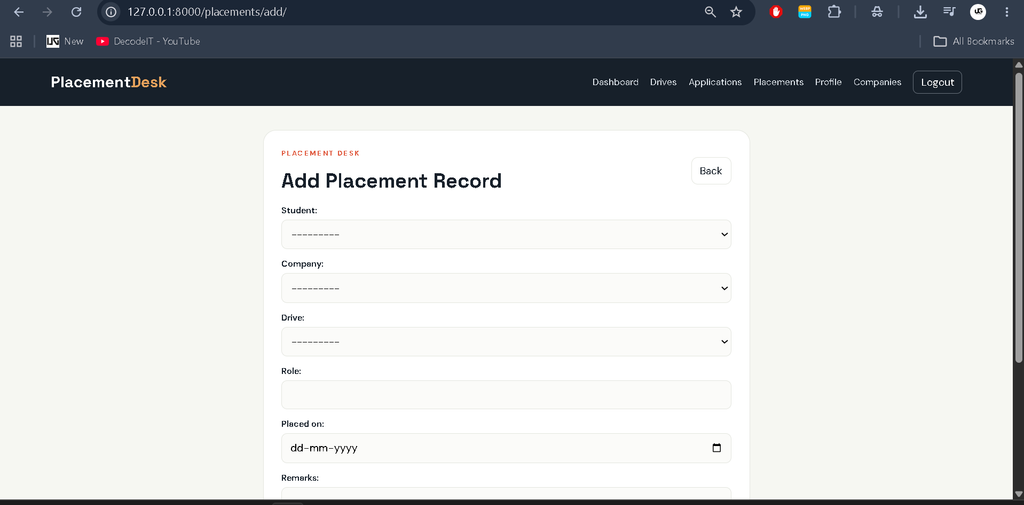
- Placement Records: Final selected candidates can be stored with company, role, drive, placement date, and remarks.
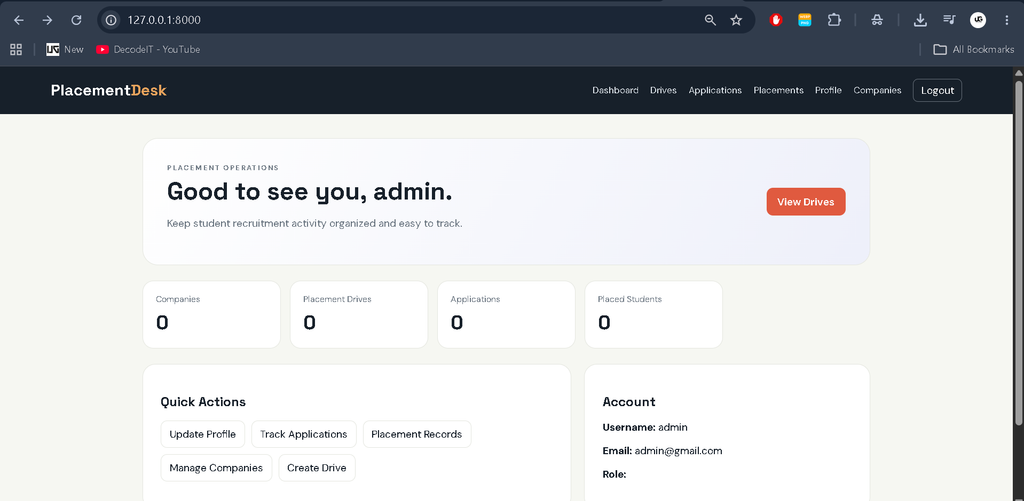
- Dashboard: A role-aware dashboard presents useful placement counts and quick actions.
User Roles
Student
A student registers for an account, updates personal and academic profile information, views available placement drives, applies to suitable opportunities, and checks application results. Students can also view their own placement records when a final selection has been recorded.
Placement Officer
The placement officer manages the employer directory and recruitment drives. The officer can add or update companies, publish drive information, review student applications, change application statuses, and create final placement records.
Admin
The administrator has access to the Django administration interface for overseeing the application’s stored data. This provides a central place to manage users and the project’s main database records.
Download Source Code
Screenshot
Project Modules
The application is organized around connected modules. The Profile module stores student details and role information. The Company module maintains employer records. The Drive module connects companies with job opportunities and recruitment dates. The Application module records student participation and selection status. Finally, the Placement Record module stores confirmed placement information.
How the System Works
The workflow begins when a student registers and completes the profile information required by the placement cell. Placement staff can then register companies and create drives with the relevant job and eligibility details. Students browse the open drives and submit an application only once for a particular drive. Each application is stored with its current status.
Placement staff can review the application list and update statuses as the recruitment process progresses. When a candidate is finally selected, a placement record can be created with the selected student’s company, role, drive, placement date, and remarks. The related application is also marked as selected, keeping the placement information connected with the recruitment activity.
Technologies Used
Python is used as the main programming language, while Django provides URL routing, authentication, forms, views, models, and administration. SQLite is used as the database for storing users, profiles, companies, drives, applications, and placement records. HTML and CSS provide the interface, with JavaScript available for client-side enhancement where required.
Installation and Setup
To run the project in Visual Studio Code, first install Python 3.x and open the extracted project folder. Create and activate a virtual environment from the terminal, then install the dependencies.
python -m venv venv
venv\Scripts\activate
pip install -r requirements.txt
Apply the database migrations and create an administrator account:
python manage.py migrate
python manage.py createsuperuser
Finally, start the development server:
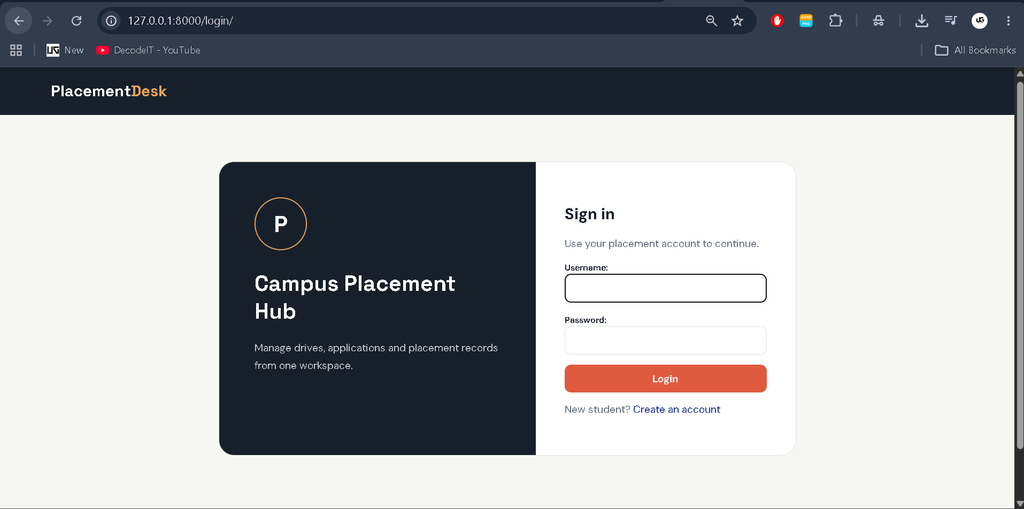
python manage.py runserverOpen the local Django server in a browser. Student registration is available from the login page. Administrative data can be managed through the Django admin interface, while placement officer access can be assigned through the user’s profile role.
Usage
After login, users are directed to a dashboard appropriate to their role. Students can update their profile, browse drives, apply, and track applications. Placement staff can use the company and drive sections to maintain recruitment information and the application section to manage candidate progress. The placement section provides a central record of final selections, making the complete recruitment flow easier to review.
Frequently Asked Questions
Which framework is used in this project?
The project uses Python with the Django web framework.
Which database is used?
SQLite is used to store the application’s users, company records, drives, applications, and placement records.
Can students apply to the same drive multiple times?
No. The application data model prevents duplicate applications from the same student for the same placement drive.
Who can manage companies and placement drives?
Placement officers and administrators can manage company and drive information.
Can application status be updated?
Yes. Placement staff can update applications using the available status values, including Applied, Shortlisted, Rejected, and Selected.
Future Scope
- Introduce automated notifications for important placement updates.
- Add richer placement statistics and reporting based on stored records.
- Improve resume handling beyond the current profile reference field.
- Provide additional reporting options for placement schedules and final records.
- Consider integration with external job portals in a future version.
Database and Workflow Structure
The database is arranged around the relationships needed by the placement process. A user can have one profile containing the role and student information. Companies can have multiple placement drives, while each drive belongs to a specific company. Applications connect students with drives and retain the current recruitment status. Placement records connect a selected student with the relevant company and drive, allowing the final outcome to remain linked with the original recruitment activity.
This structure keeps the project understandable while representing a realistic workflow. Forms are used for data entry, model validation is applied through Django, and staff-only operations are protected by role checks. Search is available for company and drive lists, helping users locate records without changing the basic scope of the application.
Student Learning Value
From a student’s perspective, this project brings several common Django concepts together in one practical application. It provides experience with models and relationships, template inheritance, URL routing, authentication, protected views, ModelForms, database queries, and Django administration. It also demonstrates why different users should receive different operations instead of giving every account unrestricted access to placement information.
The project also demonstrates a complete sequence: registration, profile creation, drive management, application submission, status updates, and final placement recording. This makes individual modules easier to study while keeping the complete workflow visible.
Conclusion
The Placement Management System provides a practical way to digitize the core activities of a college placement cell. It combines student profiles, company records, recruitment drives, applications, application statuses, and final placement records in one Django application. For students, the project offers hands-on experience with authentication, role-based access, database relationships, forms, CRUD operations, and workflow management. At the same time, its scope remains understandable and suitable for an intermediate-level college project.
Keywords:
Placement Management System
placement management system project
placement management system project report pdf
placement management system project with source code
placement management system project github
placement management system website
placement management system github
placement management system er diagram
placement management system cdac
placement management system
placement management system project in java