Content Management System in Python Django
Introduction
Managing digital content becomes difficult when articles, images, languages, proofreading tasks, memberships, and reports are handled separately. The Content Management System developed with Python Django provides a centralized web-based platform for organizing these activities through a custom management dashboard. Instead of depending on Django’s default administration interface, the system uses its own professional dashboard so authorized users can manage content and related operations from the application itself.
The project combines database management, authentication, content organization, reporting, and a responsive interface in one application. SQLite is used for database storage, while Django provides the application structure, forms, authentication, and database connectivity.
Complete Advance AI Topics: Click Here
Real Time Projects on YouTube:- DecodeIT
Project Overview
| Feature | Details |
|---|---|
| Project Name | Content Management System |
| Language/s Used | Python, Django |
| Python Version | 3.8 or higher |
| Database | SQLite |
| Type | Web Application |
| Developer | UPDATEGADH |
The CMS is intended for organizations, educational platforms, publishers, and other teams that need a structured way to maintain digital content. Users can work with articles, organize content groups, manage images, monitor proofreading activities, and handle membership-related information through dedicated application pages.
Key Features
Article Management
The system provides dedicated article management functionality for creating and maintaining digital content. Articles can contain headings, written content, and group information, allowing records to remain organized and easy to manage.
Multi-language Content Support
Content can be maintained for different languages, making the system suitable for platforms that publish information for audiences with different language requirements.
Proofreading Management
A proofreading workflow helps users keep track of content that requires checking or review before it is finalized. This provides a more organized approach to maintaining content quality.
Content Creation Tracking
The system records content-related activities so users can monitor created material and maintain a better overview of the content workflow.
Image Management
Images associated with articles can be managed through the CMS. This keeps visual resources connected with the relevant content instead of storing them separately.
Content Expiry System
Content can have an expiry requirement, allowing the system to identify material that should no longer remain active after its defined period.
Custom Management Dashboard
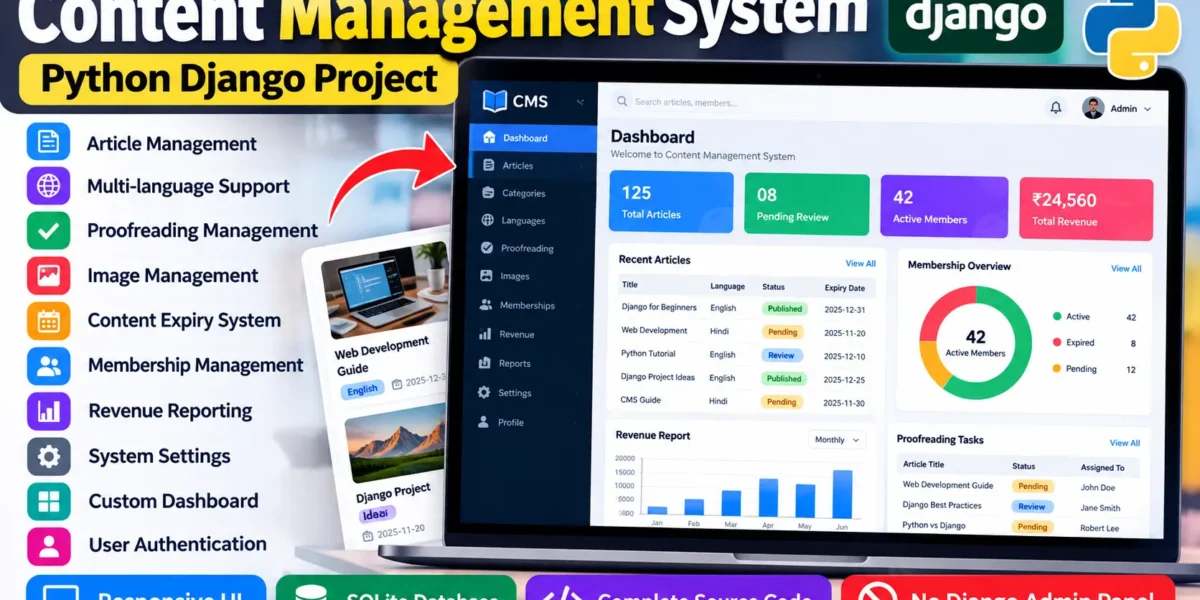
The project includes a custom dashboard instead of relying on Django’s default Admin Panel. Authorized users can access content management options, system information, reports, and other available modules from a single interface.
Membership Management
Membership records can be maintained through the application. Renewal information and related membership details can be organized for easier tracking.
Revenue Reporting
The system includes revenue-related reporting functionality to provide an organized view of revenue information.
System Settings
Application settings can be managed through the custom interface so important configuration options remain accessible to authorized users.
Secure Password Update
Users can update their passwords through the application using a dedicated password-management option.
User Roles and Access
The CMS can use authenticated application users to protect management functions. Access to content and system operations should be provided according to the role assigned within the application. The goal is to keep management functionality inside the custom CMS interface rather than exposing a separate Django administration area.
Main Modules
Dashboard
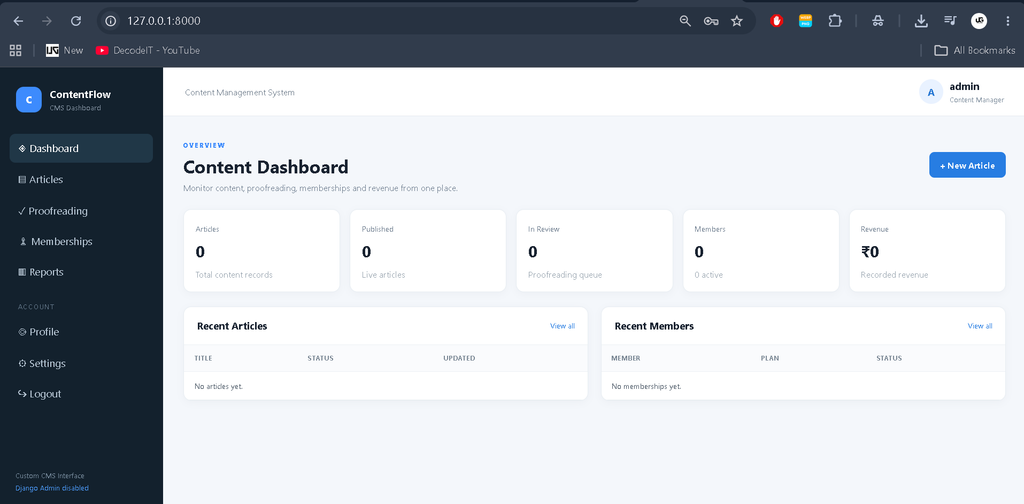
The dashboard provides a central overview of the system. Relevant statistics, recent content activity, membership information, and reporting summaries can be displayed through clean cards, tables, and status indicators.
Article Management
This module handles article records, including headings, content, groups, language information, images, and expiry-related details.
Proofreading
The proofreading section helps users identify and manage content that needs review. It keeps proofreading activities connected with the overall content workflow.
Image Management
Users can organize images used by articles and maintain the visual resources required by the content.
Membership
Membership information, renewals, and related records can be handled from a dedicated module.
Reports
The reporting area presents revenue and membership information in a structured manner, helping users review records without navigating through unrelated pages.
Settings and Profile
Users can access system settings and profile-related options, including secure password updates.
Download complete source code
Screenshot
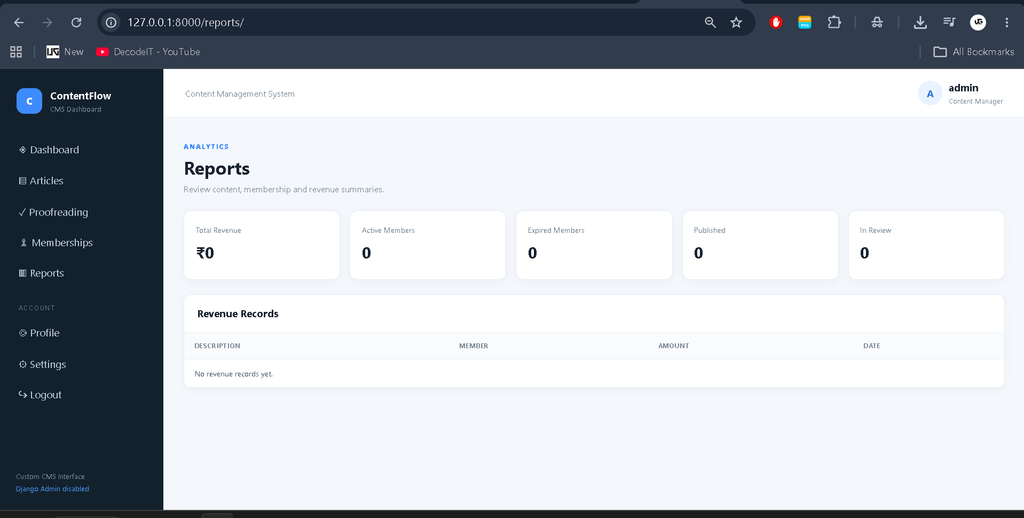
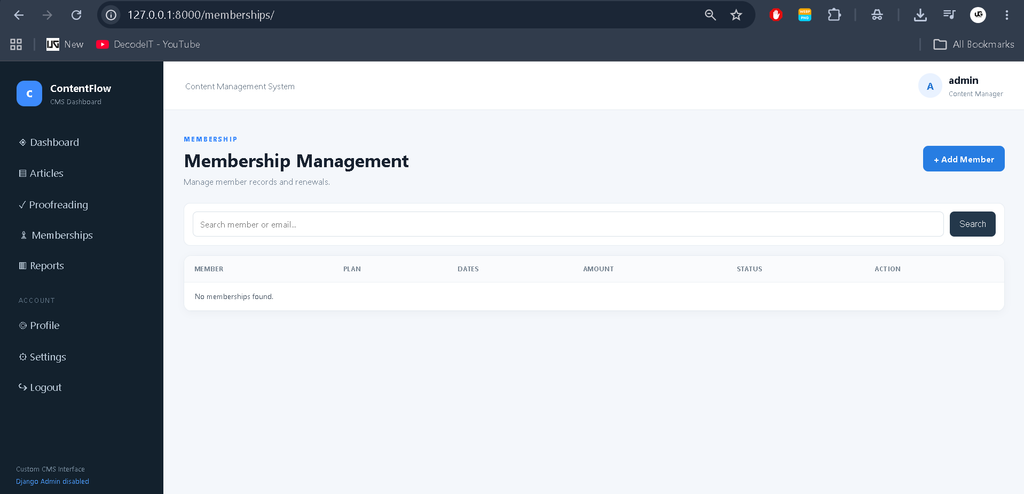
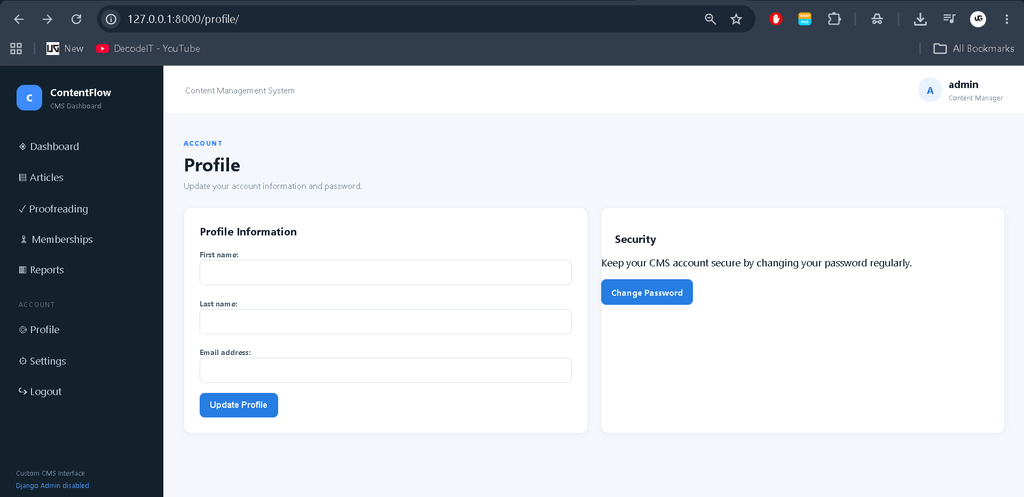
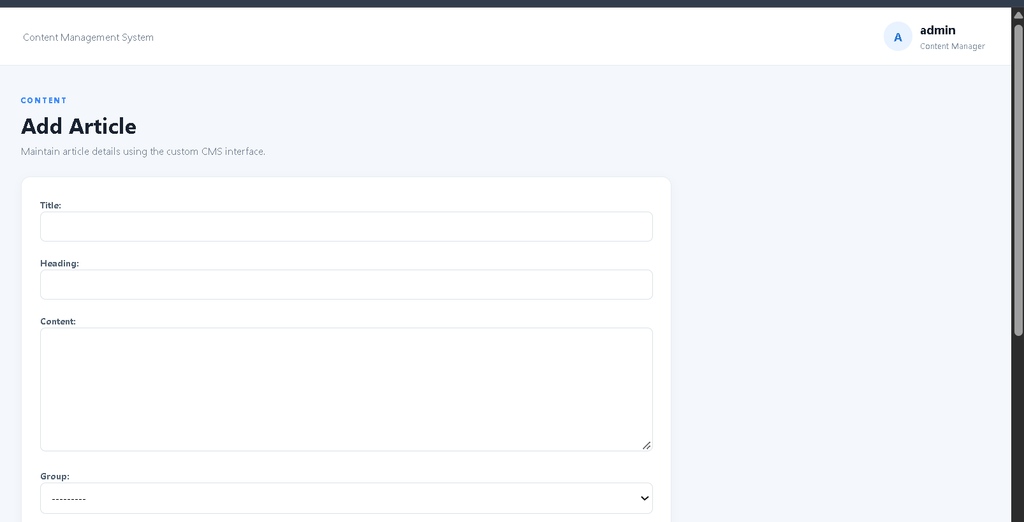
Professional Dashboard Interface
The CMS uses a modern management interface designed for this project. A sidebar provides navigation to the dashboard, articles, proofreading, images, memberships, reports, settings, and profile. The top navigation can include search, notifications, and user information.
The dashboard can display useful indicators such as total articles, content awaiting proofreading, active memberships, and revenue information. Tables organize records, while status badges make content states easier to understand. The interface is responsive across common screen sizes.
How the System Works
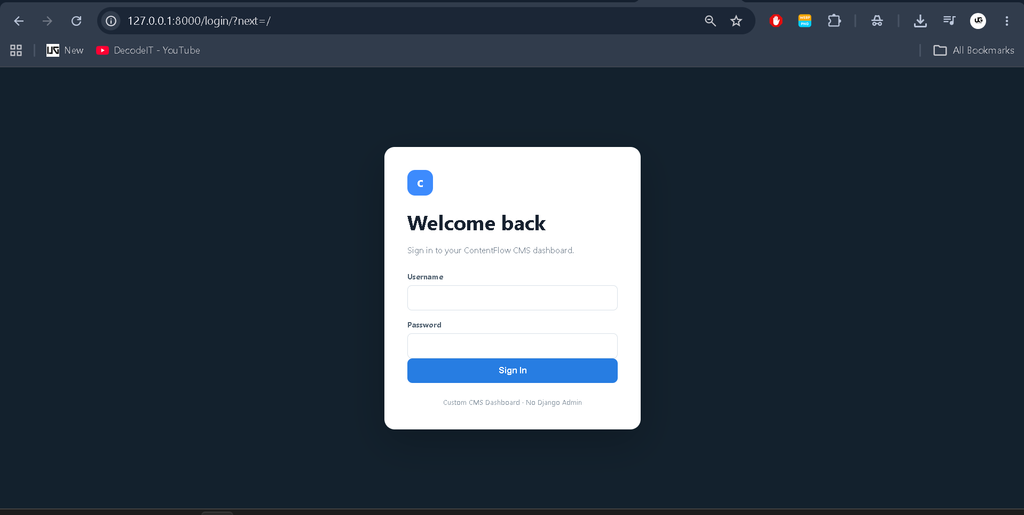
The workflow begins when an authorized user signs in through the custom login page. After authentication, the user reaches the CMS dashboard and selects the required module. Articles can be created with content information and images, then moved through proofreading and expiry management.
Membership records can be updated during renewals, while reporting pages provide membership and revenue information. Users can also update their profile or password. This workflow keeps CMS operations inside one application.
Database
SQLite is used for storing application data. The database stores articles, groups, languages, proofreading activities, images, memberships, and reporting information. Django’s ORM can be used to define relationships and perform database operations without requiring users to write SQL queries for routine application functionality.
How to Run the Project
Download or obtain the project files and extract them into a suitable folder. Open the project directory in Visual Studio Code and create or activate a Python virtual environment if required.
Install the required dependencies:
pip install -r requirements.txtApply database migrations:
python manage.py makemigrations
python manage.py migrate
Start the Django development server:
python manage.py runserverAfter the server starts, open the local address displayed in the terminal in a web browser. Use the application’s custom login and dashboard pages to access CMS functionality. No separate Django Admin Panel is required for operations.
Usage
After signing in, users can open the dashboard and select the required module from the sidebar. Article-related users can create and manage content, organize groups and languages, attach images, and follow proofreading requirements. Authorized users can also review membership information, renewal details, revenue reports, and system settings.
The application keeps common management activities within a simple workflow. Forms should validate required information before saving records, while tables can help users locate existing data quickly through search or filtering where appropriate.
Frequently Asked Questions
What is this Content Management System?
It is a Python Django web application for organizing articles, images, proofreading, memberships, content expiry, reports, and related CMS operations.
Does the project use Django Admin?
No. The project is designed around a custom management dashboard and does not require Django’s default Admin Panel for operations.
Which technology is used?
The application is developed using Python with the Django framework and uses SQLite for database storage.
Can the CMS manage multilingual content?
Yes. Multi-language content support is included so content can be organized for different language requirements.
Does the system support article images?
Yes. Image management is included for resources associated with articles.
Can membership renewals be tracked?
Yes. The membership module supports membership information and renewal-related management.
Is revenue reporting included?
Yes. The CMS includes a revenue reporting section for revenue information.
Future Scope
- Add more detailed publishing workflows for different content statuses.
- Extend reporting with additional date-based and category-based summaries.
- Introduce more granular application roles if the project requirements grow.
- Add notification options for proofreading and content expiry activities.
- Support additional database systems for larger deployments.
Conclusion
The Content Management System in Python Django provides a practical way to manage digital content and related operations from one custom web application. Its article management, multilingual support, proofreading workflow, image management, expiry handling, membership features, revenue reporting, settings, and password management make it suitable for a medium-level college project.
Keyword:
Content Management System
Content Management System
content management systems (cms)
content management system examples
content management system appx
content management system for website
content management system questions and answers
content management system meaning
content management system in library science
content management system login
content management system project