School Management System Using Python Django
Overview
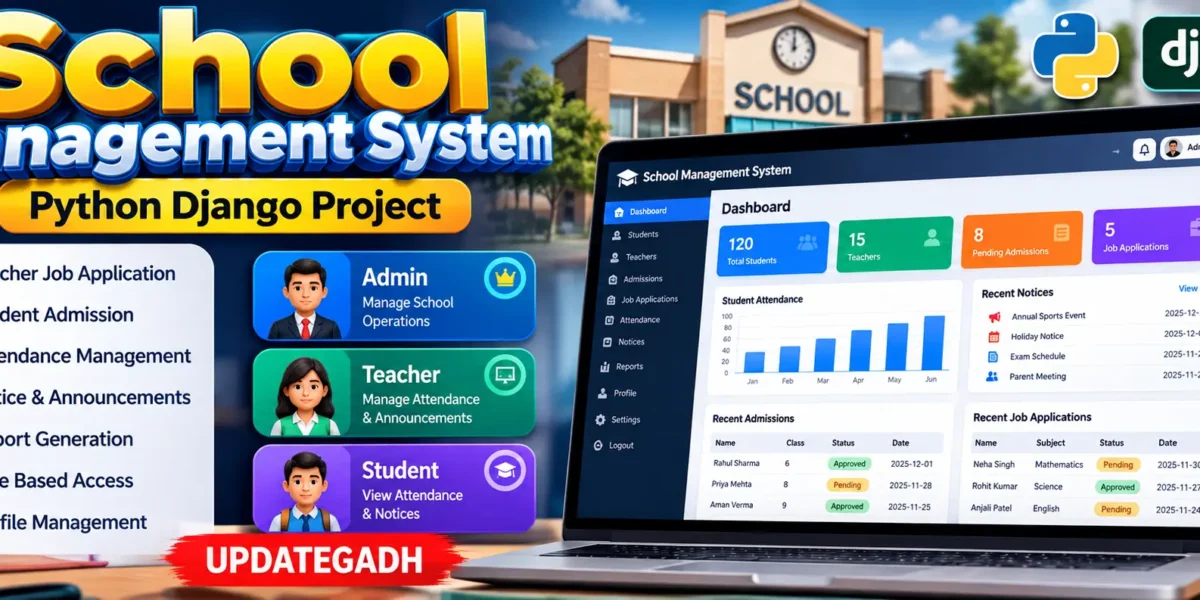
The School Management System is a web-based application designed to organize common school activities through a centralized digital platform. Developed with Python Django and SQLite, the system connects administrators, teachers, and students through role-based access and dedicated dashboards. It provides a structured workflow for teacher applications, student admissions, attendance, school notices, announcements, and basic reports.
The project is designed as a medium-level college application rather than a simple demonstration. Each role has a defined responsibility, while approval workflows help the institution control access to teacher and student accounts. The application also includes profile and password management so users can maintain their account information after gaining access.
Complete Advance AI Topics: Click Here
Real Time Projects on YouTube:- DecodeIT
Project Details
| Feature | Details |
|---|---|
| Project Name | School Management System |
| Language Used | Python with Django |
| Database | SQLite |
| Type | Web Application |
System Roles
Administrator
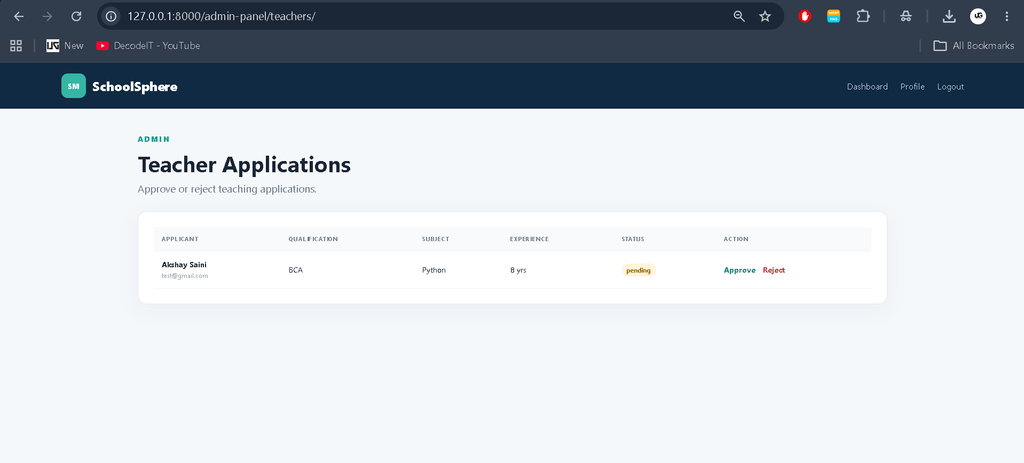
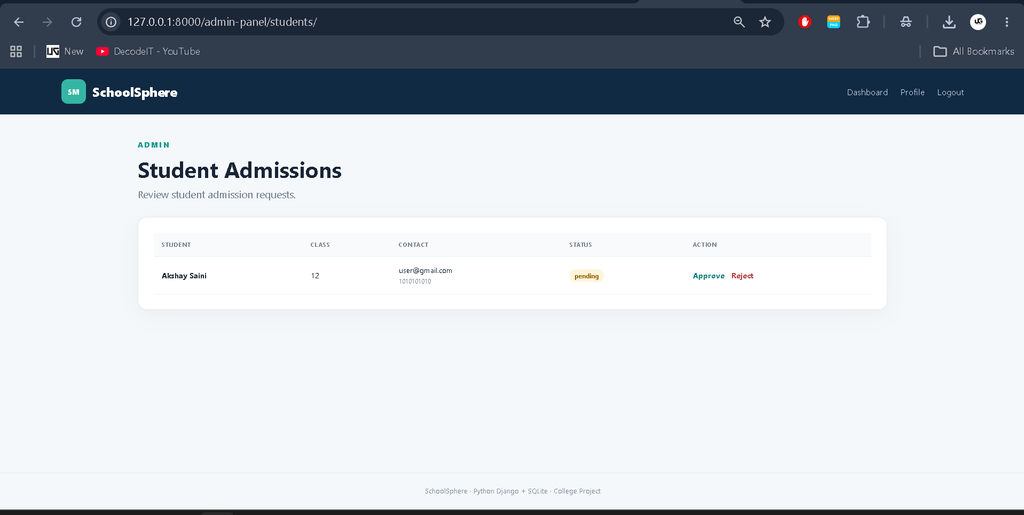
The administrator is responsible for controlling the main school workflow. The custom administration dashboard provides access to teacher applications, student admission requests, teacher and student records, school notices, and reports. Pending applications can be reviewed and either approved or rejected before the corresponding user receives normal dashboard access.
Teacher
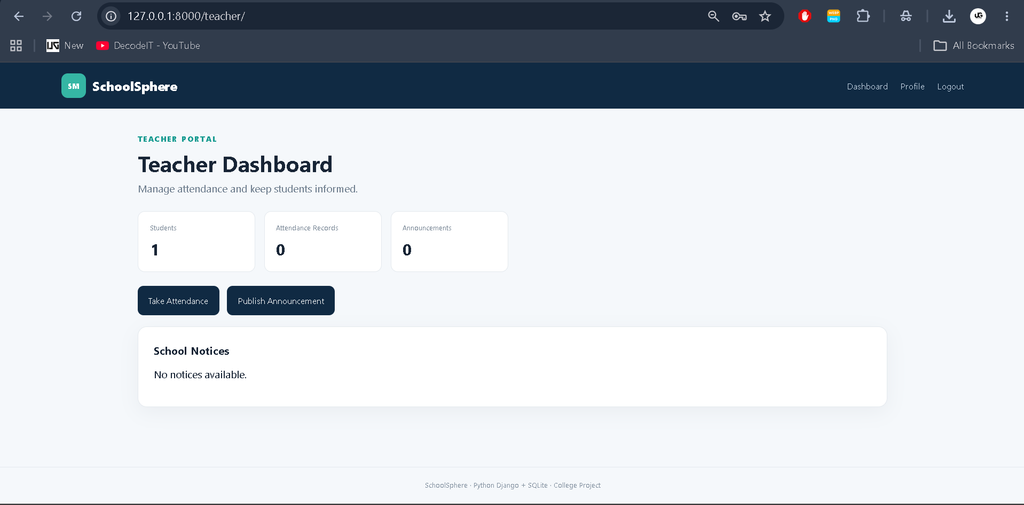
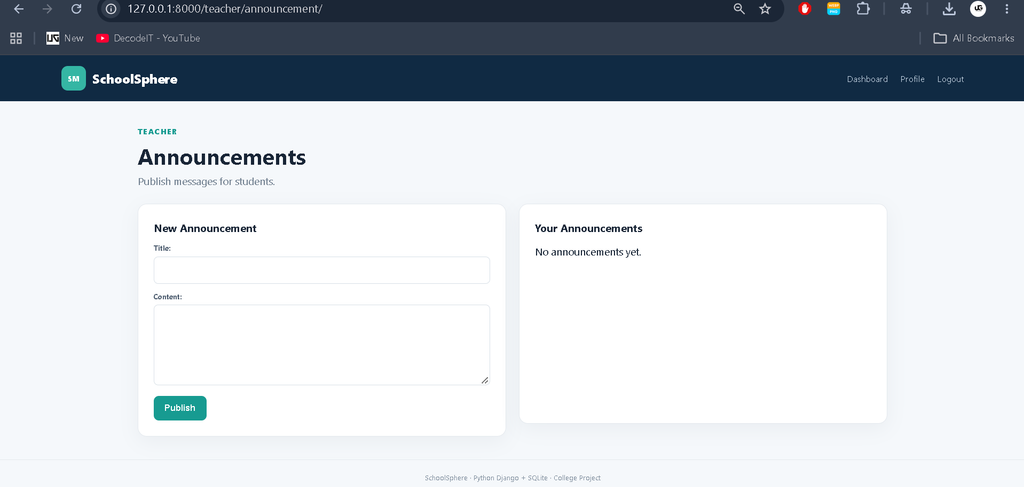
Teachers can submit an application for a teaching position and wait for administrative approval. Once approved, the teacher can sign in to the teacher dashboard. The teacher area provides tools for recording student attendance and publishing announcements intended for students.
Student
Students can submit admission information through the registration page. After administrative approval, the student can sign in and use the student dashboard. The dashboard provides personal attendance information and school announcements so students can stay informed about academic updates.
Key Features
Teacher Job Application
The application includes a dedicated teacher registration workflow. Applicants can provide their name, contact details, qualification, subject, experience, and address. The submitted application remains pending until an administrator reviews it. This provides a practical approval process for managing prospective teachers.
Student Admission
Students can submit admission information including personal details, contact information, class information, and address. The administrator can review the submitted admission request and approve or reject it from the management dashboard.
Teacher and Student Management
The system maintains teacher and student accounts together with their role and approval status. This makes it possible to distinguish pending accounts from approved users and keeps the application workflow organized.
Attendance Management
Approved teachers can record daily attendance for approved students. Attendance records store the student, teacher, date, and attendance status. Students can later view their own attendance records from their dashboard.
School Notices
Administrators can publish school notices through the management interface. Active notices are displayed to users so important institutional information can be communicated through the application.
Teacher Announcements
Teachers can publish announcements from their dashboard. These announcements are displayed to students, providing a simple communication channel for class-related or academic information.
Reports
The reporting area presents useful summaries such as the number of teachers, students, approved applications, attendance records, and announcements. Attendance can also be summarized by status to provide a quick overview of recorded participation.
Profile and Password Management
Authenticated users can update basic profile information and change their password. This gives each role a simple way to maintain account details without depending on separate application screens.
Download complete source code
Screenshot
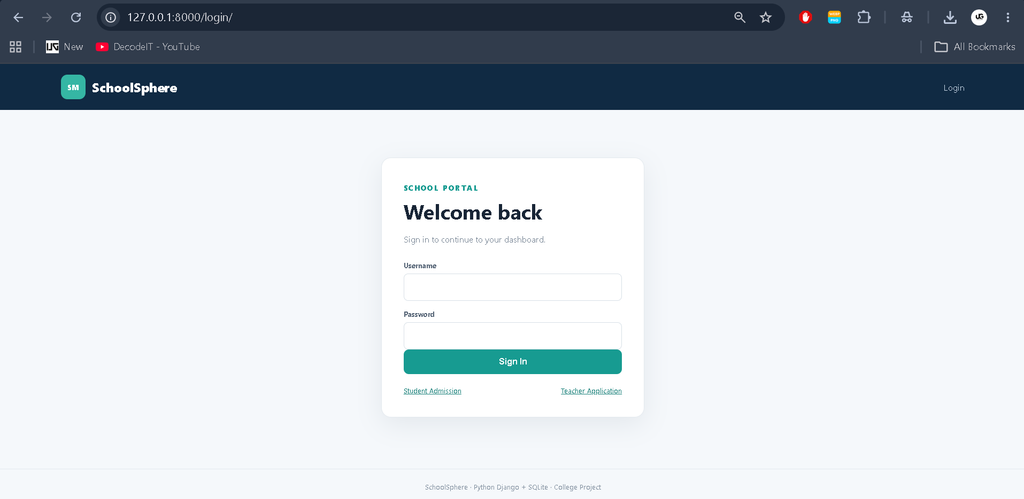
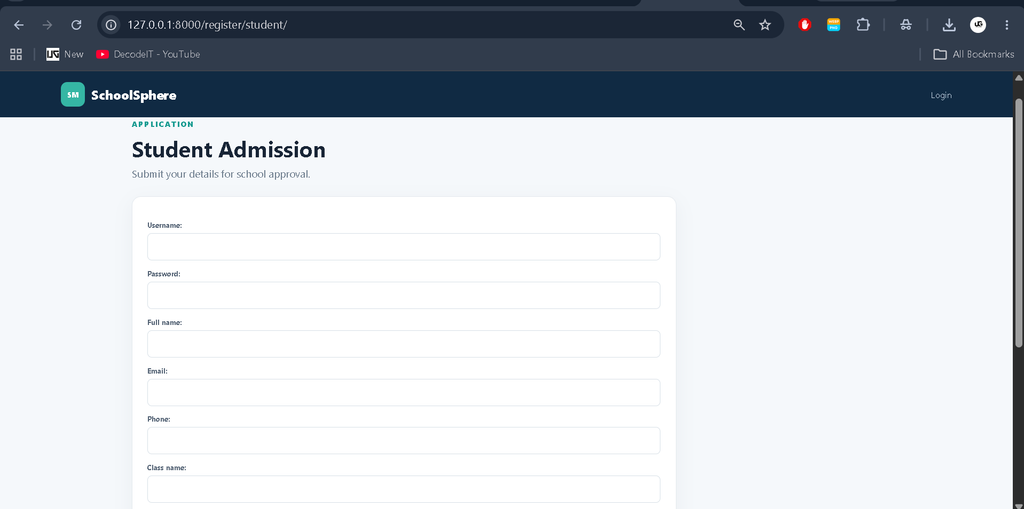
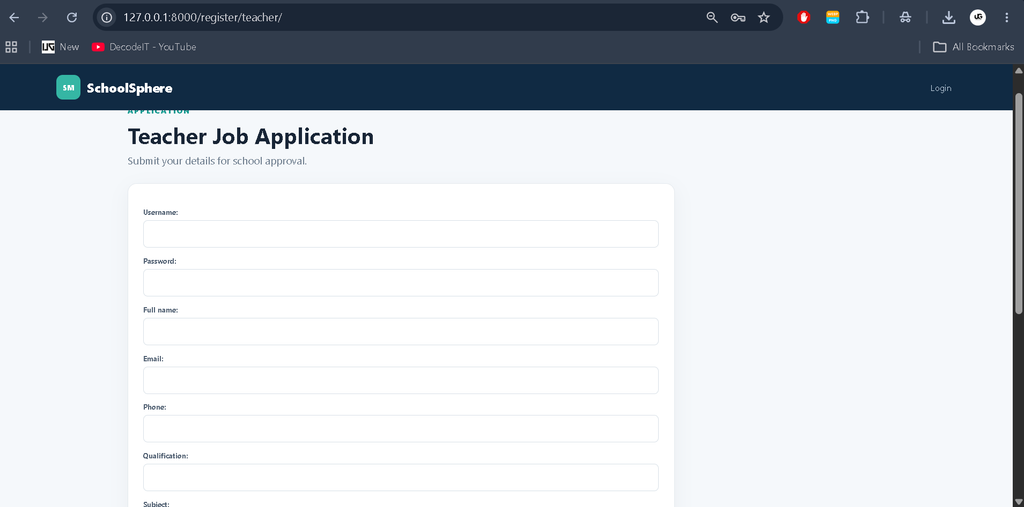
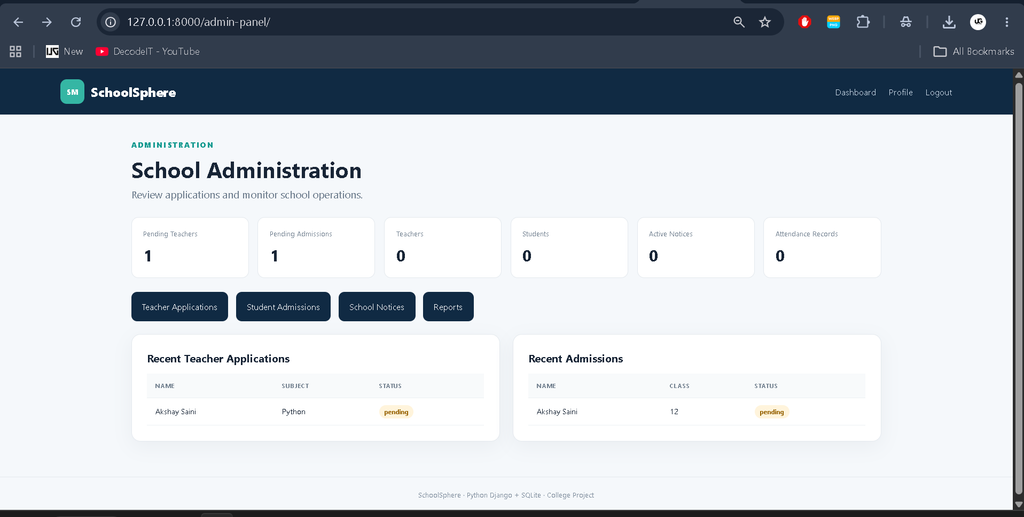
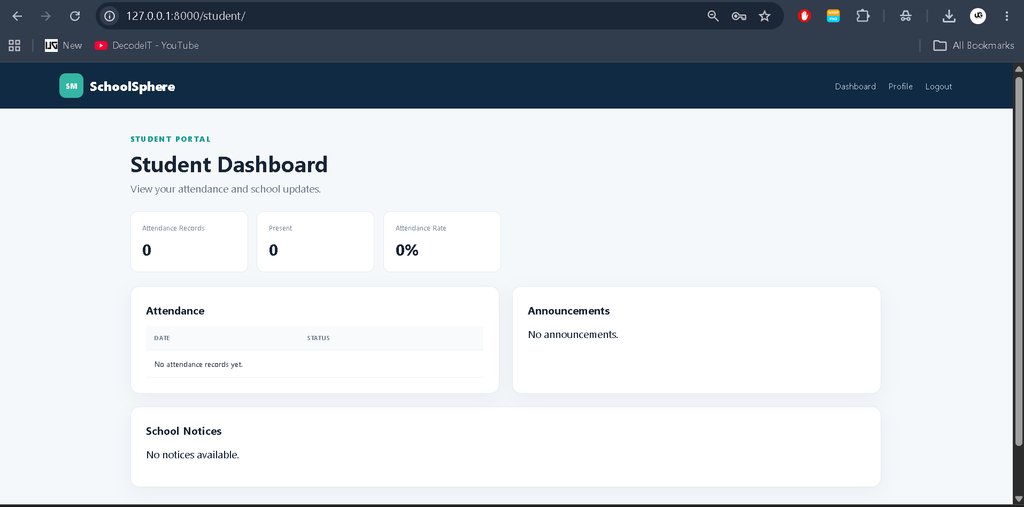
Dashboard and User Interface
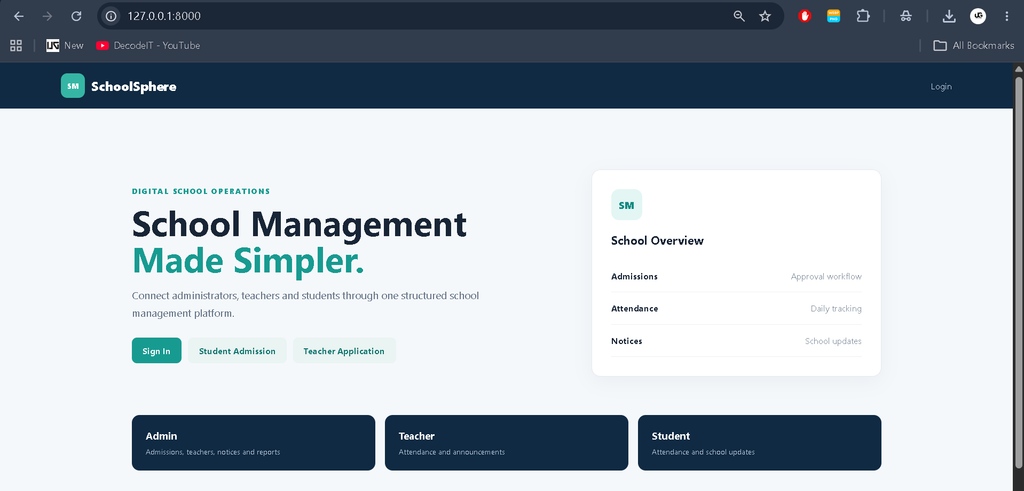
The project uses a responsive management-oriented interface. The administrator dashboard presents KPI cards for pending applications, approved teachers, approved students, notices, and attendance records. Quick action links lead to the major administrative modules.
The teacher dashboard focuses on student-related activities, while the student dashboard emphasizes attendance and announcements. Tables are used where records need to be reviewed, and status labels make pending, approved, rejected, present, and absent records easy to distinguish. The layout adapts to desktop and smaller screens for a more practical college-project presentation.
How the System Works
The basic workflow begins with authentication or registration. A new teacher submits a job application, while a new student submits an admission request. Both remain pending until an administrator reviews them. When approved, the associated account receives access to the appropriate role-based dashboard.
Teachers can then record attendance and publish announcements. Students can view their attendance and read school notices and teacher announcements. Administrators can continue reviewing applications, publishing notices, and checking reports. This connected workflow keeps the major school-management activities within one application.
Database Structure
SQLite is used as the database for the project. The application stores user profiles, teacher applications, student admissions, notices, attendance records, and announcements. Relationships between users and their role-specific records help maintain consistency. Attendance records are connected to both students and teachers, while approval status determines whether teacher and student accounts can access their respective dashboards.
How to Run the Project
Install Python and make sure it is available through the system PATH. Extract the project ZIP and open the project folder in Visual Studio Code or another suitable editor. Create a virtual environment and activate it before installing the required packages.
python -m venv venv
venv\Scripts\activate
pip install -r requirements.txt
Prepare the database with Django migrations:
python manage.py makemigrations
python manage.py migrate
Create the first administrator account using Django’s superuser command:
python manage.py createsuperuserFinally, start the development server:
python manage.py runserverOpen the local address shown by the terminal in a browser. Use the administrator account to enter the school administration dashboard. Teacher and student users can then be registered through their respective application pages.
Contact Us Email Configuration
If an email-based contact workflow is connected to the project later, the email configuration can be maintained in settings.py. The provided project includes placeholder settings for the SMTP host, email username, password, and receiving address. Actual credentials should be entered only in a secure local configuration and should not be published with the source code.
Frequently Asked Questions
What is the purpose of this project?
The project centralizes common school operations such as admissions, teacher applications, attendance, notices, announcements, and basic reporting.
Which technologies are used?
The application uses Python, the Django framework, and SQLite for database storage.
What roles are available?
The system provides Admin, Teacher, and Student roles, each with different dashboard functionality.
Can administrators approve applications?
Yes. Administrators can review teacher job applications and student admission requests and change their status to approved or rejected.
Can teachers manage attendance?
Yes. Approved teachers can record daily attendance for approved students.
Can students view attendance?
Yes. Students can view their own recorded attendance and an attendance percentage from the student dashboard.
Can teachers publish announcements?
Yes. Approved teachers can publish announcements that are available to students.
Future Scope
- Add detailed class and subject management for larger school workflows.
- Introduce timetable and examination management modules.
- Add downloadable attendance and student reports.
- Connect secure email notifications for approvals and important notices.
- Add stronger account verification and permission controls for production deployment.
- Extend the system with academic results and fee-management modules when required.
Conclusion
The School Management System in Python Django provides a practical college-level solution for connecting administrators, teachers, and students through a structured web application. Its role-based dashboards, teacher application workflow, student admission process, attendance management, notices, announcements, reports, and account features demonstrate important concepts in Django development.
Keyword:
School Management System
School Management System – Google Search
school management system project with source code
school management system dashboard template free download
school management system project
school management system template free download bootstrap 5
school management system in excel vba free download
school management system github
school management system in excel vba free download with source code
school management system login
school management system website