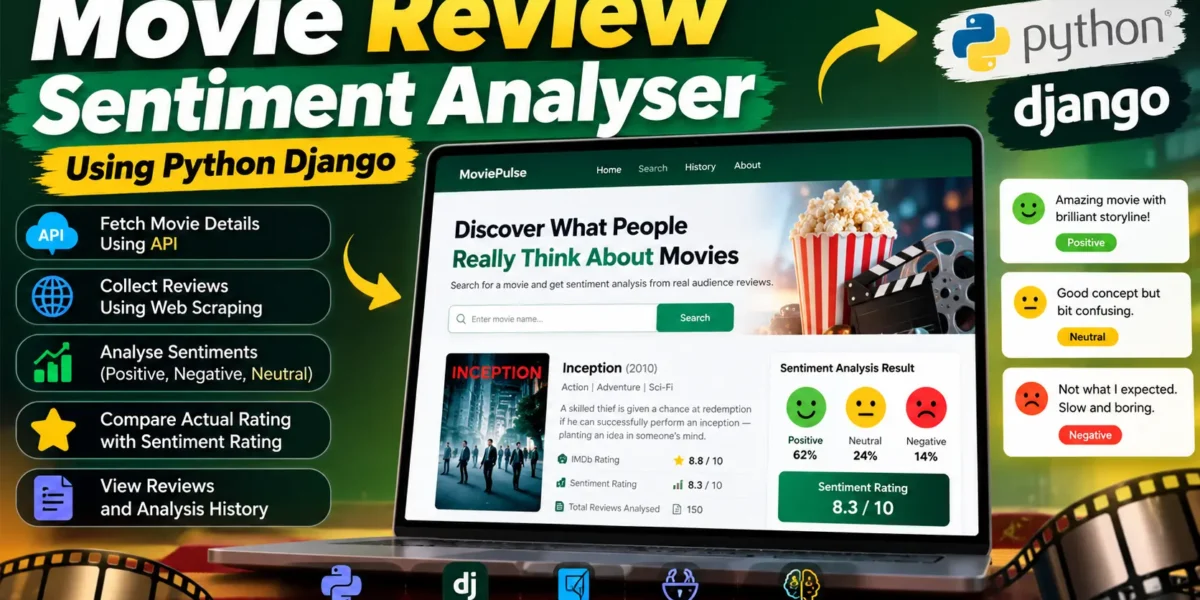
Movie Review Sentiment Analyser Using Python Django
The Movie Review Sentiment Analyser is a Django-based web application created to study audience opinions about movies through textual reviews. Instead of depending only on a numerical movie rating, the system examines review language and converts audience sentiment into a summarized score. The application combines movie information received through an API with review collection through web scraping, followed by sentiment processing using Python.
The project is designed as an intermediate-level college application covering Django, Natural Language Processing, API integration, web scraping, and practical data analysis.
Complete Advance AI Topics: Click Here
Real Time Projects on YouTube:- DecodeIT
Project Overview
| Attribute | Details |
|---|---|
| Project Name | Movie Review Sentiment Analyser |
| Language/s Used | Python, HTML, CSS, JavaScript |
| Framework | Django |
| Database | SQLite |
| Application Type | Web Application |
Project Introduction
Movie audiences regularly express their opinions through written reviews. A numerical rating can summarize an opinion, but it does not explain whether the written response is mainly positive, negative, or neutral. This project addresses that requirement by collecting available movie review text and applying sentiment analysis to it.
When a user searches for a movie, the system first requests movie information through the configured movie API. The returned information can include the movie title, release year, poster, IMDb identifier, and actual rating. The application then uses the movie identifier to locate the associated review page and attempts to collect review text through web scraping.
After the review text is collected, Python processes each review with a sentiment analysis method. Reviews are classified as positive, negative, or neutral according to their polarity. The application calculates percentage values for these categories and produces a sentiment-based rating that can be compared with the movie rating received from the API.
Key Features
Movie Information Through API
The application connects to a movie information API to retrieve details for the requested title. The project uses a configurable API key, so the key can be supplied through the environment rather than being written directly into the application code. This keeps the configuration separate from the main project logic.
Review Collection Through Web Scraping
After receiving the movie identifier, the application attempts to collect review text from the corresponding online review page. Python requests the page and BeautifulSoup parses the returned HTML. The scraper checks suitable review containers and keeps meaningful review text for later processing. Because website layouts can change, the application also reports when review collection is unavailable instead of silently presenting incorrect results.
Sentiment Classification
Collected reviews are processed with TextBlob sentiment analysis. Each review receives a polarity value. Based on that value, the system places the review into one of three categories: Positive, Negative, or Neutral.
Cumulative Sentiment Rating
The system summarizes the review classifications into positive, negative, and neutral percentages. These values are converted into a sentiment rating on a ten-point scale. The resulting score is displayed beside the movie’s API rating, allowing users to examine both values on the same result page.
Saved Analysis History
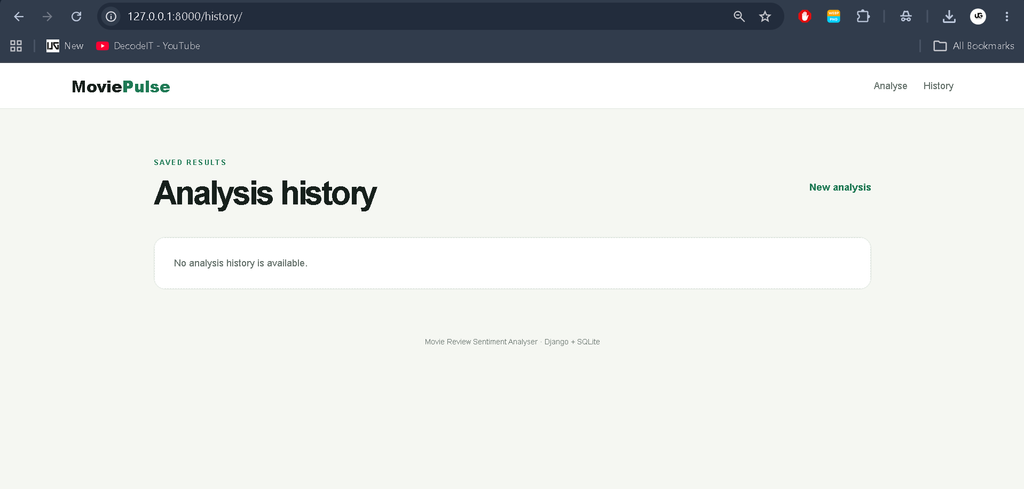
Each completed analysis is stored in the SQLite database. The history page provides a simple list of previously analysed movies, their actual ratings, sentiment ratings, and review counts. Selecting a saved movie opens its detailed result and collected review information.
Clean User Interface
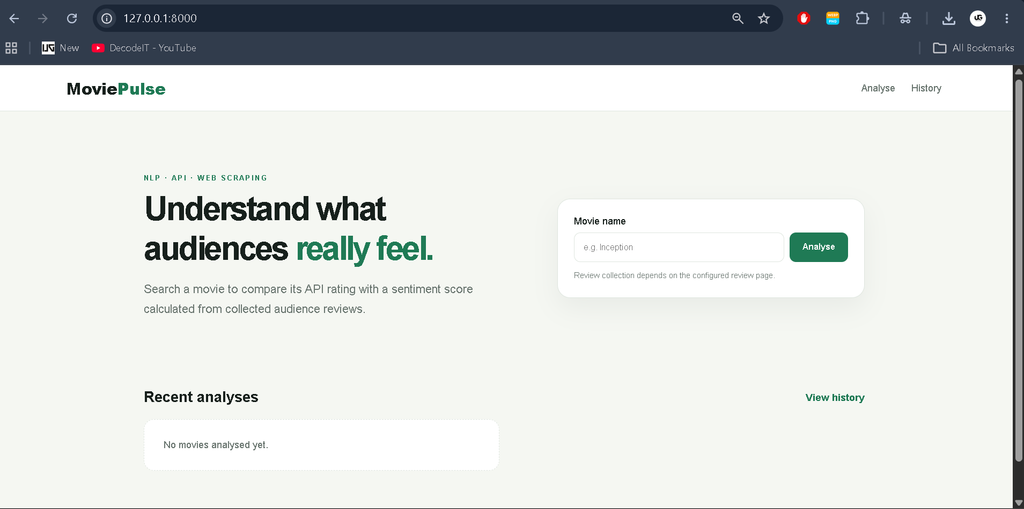
The application uses a distinct green and off-white visual identity called MoviePulse. The interface includes a search area, analysis cards, result metrics, sentiment indicators, review sections, and a history page.
User Roles
The project does not require registration or Django Admin. Users search for movies and inspect sentiment results, while students can study the API, scraping, database, and sentiment workflow.
Project Modules
- Movie Search Module: accepts a movie title and starts the analysis process.
- API Integration Module: retrieves movie information and the available movie identifier.
- Web Scraping Module: requests the review page and extracts usable review text.
- Sentiment Analysis Module: calculates polarity and assigns a sentiment category.
- Movie Storage Module: stores movie information and calculated results in SQLite.
- Review Storage Module: stores the analysed review text, polarity, label, and source.
- Result Module: presents actual rating, sentiment rating, percentages, and reviews.
- History Module: provides access to earlier analysis results.
Download Complete Source Code
Screenshot
How the System Works
The workflow begins when a user enters a movie name on the homepage. The Django view validates the input and sends the title to the configured movie API. If the API returns valid information, the application stores the title, year, poster, IMDb identifier, and rating for the analysis.
Next, the scraper uses the returned identifier to request the relevant review page. BeautifulSoup reads the HTML response and extracts available review blocks. The collected text is passed to the sentiment-analysis service. TextBlob calculates polarity for each review, and the project classifies the result as positive, negative, or neutral.
The application then calculates the percentage for each sentiment group and generates the sentiment-based rating. The movie record is updated in SQLite, while individual reviews are saved with their sentiment labels. Finally, Django redirects the user to the result page where the two ratings and sentiment distribution are displayed.
Installation and Setup
Download and extract the project, then open the project directory in Visual Studio Code. Create a virtual environment and activate it before installing the required packages.
python -m venv venv
venv\Scripts\activate
pip install -r requirements.txt
Configure the movie API key in the environment using the variable named OMDB_API_KEY. The project keeps this value outside the Python source files. After configuration, create the SQLite database tables and start Django.
python manage.py migrate
python manage.py runserver
Open the local Django address shown by the development server in a browser. The homepage provides the movie search form. No Django Admin setup is required for this project.
Usage
Enter a movie name and submit the form. The application retrieves movie information, attempts to collect available reviews, analyses their sentiment, and saves the result. The result page displays the actual API rating, calculated sentiment rating, review count, and positive, neutral, and negative percentages. Individual collected reviews are also shown with their polarity and sentiment label.
If review collection is not available because the external page cannot be accessed or its markup has changed, the application displays a status message. This keeps missing review data transparent.
Frequently Asked Questions
Does the project use Django Admin?
No. The project is intentionally implemented without the Django Admin interface. Users interact through the custom web pages and saved analysis history.
Which database is used?
The project uses SQLite for storing movie records and analysed reviews. SQLite keeps the college project simple to configure while providing structured relational storage.
How are reviews analysed?
Review text is processed with TextBlob polarity analysis. The resulting polarity is used to classify each review as positive, negative, or neutral.
Does the project always collect reviews?
Review collection depends on the availability and HTML structure of the configured online review page. The application reports when review text could not be collected.
Future Scope
- Improve the review parser when the structure of supported review pages changes.
- Allow additional review sources to be configured while keeping the existing workflow.
- Experiment with alternative sentiment models to compare classification results.
- Add more detailed historical visualizations based on the already stored sentiment data.
- Improve the comparison presentation between API ratings and calculated sentiment ratings.
Conclusion
The Movie Review Sentiment Analyser demonstrates how a Django web application can combine API data, web scraping, database storage, and Natural Language Processing in a single college-level project. Its main workflow remains focused: obtain movie information, collect available reviews, analyse their sentiment, calculate a cumulative score, and present the results in an understandable interface.
Keywords:
Movie Review Sentiment Analyser
Movie Review Sentiment Analyser – Google Search
movie review sentiment analysis
movie review sentiment analysis dataset
movie review sentiment analysis project
movie review sentiment analysis github
movie review sentiment analysis dataset kaggle
imdb movie review sentiment analysis
imdb movie review sentiment analysis github
kaggle movie review sentiment analysis
imdb movie review sentiment analysis dataset