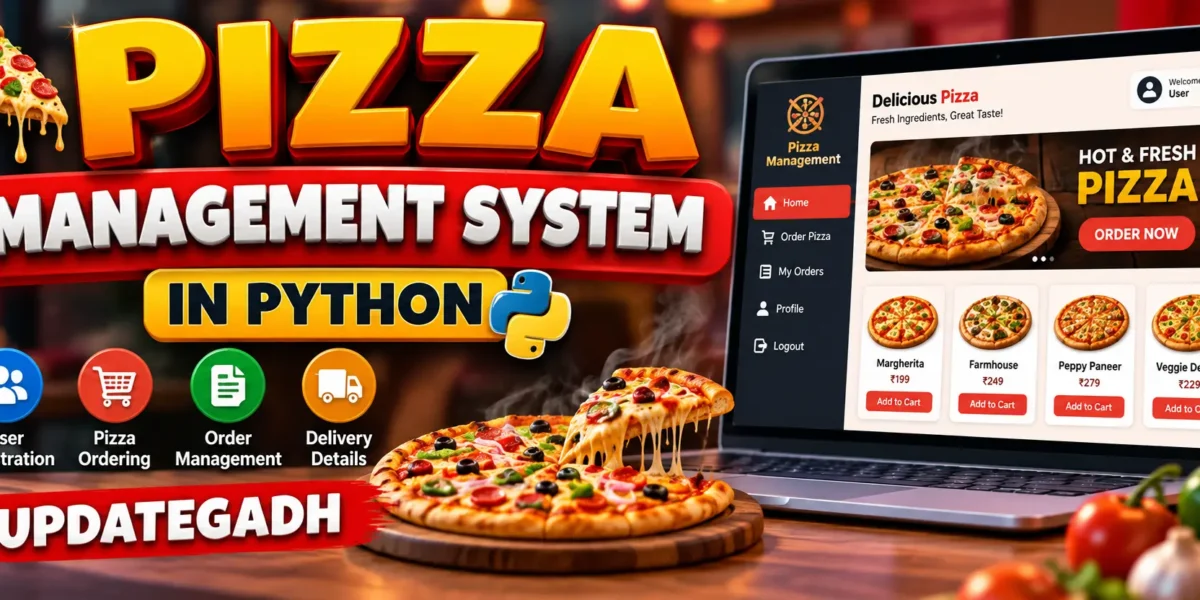
Pizza Management System in Python
The Pizza Management System in Python is a medium-level college project designed to demonstrate how a desktop application can manage customer accounts, pizza customization, shopping-cart operations, delivery information, and order history in one connected workflow. The application uses Python with Tkinter for the graphical interface and SQLite for persistent data storage. Instead of relying on a collection of disconnected forms, the project provides a complete customer journey from registration and login to pizza selection, checkout, and order review.
The interface is designed around a modern restaurant-management visual style. A dark sidebar, warm pizza-inspired accent colors, dashboard cards, clean forms, and structured tables make the application suitable for a practical college submission while keeping the implementation understandable for students.
Complete Advance AI Topics: Click Here
Real Time Projects on YouTube:- DecodeIT
Project Overview
| Project Detail | Description |
|---|---|
| Project Name | Pizza Management System in Python |
| Programming Language | Python 3.x |
| GUI Framework | Tkinter |
| Database | SQLite |
Key Features
- Customer Registration: New customers can create an account with their name, email, phone number, and password. Basic validation is applied before account creation.
- Secure Login: Registered users can sign in with their email and password. Password values are stored as SHA-256 hashes instead of plain text.
- Pizza Selection: Customers can choose from available pizza varieties and view different prices for small, medium, and large sizes.
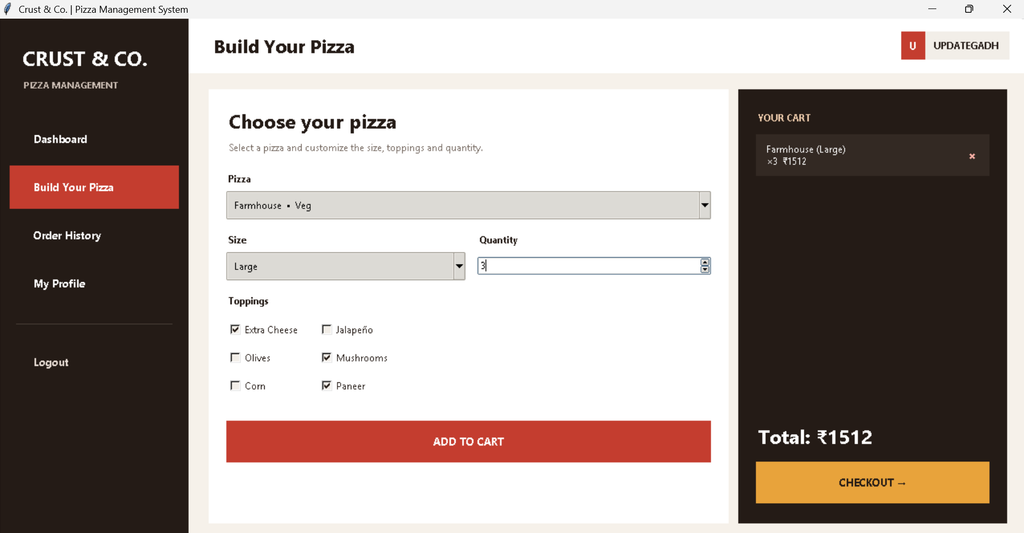
- Toppings: The ordering screen allows customers to add optional toppings such as extra cheese, jalapeño, olives, mushrooms, corn, and paneer.
- Shopping Cart: Multiple pizzas can be added to the cart with individual quantities, sizes, and topping selections. Items can also be removed before checkout.
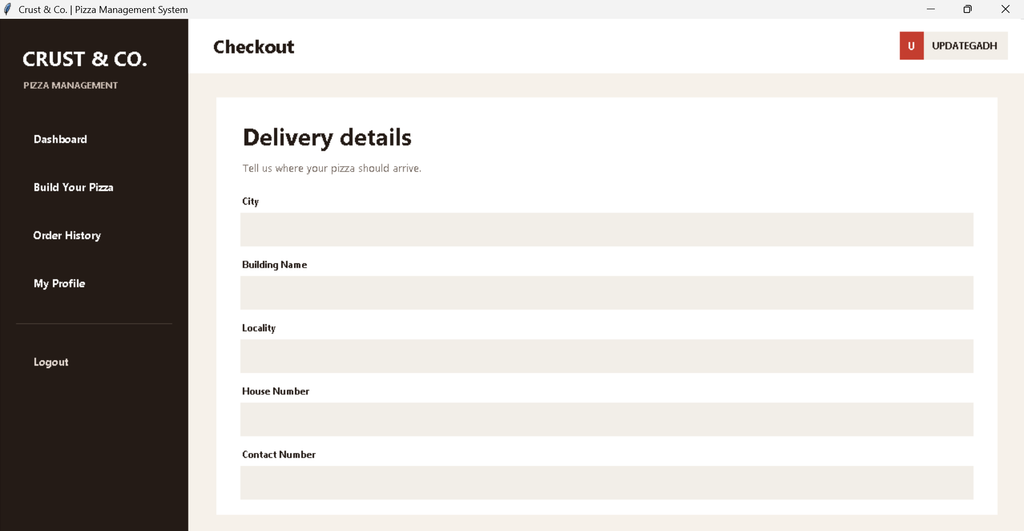
- Delivery Details: The checkout form records city, building name, locality, house number, and contact number.
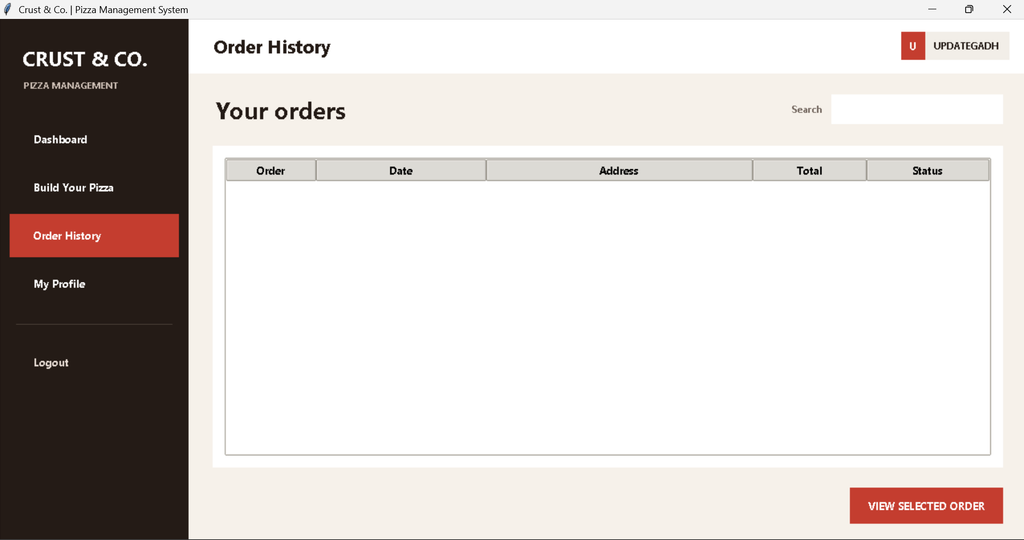
- Order History: Customers can review previous orders, search order records, and open a selected order to view its items and toppings.
- Dashboard: The dashboard presents total orders, total spending, active orders, and recent order information.
User Workflow
The application follows a connected workflow. A new customer first creates an account and then logs in. After authentication, the dashboard provides access to pizza ordering, order history, and profile information. In the ordering module, the customer chooses a pizza, selects a size, chooses toppings, sets the quantity, and adds the item to the cart. Multiple items can be prepared before checkout. Once delivery information is completed, the system creates an order and stores its items in SQLite. The new order then becomes available in the customer’s history.
Database Design
The project uses SQLite because it is lightweight and included with standard Python installations. The database contains related tables for users, pizzas, orders, and order items. The users table stores customer account information. The pizzas table contains pizza names, categories, and size-specific prices. The orders table stores delivery details, order totals, status, customer reference, and creation time. The order_items table connects each order with the selected pizzas, quantities, sizes, prices, and toppings.
Professional Dashboard UI
The dashboard uses a restaurant-oriented visual identity rather than a generic CRUD layout. The left sidebar provides navigation for Dashboard, Build Your Pizza, Order History, My Profile, and Logout. The top area displays the current section and customer profile. Dashboard KPI cards show meaningful order information, while a recent-orders panel gives the customer a quick view of previous activity. A dedicated call-to-action area makes it easy to start another pizza order.
The ordering screen is separated into a customization area and a dark cart panel. This makes the pizza-building process easy to follow. Forms use clear labels, spacing, validation messages, and focused actions. The history page uses a professional table with search support so customers can find an order without manually scanning every record.
Project Modules
1. Authentication Module
This module handles customer registration and login. It validates important fields and prevents duplicate email accounts.
2. Pizza Catalog Module
The application loads available pizzas from SQLite and presents their categories and size-based prices through the ordering interface.
3. Cart and Customization Module
Customers can select size, quantity, and toppings. The selected configuration is kept in the active cart until the order is submitted.
4. Checkout Module
The checkout page collects the delivery information required by the original project concept and validates that all fields have been completed.
5. Order History Module
Customers can search their stored orders and view the individual items belonging to a selected order.
6. Profile Module
The profile page presents the customer’s registered name, email, and phone number in a clean account-information layout.
Technology Used
- Python: Core programming language used for application logic.
- Tkinter: Desktop GUI framework used for windows, forms, navigation, tables, buttons, and controls.
- SQLite3: Database engine used for customer, pizza, order, and order-item records.
- Hashlib: Used to hash customer passwords before database storage.
Download complete source code
Screenshot
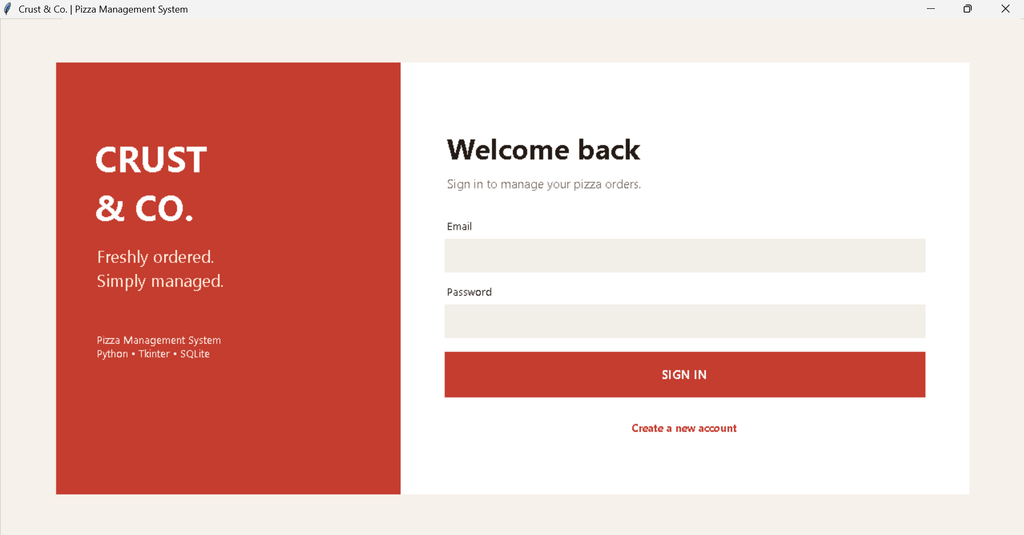
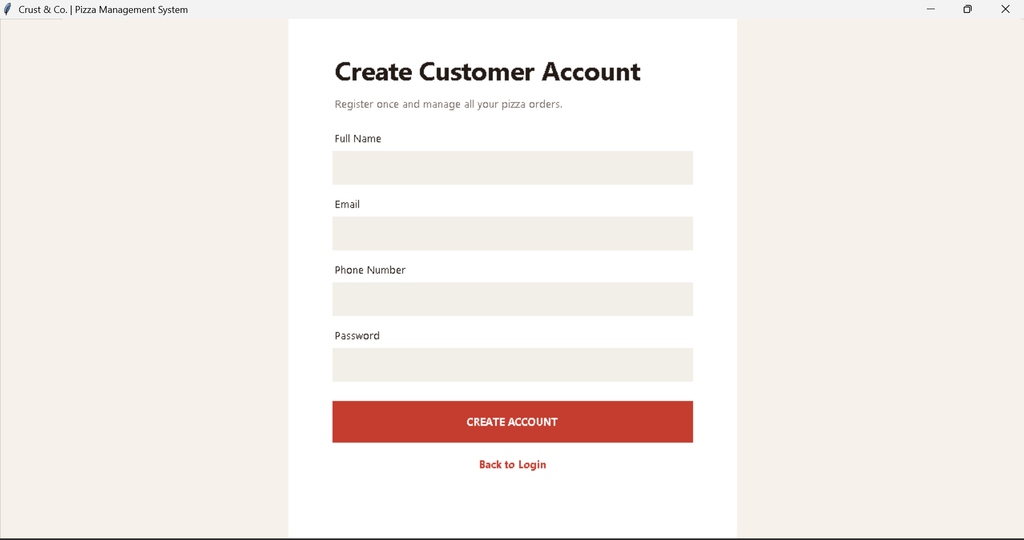
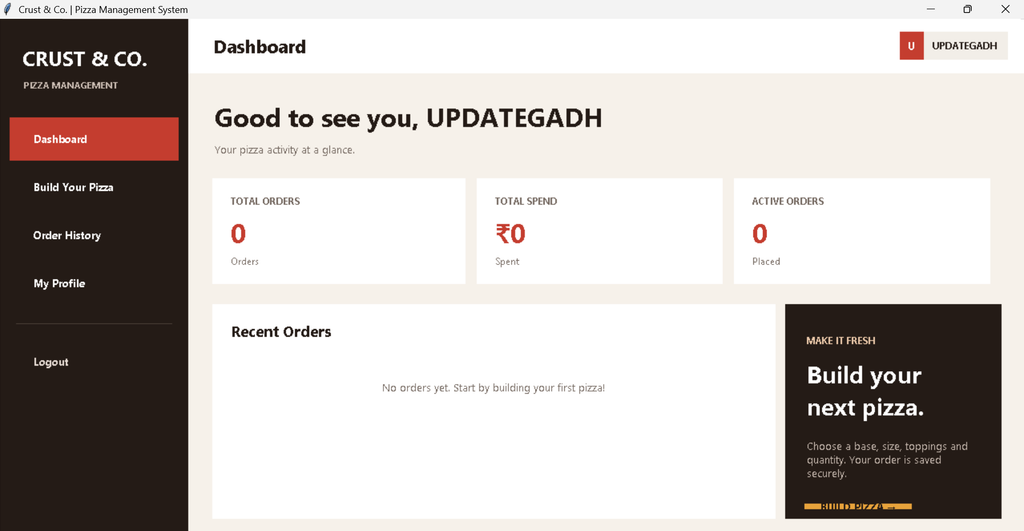
Installation and Setup
Install Python 3.x and make sure Python is available from the command prompt. Extract the project folder and open a terminal inside it. The project does not require external database software because SQLite is built into Python.
python pizza.pyWhen the application starts for the first time, it automatically creates the required database inside the data folder and inserts the initial pizza catalog. Tkinter and SQLite are normally included with standard Python installations, so no separate package installation is required for the core application.
Usage
Start by selecting the registration option and creating a customer account. Return to the login screen and sign in. From the dashboard, select Build Your Pizza. Choose a pizza, size, quantity, and any available toppings, then add the configuration to the cart. Continue adding items if required. Select checkout, complete the delivery fields, and place the order. After successful submission, the application stores the order and displays it in Order History. The selected order can be opened to review its pizza items and toppings.
Frequently Asked Questions
What is the purpose of this project?
It demonstrates a practical pizza ordering workflow using a Python desktop GUI and a relational SQLite database.
Which database is used?
The project uses SQLite3. The database file is created automatically inside the project’s data directory.
Does the project support customer registration and login?
Yes. Customers can register an account and log in before accessing ordering and account features.
Can customers customize a pizza?
Yes. Customers can choose pizza size, quantity, and available toppings before adding a pizza to the cart.
Can an order contain multiple pizzas?
Yes. Multiple customized pizza items can be placed in the cart before checkout.
What information is collected for delivery?
The checkout workflow collects city, building name, locality, house number, and contact number.
How is the application started?
Open a terminal in the project directory and run python pizza.py.
Future Scope
- Add a dedicated staff or administrator interface for updating pizza availability and order status.
- Add online payment integration if the project is later connected to a suitable payment service.
- Introduce printable invoices for completed orders.
- Add customer address management so frequently used delivery locations can be reused.
- Extend the dashboard with additional order analytics when a larger dataset is available.
Conclusion
The Pizza Management System in Python provides a practical example of combining a graphical interface with database-driven application logic. It covers the important workflow of a pizza ordering application without becoming an unnecessarily complex enterprise system. Registration, login, pizza customization, cart management, delivery details, order storage, history, search, and dashboard information work together as a single college-level project. Python keeps the implementation accessible, while Tkinter provides the desktop interface and SQLite supplies persistent storage. The project can therefore be used as a strong academic example for understanding GUI development, database connectivity, validation, and structured application workflows.
Keywords:
Pizza Management System in Python, Pizza Management System Python, Pizza Ordering System in Python, Pizza Shop Management System, Online Pizza Ordering System, Pizza Management System Project, Python Pizza Project, Pizza Ordering Project in Python, Tkinter Pizza Management System, Pizza Ordering System Tkinter, Python Tkinter Project, SQLite Pizza Management System, Pizza Shop Software, Pizza Order Management System, Pizza Billing System Python, Python GUI Project, Python SQLite Project, College Project in Python, Python Source Code, Pizza Management System Source Code