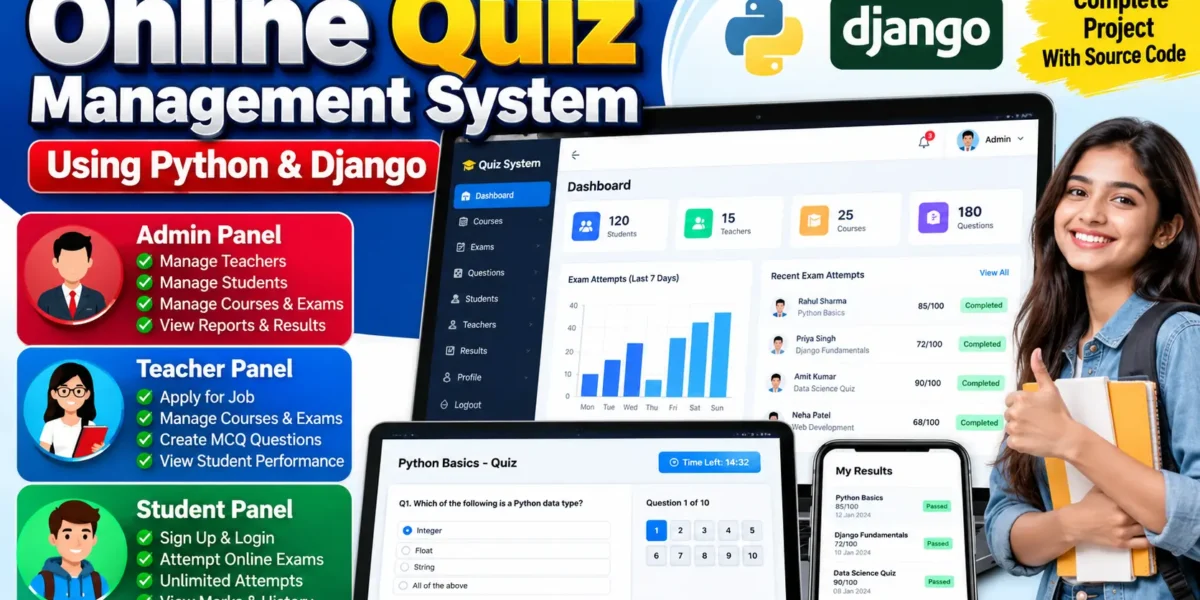
The Online Quiz Management System is a professional web-based application developed using Python and Django to simplify the process of conducting online quizzes and examinations. The system is designed for schools, colleges, coaching institutes, and other educational environments where students need to take online exams and teachers need to manage courses, questions, and results.
The system provides three major roles: Admin, Teacher, and Student. Each role has its own dashboard, permissions, and responsibilities. Admin users manage the complete platform, teachers manage courses, exams, and questions, while students can register, attempt available exams, and track their results.
Complete Advance AI Topics: Click Here
Real Time Projects on YouTube:- DecodeIT
Project Overview
| Key Details | Description |
|---|---|
| Project Name | Online Quiz Management System |
| Language/s Used | Python, HTML, CSS, JavaScript |
| Framework | Django |
| Database | SQLite3 |
| Type | Web Application |
Available Features
The system provides separate functionality for Admin, Teacher, and Student users. Each role can access only the modules relevant to its responsibilities.
Admin Features
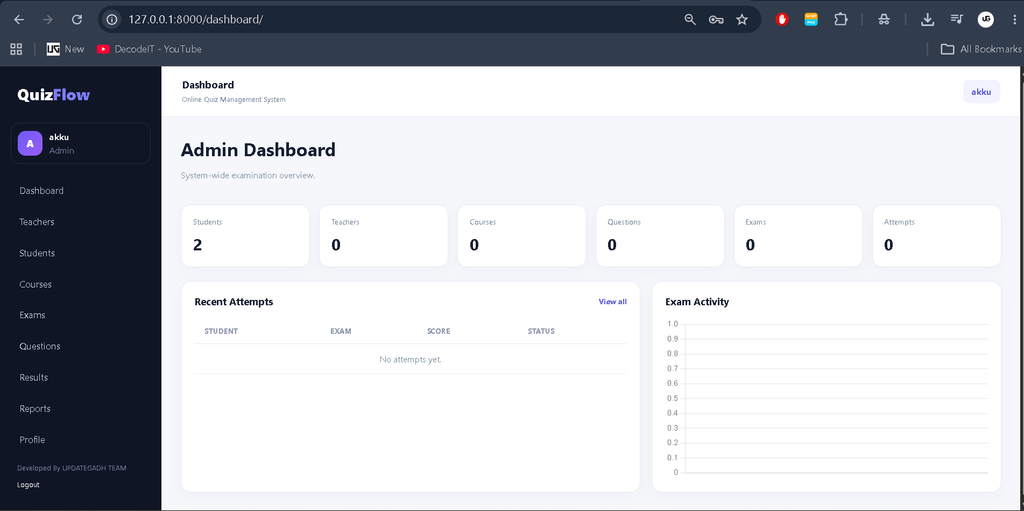
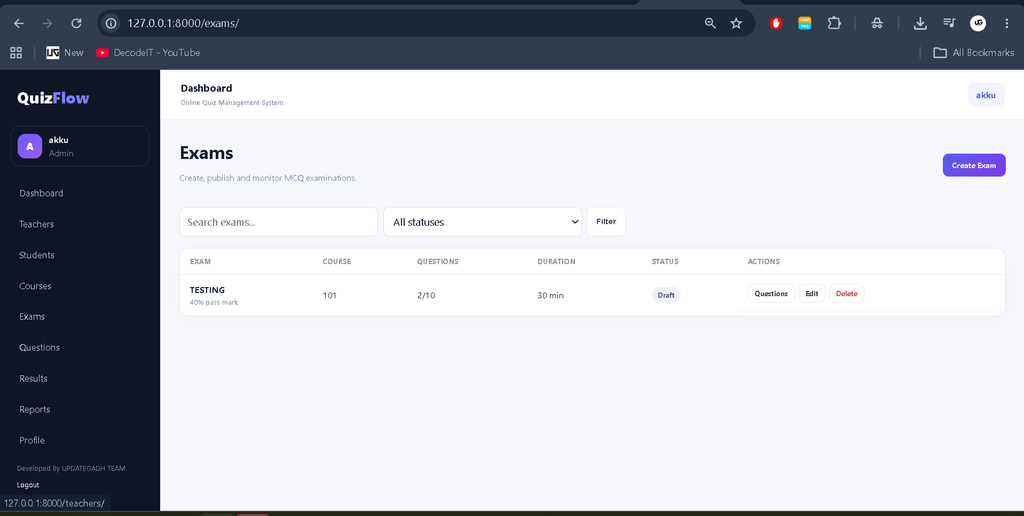
Admin Dashboard
The Admin dashboard provides an overview of the complete system. Administrators can view important statistics such as total students, teachers, courses, exams, and questions. Recent activities and performance information can also be reviewed from the dashboard.
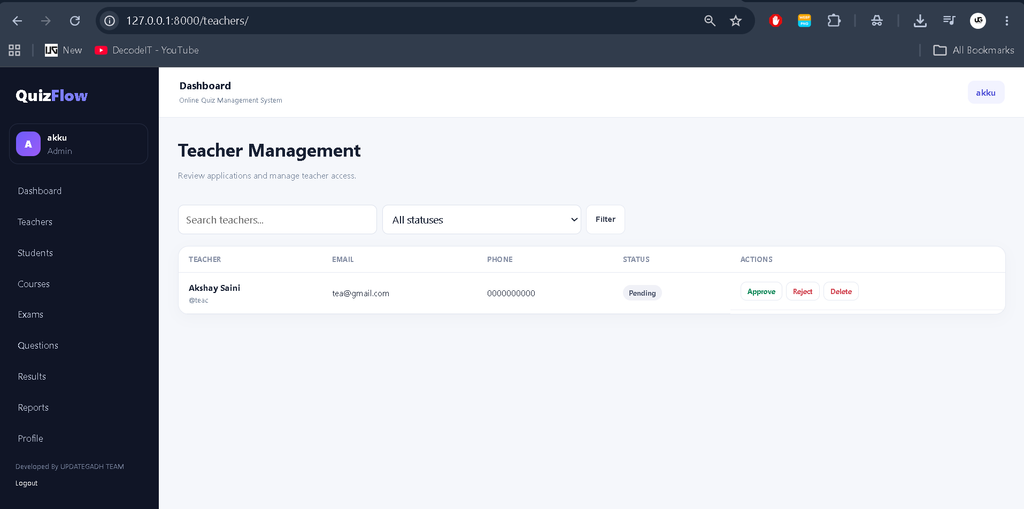
Teacher Management
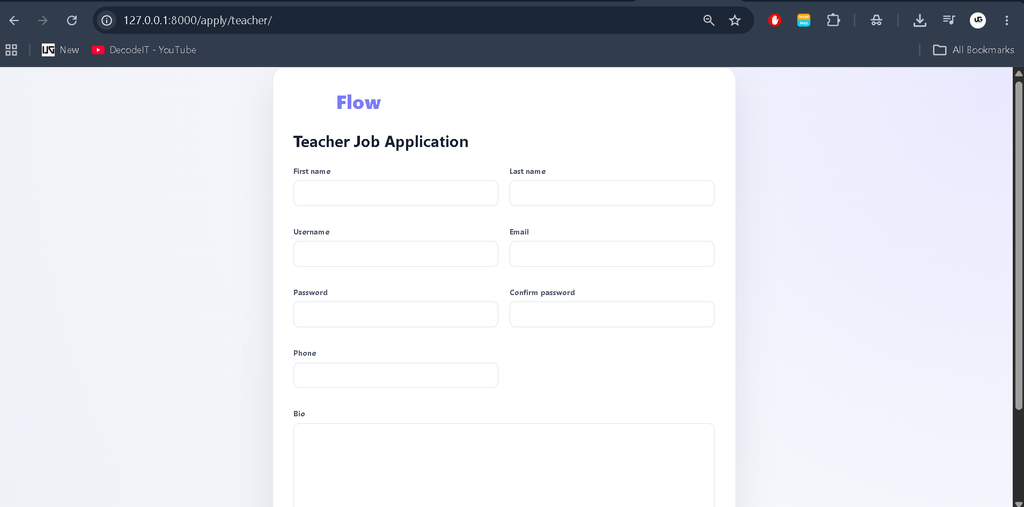
Admins can manage teacher accounts and review teacher applications. A teacher can apply for a teaching role, but access to teacher functionality is provided only after Admin approval.
Student Management
Administrators can view and manage registered student accounts. Student information can be maintained to keep the examination database organized.
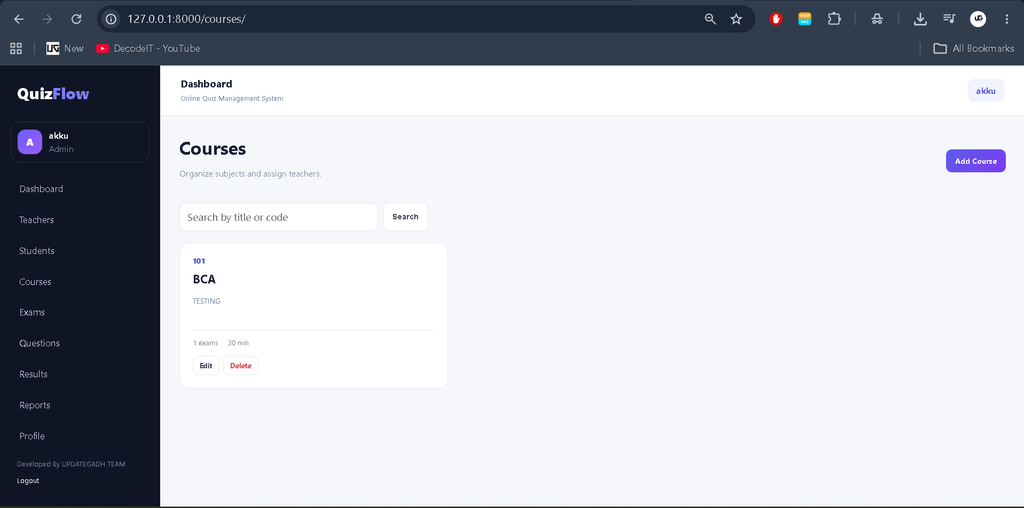
Course and Exam Management
Admins can create, view, update, and delete courses and exams. This allows the administrator to maintain the subjects and examinations available through the platform.
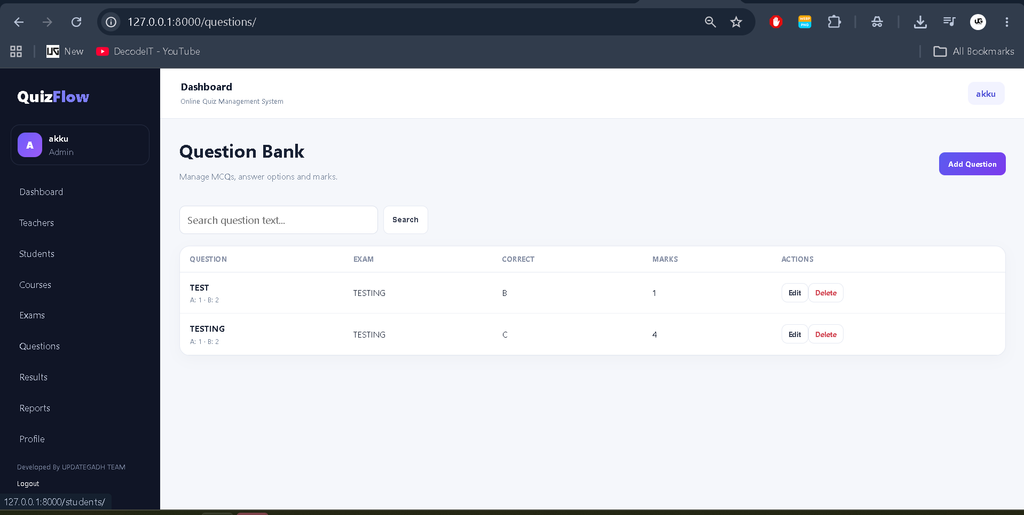
Question Management
Admins can manage multiple-choice questions associated with courses and exams. Questions include answer options, the correct answer, and marks.
Performance Tracking
The Admin can review student examination performance, marks, attempts, and result information to understand student progress across the system.
Teacher Features
Teacher Registration and Job Application
Teachers can submit an application through the platform. The account remains pending until the Admin reviews and approves the application.
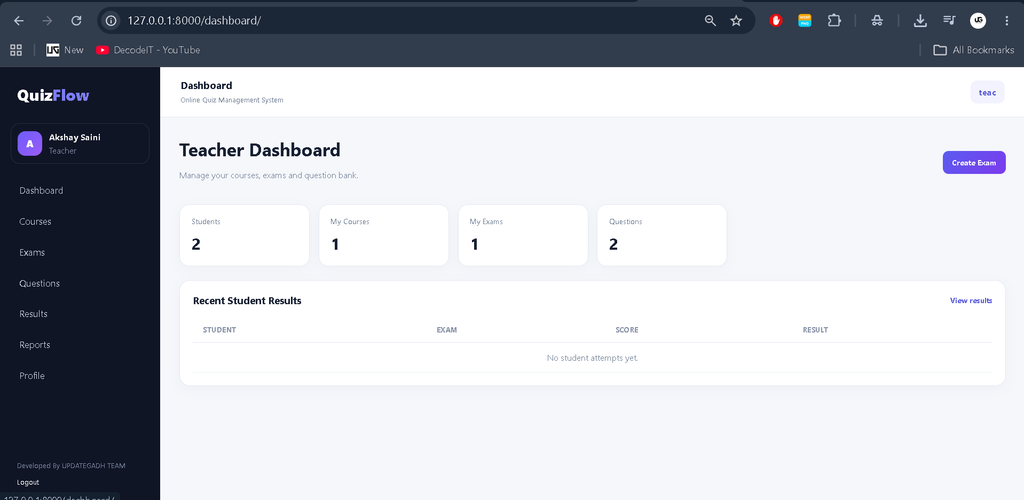
Teacher Dashboard
Approved teachers receive a personalized dashboard showing relevant information such as students, courses, exams, and questions under their management.
Course and Exam Management
Teachers can create and manage courses and exams assigned to them. They can view existing records and remove records when required.
Question Management
Teachers can create multiple-choice questions by entering the question, available options, correct answer, and marks. Existing questions can also be viewed and managed.
Student Features
Student Registration and Login
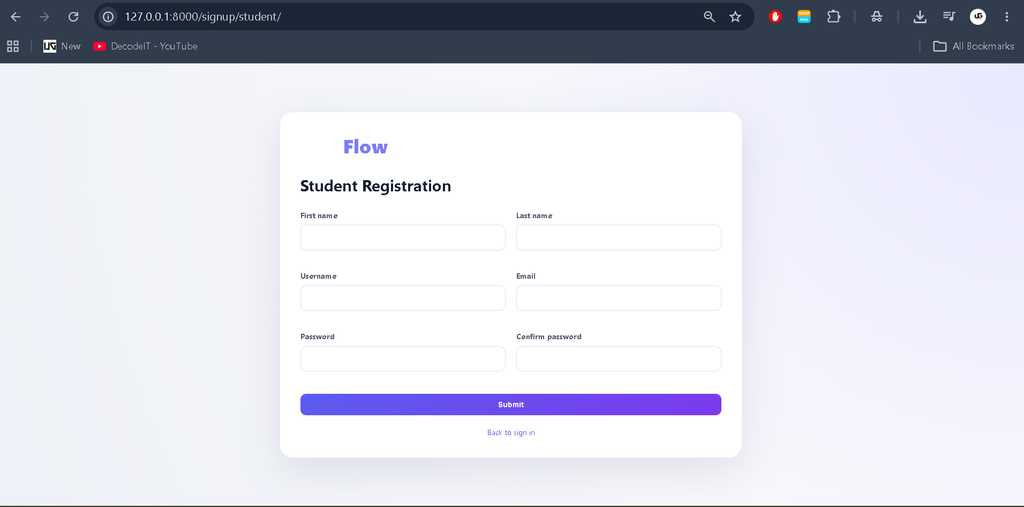
Students can register directly through the system and access their account without requiring teacher approval.
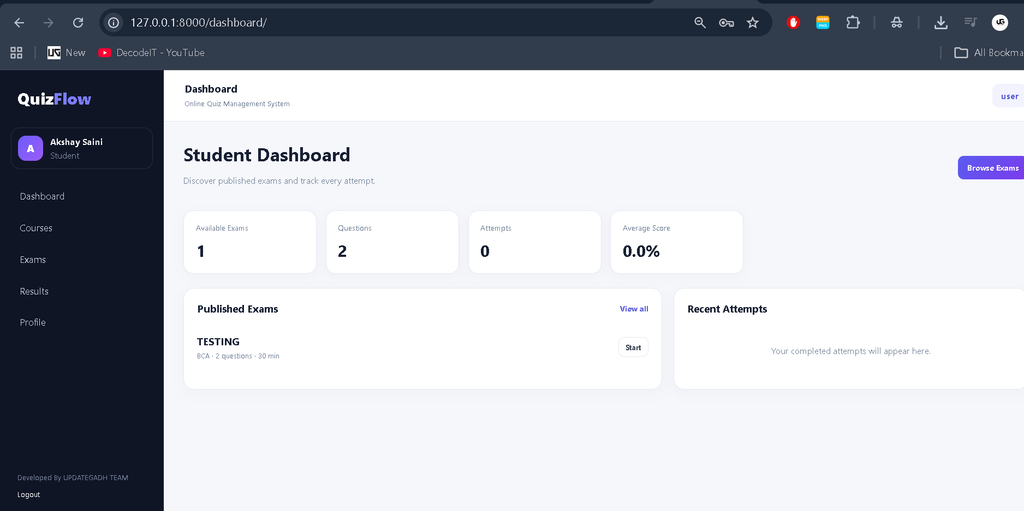
Student Dashboard
The Student dashboard displays available courses, exams, questions, recent attempts, and performance information.
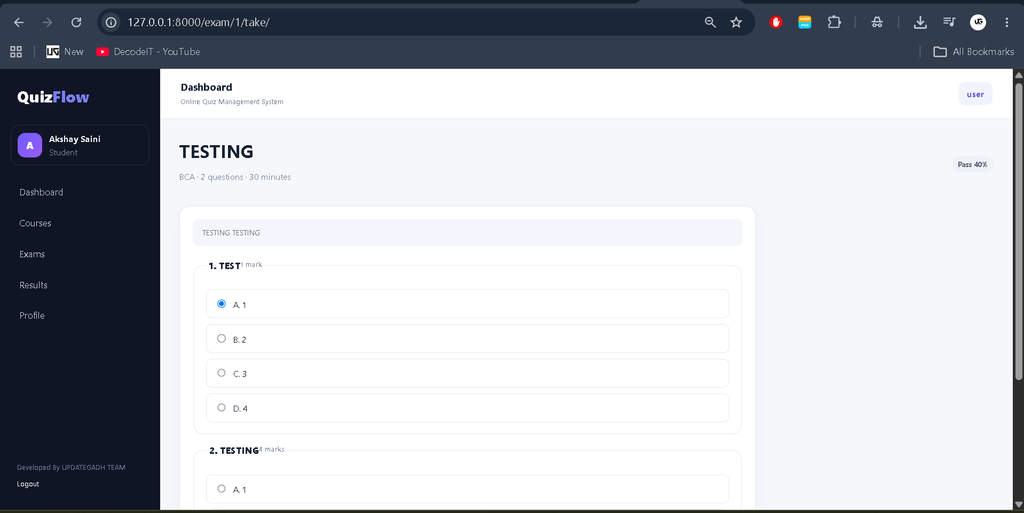
Online Examination
Students can select an available exam and answer its multiple-choice questions. The examination interface provides a simple and organized way to submit answers.
Single Attempt Only
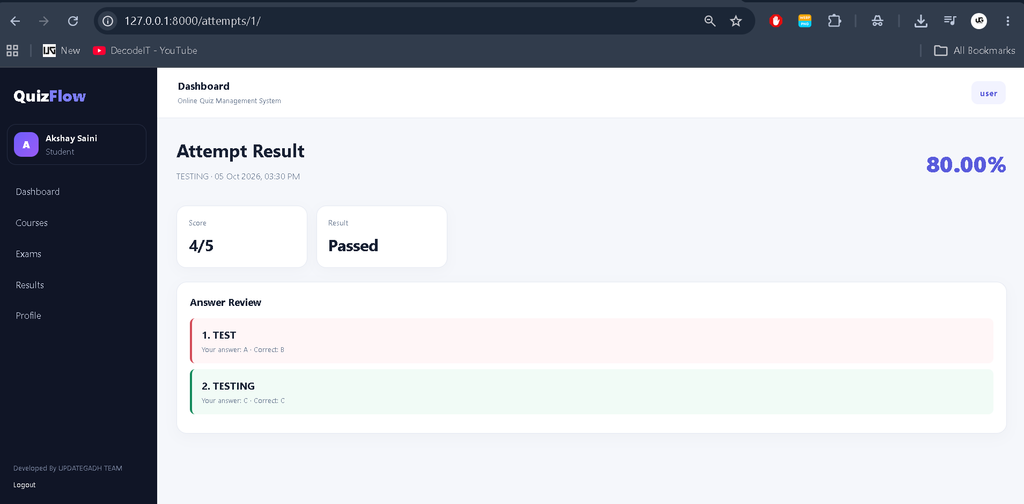
Students can attempt each available exam only once. After submitting an exam, the attempt is recorded and the student cannot take the same exam again. The system stores the submitted answers, score, and result for that attempt.
Result and Performance History
After completing an examination, the system calculates the student’s marks and stores the result. Students can review previous attempts and compare their performance.
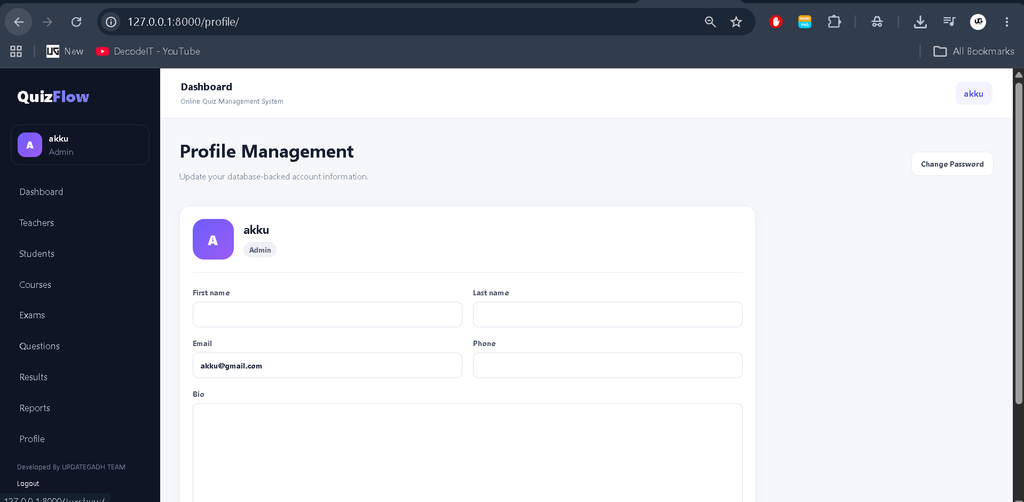
Profile Management
Each authenticated user has access to database-backed profile management. Users can view their profile, update permitted information, change their password, access account settings, and securely log out of the application.
Security and Access Control
The system uses Django authentication and role-based authorization to protect application modules. Admin, Teacher, and Student users are provided with different permissions according to their responsibilities. Protected pages cannot be accessed simply by manually changing URLs.
Forms use validation and CSRF protection where applicable. Passwords are handled using Django’s secure password hashing system, while database operations use Django’s ORM.
Dashboard and Reports
The dashboards use actual database information rather than static values. Statistics, records, exam attempts, results, and performance information are generated from the application’s stored data.
Tables include search, filtering, status indicators, and appropriate actions where required. Performance information helps administrators and students understand examination activity and results.
Responsive User Interface
The application uses a professional management-dashboard structure consisting of a sidebar, top navigation bar, dashboard cards, tables, forms, charts, filters, detail pages, reports, and profile management.
The interface is designed to work across desktop, laptop, tablet, and mobile screen sizes. Navigation and data tables adapt to smaller screens while maintaining usability.
Technology Stack
- Backend: Python and Django
- Frontend: HTML, CSS, JavaScript
- Database: SQLite3
- Development Environment: Visual Studio Code
- Architecture: Django MVT
How to Download
The complete package is available so you can run, study, and submit it with confidence. It includes:
- Full Source Code
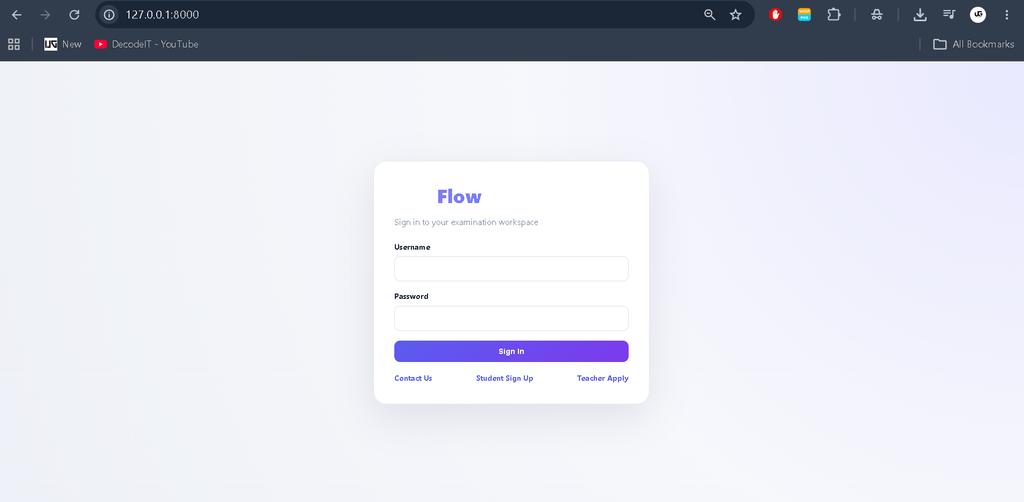
Screenshot
Installation Guide for VS Code
Step 1: Install Python
Install Python 3.7.6 or a compatible newer version and make sure Python is added to the system PATH.
Step 2: Open the Project
Extract the project ZIP file and open the project folder in Visual Studio Code.
Step 3: Create a Virtual Environment
python -m venv venvStep 4: Activate the Virtual Environment
On Windows:
venv\Scripts\activateOn macOS/Linux:
source venv/bin/activateStep 5: Install Required Packages
python -m pip install -r requirements.txtStep 6: Apply Database Migrations
python manage.py makemigrations
python manage.py migrate
Step 7: Create the Admin Account
python manage.py createsuperuserEnter the required username, email address, and a secure password.
Step 8: Run the Project
python manage.py runserverOpen the local Django server address shown in the terminal in your web browser.
Usage of the System
Admin Usage
- Log in using the Admin account.
- View system statistics from the dashboard.
- Review teacher applications.
- Approve or manage teacher accounts.
- Manage students.
- Create and manage courses and exams.
- Add and manage MCQ questions.
- Review student examination performance.
Teacher Usage
- Register or apply for a teacher account.
- Wait for Admin approval.
- Log in after approval.
- Manage assigned courses and exams.
- Create MCQ questions.
- Review question records.
Student Usage
- Create a student account.
- Log in to the Student dashboard.
- View available courses and exams.
- Attempt an examination.
- Submit answers.
- View marks and previous attempts.
- Track examination performance.
Project Benefits
- Reduces manual examination work.
- Provides centralized quiz and exam management.
- Separates responsibilities through role-based access.
- Allows teachers to manage questions and examinations.
- Allows students to take exams online.
- Stores examination attempts and results digitally.
- Provides database-driven dashboards and performance information.
- Demonstrates practical Python and Django development.
Contributing
The project can be extended by improving existing modules, adding better validation, enhancing reports, improving the examination interface, and optimizing the database and user experience while keeping changes relevant to the Online Quiz Management System.
Final Thoughts
From a student perspective, the Online Quiz Management System is a practical Django project for understanding how a real-world educational application works. It covers authentication, role-based access control, database relationships, course and question management, online examinations, result calculation, and performance tracking.
Online Quiz Management System Online Quiz Management System online quiz management system project online quiz management system project in java online quiz management system project in php online quiz management system project in java with source code online quiz management system er diagram online test management system online test management system project class diagram for online quiz management system what is the best online quiz maker,Online Quiz Management System Using Python and Django,Online Quiz Management System Using Python