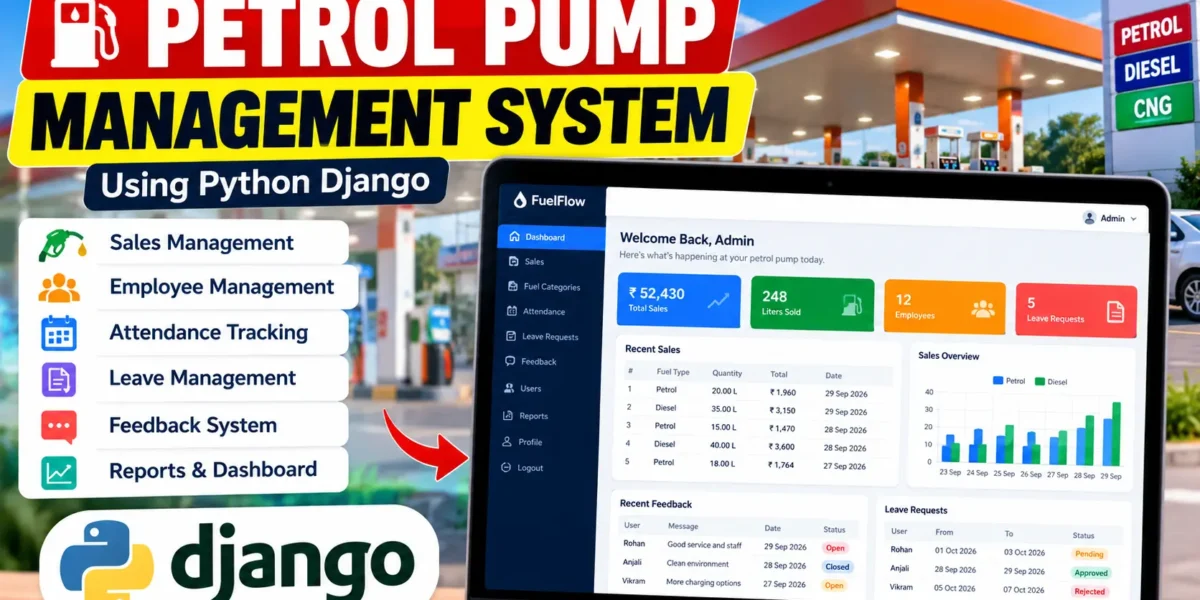
Petrol Pump Management System Using Python Django
The Petrol Pump Management System is a web-based management application developed using Python and Django to organize the daily activities of a petrol station in a simple and structured way. The system provides separate functionality for administrators and employees, allowing important records such as fuel categories, sales, attendance, leave requests, and feedback to be managed from a centralized platform.
Instead of maintaining operational information manually, the application stores records in a database and provides a professional dashboard for viewing important activities. The project is designed as a medium-level college project and demonstrates practical implementation of Django authentication, database operations, forms, CRUD functionality, dashboard statistics, and responsive user interfaces.
Complete Advance AI Topics: Click Here
Real Time Projects on YouTube:- DecodeIT
Project Overview
| Attribute | Description |
|---|---|
| Project Name | Petrol Pump Management System |
| Language | Python |
| Framework | Django |
| Frontend | HTML, CSS, JavaScript |
| Database | SQLite |
| Application Type | Web Application |
Key Features
The system contains practical modules required for managing petrol pump operations. Each module is connected with the application’s database and authentication system.
Admin Dashboard
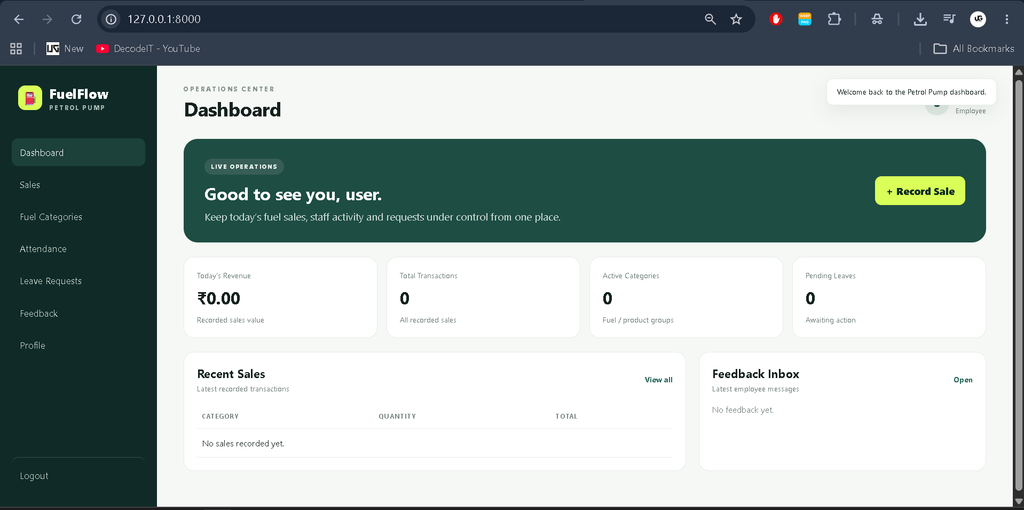
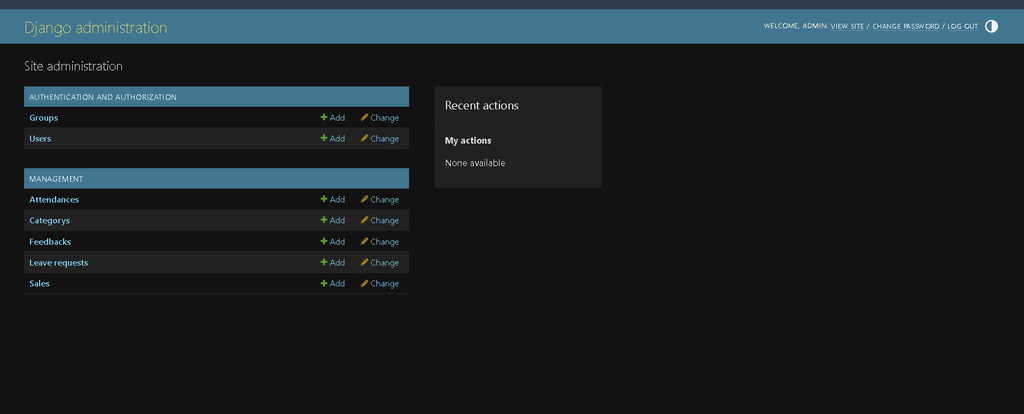
The administrator can access a centralized dashboard containing important operational information. Dashboard statistics provide a quick view of sales, users, leave requests, attendance and feedback. Recent records can also be reviewed without opening every individual module.
User Management and Authentication
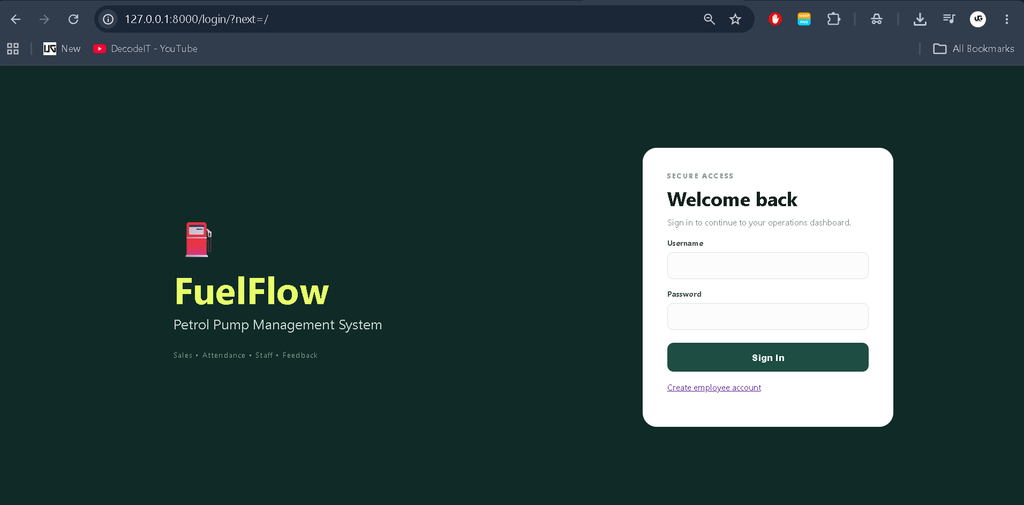
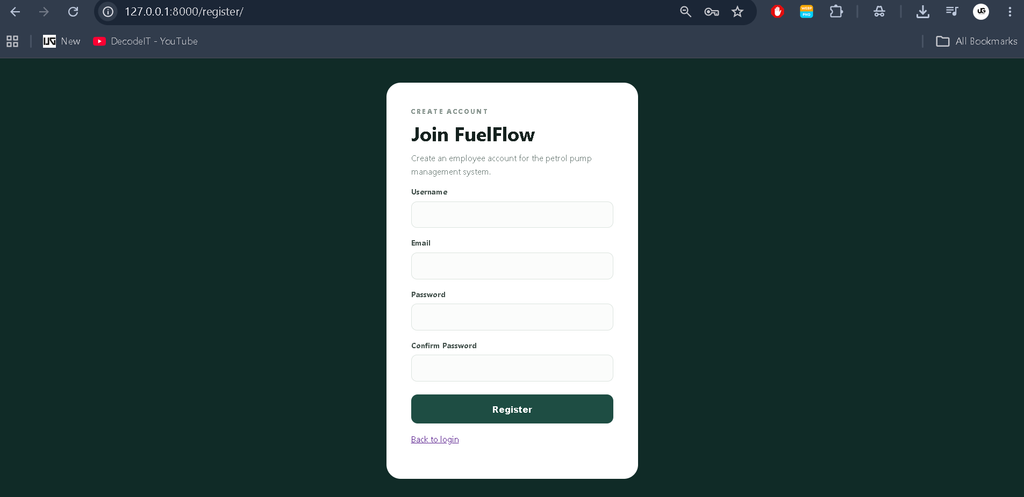
The system provides registration and login functionality for users. After registration, account credentials can be delivered through email configuration. Authenticated users are redirected to the appropriate part of the system. Password change functionality is also available so users can update their account credentials when required.
Fuel Category Management
Administrators can maintain fuel or product categories through dedicated management pages. Categories can be added, updated and removed according to operational requirements. This makes it easier to organize sales records and identify transactions according to their category.
Sales Management
The sales module allows petrol pump transactions to be recorded in the database. Relevant information can be maintained and reviewed through the management interface. The dashboard can calculate sales totals and display recent transactions, providing a convenient overview of business activity.
Attendance Management
Employee attendance is another important part of the system. Users can mark or view their attendance information, while administrators can review stored attendance records. This provides a simple digital alternative to maintaining attendance registers manually.
Leave Management
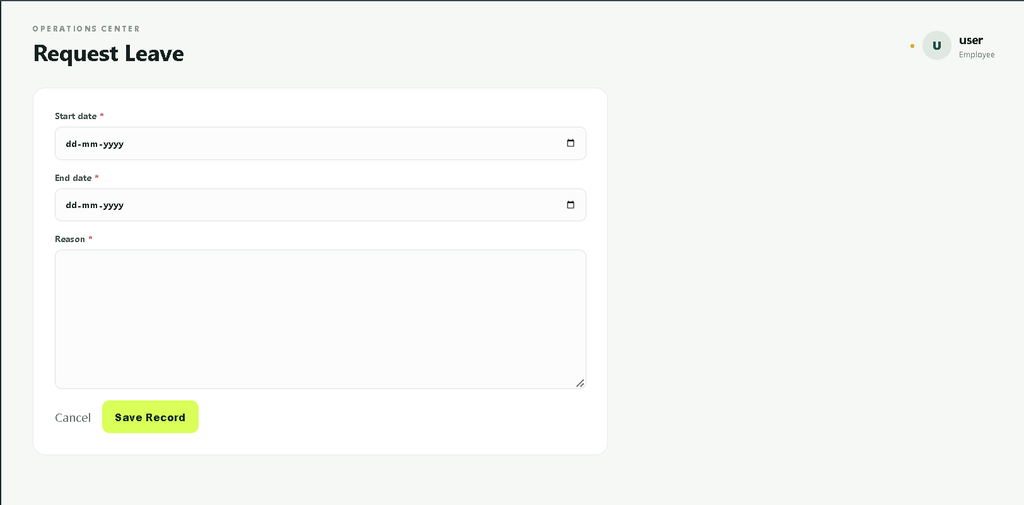
Employees can submit leave requests through their account. Administrators can review submitted requests and update their status by approving or rejecting them. The status-based workflow makes it easier for employees to understand the current condition of their requests.
Feedback and Complaints
The feedback module allows users to submit suggestions, complaints or other operational feedback. Administrators can review the submitted information from the management interface. This provides a simple communication channel between employees and administration.
Profile Management
Authenticated users can access their profile information and update supported account details. Profile management also provides access to password-related functionality, helping users maintain their account information from within the application.
Notifications
The project uses Sweetify-style popup notifications for important operations. When records are added, updated or deleted, users can receive visual confirmation messages. These notifications make the interface easier to understand and provide immediate feedback after an action.
User Roles
The project primarily supports two types of users: Admin and Employee/User.
- Admin: Manages categories, reviews sales information, monitors attendance, handles leave requests, checks feedback and manages administrative activities.
- Employee/User: Uses the account to view attendance, submit leave requests, manage profile information and provide feedback.
Role-sensitive access keeps administrative operations separate from normal employee activities while keeping the overall application understandable for a college-level implementation.
Project Modules
- Authentication and Registration
- Admin Dashboard
- Fuel Category Management
- Sales Management
- Attendance Management
- Leave Management
- Feedback Management
- User Profile
- Password Management
- Notification System
Dashboard and User Interface
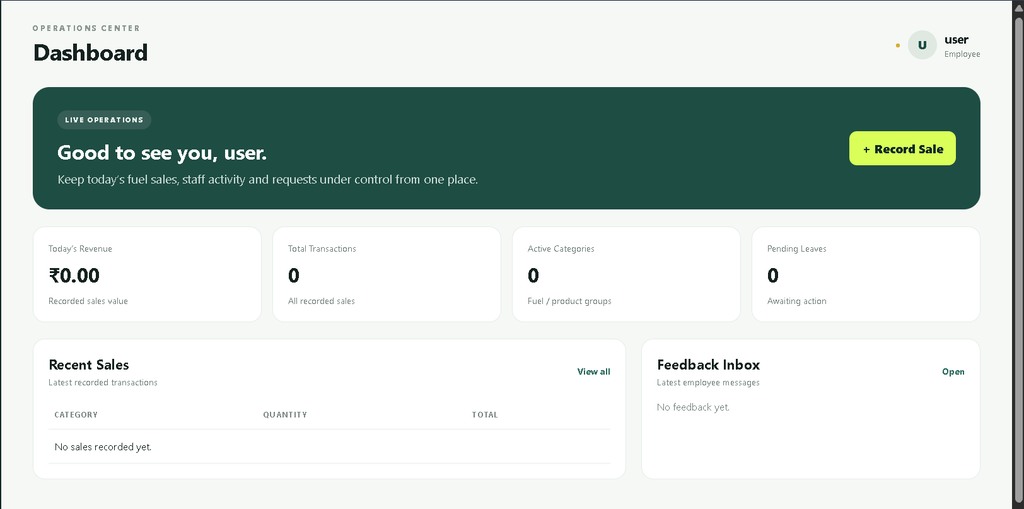
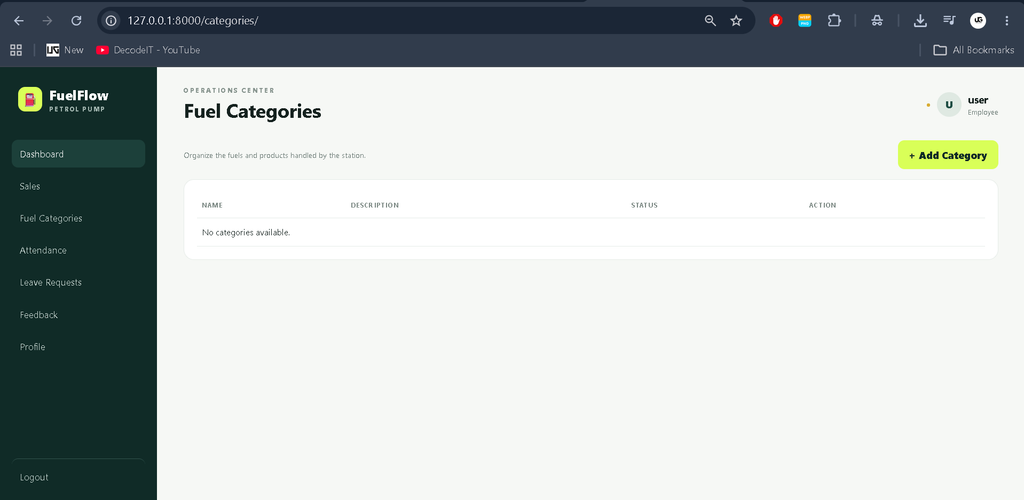
The application uses a modern management-dashboard design instead of a basic collection of HTML pages. The interface includes a structured sidebar, top navigation area, user profile information, statistics cards and organized data tables. The petrol-pump-oriented visual identity gives the application a dedicated appearance suitable for the project domain.
Management pages use clear forms and action buttons for common operations. Tables are organized to make records easier to review, while status indicators help distinguish different workflow states. The layout is responsive so that important screens can adapt to desktop, laptop, tablet and smaller mobile displays.
How the System Works
The basic workflow starts when a user creates an account or receives an account through the registration process. After successful authentication, the user enters the appropriate dashboard. Employees can access their attendance, leave, profile and feedback features, while administrators can manage operational records.
When a sale or other record is submitted, the information is validated and stored in the Django database. Administrators can later view or manage the stored information. Leave requests follow a simple pending, approved or rejected workflow. Attendance and feedback records are also maintained for future review.
Technology Used
- Python: Main programming language.
- Django: Backend framework for routing, authentication, models, views and database operations.
- HTML: Structure of application pages.
- CSS: Responsive and professional interface styling.
- JavaScript: Client-side interface interactions.
- SQLite: Default database for local development.
- Django Templates: Dynamic page rendering.
- Sweetify: Popup-style operation notifications.
Download complete source code
Screenshot
Installation and Setup
To run the project locally, first create or activate a Python virtual environment and install the required dependencies.
pip install -r requirements.txt
python manage.py migrate
python manage.py createsuperuser
python manage.py runserver
After starting the development server, open the local Django address displayed in the terminal. For a fresh SQLite installation, migrations should be completed before accessing the dashboard so that all application tables are created correctly.
Usage
After logging in, users can navigate through the sidebar to access available modules. Employees can manage their personal activities, attendance, leave requests and feedback. Administrators can manage fuel categories, monitor sales and attendance, process leave requests and review user feedback.
The dashboard acts as the central starting point and provides a quick summary of important records. This connected workflow demonstrates how multiple Django modules can work together as a practical management application.
Frequently Asked Questions
What is the Petrol Pump Management System?
It is a Django-based web application for managing petrol pump activities such as sales, fuel categories, attendance, leave requests and feedback.
Which technology is used to develop this project?
The project uses Python with the Django framework, along with HTML, CSS and JavaScript for the web interface.
Which database is used?
SQLite is used as the default database for local development. The project structure can also be configured for PostgreSQL when required.
Does the project have different user roles?
Yes. The system separates administrative functionality from employee or normal user functionality.
Can employees submit leave requests?
Yes. Authenticated users can submit leave requests and view their request status.
Can administrators manage fuel categories?
Yes. Administrators can add, update and delete fuel or product categories through the management interface.
How can the project be started?
Install the requirements, run Django migrations, create a superuser and start the development server using the Django management commands provided above.
Future Scope
- Integration with PostgreSQL for larger deployments.
- More detailed sales and attendance reports.
- Export options for selected management records.
- Additional employee management controls.
- Improved email configuration for automated account communication.
- Additional dashboard analytics based on historical sales information.
Conclusion
The Petrol Pump Management System using Python Django provides a practical solution for organizing important petrol station activities through a single web application. Its combination of authentication, sales management, category management, attendance, leave processing, feedback and dashboard functionality makes it suitable as a medium-level college project.
Kewrords:
Petrol Pump Management System
Petrol Pump Management System – Google Search
petrol pump management system software free download
petrol pump management system github
petrol pump management system project
petrol pump management system project pdf
petrol pump management system codecanyon
petrol pump management system er diagram
petrol pump management system project in hindi
petrol station management system
petrol station management system pdf