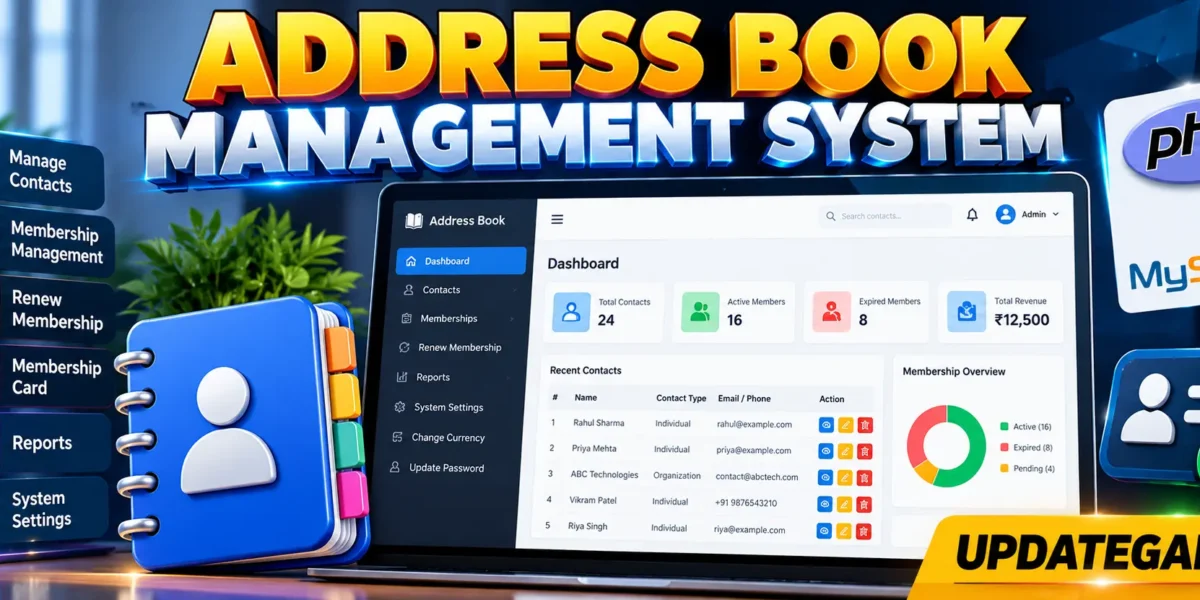
Address Book Management System in PHP and MySQL
The Address Book Management System is a PHP and MySQL web application for organizing membership information, contact records, renewals, payment records, reports, and basic system preferences from one workspace. The project is designed to make everyday administrative work easier by keeping related information in a structured database instead of relying on disconnected manual records.
Table of Contents
Complete Advance AI Topics: Click Here
Real Time Projects on YouTube:- DecodeIT
Project Overview
| Project Name | Address Book Management System |
|---|---|
| Language/s Used | PHP |
| PHP Version | 5.6.3, 7.4.12 |
| Database | MySQL |
| Type | Web Application |
PHP manages authentication, form processing, validation, database queries, reports, and application workflows. MySQL stores the permanent data. HTML and CSS provide the interface, while JavaScript adds lightweight page search behavior.
Project Introduction
Organizations, businesses, project teams, and similar groups often need to maintain both contact information and membership records. When those records are handled manually, finding an individual, checking membership status, confirming payment history, or locating an upcoming renewal can take unnecessary time. This project provides a structured alternative through a browser-based management interface.
After signing in, the administrator can use the dashboard to see important totals and recent activity. Membership records can be created, updated, filtered, renewed, printed as cards, or removed. Contacts can store different types of information, including addresses, email addresses, telephone values, URLs, numbers, and longer text. Property sets provide another practical way to group related contacts.
Key Features
- Admin Panel: Centralized access to the application’s management modules.
- Membership Types: Membership records can be organized using membership categories such as standard or premium.
- Manage Membership: Add, edit, search, filter, and delete membership records.
- Renew Membership: Update an existing membership’s expiry date and record its renewal payment.
- View and Print Membership Card: Open a clean member card and send it to the browser’s print dialog.
- Membership Report: Review membership distribution and revenue by membership type.
- Revenue Report: Summarize recorded membership payments.
- Print Reports: Use the browser print function from the report screen.
- System Settings: Change the system name, currency, and timezone values.
- Update Password: Change the administrator password after verifying the current password.
- Flexible Contact Types: Support address, email, long text, number, telephone, and URL values.
- Optional Contact Fields: Organization, property set, and notes can remain blank when they are not required.
- Property Sets: Group contacts under reusable categories for business, project, or personal organization.
- Search and Filtering: Find relevant membership and contact records quickly.
Project Modules
Dashboard
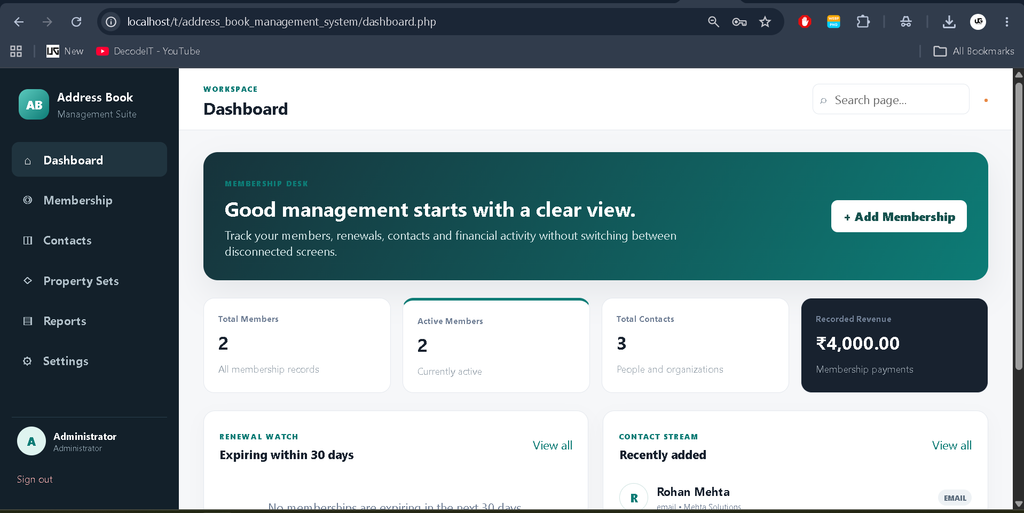
The dashboard presents a concise operational summary. It shows total members, active members, total contacts, and recorded revenue. It also lists memberships approaching expiry and recently added contacts. These sections are useful because an administrator can identify follow-up work immediately instead of opening several separate pages.
Membership Management
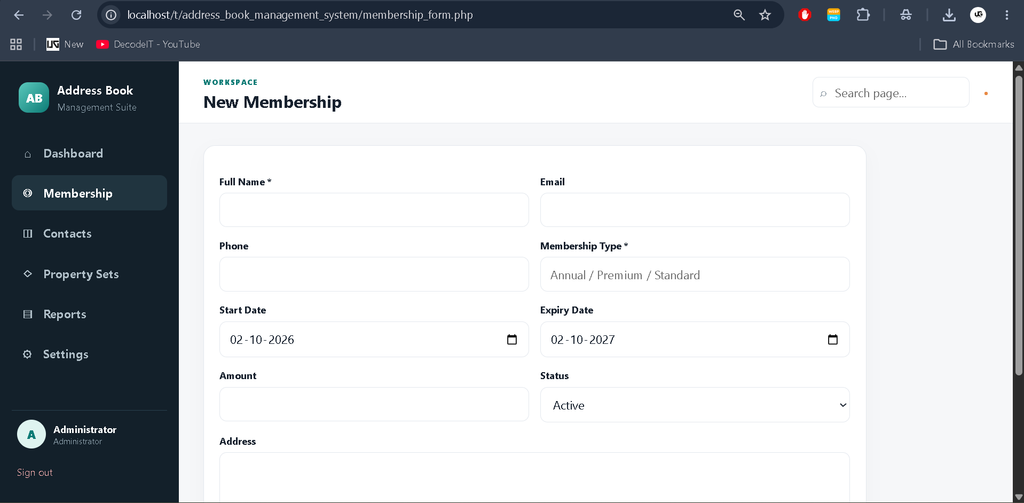
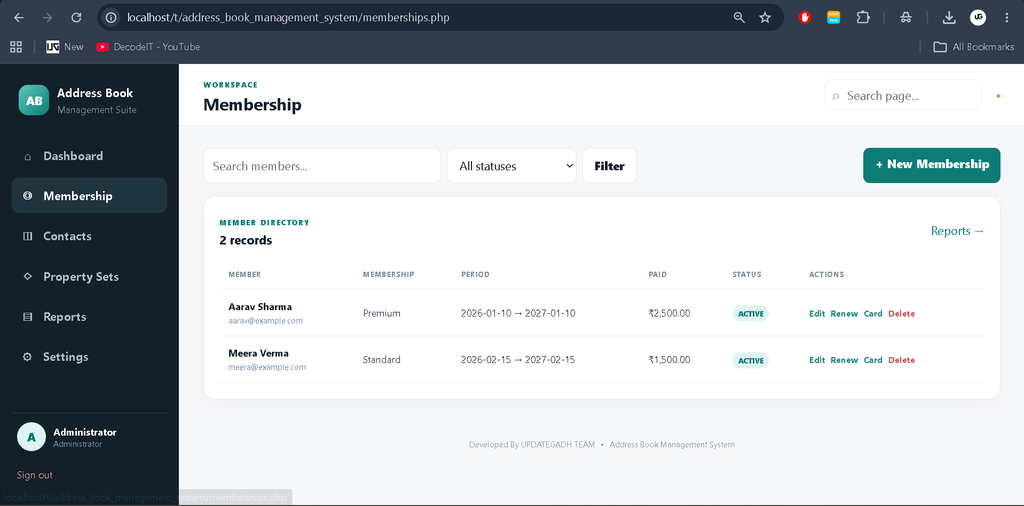
The membership module stores a member’s name, email, phone, membership type, start date, expiry date, amount, status, and address. Records are displayed in a searchable table. Status filtering helps separate active, pending, and expired records. Each row includes actions for editing, renewal, printing a membership card, and deletion.
Membership Renewal
The renewal screen is connected directly to an existing membership. It displays the member and current expiry information, then allows the administrator to enter a new expiry date, renewal amount, and optional payment note. The membership becomes active when renewal is saved, and the payment is added to the membership payment table when an amount is recorded.
Contact Management
The contact module is designed around flexible information. A record can include a person’s name, organization, contact type, value, property set, and notes. The selected contact type explains what the stored value represents. This approach supports different address-book needs without creating a separate database column for every possible kind of contact information.
Property Sets
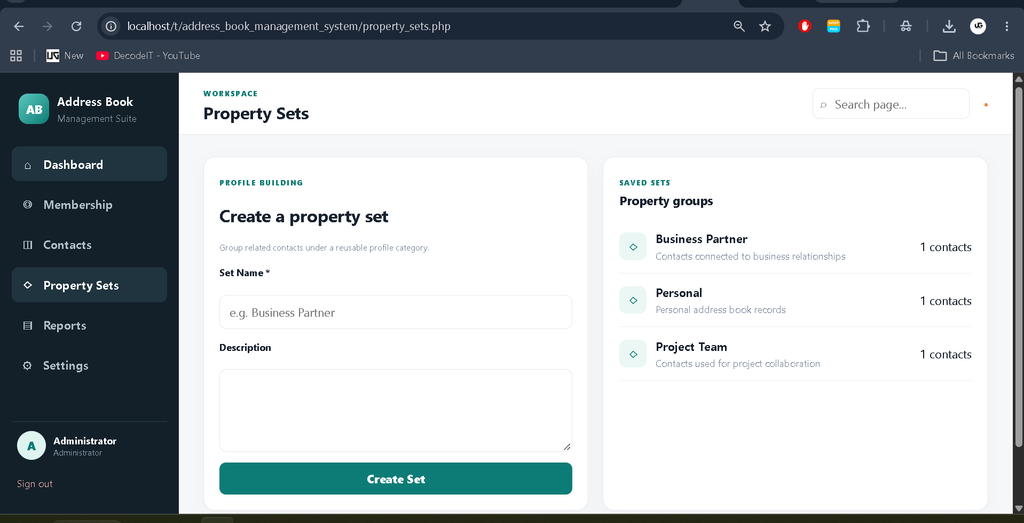
Property sets provide reusable groups for contacts. An administrator can create a set with a name and description and later assign contacts to it. The management screen also shows how many contacts belong to each set. This provides practical organization while keeping the database model understandable for a college project.
Reports and Settings
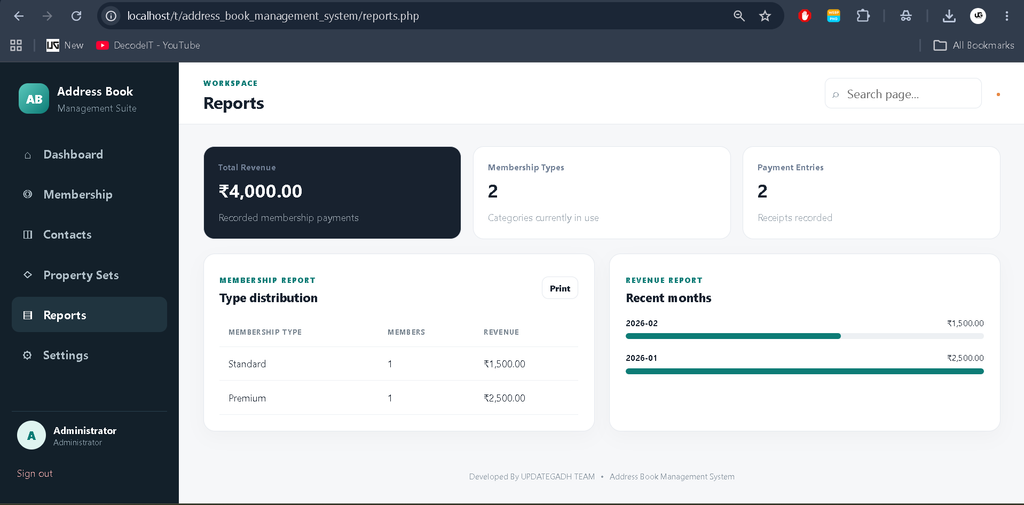
The reports area combines membership and payment information into readable summaries. Membership types are shown with their record counts and revenue, while recent payment months are displayed using a simple visual bar. Settings provide basic workspace preferences and password management. These modules complete the administrative workflow without adding unrelated functionality.
Technology Stack
- PHP: Handles server-side logic, authentication, validation, CRUD operations, and reporting.
- MySQL: Stores users, memberships, payments, contacts, property sets, and system settings.
- HTML: Defines the application pages and forms.
- CSS: Provides the unique responsive dashboard interface, tables, cards, forms, and print layout.
- JavaScript: Provides lightweight client-side search across visible records.
- XAMPP: Provides a convenient local Apache and MySQL environment for development.
Installation and Setup
- Download the project ZIP file and extract the project folder.
- Move the extracted folder into the XAMPP htdocs directory.
- Start Apache and MySQL from the XAMPP Control Panel.
- Open setup.php through the local project URL. The setup page creates the required database tables and the first administrator account.
- If your MySQL installation uses different credentials from the XAMPP defaults, update the database connection values at the top of setup.php before running setup.
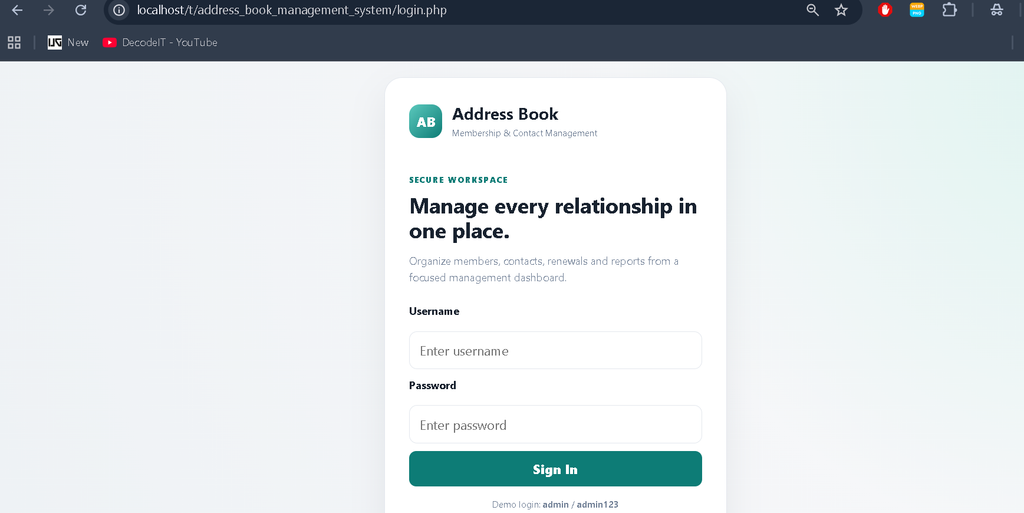
- Open the login page after setup and use the administrator credentials created by the setup process.
- After the first login, visit Settings and replace the default password with your own secure password.
Download complete source code
Screenshots
Usage
Begin from the dashboard after authentication. For a new member, open Membership and select the option to create a record. Enter the member’s identity, membership category, dates, amount, status, and address as required. Once saved, the member appears in the management table where the administrator can search or filter the record.
When a membership approaches expiry, use the renewal action from the member table. Enter the new expiry date and payment amount, then confirm the renewal. For physical record keeping, open the member’s card and use the browser print command. Use Contacts to create individual or organization records, select the most suitable contact type, and optionally assign a property set.
Use Reports when membership or revenue information needs to be reviewed. The report screen is intentionally simple so that a student can understand how grouped database queries become useful administrative summaries. Settings can be used whenever the system name, currency, timezone, or administrator password needs to be changed.
Frequently Asked Questions
What is the main purpose of this project?
The project provides one web-based workspace for membership administration and flexible contact management, supported by renewals, payment records, reports, and settings.
Which database is used?
The application uses MySQL. Its database includes tables for users, memberships, membership payments, contacts, property sets, and system settings.
Can an administrator renew an existing membership?
Yes. The renewal module updates the expiry date and can record the renewal amount and payment note.
Can a membership card be printed?
Yes. A dedicated printable membership-card page is available for each membership record.
Which contact types can be stored?
The supplied project supports address, email, long text, number, telephone, and URL contact values.
Can the administrator change the password?
Yes. The Settings page checks the current password before storing a new password.
Future Scope
- Add separate administrator roles and permissions for larger teams.
- Expand property sets into configurable custom property definitions.
- Add export options for membership and revenue reports.
- Add email or SMS reminders for upcoming membership expiry.
- Add more date-based dashboard analytics for membership and payment trends.
Conclusion
The Address Book Management System is a practical PHP and MySQL college project that combines membership administration with flexible contact organization. Its connected workflow demonstrates important development concepts including authentication, relational database design, CRUD operations, validation, search and filtering, payment recording, renewal processing, printable records, and reporting. The project remains intentionally medium-sized, making it suitable for students who want a realistic application that can still be understood, demonstrated, and maintained without unnecessary complexity.
Keywords:
PHP Address Book Management System, Address Book Management System in PHP, PHP MySQL Address Book Project, Address Book Project in PHP, Contact Management System in PHP, Contact Management System PHP MySQL, Membership Management System PHP, PHP MySQL Project, PHP Web Application, Address Management System, Contact Management System, PHP Project for Students, MySQL Project, College PHP Project, PHP CRUD Project, Address Book Project Source Code, PHP Contact Management Project, Web Based Address Book System, UPDATEGADH,Address Book Management System in PHP and MySQL