Disaster Management System Using Python and Django
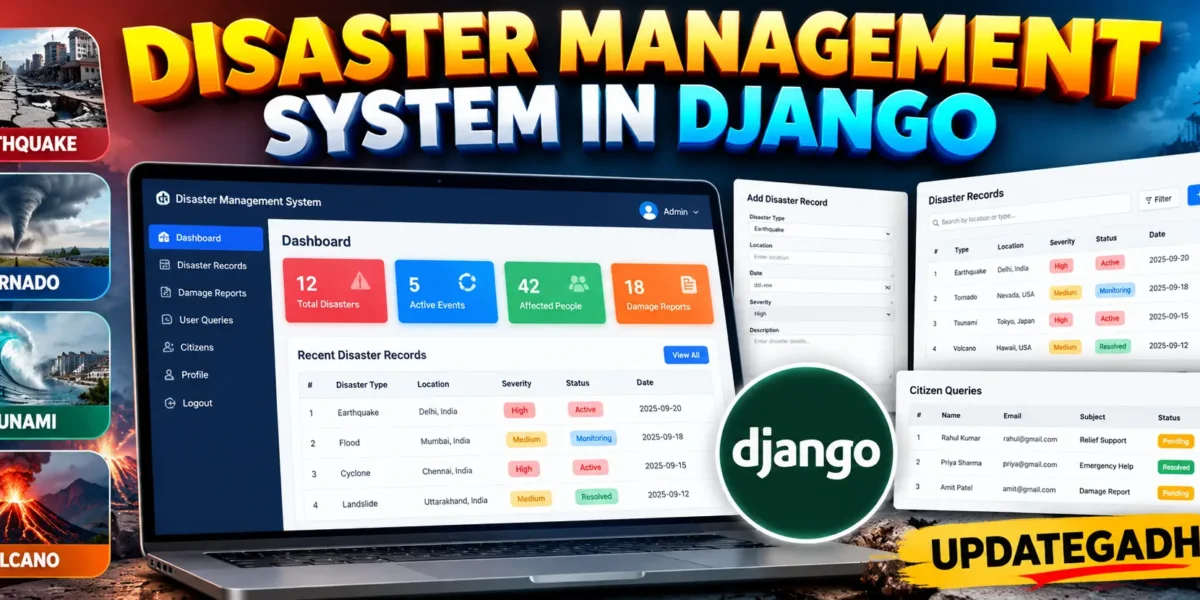
Disaster Management System in Django is a medium-level college project designed to organize disaster information, affected-area details, damage reports, and public queries through one web-based platform. The application uses Django and SQLite to provide a practical workflow for recording and reviewing information related to earthquakes, tornadoes, tsunamis, and volcanic activity. Instead of keeping disaster information in separate files, the system brings important records into a structured database and presents them through a professional dashboard.
Table of Contents
Complete Advance AI Topics: Click Here
Real Time Projects on YouTube:- DecodeIT
Project Overview
The system provides two main user experiences: a citizen area and a custom administrator area. Citizens can create an account, sign in, submit damage reports, and send queries to the administration. Administrators can review the overall situation, create and update disaster records, inspect submitted damage reports, and manage queries. The project intentionally uses a custom dashboard rather than relying on Django’s built-in admin interface, making the application more suitable for demonstrating a complete college-level web system.
The database stores disaster type, location, severity, description, affected people, reporting time, and current status. Disaster records can be marked as Active, Monitoring, or Resolved. This status-based workflow gives administrators a simple way to communicate the current state of an incident.
Key Features
- Custom registration and login for users.
- Separate administrator and citizen access.
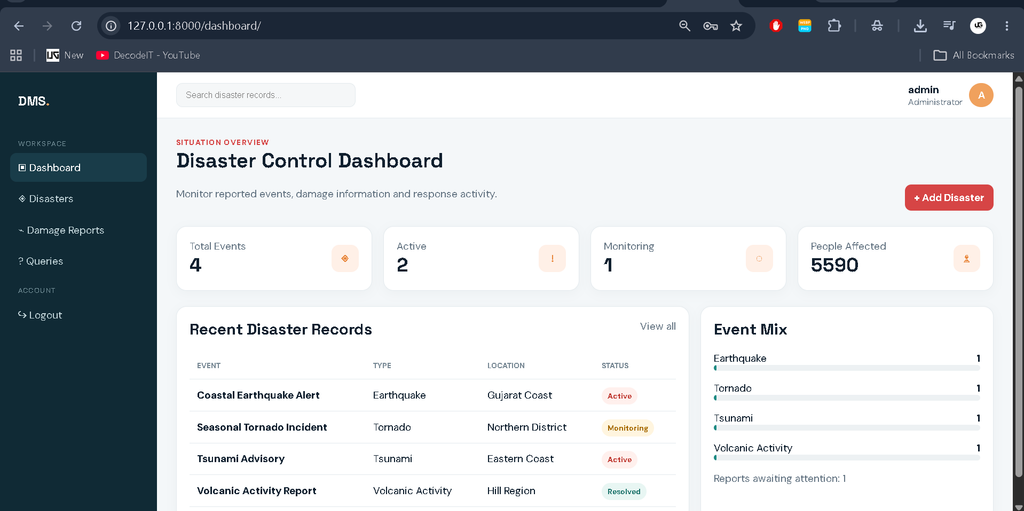
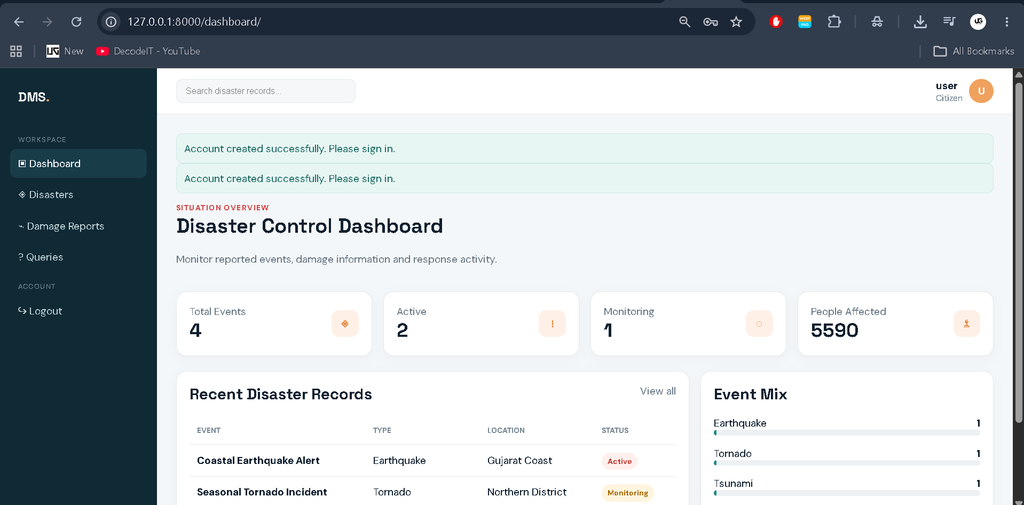
- Dashboard showing total, active, monitoring, and resolved disaster records.
- Support for earthquake, tornado, tsunami, and volcanic activity records.
- Create, view, update, and delete disaster records for administrators.
- Search and filtering by disaster title, location, type, and status.
- Damage reporting with affected people, damaged homes, infrastructure notes, and estimated loss.
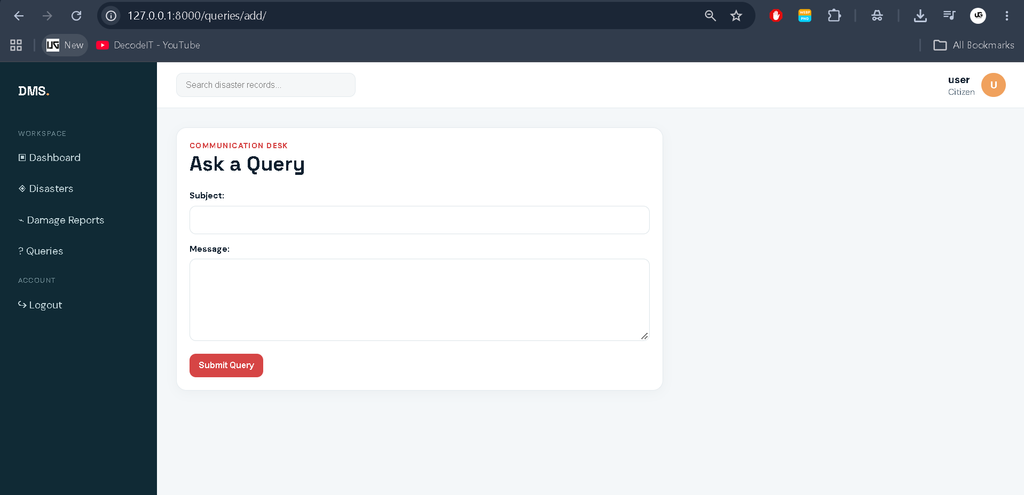
- Citizen query submission and administrator response management.
- Responsive tables, forms, status badges, KPI cards, and recent records.
User Roles
Administrator
The administrator manages the main disaster registry and reviews information submitted by citizens. The administrator dashboard provides an operational overview and quick access to incident records. Administrators can add new disaster events, edit existing records, change their status, delete incorrect records, inspect damage reports, and update the status and response of submitted queries.
Citizen
A citizen can register and sign in without accessing administrative controls. After authentication, the citizen can view disaster records, submit a damage report connected to a disaster, and send a query to the management team. Citizens can also review their submitted reports and queries through the relevant modules.
Project Modules
1. Authentication Module
The authentication module provides registration, login, and logout functionality. Passwords are handled through Django’s authentication system, while the application interface determines whether the signed-in user has administrator access.
2. Disaster Registry
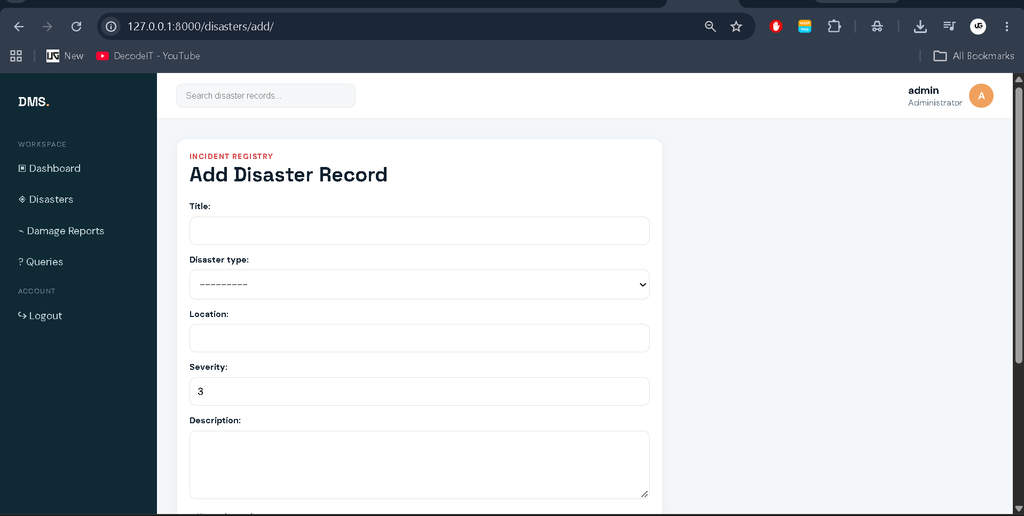
This is the central module of the project. Each record contains a title, disaster type, location, severity level, description, number of affected people, reported date, and status. Administrators can maintain the registry while users can browse the available records.
3. Damage Reports
The damage-reporting module connects an impact report with a specific disaster. A report can include the affected area, people affected, homes damaged, infrastructure information, estimated financial loss, and additional notes. This creates a structured record of the consequences associated with an incident.
4. Query Management
Citizens can submit questions or requests through the query module. Administrators can review these entries, change their status to Open, In Review, or Resolved, and provide a response. This creates a simple communication workflow between citizens and the management team.
Download complete source code
Screenshot
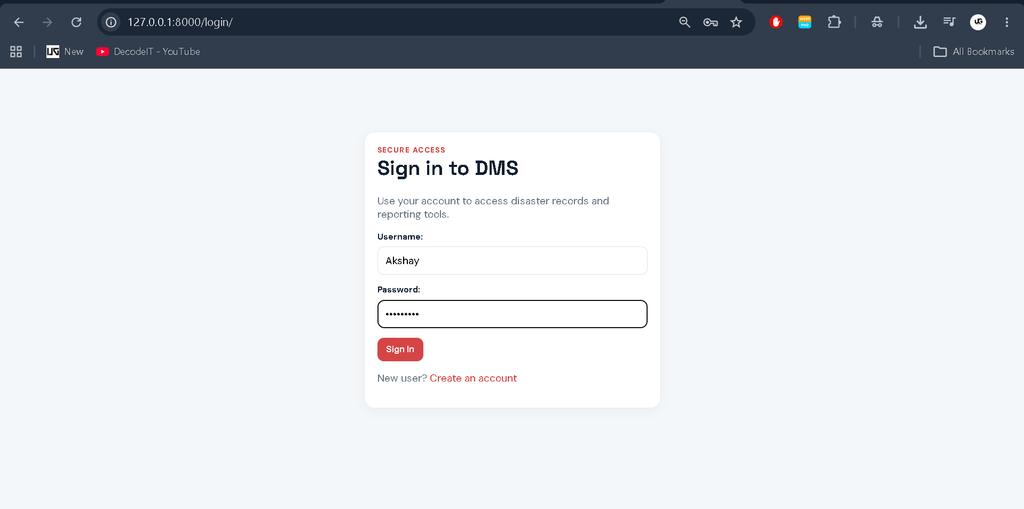
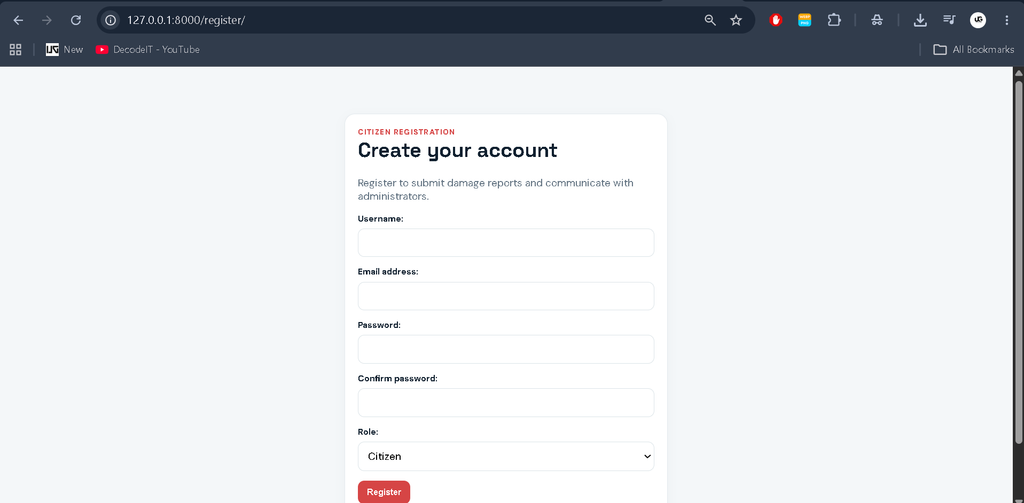
Professional Dashboard
The project uses a disaster-response visual identity rather than a generic student dashboard. A dark emergency-themed sidebar provides navigation to the dashboard, disaster registry, damage reports, queries, and logout. The top navigation area presents the signed-in user’s identity. KPI cards summarize total events, active incidents, monitoring records, and affected people. Recent disaster records are presented in a clean table, while an event-mix panel provides a quick view of the supported disaster categories.
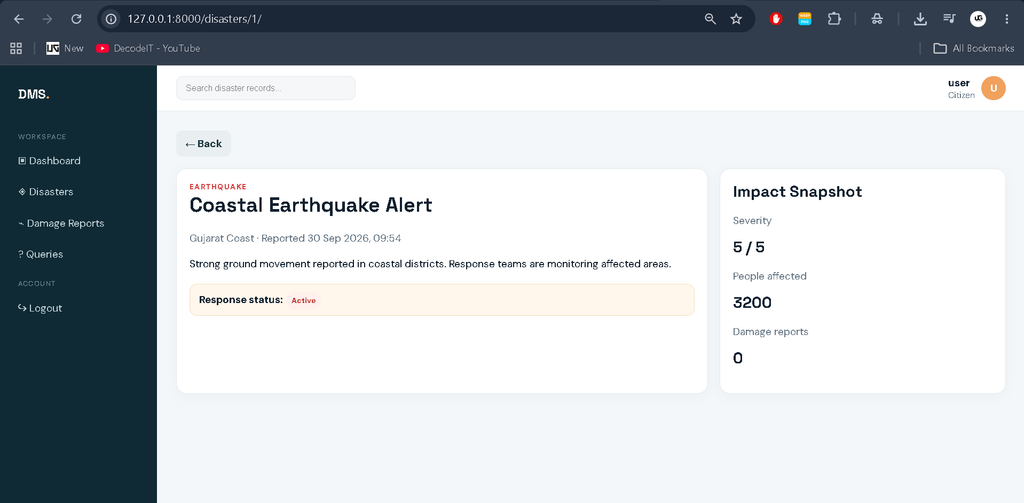
Individual disaster pages use an impact snapshot containing severity, affected people, and related damage reports. Forms use clear labels, validation messages, responsive inputs, and action buttons. Tables include useful filters and status badges so that a growing collection of records remains manageable. The interface is responsive for desktop, laptop, tablet, and smaller mobile screens.
Technologies Used
| Technology | Purpose |
|---|---|
| Python | Application programming language |
| Django | Web framework and application workflow |
| SQLite | Database storage |
| HTML | Page structure |
| CSS | Responsive professional interface |
How the System Works
The normal workflow begins when a user creates an account and signs in. The dashboard then presents information according to the available role. The administrator maintains disaster records in the registry. When a disaster is reported, its type, location, severity, description, affected population, date, and status can be recorded. Citizens can contribute additional impact information through damage reports. Questions are submitted through the query module and can later receive an administrative response.
Because the modules are connected through database relationships, a disaster can have multiple damage reports, while each damage report identifies the user who submitted it. Queries are also linked to their submitting users. These relationships keep the information organized and demonstrate practical database integration within a Django college project.
Installation and Setup
First, extract the project and open its folder in Visual Studio Code. Create and activate a Python virtual environment, then install the required package.
python -m venv venv
venv\Scripts\activate
pip install -r requirements.txt
Next, create the database tables and load demonstration records.
python manage.py migrate
python manage.py seed_data
python manage.py runserver
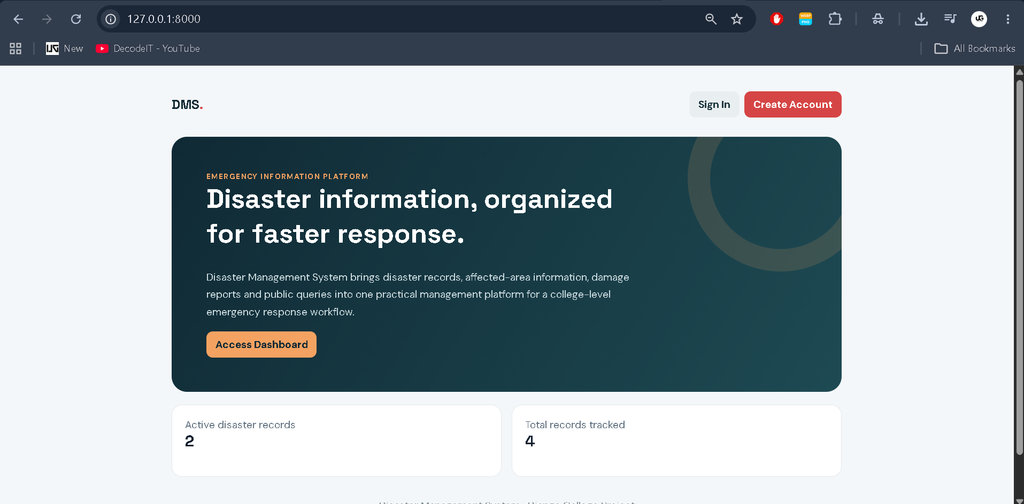
Open http://127.0.0.1:8000/ in a browser. The supplied demonstration administrator is admin with password admin123. A demonstration citizen account is also created as citizen with password citizen123. These credentials are intended for local project demonstration and should be changed for any real deployment.
Usage
Administrators can start from the dashboard and open the Disaster Records module to add or maintain incidents. The search and filter controls help locate records by title, location, disaster type, or status. Citizens can use the Damage Reports section to record observed impact and the Queries section to contact the management team. The dashboard and detail pages then provide a consolidated view of the information stored in the database.
Frequently Asked Questions
What is the purpose of this project?
It provides a structured Django application for managing disaster records, damage information, and communication queries.
Which disaster types are supported?
The current system supports earthquakes, tornadoes, tsunamis, and volcanic activity.
Does the project use Django Admin?
No. The project provides its own custom management dashboard and forms.
Which database is used?
SQLite is used because it is simple to configure and suitable for a college project.
Who can submit damage reports?
Authenticated users can submit damage reports through the citizen workflow.
Can administrators update queries?
Yes. Administrators can change query status and provide a response.
Future Scope
- Add map-based visualization for disaster locations.
- Introduce email or SMS notifications for important status changes.
- Add downloadable summary reports for administrators.
- Provide richer historical analytics for disaster categories and impact.
- Connect verified external emergency data sources in a future version.
Conclusion
The Disaster Management System in Django provides a practical medium-level college project that combines authentication, database relationships, CRUD operations, search and filtering, damage reporting, query management, and a professional responsive interface. Its focus remains on organizing disaster information rather than introducing unnecessary enterprise complexity. The project is therefore suitable for demonstrating Django fundamentals, database design, user workflows, and modern web UI development in an academic environment.
Keywords:
disaster management system in django, disaster management system project in django, disaster management system python, django disaster management project, disaster management project, django project, python django project, disaster management system source code, disaster management project in python, django college project, python college project, disaster management software, disaster reporting system, disaster monitoring system, emergency management system, earthquake management system, tsunami management system, tornado management system, volcanic activity management, django sqlite project, django CRUD project, django dashboard,disaster management system disaster management system – Google Search disaster management system project disaster management system in india disaster management system project github disaster management system github disaster management systems inc disaster management system in bangladesh disaster management system in pakistan disaster management system website disaster management systems triage tags