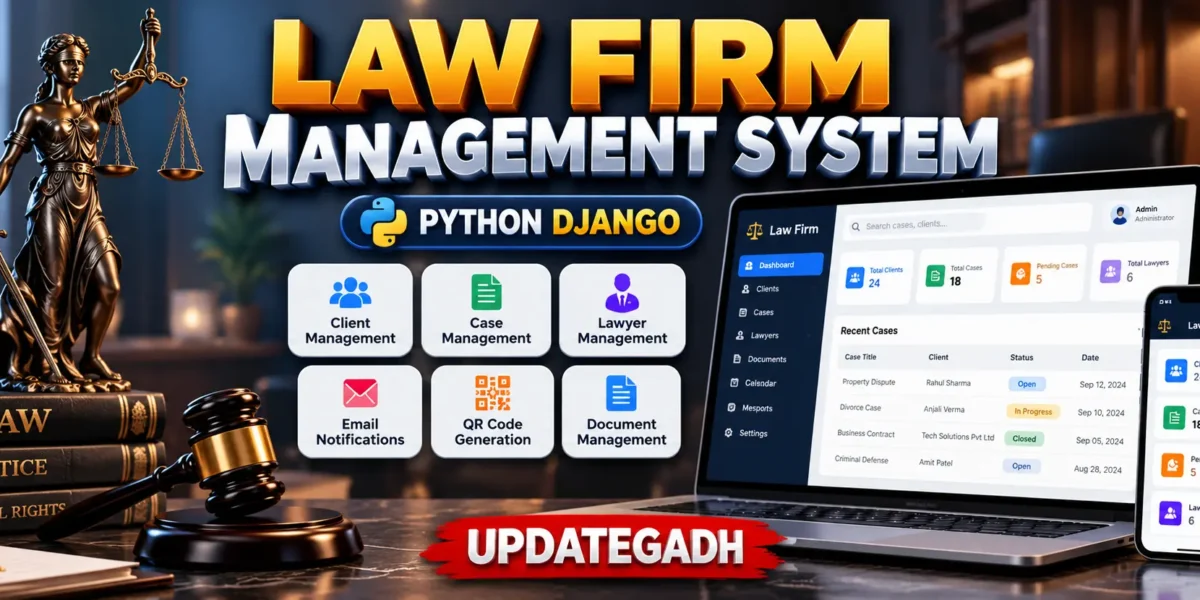
Law Firm Management System Using Django
The Law Firm Management System is a web-based application developed using Python and Django to help law firms organize and manage their daily operations more efficiently. The system provides a structured platform for managing clients, lawyers, legal cases, documents, notifications, and other important information from a centralized application.
Designed for modern legal offices and law-related organizations, this project combines legal case management with a user-friendly web interface. It helps simplify routine administrative tasks and provides users with an organized way to access and maintain case-related information.
The system is suitable for law firms, individual legal practitioners, legal offices, and students looking for a practical Django-based management system project.
Table of Contents
Complete Advance AI Topics: Click Here
Real Time Projects on YouTube:- DecodeIT
Project Summary
| Project Name | Law Firm Management System |
|---|---|
| Language/s Used | Python, Django |
| Django Version | Django 3.x or newer |
| Database | PostgreSQL / SQLite |
| Type | Web Application |
| Status | Complete Run and Tested |
Key Features of Law Firm Management System
The project includes several modules designed to support common law firm management activities. The available functionality helps users maintain legal records and manage case-related information through a centralized system.
User Authentication System
The system provides a secure authentication mechanism for different types of users. Depending on the available permissions, users such as administrators, lawyers, and clients can access the appropriate sections of the application.
Case Management
The Case Management Module allows users to create and manage legal cases. Case information can be organized and updated according to its current status, making it easier to keep track of ongoing legal matters.
Client Management
The system provides functionality for maintaining client information. Important client details can be stored and associated with relevant legal cases for easier record management.
Lawyer Management
Lawyers can be managed within the system along with their associated cases and client information. This helps organize lawyer assignments and case-related records.
Email Integration
Email functionality can be used to send important case-related notifications and updates. This provides a convenient communication method between the system and registered users.
QR Code Generation
The project includes QR code functionality for generating quick-access codes related to available documents or references. This can make accessing specific information more convenient.
Document Management
Relevant legal documents can be uploaded and associated with clients or cases. This provides a centralized method for organizing important case-related files.
Responsive Interface
The web interface is designed to work across different screen sizes. Users can access the application through desktops, laptops, tablets, and smartphones using a modern web browser.
Complete Run Setup
The Law Firm Management System can be configured locally using Python and Django. Before starting the project, make sure the required software and dependencies are available on your computer.
Environment Requirements
- Python: 3.8 or newer
- Django: 3.x or newer
- Database: PostgreSQL or SQLite
- PIP: Required for installing Python packages
- Web Browser: Google Chrome, Mozilla Firefox, or another modern browser
- Code Editor: Visual Studio Code or any suitable Python editor
Download complete source code
Installation Guide
Follow the steps below to set up the project in a local development environment.
Step 1: Extract the Project
First, extract the project ZIP file into a suitable folder on your computer.
Step 2: Open the Project
Open the extracted project folder in Visual Studio Code or another suitable code editor. Then open the terminal inside the project directory.
Step 3: Create a Virtual Environment
Create a Python virtual environment using the following command:
python -m venv envActivate the virtual environment on Windows:
env\Scripts\activateOn Linux or macOS, use:
source env/bin/activateStep 4: Install Required Packages
Install the dependencies included with the project by running:
pip install -r requirements.txtStep 5: Apply Migrations
Run the Django migration commands to prepare the database:
python manage.py makemigrations
python manage.py migrate
Step 6: Create an Admin Account
Create a Django superuser to access the administration section:
python manage.py createsuperuserEnter the required username, email address, and password when prompted.
Step 7: Run the Project
Start the Django development server using:
python manage.py runserverAfter the server starts successfully, open the local application in your web browser.
Technologies Behind the System
- Python: Primary programming language used for application development.
- Django: Backend web framework used to build the application.
- PostgreSQL: Relational database option for storing application data.
- SQLite: Lightweight database option for quick local setup and testing.
- HTML5 and CSS3: Used for developing the web interface.
- JavaScript: Used for interactive frontend functionality.
- Gunicorn and Whitenoise: Deployment-related tools included in the project environment.
- Integrated Libraries: Used for QR code generation and email-related functionality.
Frequently Asked Questions (FAQ)
What is the Law Firm Management System?
The Law Firm Management System is a web-based application developed using Python and Django for managing clients, lawyers, legal cases, documents, notifications, and related records.
Which technology is used to develop this project?
The project is developed using Python and Django, with HTML, CSS, JavaScript, and a relational database for application development and data management.
Which database is supported by the Law Firm Management System?
The system supports PostgreSQL and can also use SQLite for quick local setup and testing.
Does the system include case management?
Yes. The system includes a Case Management Module that allows users to create, manage, update, and track legal case information.
Can clients and lawyers be managed through the system?
Yes. The system provides functionality for managing client profiles, lawyer information, assignments, and their associated case records.
Does the project support document management?
Yes. Relevant legal documents can be uploaded and associated with clients or legal cases through the document management functionality.
Does the system provide email functionality?
Yes. Email integration is included for sending case-related notifications and updates to registered users.
Does the project include QR code generation?
Yes. The system includes QR code generation functionality for providing quick access to available documents or references.
Can the Law Firm Management System run locally?
Yes. The project can be configured and run in a local development environment using Python, Django, and the required project dependencies.
Which Python version is required?
Python 3.8 or newer is recommended for setting up the project.
How can I start the Django project?
After installing the required dependencies and applying the database migrations, the project can be started using the Django development server with the python manage.py runserver command.
Is the project suitable for students?
Yes. The project can be useful for students who want to study or develop a practical management system using Python and Django.
Keywords
management system using python, management system project in python with source code, python for management, law firm management software India, law practice management software, best software for law firms, legal practice management software, case management software for lawyers India, legal software for small firms, legal management system, law firm management system, law firm management system in Django, law firm case management software, law firm management project in Python, Django law firm management system