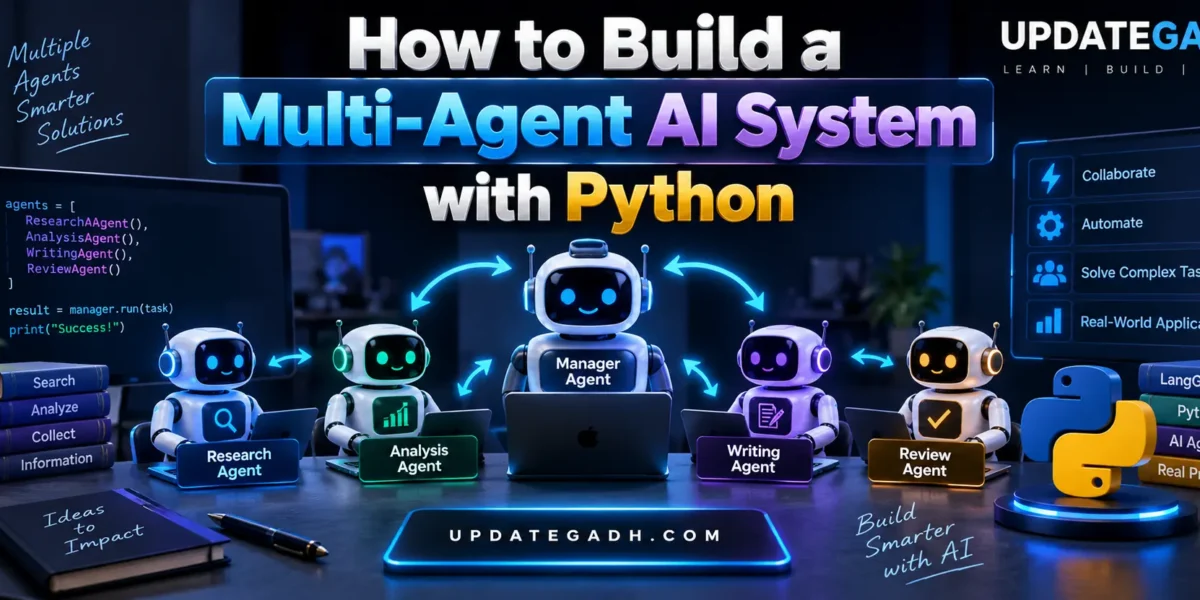
How to Build a Multi-Agent AI System with Python
Artificial Intelligence is moving beyond simple chatbot applications. Modern AI systems can divide a complex task into smaller jobs and allow multiple specialized agents to work together. This approach is known as a Multi-Agent AI System.
Instead of asking one AI agent to perform research, write content, analyze information, and review the result, a multi-agent system can assign each responsibility to a different agent. Python provides a flexible environment for developing these systems with frameworks such as LangGraph and agent-based SDKs.
What Is a Multi-Agent AI System?
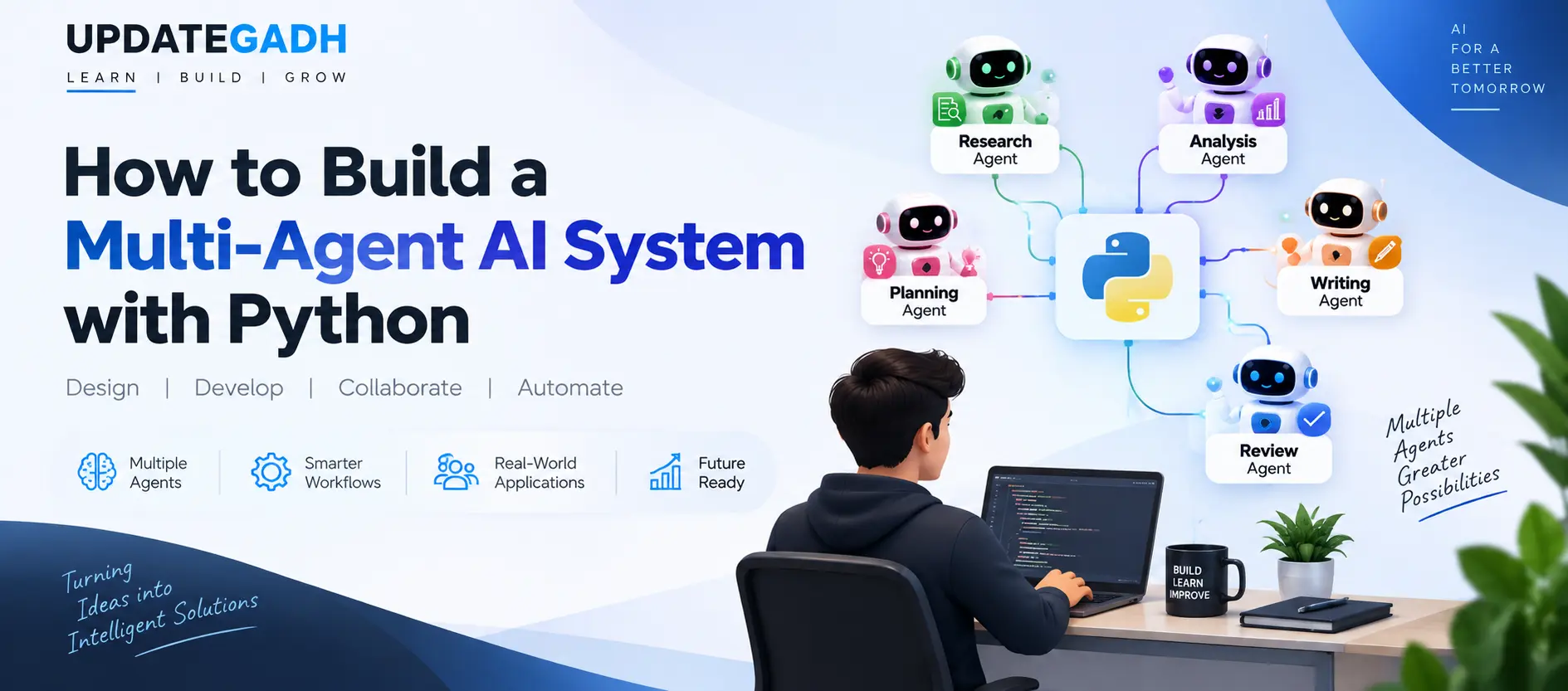
A multi-agent AI system is an application in which multiple AI agents collaborate to complete a larger task. Each agent can have its own instructions, tools, responsibilities, and workflow.
For example, an AI research system could contain:
- Research Agent: Collects and organizes information.
- Analysis Agent: Examines the collected information.
- Writing Agent: Converts the analysis into readable content.
- Review Agent: Checks the final result for errors and quality.
- Manager Agent: Coordinates the complete workflow.
Frameworks such as LangGraph are designed for stateful, multi-step agent workflows, while modern agent SDKs can provide concepts such as agent handoffs, tools, guardrails, and tracing.
How Multi-Agent AI Works
The basic workflow can be represented as:
User Task
    ↓
Manager Agent
    ↓
Research Agent
    ↓
Analysis Agent
    ↓
Writing Agent
    ↓
Review Agent
    ↓
Final Response
The manager decides which specialized agent should handle each part of the task. Agents can communicate through shared state, messages, tools, or handoffs depending on the architecture being used. LangGraph supports graph-based workflows where agents can be represented as nodes and their relationships as workflow transitions.
YT:- DecodeIT
Why Use Multiple AI Agents?
A single agent may become difficult to manage when it needs many tools and responsibilities. Splitting the application into specialized agents can make the system easier to organize, test, and improve.
- Tasks can be divided into smaller responsibilities.
- Each agent can have a focused prompt.
- Different tools can be assigned to different agents.
- Individual agents can be tested independently.
- Complex workflows can be represented as controlled steps.
- Human approval can be added to important stages.
LangGraph specifically supports customizable workflows, persistence, memory, streaming, and human-in-the-loop patterns for agent applications.
Requirements
Before building the project, install the following:
- Python 3.10 or newer
- VS Code
- OpenAI API key or another supported AI model provider
- Basic knowledge of Python
- Basic understanding of APIs and AI models
For a LangGraph-based implementation, current documentation supports Python packages for creating stateful agent workflows and multi-agent architectures.
Step 1: Create the Python Project
Create a new folder and open it in VS Code.
mkdir multi-agent-ai
cd multi-agent-ai
Create a virtual environment:
python -m venv venvActivate it on Windows:
venv\Scripts\activateStep 2: Install Required Libraries
For a simple LangGraph-based project, install the required packages:
pip install langgraph langchain-openaiKeep your API credentials outside your source code. For example, use an environment variable:
set OPENAI_API_KEY=your_api_keyStep 3: Create Specialized Agents
The important idea is to give every agent a clearly defined responsibility. For example, the research agent should focus on collecting information while the writer should concentrate on producing the final content.
def research_agent(state):
    task = state["task"]

    research = f"Research information about: {task}"

    return {
        "research": research
    }


def analysis_agent(state):
    research = state["research"]

    analysis = f"Analyze the following information: {research}"

    return {
        "analysis": analysis
    }


def writer_agent(state):
    analysis = state["analysis"]

    result = f"Create a final response using: {analysis}"

    return {
        "result": result
    }
In a real application, these functions would call an AI model instead of returning simple strings.
Step 4: Define the Shared State
Agents need a way to pass information between different stages. A shared state can store the original task, research, analysis, and final output.
from typing import TypedDict

class AgentState(TypedDict):
    task: str
    research: str
    analysis: str
    result: str
This state becomes the common information layer used by the workflow.
Step 5: Connect the Agents
LangGraph allows developers to create a graph where individual processing steps are connected together.
from langgraph.graph import StateGraph, START, END

builder = StateGraph(AgentState)

builder.add_node("research", research_agent)
builder.add_node("analysis", analysis_agent)
builder.add_node("writer", writer_agent)

builder.add_edge(START, "research")
builder.add_edge("research", "analysis")
builder.add_edge("analysis", "writer")
builder.add_edge("writer", END)

workflow = builder.compile()
Now the workflow follows a controlled sequence: research, analysis, and writing. More advanced systems can introduce conditional routing, loops, parallel agents, tool calls, or human approval steps.
Step 6: Run the Multi-Agent Workflow
Finally, provide a task to the workflow.
result = workflow.invoke({
    "task": "Explain the benefits of artificial intelligence",
    "research": "",
    "analysis": "",
    "result": ""
})

print(result["result"])
The system processes the task through each connected stage and returns the final result.
Manager-Based Multi-Agent Architecture
For larger applications, you can introduce a manager agent. Instead of always following a fixed sequence, the manager decides which specialized agent should handle the next step.
                Manager Agent
                /     |      \
               /      |       \
        Research   Analysis   Writer
             \        |        /
              \       |       /
                 Final Output
This pattern is useful when different requests require different specialists. OpenAI’s agent guidance describes a manager pattern in which a central agent coordinates specialized agents through tools, while handoff-based architectures allow agents to transfer control to one another.
Important Design Considerations
Building multiple agents does not automatically make an AI application better. The workflow should be designed around the actual problem.
- Give every agent a specific responsibility.
- Keep prompts focused and clear.
- Limit unnecessary agent-to-agent communication.
- Validate important outputs before using them.
- Track model calls and failures during development.
- Use human approval for sensitive or high-impact actions.
- Control the amount of information passed between agents.
Complete Advance AI Topics: Click Here
SQL Tutorial: Click Here
Applications of Multi-Agent AI Systems
Multi-agent architectures can be used for many practical applications, including:
- AI research assistants
- Automated content creation
- Customer support systems
- Software development assistants
- Document analysis
- Business workflow automation
- Data analysis pipelines
- AI-powered educational assistants
Conclusion
Building a Multi-Agent AI System with Python is a practical way to understand the next generation of AI applications. Instead of depending on one general-purpose agent, developers can create specialized agents and connect them through a controlled workflow.
Python makes experimentation straightforward, while frameworks such as LangGraph provide the infrastructure required for stateful and customizable agent workflows. As your project becomes more advanced, you can add tools, memory, conditional routing, human-in-the-loop approval, monitoring, and more sophisticated agent collaboration.
For students and developers learning modern AI development, a multi-agent project is also a strong way to understand how individual AI capabilities can be combined into a larger intelligent application.
Keywords: How to Build a Multi-Agent AI System with Python, Multi-Agent AI System, Multi Agent AI Python, Python AI Agents, Multi-Agent Systems, LangGraph Python, AI Agent Tutorial, Python AI Tutorial,Multi-Agent AI System Multi Agent AI Python Multi-Agent System Python AI Agents with Python Python AI Agents Build AI Agents with Python Multi-Agent AI Tutorial Python AI Tutorial AI Agent Tutorial AI Agent Development AI Automation with Python Multi-Agent Architecture AI Agent Workflow AI Agent Collaboration Intelligent AI Agents Generative AI Agents LangGraph Python LangGraph Multi-Agent LangGraph AI Agents Python Generative AI Multi-Agent Framework AI Workflow Automation Building AI Applications with Python Advanced Python AI Projects AI Development Tutorial