Introduction
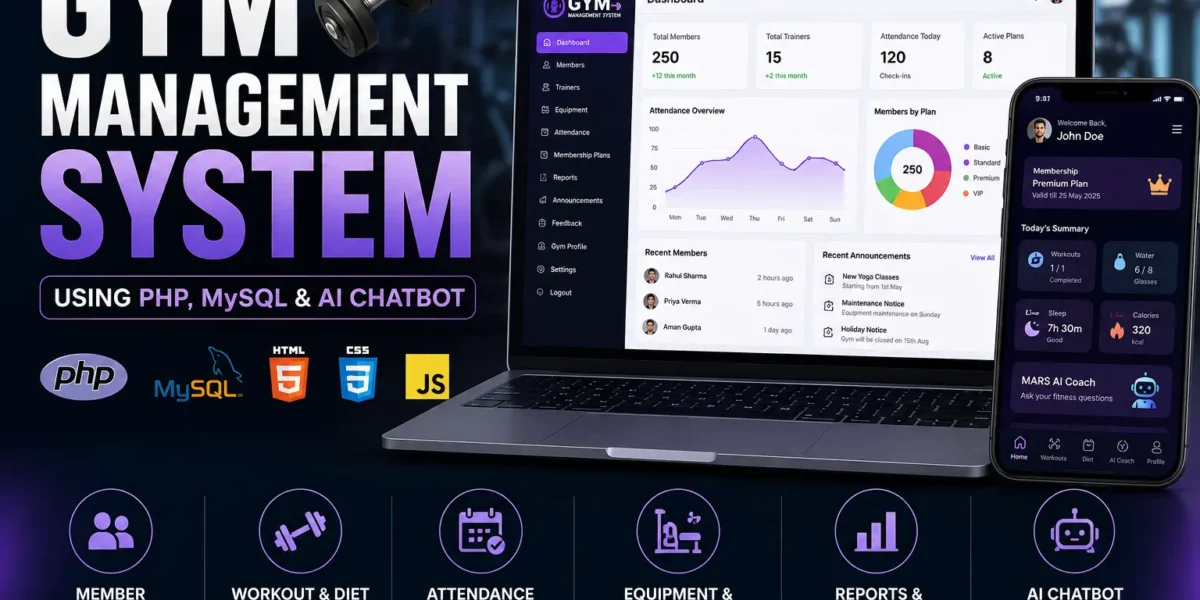
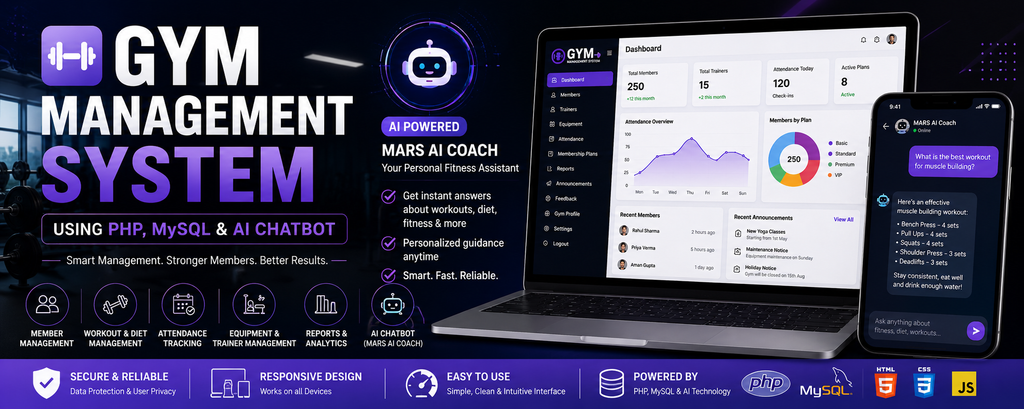
A simple project on Gym Management System can be a very useful way for students to understand how a complete web-based application works in a real-world environment. This project is developed using PHP and MySQL, with HTML5, CSS3, and JavaScript used for the frontend. Along with regular gym management functionality, the project also includes an AI-based chatbot called MARS AI, which provides an interactive way for members to ask fitness-related questions.
The main purpose of this project is to manage important gym activities through a single web application. It provides separate areas for administrators and members, allowing each role to work with the information relevant to them. Administrators can manage members, trainers, equipment, attendance, membership plans, announcements, feedback, reports, and gym information. Members can access their dashboard and manage personal fitness information such as workouts, diet, water intake, sleep, health details, and other fitness-related sections.
One of the interesting parts of this project is the AI Coach. The application contains a dedicated chatbot interface where authenticated members can interact with MARS AI. The chatbot is connected with an AI service and is designed to respond to questions related to workouts, diet, and fitness guidance. There is also a built-in fitness knowledge base for common workout topics, making the AI section an important practical component of the project.
Table of Contents
Project Overview
| Project Detail | Information |
|---|---|
| Project Name | Gym Management System |
| Language/s Used | PHP, HTML5, CSS3, JavaScript |
| Database | MySQL |
| Type | Web-based Gym Management System |
| Developer | UPDATEGADH |
Project Objective
The objective of the Gym Management System is to provide a centralized platform for organizing gym-related activities. In a traditional setup, member information, trainer details, attendance, equipment records, workout information, and other records may be maintained separately. This project brings these activities into a structured digital system.
The application provides two major user areas: the Administrator side and the Member side. The administrator has control over the management sections, while members receive a personalized interface for their own fitness information.
Another objective of the project is to demonstrate the use of AI in a practical web application. The MARS AI Coach gives members an interactive chatbot experience. Instead of accessing only static information, members can type questions and receive responses from the AI service.
The project therefore combines conventional database management with modern AI functionality, making it a useful academic project for students who want to understand both backend web development and basic AI service integration.
Available Features
Member Features
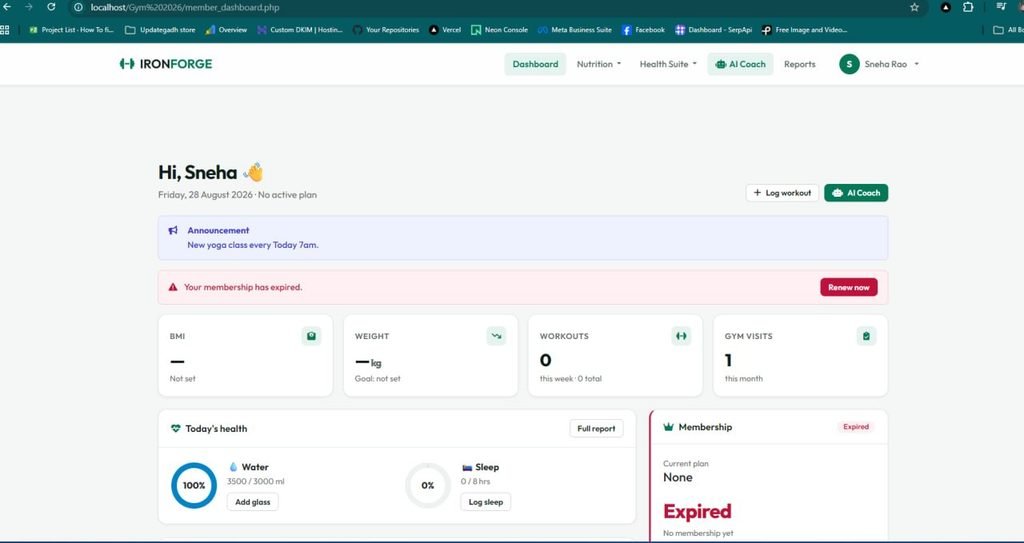
- Personalized Dashboard: Overview of membership, fitness, and personal information.
- Profile Management: Manage personal details, physical stats, BMI, and fitness goals.
- Health Declaration: Submit basic health and fitness information.
- Workout Management: Manage workout routines and activity records.
- Diet & Nutrition: Access diet plans and nutrition information.
- Premium Diet: Access additional diet-plan content.
- Water Tracker: Track daily water intake.
- Sleep Monitor: Record and monitor sleep information.
- MARS AI Coach: AI chatbot for workout, diet, fitness, and injury-related queries.
- Diet Consultation: Get diet-related guidance and meal analysis.
- IoT Dashboard: Manage and view connected fitness-device data.
- Activity Reports: Track fitness progress, consistency, strength, and daily activity.
- Membership Plans: View available membership plans.
- Feedback: Submit feedback about the gym and services.
Administrator Features
- Admin Dashboard: Centralized overview of gym operations.
- Member Management: Add, view, edit, and remove members.
- Member Details: View detailed member and fitness information.
- Trainer Management: Manage trainers and their details.
- Equipment Management: Track equipment and maintenance status.
- Attendance Tracking: Manage member check-ins and check-outs.
- Membership Plan Management: Create and manage membership plans.
- Subscription Management: Manage member subscription records.
- Reports & Analytics: View gym and operational reports.
- Announcements: Create and manage member announcements.
- Feedback Management: Review and manage member feedback.
- Gym Profile: Manage gym information and contact details.
Technologies Used
The frontend of the project uses HTML5, CSS3, and JavaScript. HTML5 provides the structure of pages and forms, while CSS3 controls the visual appearance and layouts. JavaScript is used for client-side interactions, including the chatbot interface.
The backend is developed using PHP. PHP handles authentication, sessions, database operations, form processing, member management, and communication between the application and other services.
The project uses MySQL as its database system. The database_setup.sql file contains the database structure required by the application. The database includes tables for administrators, members, membership plans, subscriptions, health information, workouts, diets, IoT devices, trainers, equipment, announcements, attendance, feedback, diet consultations, and other application data.
AI Integration
The AI functionality is implemented through the MARS AI Coach. The frontend chatbot is provided through ai_coach.php, while backend/gemini_chat.php handles the server-side AI request.
The backend verifies that a member is authenticated before processing a chatbot request. It receives the user’s message, prepares a fitness-focused system prompt, and sends the request to the configured Gemini AI model. The generated response is then returned to the chatbot interface.
This implementation is especially useful from a learning perspective because it demonstrates the basic flow of an AI-powered web feature:
Member
   ↓
AI Chatbot Interface
   ↓
PHP Backend
   ↓
AI Service
   ↓
Generated Response
   ↓
Chatbot Interface
The project also includes an API key configuration file, which allows the AI service credentials to be kept separately from the main chatbot logic.
Installation Guide for VS Code
Step 1: Install the Required Environment
Install Visual Studio Code and a local PHP/MySQL server environment such as XAMPP.
After installing XAMPP, open the XAMPP Control Panel and start:
Apache
MySQL
Both services should be running before opening the application.
Step 2: Extract the Project
Extract the project folder into the XAMPP htdocs directory.
For example:
C:\xampp\htdocs\gym-management-main
Open Visual Studio Code and select the project folder:
File > Open Folder > gym-management-main
Step 3: Configure the Database
Open the following file in VS Code:
backend/db.php
Check the database connection configuration. A local MySQL configuration can follow this format:
$host = "localhost";
$user = "root";
$password = "";
$database = "gym_management";
Use the database name and credentials configured for your local MySQL installation.
Step 4: Create the MySQL Database
Open a browser and enter:
http://localhost/phpmyadmin
Create the required database.
After creating the database, open the Import section and select:
database_setup.sql
Run the import so that the required tables are created.
Step 5: Configure the AI Service
The project contains:
backend/api_key.php
This file is used by the AI backend to access the configured AI service.
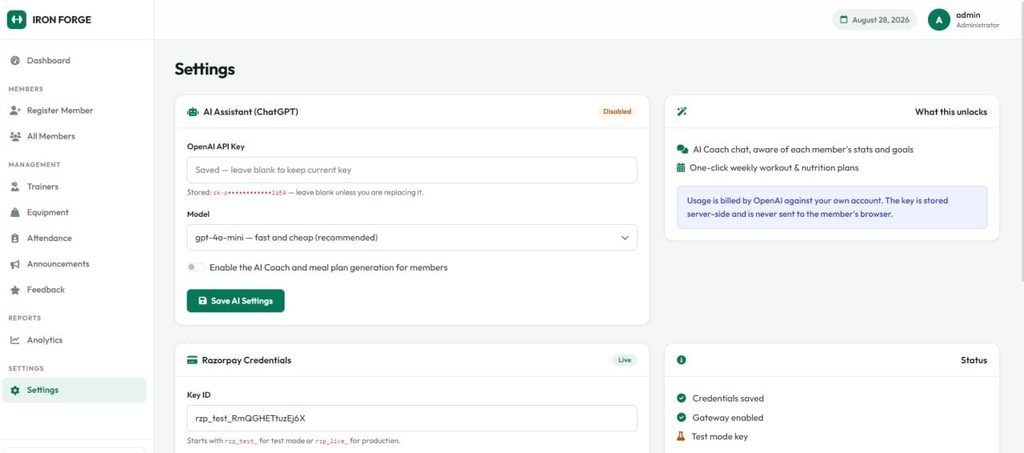
The chatbot backend expects the AI key to be available through the $GEMINI_API_KEY variable. Configure the key according to the project’s existing setup before testing the AI Coach.
The AI request is handled by:
backend/gemini_chat.php
Step 6: Open the Setup Page
The project contains a setup file that can be accessed through the local server:
http://localhost/gym-management-main/setup.php
Run the setup process when required by the project configuration.
Step 7: Start the Application
Open the main application in your browser:
http://localhost/gym-management-main/
The login or landing page should appear.
If the folder has been renamed, replace gym-management-main in the browser address with the actual folder name.
YT:- DecodeIT
Usage
Administrator Usage
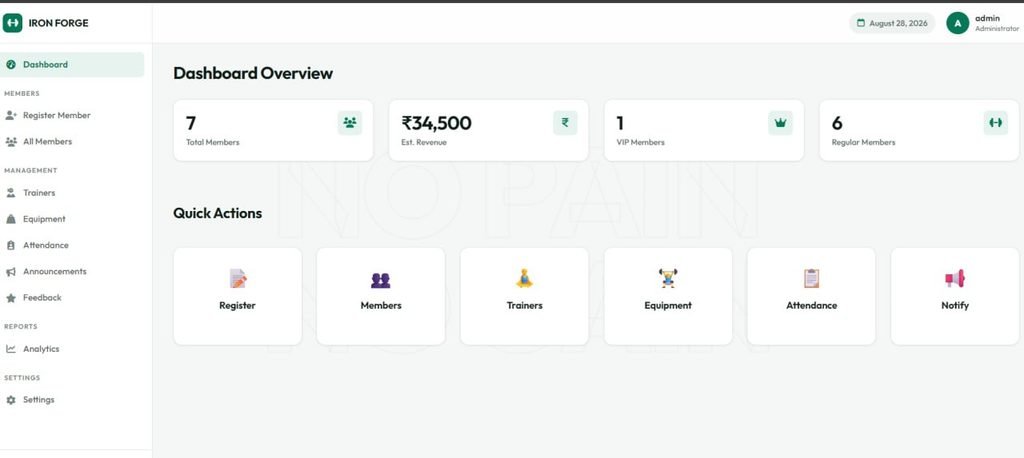
The administrator starts by logging into the administrator section. After successful authentication, the admin dashboard provides access to the major management modules.
The administrator can add new members, update existing member records, view member information, and remove records when necessary. Trainers can be maintained through the trainer management section, while gym equipment can be organized through the equipment module.
Attendance is managed from the attendance section, where member check-ins and check-outs can be monitored. Membership plans can also be maintained from the administrator side.
The administrator can create announcements for members and review feedback received through the system. Reports provide an organized view of available operational information. The gym profile section can be used to maintain the basic information presented by the application.
Member Usage
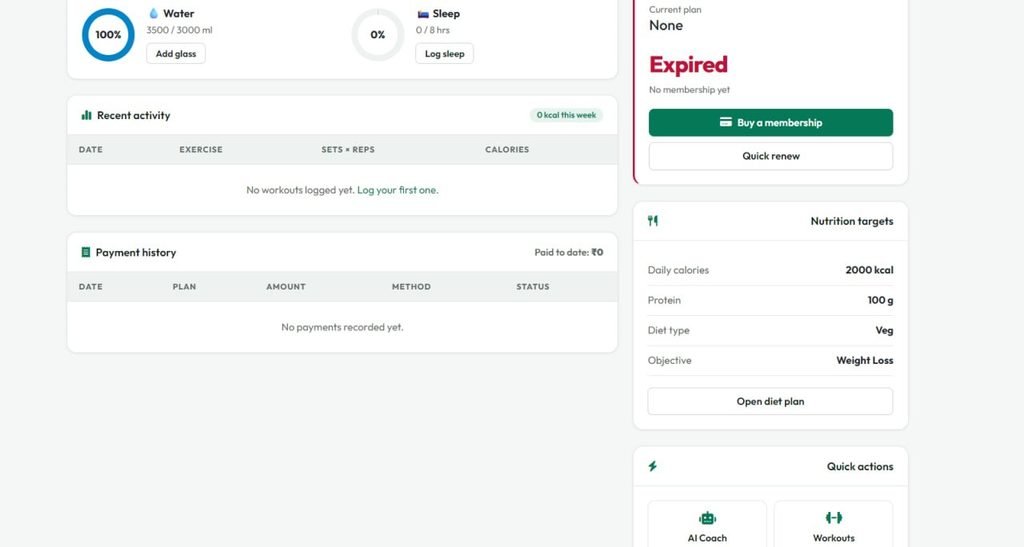
Members first authenticate through the member login system. After successful login, they are taken to their personalized dashboard.
From the dashboard, members can access their profile, health declaration, workout section, diet information, water tracker, sleep monitor, diet consultation, IoT dashboard, and membership plans.
The member can use the workout section for fitness routines and use the diet section for nutrition-related information. Water and sleep sections provide dedicated tracking interfaces.
The member can also open the MARS AI Coach and interact with the chatbot. For example, a member can enter a question about a workout or diet into the chatbot input field. The message is processed by the PHP backend and sent to the configured AI service. The generated answer is then displayed in the chatbot interface.
The AI Coach therefore adds a conversational element to the member experience instead of limiting the application to fixed pages and forms.
Screenshots
How to Download
Get This Project
The complete package is available so you can run, study, and submit it with confidence. It includes:
- Full Source Code
- Project Report
- Synopsis
- PPT Presentation
For any queries or a quick response, reach out on WhatsApp: +91 79834 34684
Why This Project Is Useful for Students
From a student perspective, this project is valuable because it provides practical exposure to several concepts that are normally learned separately. PHP programming can be understood through the backend files, while MySQL concepts can be studied through the database structure.
The member and administrator modules provide a good example of role-based access. Authentication files demonstrate how sessions can be used to control access to different areas of an application.
The project is also useful for learning CRUD operations. Member management, trainer management, equipment management, and other administrative modules show how records can be created, displayed, updated, and deleted.
The AI Coach adds another important learning opportunity. Students can study how a web application accepts a user’s message, sends it from JavaScript to a PHP backend, communicates with an AI service, receives the generated response, and displays it to the user.
This project can therefore be studied not only as a gym management application but also as an example of how traditional PHP and MySQL development can be combined with an AI-powered conversational feature.
Real-Life Application
A gym management platform can help organize the daily activities of a fitness center by keeping member, trainer, equipment, attendance, and fitness information in a structured system.
Administrators can use the management modules to maintain operational records, while members can use their dashboard for personal fitness activities. The AI Coach can provide an additional interactive layer for members who want to ask general questions about workouts and nutrition.
The same development concepts can also be applied to other real-life management systems. Authentication and role management can be adapted for educational portals, employee systems, training platforms, libraries, and other applications where administrators and users require different access levels.
For students, working with this project provides a practical understanding of how frontend pages, PHP backend logic, MySQL databases, authentication, dashboards, and AI services can operate together as a complete web application.
Real Time Project :- CSC Banking Management System Software for CSC Centers
More Projects:- UPDATEGADH
KeyWords
gym management system using php mysql & ai chatbot github
gym management system using php mysql & ai chatbot free
gym management system using php mysql & ai chatbot download
gym management system using php mysql & ai chatbot example
gym management system project report pdf
gym management system project in php with source code
gym-management-system github react
gym management system php mysql source code
gym management system project
gym management system pdf
gym management system using php source code
gym management system using php github
gym management system using php free
gym management system using php and mysql
gym management system using php pdf
gym management system project with source code
gym management system using php example
localhost gym management system using php
gym management system github
gym management system project with source code
gym management system project report pdf
gym management system ui
gym management system website
gym management system project in java