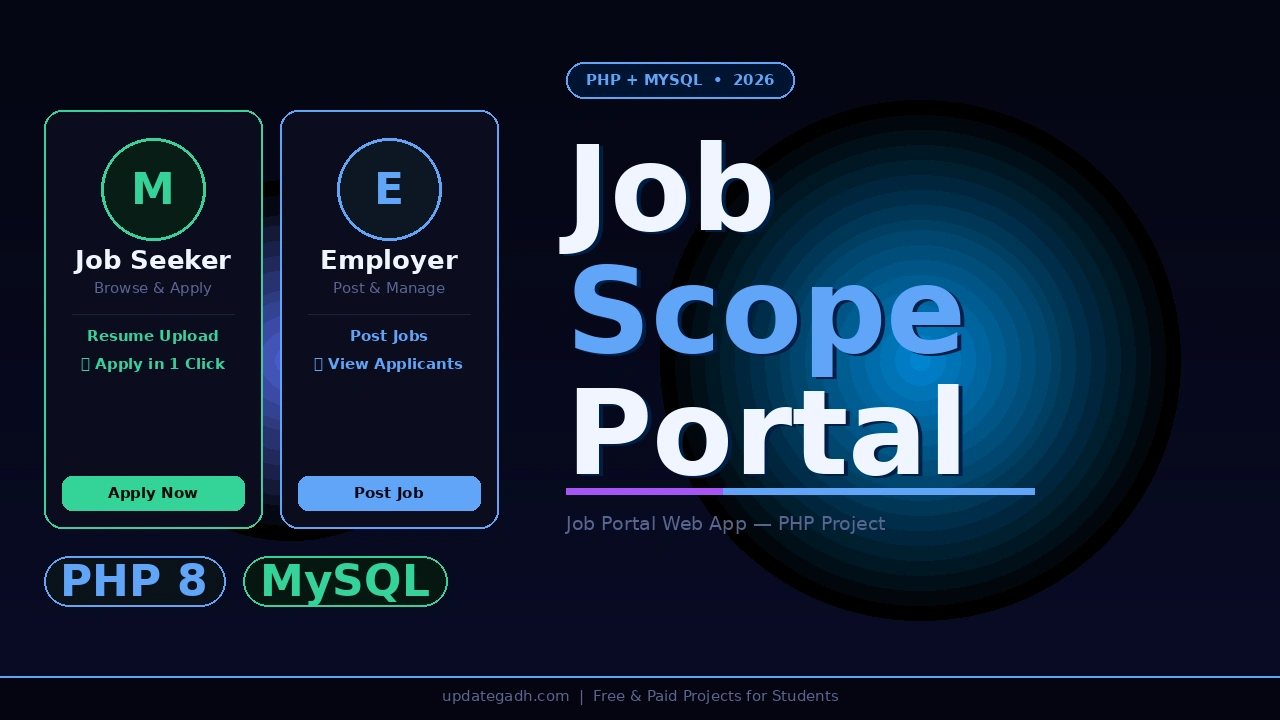
If you are searching for a Job Portal Web Application in PHP MySQL that mirrors how real-world platforms like Naukri and Indeed actually work, JobScope the Job Portal Web Application is the perfect choice. Built with PHP 8 and MySQL, this project connects job seekers with employers through a clean, three-role web application. Job seekers register, browse listings, filter by category, search by keyword, upload their resume, and apply directly.
Also Explore on UpdateGadh:
Employers post and manage job listings and view applicants. Admins verify employer accounts, manage job categories, and handle contact messages all from a dedicated admin panel. For BCA, MCA, and B.Tech CS students submitting final year projects in 2026, JobScope covers session-based authentication, file uploads, multi-role access control, category filtering, and a complete application workflow everything an examiner expects to see in a production-grade web project.
Job Portal Web Application in PHP MySQL
Project Overview
| Project Name | JobScope Job Portal Web Application |
| Language | PHP 8.x |
| Database | MySQL (jobscope) |
| Frontend | HTML5, CSS3 (custom stylesheet) |
| Authentication | Session-based login for all three roles |
| File Uploads | Resume upload to uploads/ folder |
| Type | Web Application Three-Role Job Portal |
| Local Server | XAMPP (Apache + MySQL) or PHP built-in server |
| DB Config | jobscope.sql import via phpMyAdmin or CLI |
| Best For | BCA, MCA, B.Tech CS/IT Final Year Students Globally |
Key Features
- Job seeker registration and job application job seekers register with their details, browse all available listings, and apply to any job with a resume upload directly through the platform
- Job search and category filter a keyword search bar lets users find jobs across all listings instantly, while a category sidebar filters jobs by sector such as IT Software, Banking, Finance, and more
- Employer job posting and management verified employers post new job listings with title, description, category, and requirements, and manage or delete their own postings from a dedicated employer panel
- Resume upload system job seekers upload their resume as part of the application process; files are stored securely in the uploads folder and linked to the applicant record in the database
- Admin employer verification admin reviews and approves newly registered employer accounts before they can post jobs, ensuring only legitimate employers appear on the portal
- Admin category management admin adds, edits, and deletes job categories that appear in the browse sidebar and job posting form across the entire portal
- Job detail page per listing each job has a dedicated detail page showing full description, company name, category, and a direct Apply button for logged-in job seekers
- Contact page with admin inbox a contact form lets users send messages, which are stored in the database and viewable by admin from the admin panel contact section
Watch the Full Project Tutorial on YouTube!
We’ve built this project step by step on our YouTube channel. Watch the full video, like, and subscribe for daily project tutorials.
Technologies Used
| Layer | Technology | Purpose |
|---|---|---|
| Backend Language | PHP 8.x | Core logic, form processing, session management, file uploads |
| Database | MySQL (jobscope) | Store job seekers, employers, jobs, categories, applications, contacts |
| Frontend | HTML5 + CSS3 (custom) | Job listings, search bar, sidebar, forms, job detail pages |
| Authentication | PHP Sessions | Role-based login and logout for admin, employer, and job seeker |
| File Handling | PHP file upload | Resume upload and storage in the uploads/ directory |
| Local Server | XAMPP / PHP built-in server | Run Apache and MySQL locally for development and demo |
Job Portal Web Folder Structure
jobscope/
 index.php                       # Homepage  all job listings
 job_details.php                 # Single job detail page
 jobs_by_category.php            # Jobs filtered by category
 postjob.php                     # Employer: post a new job
 manage.php                      # Employer: manage/delete posted jobs
 employeeregister.php            # Job seeker registration form
 employerregister.php            # Employer registration form
 show.php                        # Job seeker profile and applications
 Contact.php                     # Public contact page

 process_login.php               # Login handler
 process_logout.php              # Logout handler
 process_employee_register.php   # Job seeker registration handler
 process_employer_register.php   # Employer registration handler
 process_postjob.php             # Post job handler
 process_apply.php               # Job application + resume upload handler
 process_del_job.php             # Delete job listing handler
 process_contact.php             # Contact form submission handler

 includes/
    head.inc.php                # HTML head  meta and CSS links
    menu.inc.php                # Top navigation bar
    search.inc.php              # Keyword search bar
    logo.inc.php                # Logo block
    sidebar.inc.php             # Sidebar  login form + category list
    footer.inc.php             # Site footer

 admin/
    index.php                   # Admin dashboard
    verify.php                  # Verify and approve employer accounts
    category.php                # Manage job categories
    contact.php                 # View contact form messages
    process_verify.php          # Employer approval handler
    process_addcategories.php   # Add category handler
    process_delete.php          # Delete employer handler
    process_deletecategories.php
    process_logout.php
    includes/                   # Admin layout partials

 uploads/                        # Uploaded resume files
 jobscope.sql                    # Full MySQL dump  import via phpMyAdmin
 Web.config                      # IIS config for Windows hosting
Database Tables
| Table | Description |
|---|---|
| employees | Job seeker accounts, profile details, and login credentials |
| employers | Employer accounts, company info, and verification status |
| jobs | Job postings linked to employer accounts with category and description |
| categories | Job categories managed by admin IT, Banking, Finance, etc. |
| applicants | Job application records linking job seekers to specific job postings |
| contact | Contact form submissions viewable from the admin panel |
Get Job Portal Web Project
This is a complete, ready-to-run paid project. It includes the full PHP source code for all three roles, the jobscope.sql database file, default login credentials for admin, employer, and job seeker accounts, and remote setup support from our team.
JobScope Job Portal Web Application PHP 8 + MySQL
Full source code + SQL database + login credentials + remote support included
Need help after purchase? Contact us on WhatsApp or via our support page
How to Run Job Portal Web Project
Step 1 Start MySQL via XAMPP
# Option A  Start from XAMPP Control Panel
# Open XAMPP  Start Apache and MySQL

# Option B  Start MySQL directly via command line:
C:\xampp\mysql\bin\mysqld.exe --defaults-file="C:\xampp\mysql\bin\my.ini" --standalone
Step 2 Import the database
# Option A  via phpMyAdmin:
http://localhost/phpmyadmin
# Create database named: jobscope
# Import file: jobscope.sql

# Option B  via command line:
C:\xampp\mysql\bin\mysql.exe -u root < jobscope.sql
Step 3 Create the database user (if needed)
CREATE USER 'jobscope'@'localhost' IDENTIFIED BY 'riddhi';
GRANT ALL PRIVILEGES ON jobscope.* TO 'jobscope'@'localhost';
FLUSH PRIVILEGES;
Step 4 Start the PHP server
# Navigate into the project folder and run:
cd C:\path\to\jobscope
php -S localhost:8000
Step 5 Open in your browser
http://localhost:8000

# Or if using XAMPP htdocs:
Step 6 Login with default credentials
# Admin (login as Employer role)
Username : admin      | Password : 1111111

# Employer accounts
Username : riddhi     | Password : 1234567
Username : vishwa     | Password : 12345678

# Job Seeker accounts
Username : megha      | Password : megha11
Username : darshana   | Password : darshana
How Job Portal Web Works
Job seeker application flow
- Job seeker visits the homepage and sees all active job listings; they can use the keyword search bar or click a category from the sidebar to filter results immediately
- Job seeker clicks a listing to open the full job detail page showing company name, description, category, and requirements alongside an Apply button
- New job seeker clicks Register and fills in personal details to create an account; existing users log in using the sidebar login form
- Logged-in job seeker clicks Apply a form opens to upload their resume file which is saved to the uploads folder and linked to their application record in the database
- Job seeker can view their submitted applications and profile details from the show.php profile page at any time after logging in
Employer job posting flow
- Employer registers an account with company name and contact details the account is created with pending status until admin approves it
- Once admin verifies the employer account, the employer can log in and access the Post Job page to fill in job title, description, category, and requirements
- Employer opens the Manage Jobs page to view all their active listings in a table each row has edit and delete options for full control over their postings
- Employer deletes a listing when the position is filled the job is removed from the public homepage and category pages immediately
Admin management flow
- Admin logs in using the admin credentials and lands on the admin dashboard showing pending employer verifications and key system stats
- Admin opens Verify Employers reviews each pending employer registration and approves or rejects the account; only approved employers can post jobs on the portal
- Admin opens Category Management adds new job categories such as IT Software, Banking, Healthcare, or Finance which appear in the sidebar and job posting form across the portal
- Admin opens Contact Messages views all inquiries submitted through the public contact form with sender name, email, and message content
User Roles and Access
| Role | Access Level |
|---|---|
| Job Seeker | Register, browse and search jobs, filter by category, view job details, apply with resume upload, view profile and application history |
| Employer | Register (pending admin approval), post new jobs, manage and delete own listings, view applicants |
| Admin | Verify and delete employer accounts, manage all job categories, view contact form messages |
Why This is a Great Final Year Project
- Three-role system in one codebase job seeker, employer, and admin each have distinct registration flows, dashboards, and session-controlled access a design pattern examiners always ask to explain during viva
- Resume file upload is a PHP concept most student projects never implement demonstrating it shows you understand file handling, MIME validation, and server-side storage beyond basic form submissions
- Employer verification by admin before job posting is a real-world trust mechanism used on every production job portal having it shows systems thinking and understanding of data integrity beyond the basics