Food Ordering App in React Node.js
Online food ordering has become a convenient way for customers to browse menus, select meals, manage their carts, and place orders without visiting a restaurant physically. A food ordering application combines an attractive user interface with backend services that can process orders and manage application data.
In this project guide, we will explore a Food Ordering App using React and Node.js. React is used to create the interactive frontend, while Node.js and Express provide the backend layer. MongoDB can be used to store information such as users, food items, and orders. The supplied project description identifies these technologies as the main technology stack for the application. :contentReference[oaicite:3]{index=3}
Table of Contents
Project Overview
| Project Name | Food Ordering App |
|---|---|
| Frontend | React, HTML, CSS, Bootstrap, JavaScript |
| Backend | Node.js, Express |
| Database | MongoDB |
| Application Type | Web Application |
| Developer | UPDATEGADH |
What Is a Food Ordering App?
A food ordering application is a web-based system that allows customers to explore available food items and place orders through an online interface. Instead of depending on traditional ordering methods, users can interact with a digital menu and submit their selections electronically.
The project described in the supplied material is intended to provide a convenient ordering experience while also giving restaurants a centralized way to manage menus, orders, and customer interactions. :contentReference[oaicite:4]{index=4}
Purpose of the Project
The main purpose of this application is to create a smoother connection between customers and food businesses. Customers can browse food items, customize their selections, manage their orders, and access their account information through the application.
For restaurant administrators, the application can provide tools for maintaining menu information, viewing orders, changing prices, and monitoring customer feedback. This makes the project useful as both a customer-facing application and a basic management platform. :contentReference[oaicite:5]{index=5}
Main Features
User Registration and Authentication
The application can provide a registration system through which customers create accounts. Authentication helps restrict account-related information to authorized users.
Menu Browsing
A well-organized menu allows users to discover available food items. Categories, search tools, and filters can make it easier to locate particular dishes.
Order Customization
Customers can select food items and specify preferences or additional requirements. The source description also mentions price adjustments when customizations affect the order. :contentReference[oaicite:6]{index=6}
Shopping Cart
The shopping cart keeps selected items together and provides an overview of quantities and total cost before the order is submitted.
Order Tracking
The documented project feature set includes order-status updates covering stages such as confirmation, preparation, dispatch, and estimated delivery information. :contentReference[oaicite:7]{index=7}
Ratings and Reviews
Users can provide ratings and reviews for restaurants or food items. Such feedback can help other customers understand their available choices.
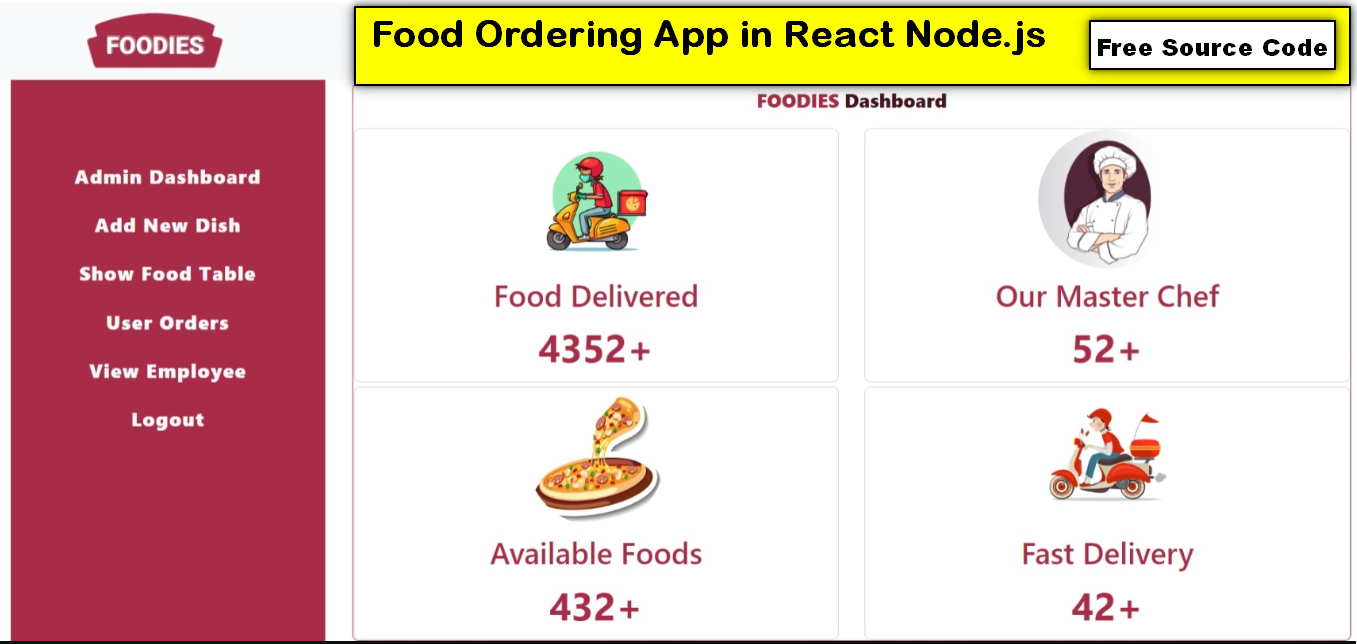
Admin Dashboard
An administrative area can be used to manage food items, orders, prices, and customer feedback. The source specifically identifies menu management and order monitoring as administrative functions. :contentReference[oaicite:8]{index=8}
Responsive Design
The application is intended to work across different screen sizes, allowing customers to access the food ordering interface from desktop and mobile devices.
Technology Stack
The project uses several web technologies that work together to create the application.
- React: Used for developing the dynamic frontend interface.
- Node.js: Provides the server-side JavaScript runtime.
- Express: Simplifies backend routing and request handling.
- HTML: Defines the structure of web content.
- CSS: Controls the visual appearance and layout.
- Bootstrap: Helps create responsive interface components.
- JavaScript: Provides interactive functionality.
- MongoDB: Provides database storage for application information.
The supplied source explicitly lists Node.js, Express, HTML, CSS, Bootstrap, JavaScript, and MongoDB as the technologies used for the platform. :contentReference[oaicite:9]{index=9}
Download Free Source Code
Screenshot
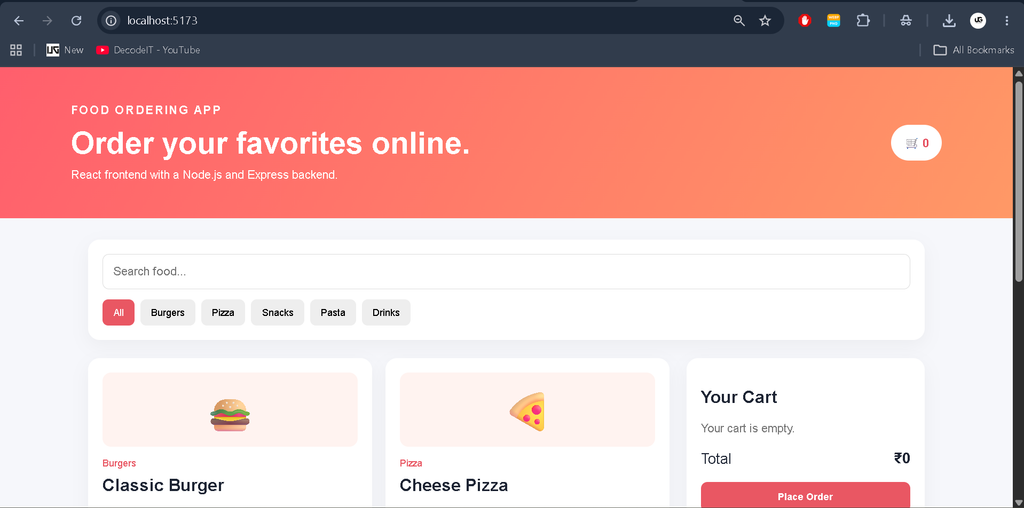
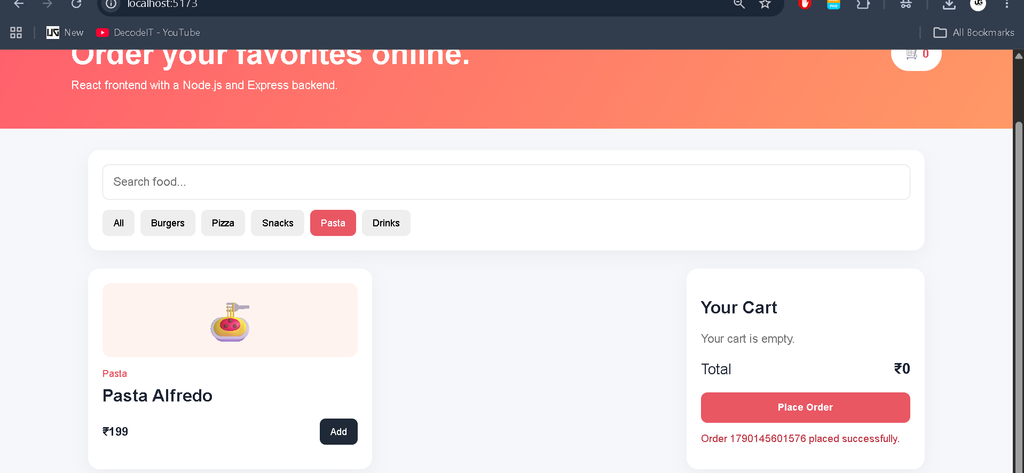
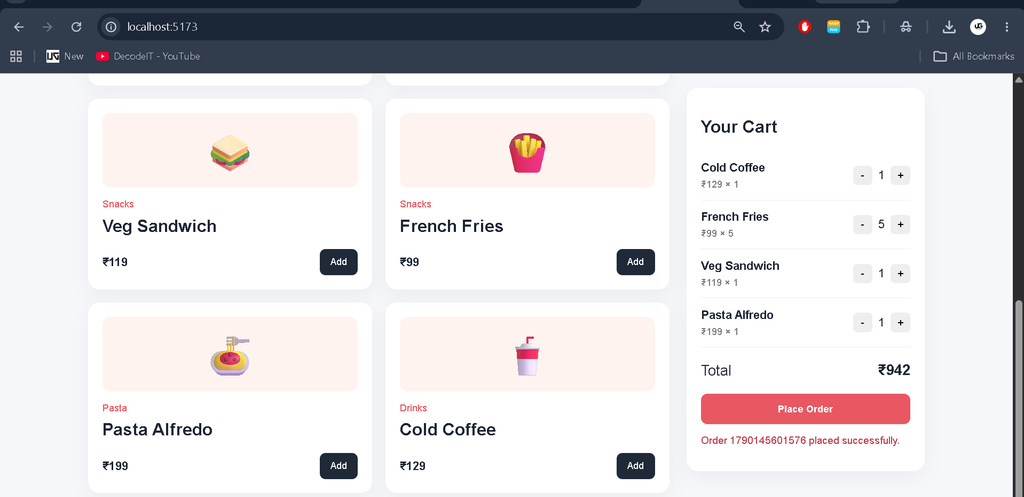
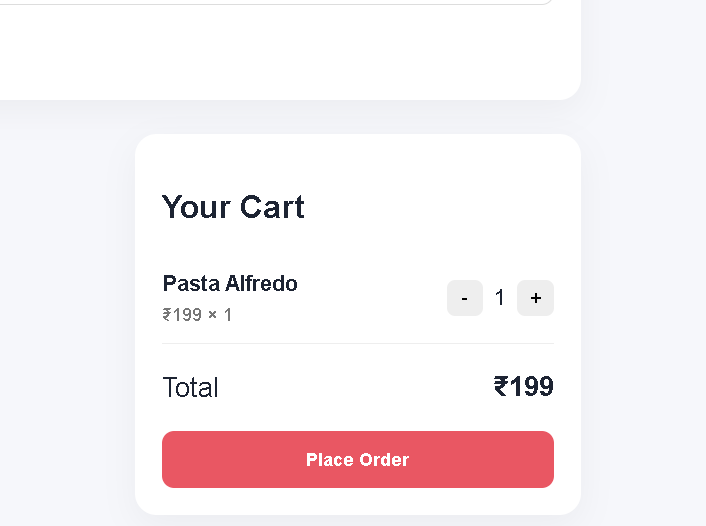
Basic Project Architecture
The application can be understood as three connected layers. The React frontend is responsible for what the customer sees and interacts with. The Node.js and Express backend receives requests and handles application operations. MongoDB provides persistent storage for data.
React Frontend
      |
      v
Node.js + Express API
      |
      v
MongoDB Database
This separation makes the project easier to organize because interface code and server-side operations are maintained independently.
Mini Project Folder Structure
Food_Ordering_App/
│
├── client/
│   ├── package.json
│   ├── index.html
│   └── src/
│       ├── main.jsx
│       ├── App.jsx
│       └── style.css
│
└── server/
    ├── package.json
    ├── server.js
    └── .env
The supplied ZIP contains a simplified educational implementation following this frontend-backend structure.
How to Run the React Frontend
Open the client folder in the terminal and install the required packages.
cd client
npm install
npm run dev
Vite will start the React development server and provide a local address where the application can be opened in a browser.
How to Run the Node.js Backend
Open another terminal and navigate to the server directory.
cd server
npm install
npm start
The Express server provides the API used by the frontend for order submission and order retrieval.
MongoDB Configuration
The mini implementation includes MongoDB support. Create a .env file inside the server folder and add your MongoDB connection string.
PORT=5000
MONGODB_URI=mongodb://127.0.0.1:27017/food_ordering_app
When MongoDB is available, order information can be stored through the database model. The project can also be tested without an active MongoDB connection because the educational implementation provides temporary in-memory order storage.
How the Ordering Process Works
- The customer opens the food ordering interface.
- Available food items are displayed.
- The customer searches or filters the menu.
- An item is added to the cart.
- The quantity can be increased or decreased.
- The application calculates the order total.
- The customer selects the order option.
- The React frontend sends the order to the Node.js API.
- The backend validates and stores the order.
- The application returns an order confirmation.
Project Benefits
This project is useful for students because it demonstrates how a modern frontend and backend can communicate with each other. It also provides practical experience with React components, JavaScript, Express routes, REST-style APIs, database connectivity, and responsive interface development.
The original project description also highlights benefits such as improved ordering convenience, efficient order handling, centralized management, accessibility, and scalability. :contentReference[oaicite:10]{index=10}
Complete Advance AI Topics: Click Here
Real Time Projects:- DecodeIT
Future Improvements
The application can be expanded with additional modules such as complete customer authentication, restaurant management, advanced order tracking, payment gateway integration, discount codes, loyalty features, delivery management, and detailed reporting. These possibilities align with several features described in the supplied project material, although the exact implementation is not provided in the source file. :contentReference[oaicite:11]{index=11}
Conclusion
The Food Ordering App is a practical full-stack project that demonstrates how React, Node.js, Express, JavaScript, Bootstrap, and MongoDB can work together. The frontend provides an interactive ordering experience, while the backend handles application requests and database operations.
For students, this project is a useful way to understand the basic architecture of a full-stack JavaScript application. Starting with the supplied mini implementation, additional modules can be developed gradually as your React and Node.js skills improve.
FAQs
1. Which technologies are used in the Food Ordering App?
The documented technology stack includes React, Node.js, Express, HTML, CSS, Bootstrap, JavaScript, and MongoDB.
2. Which database is used?
MongoDB is identified as the database technology in the supplied project description.
3. Is React used for the frontend?
Yes. React is described as the frontend technology used to create the application’s dynamic user interface.
4. What is Node.js used for?
Node.js provides the server-side JavaScript environment, while Express is used to simplify backend request and routing operations.
5. Does the application have a shopping cart?
Yes. The documented feature list includes a dynamic shopping cart and order summary.
6. Can users search food items?
The documented project features include menu categories, filters, and search functionality.
7. Can MongoDB store orders?
Yes. MongoDB can be used as the persistent database layer for information such as food items, users, and order details.
8. Is this project suitable for students?
Yes. It provides practical exposure to frontend development, backend APIs, database connectivity, and full-stack JavaScript architecture.
Keywords: Food Ordering App in React Node.js, food ordering app React, React Node.js project, food ordering website source code, Node.js food ordering project, React food delivery project, MongoDB food ordering app, full stack JavaScript project