Scientific Calculator in Python
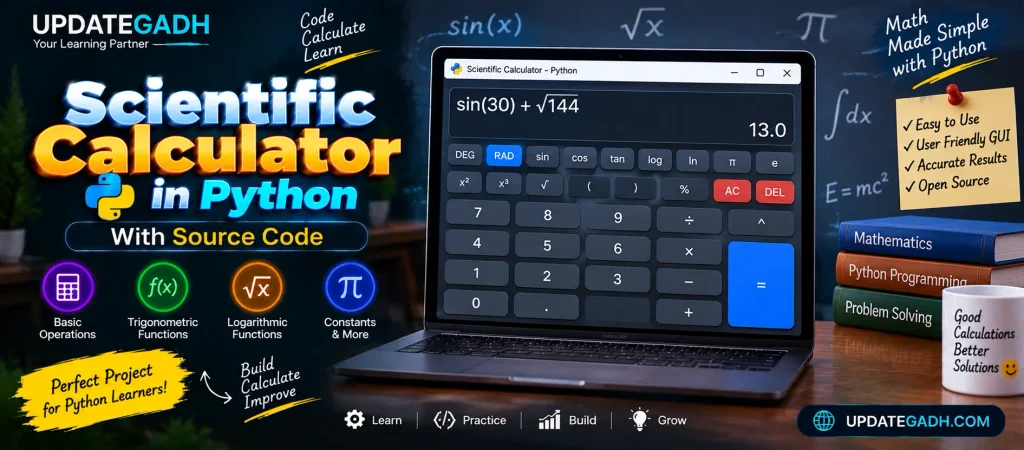
In todays fast-paced world, the need for a comprehensive and powerful scientific calculator has become essential. Whether youre a student working on a complex math problem or a professional handling scientific data, a good calculator saves time and effort. We’ll walk you through building your own Python scientific calculator with a graphical user interface (GUI) in this blog article. This project combines simplicity with functionality, making it a great addition to any coders toolkit.
Why Build a Scientific Calculator?
Programming a scientific calculator from scratch is an excellent way to understand mathematical operations, GUI development, and the versatility of Python. This project is a perfect fit for those looking to:
- Use Python’s well-known Tkinter toolkit to learn GUI development.
- Enhance problem-solving skills through coding complex functions like trigonometry, logarithms, and more.
- Prepare for real-world projects where similar logic and interface skills are required.
Lets get started on building a professional yet intuitive calculator that handles basic arithmetic operations and scientific calculations!
Tools and Libraries
- Python 3.x: The latest version of Python.
- Tkinter: A built-in Python package for graphical user interface development.
You can install Python .
Key Features
- Basic Operations: Addition, subtraction, multiplication, division.
- Advanced Functions: Trigonometric functions (sin, cos, tan), logarithms, exponents, square root, and more.
- Error Handling: Stops crashes brought on by erroneous input.
Setting Up the Project
Let’s start by building the fundamental framework of our application and importing the required components.
import tkinter as tk
import math

# Initialize the main window
root = tk.Tk()
root.title("Scientific Calculator")
root.geometry("400x600")

# Global variable for storing the input expression
expression = ""
Building the User Interface
The Tkinter library makes it easy to build a simple interface with buttons for numbers, operations, and scientific functions. Heres how we can lay out the buttons and display:
# Function to update the input field
def press(num):
    global expression
    expression += str(num)
    equation.set(expression)

# Function to evaluate the final expression
def evaluate():
    try:
        global expression
        result = str(eval(expression))  # Evaluate the expression
        equation.set(result)
        expression = result
    except:
        equation.set("error")
        expression = ""

# Function to clear the input field
def clear():
    global expression
    expression = ""
    equation.set("")

# Input field where the expression will be displayed
equation = tk.StringVar()
input_field = tk.Entry(root, textvariable=equation, font=('Arial', 20), bd=8, relief='ridge', justify='right')
input_field.grid(row=0, column=0, columnspan=4)
Complete Advance AI Topics: Click Here
Real Time Projects:- DecodeIT
Adding Buttons
Next, lets create the buttons for numbers, basic operations, and scientific functions. Well also implement the corresponding functionality.
# Creating buttons for numbers and basic operators
buttons = [
    '7', '8', '9', '/', 'C',
    '4', '5', '6', '*', '(',
    '1', '2', '3', '-', ')',
    '0', '.', '=', '+', 'sqrt'
]

row_value = 1
col_value = 0

for button in buttons:
    if button == '=':
        tk.Button(root, text=button, height=2, width=7, command=evaluate).grid(row=row_value, column=col_value)
    elif button == 'C':
        tk.Button(root, text=button, height=2, width=7, command=clear).grid(row=row_value, column=col_value)
    elif button == 'sqrt':
        tk.Button(root, text=button, height=2, width=7, command=lambda: press('math.sqrt(')).grid(row=row_value, column=col_value)
    else:
        tk.Button(root, text=button, height=2, width=7, command=lambda x=button: press(x)).grid(row=row_value, column=col_value)
    col_value += 1
    if col_value > 4:
        col_value = 0
        row_value += 1
Adding Scientific Functions
In a scientific calculator, youll need to add more complex mathematical functions. These include trigonometric calculations (sin, cos, tan), logarithms, and exponents. Heres how to handle them:
# Function to add advanced scientific functionalities
def add_scientific_buttons():
    scientific_buttons = [
        ('sin', lambda: press('math.sin(')),
        ('cos', lambda: press('math.cos(')),
        ('tan', lambda: press('math.tan(')),
        ('log', lambda: press('math.log(')),
        ('exp', lambda: press('math.exp('))
    ]

    for i, (text, command) in enumerate(scientific_buttons):
        tk.Button(root, text=text, height=2, width=7, command=command).grid(row=row_value+i, column=5)

add_scientific_buttons()
Running the Calculator
Finally, you can run your application and see the calculator in action:
# Main event loop to run the application
root.mainloop()
FAQs – Scientific Calculator in Python with Source Code
1. What is a Scientific Calculator in Python?
A Scientific Calculator in Python is an application that performs mathematical calculations using Python, including basic arithmetic and scientific operations.
2. Which programming language is used to create the calculator?
The project is developed using Python and can be used to practice GUI development and mathematical operations.
3. What operations can a scientific calculator perform?
It can support operations such as basic arithmetic, trigonometric functions, logarithmic calculations, square roots, powers, and mathematical constants.
4. Is source code available for the Scientific Calculator?
Yes. The project is designed as a source-code-based Python project that can be modified and extended according to your requirements.
5. Is this project suitable for Python beginners?
Yes. It is a useful project for beginners to practice Python programming, GUI concepts, mathematical functions, event handling, and application development.
6. Can a Scientific Calculator handle trigonometric functions?
Yes. A scientific calculator can include functions such as sin, cos, and tan for trigonometric calculations.
7. Can logarithmic calculations be performed?
Yes. Scientific calculator applications can provide mathematical functions for logarithmic calculations such as log and ln.
8. Can the calculator calculate square roots and powers?
Yes. Operations such as square root, square, cube, and powers can be included in the calculator.
9. Can the calculator be customized?
Yes. The Python source code can be modified to add new mathematical operations, buttons, or interface improvements.
10. What Python concepts can be learned from this project?
This project can help students practice functions, GUI development, event handling, mathematical operations, and user input processing.
Keywords
- scientific calculator in python with source code pdf
- simple scientific calculator in python with source code
- scientific calculator in python with source code github
- scientific calculator in python with source code free download
- scientific calculator in python without gui
- project report on scientific calculator in python pdf
- scientific calculator in python code
- scientific-calculator python github
- Scientific Calculator in Python with Source Code