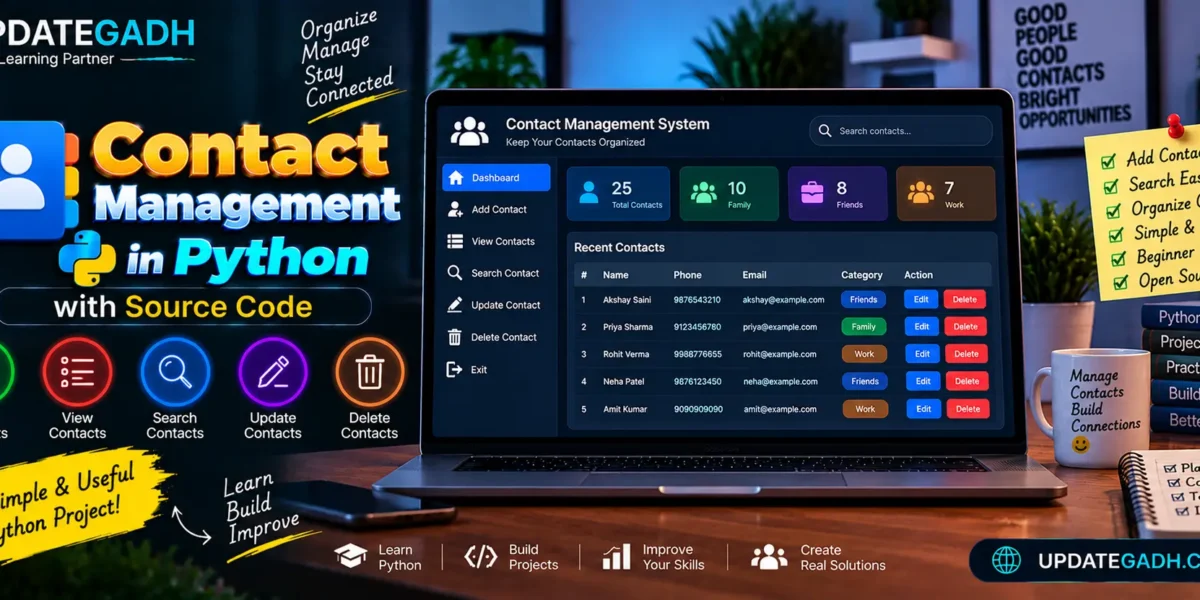
Contact Management in Python
Managing contacts efficiently is essential for both personal and professional purposes. Whether youre handling a small list of friends or a large database of business clients, an organized system is key to keeping everything in check. While there are plenty of contact management software options available, building your own contact management system in Python can be an excellent learning experience. Not only will it sharpen your Python skills, but it can also be customized to fit your specific needs.
Complete Advance AI Topics: Click Here
Real Time Projects:- DecodeIT
Features
Our contact management system will provide the following functionalities:
- Add new contacts: Users can add a contacts name, phone number, and email.
- View all contacts: Display all saved contacts in a readable format.
- Search for a contact: Users can search for a specific contact by name.
- Update contact information: Modify the details of an existing contact.
- Delete contacts: Remove contacts from the system.
- Exit the program: Exit the contact management system when done.
Setting Up
1. Defining the Contact Data Structure
For simplicity, we will store contacts in a list of dictionaries, where each dictionary represents a contact. Each contact will have three key pieces of information: name, phone number, and email address.
contacts = []2. Creating Functions for Each Feature
Well create individual functions to handle adding, viewing, searching, updating, and deleting contacts.
Adding a New Contact
The add_contact function will prompt the user to input the contacts details and store them in the contacts list.
def add_contact():
    name = input("Enter contact name: ")
    phone = input("Enter contact phone number: ")
    email = input("Enter contact email: ")

    contact = {"name": name, "phone": phone, "email": email}
    contacts.append(contact)
    print(f"Contact {name} added successfully!")
Viewing All Contacts
The view_contacts function will loop through the contacts list and display all stored contacts.
def view_contacts():
    if contacts:
        print("\nContact List:")
        for idx, contact in enumerate(contacts, 1):
            print(f"{idx}. Name: {contact['name']}, Phone: {contact['phone']}, Email: {contact['email']}")
    else:
        print("No contacts found.")
Searching for a Contact
This function will allow users to search for a contact by name. It will look through the list and show the contact that matches.
def search_contact():
    search_name = input("Enter the name of the contact you're searching for: ")
    found = False
    for contact in contacts:
        if contact['name'].lower() == search_name.lower():
            print(f"Contact found: Name: {contact['name']}, Phone: {contact['phone']}, Email: {contact['email']}")
            found = True
            break
    if not found:
        print("Contact not found.")
Updating a Contact
In this function, the user can search for a contact by name and update their phone number or email.
def update_contact():
    search_name = input("Enter the name of the contact to update: ")
    for contact in contacts:
        if contact['name'].lower() == search_name.lower():
            print(f"Updating contact: {contact['name']}")
            contact['phone'] = input("Enter new phone number: ")
            contact['email'] = input("Enter new email: ")
            print(f"Contact {contact['name']} updated successfully!")
            return
    print("Contact not found.")
Deleting a Contact
The delete_contact function will search for a contact by name and remove it from the list.
def delete_contact():
    search_name = input("Enter the name of the contact to delete: ")
    for contact in contacts:
        if contact['name'].lower() == search_name.lower():
            contacts.remove(contact)
            print(f"Contact {contact['name']} deleted successfully!")
            return
    print("Contact not found.")
3. Building the Main Menu
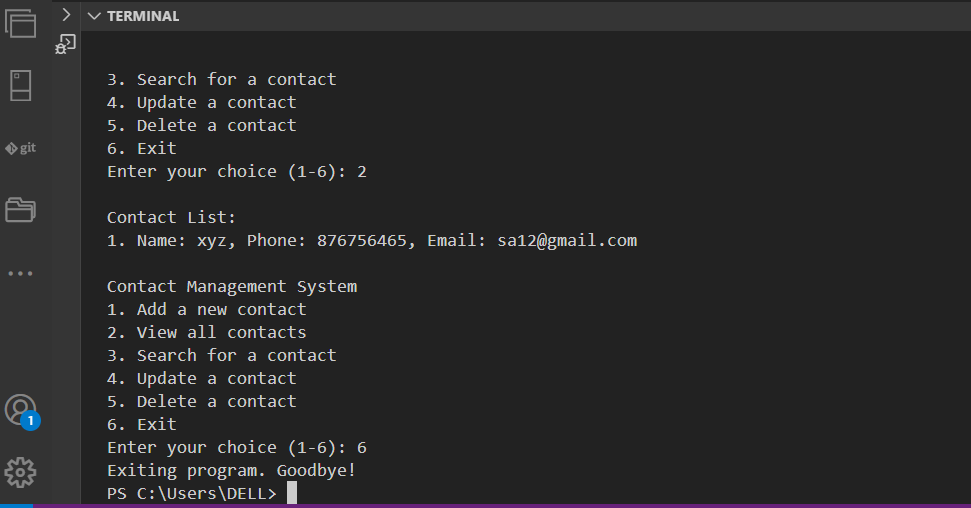
Well create a simple menu-driven interface that loops and allows the user to choose which action they want to perform. The program will continue to run until the user chooses to exit.
def menu():
    while True:
        print("\nContact Management System")
        print("1. Add a new contact")
        print("2. View all contacts")
        print("3. Search for a contact")
        print("4. Update a contact")
        print("5. Delete a contact")
        print("6. Exit")

        choice = input("Enter your choice (1-6): ")

        if choice == '1':
            add_contact()
        elif choice == '2':
            view_contacts()
        elif choice == '3':
            search_contact()
        elif choice == '4':
            update_contact()
        elif choice == '5':
            delete_contact()
        elif choice == '6':
            print("Exiting program. Goodbye!")
            break
        else:
            print("Invalid choice. Please try again.")

4. Complete Source Code
Heres the complete code for the contact management system:
contacts = []

def add_contact():
    name = input("Enter contact name: ")
    phone = input("Enter contact phone number: ")
    email = input("Enter contact email: ")

    contact = {"name": name, "phone": phone, "email": email}
    contacts.append(contact)
    print(f"Contact {name} added successfully!")

def view_contacts():
    if contacts:
        print("\nContact List:")
        for idx, contact in enumerate(contacts, 1):
            print(f"{idx}. Name: {contact['name']}, Phone: {contact['phone']}, Email: {contact['email']}")
    else:
        print("No contacts found.")

def search_contact():
    search_name = input("Enter the name of the contact you're searching for: ")
    found = False
    for contact in contacts:
        if contact['name'].lower() == search_name.lower():
            print(f"Contact found: Name: {contact['name']}, Phone: {contact['phone']}, Email: {contact['email']}")
            found = True
            break
    if not found:
        print("Contact not found.")

def update_contact():
    search_name = input("Enter the name of the contact to update: ")
    for contact in contacts:
        if contact['name'].lower() == search_name.lower():
            print(f"Updating contact: {contact['name']}")
            contact['phone'] = input("Enter new phone number: ")
            contact['email'] = input("Enter new email: ")
            print(f"Contact {contact['name']} updated successfully!")
            return
    print("Contact not found.")

def delete_contact():
    search_name = input("Enter the name of the contact to delete: ")
    for contact in contacts:
        if contact['name'].lower() == search_name.lower():
            contacts.remove(contact)
            print(f"Contact {contact['name']} deleted successfully!")
            return
    print("Contact not found.")

def menu():
    while True:
        print("\nContact Management System")
        print("1. Add a new contact")
        print("2. View all contacts")
        print("3. Search for a contact")
        print("4. Update a contact")
        print("5. Delete a contact")
        print("6. Exit")

        choice = input("Enter your choice (1-6): ")

        if choice == '1':
            add_contact()
        elif choice == '2':
            view_contacts()
        elif choice == '3':
            search_contact()
        elif choice == '4':
            update_contact()
        elif choice == '5':
            delete_contact()
        elif choice == '6':
            print("Exiting program. Goodbye!")
            break
        else:
            print("Invalid choice. Please try again.")

# Start the program
menu()
FAQs – Contact Management in Python with Source Code
1. What is Contact Management in Python?
Contact Management in Python is an application used to store, organize, search, update, and delete contact information in a structured way.
2. What are the main features of a Contact Management System?
The main features can include adding contacts, viewing contacts, searching contacts, updating contact details, deleting contacts, and organizing contacts into groups or categories.
3. Which programming language is used for this project?
The project is developed using Python and is suitable for practicing programming concepts while building a practical contact-management application.
4. Can users search for a specific contact?
Yes. A search feature allows users to find stored contacts more easily instead of manually checking the complete contact list.
Keyword:- Contact Management system Contact Management system – Google Search contact management system project contact management system project in python contact management system church of england contact management system project in c contact management system project report pdf contact management system project ppt