Tetris Game Using Python
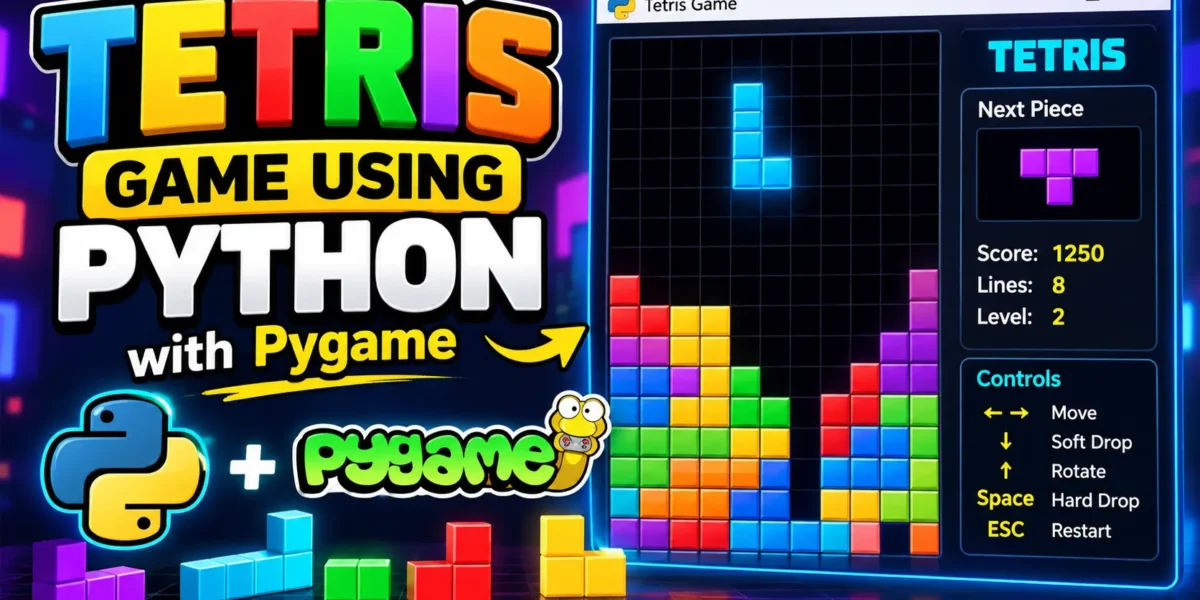
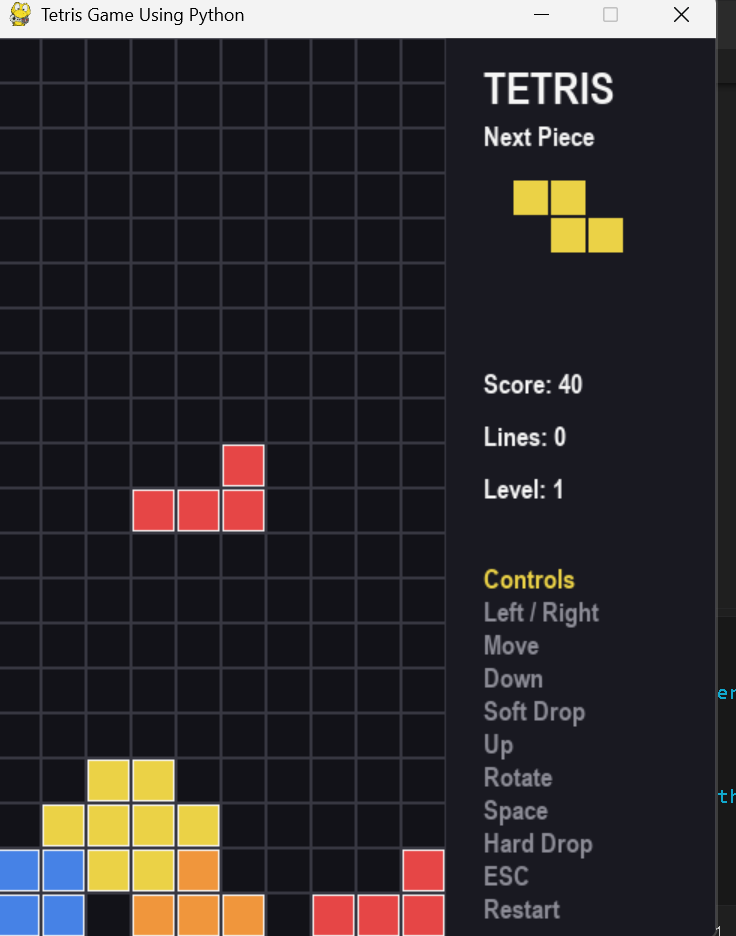
Creating games is an excellent way to understand Python programming because it combines logic, user input, graphics, loops, and object-oriented programming in one practical project. In this tutorial, we will build a complete Tetris Game Using Python with the Pygame library.
Tetris is a block-arranging puzzle game in which different shapes fall from the top of the game board. The player moves and rotates these shapes to create complete horizontal rows. Whenever a row is completely filled, it is removed and the player receives points.
This project is suitable for beginners who want to practice Python and learn how a simple desktop game works. The complete game is contained in a single Python file, so you can copy the code, install Pygame, and run it directly from Visual Studio Code or a terminal.
Complete Advance AI Topics: Click Here
Real Time Projects on YouTube:- DecodeIT
What You Will Learn
After completing this project, you will understand how to:
- Create a graphical game window with Pygame.
- Represent a game board using a two-dimensional list.
- Create different falling block shapes.
- Move blocks horizontally and vertically.
- Rotate Tetris pieces.
- Detect collisions with the board and existing blocks.
- Remove completed rows.
- Calculate and display the player’s score.
- Handle keyboard controls.
- Detect the game-over condition.
Requirements
Before starting, make sure Python is installed on your computer. You also need the Pygame package because it provides the graphics, keyboard events, timing, and display functionality required by the game.
Open the VS Code terminal and install Pygame with the following command:
pip install pygameAfter installation, create a file named tetris_game.py. The complete source code is provided below.
How the Tetris Game Works
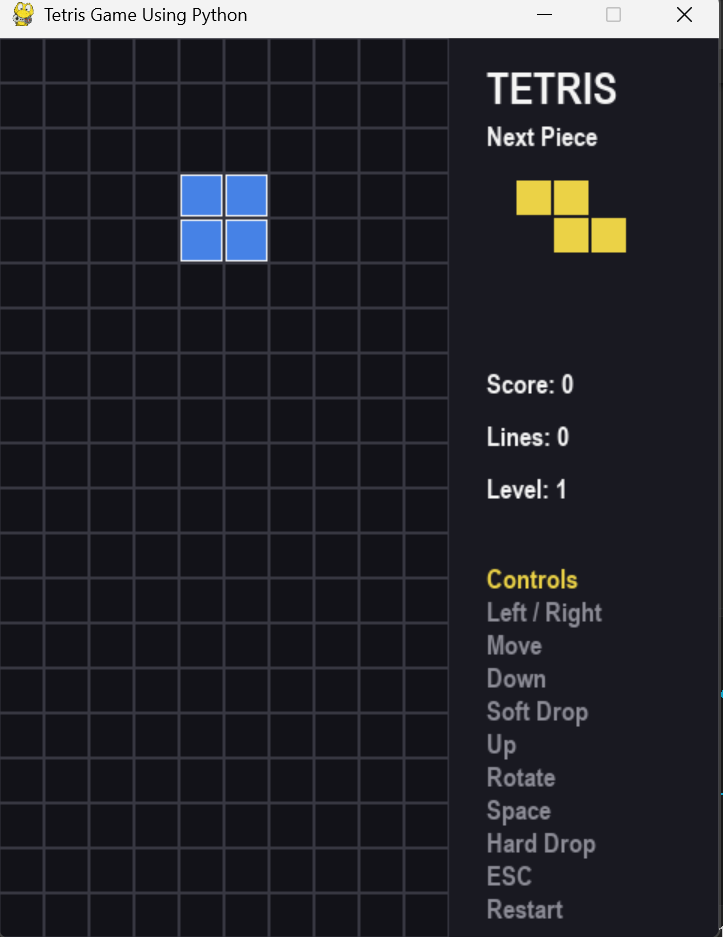
The game board is divided into rows and columns. Each falling piece is represented by four blocks. When the player moves a piece, the program checks whether its new position is valid.
If a piece reaches the bottom of the board or touches another fixed block, it becomes part of the board. The program then checks every row. A completely filled row is removed, and the blocks above it move downward.
The game continues generating new pieces until a new piece cannot be placed inside the board. At that point, the game enters the game-over state.
Keyboard Controls
| Key | Action |
|---|---|
| Left Arrow | Move the current piece left |
| Right Arrow | Move the current piece right |
| Down Arrow | Move the piece downward faster |
| Up Arrow | Rotate the current piece |
| Space | Drop the piece immediately |
| Escape | Restart the game |
Screenshot
Complete Tetris Game Code
The following is the complete project code. You only need to create one Python file and paste this code into it. No additional Python source files are required.
import pygame
import random
pygame.init()
# -----------------------------
# Game Configuration
# -----------------------------
CELL_SIZE = 30
BOARD_WIDTH = 10
BOARD_HEIGHT = 20
SIDE_PANEL = 180
WINDOW_WIDTH = BOARD_WIDTH * CELL_SIZE + SIDE_PANEL
WINDOW_HEIGHT = BOARD_HEIGHT * CELL_SIZE
FPS = 60
# -----------------------------
# Colors
# -----------------------------
BACKGROUND = (18, 18, 24)
GRID_COLOR = (55, 55, 65)
WHITE = (245, 245, 245)
GRAY = (140, 140, 150)
RED = (230, 70, 70)
GREEN = (70, 200, 120)
BLUE = (70, 130, 230)
YELLOW = (235, 210, 70)
PURPLE = (170, 90, 220)
CYAN = (70, 210, 220)
ORANGE = (240, 150, 60)
BLOCK_COLORS = [
CYAN,
BLUE,
ORANGE,
YELLOW,
GREEN,
PURPLE,
RED
]
# -----------------------------
# Tetris Shapes
# Each shape contains rotation states.
# -----------------------------
SHAPES = [
[
[
"....",
"....",
"IIII",
"...."
],
[
"..I.",
"..I.",
"..I.",
"..I."
]
],
[
[
".OO.",
".OO.",
"....",
"...."
]
],
[
[
".T..",
"TTT.",
"....",
"...."
],
[
".T..",
".TT.",
".T..",
"...."
],
[
"....",
"TTT.",
".T..",
"...."
],
[
".T..",
"TT..",
".T..",
"...."
]
],
[
[
"SS..",
".SS.",
"....",
"...."
],
[
".S..",
"SS..",
"S...",
"...."
]
],
[
[
".ZZ.",
"ZZ..",
"....",
"...."
],
[
"Z...",
"ZZ..",
".Z..",
"...."
]
],
[
[
"J...",
"JJJ.",
"....",
"...."
],
[
".JJ.",
".J..",
".J..",
"...."
],
[
"....",
"JJJ.",
"..J.",
"...."
],
[
".J..",
".J..",
"JJ..",
"...."
]
],
[
[
"..L.",
"LLL.",
"....",
"...."
],
[
".L..",
".L..",
".LL.",
"...."
],
[
"....",
"LLL.",
"L...",
"...."
],
[
"LL..",
".L..",
".L..",
"...."
]
]
]
class Piece:
def __init__(self):
self.shape_index = random.randrange(len(SHAPES))
self.rotation = 0
self.color = BLOCK_COLORS[self.shape_index]
self.x = BOARD_WIDTH // 2 - 2
self.y = -1
def cells(self):
shape = SHAPES[self.shape_index][self.rotation]
blocks = []
for row in range(4):
for col in range(4):
if shape[row][col] != ".":
blocks.append((self.x + col, self.y + row))
return blocks
def rotate(self):
self.rotation = (self.rotation + 1) % len(
SHAPES[self.shape_index]
)
class TetrisGame:
def __init__(self):
self.board = [
[None for _ in range(BOARD_WIDTH)]
for _ in range(BOARD_HEIGHT)
]
self.current_piece = Piece()
self.next_piece = Piece()
self.score = 0
self.lines = 0
self.level = 1
self.game_over = False
self.fall_timer = 0
self.fall_delay = 500
def valid_position(self, piece):
for x, y in piece.cells():
if x < 0 or x >= BOARD_WIDTH:
return False
if y >= BOARD_HEIGHT:
return False
if y >= 0 and self.board[y][x] is not None:
return False
return True
def move(self, dx, dy):
self.current_piece.x += dx
self.current_piece.y += dy
if not self.valid_position(self.current_piece):
self.current_piece.x -= dx
self.current_piece.y -= dy
return False
return True
def rotate(self):
old_rotation = self.current_piece.rotation
self.current_piece.rotate()
if not self.valid_position(self.current_piece):
self.current_piece.rotation = old_rotation
def lock_piece(self):
for x, y in self.current_piece.cells():
if 0 <= y < BOARD_HEIGHT:
self.board[y][x] = self.current_piece.color
self.clear_lines()
self.current_piece = self.next_piece
self.next_piece = Piece()
if not self.valid_position(self.current_piece):
self.game_over = True
def clear_lines(self):
completed_lines = 0
new_board = []
for row in self.board:
if all(cell is not None for cell in row):
completed_lines += 1
else:
new_board.append(row)
while len(new_board) < BOARD_HEIGHT:
new_board.insert(
0,
[None for _ in range(BOARD_WIDTH)]
)
self.board = new_board
if completed_lines > 0:
self.lines += completed_lines
points = {
1: 100,
2: 300,
3: 500,
4: 800
}
self.score += points.get(
completed_lines,
completed_lines * 250
)
self.level = self.lines // 10 + 1
self.fall_delay = max(
100,
500 - (self.level - 1) * 40
)
def hard_drop(self):
distance = 0
while self.move(0, 1):
distance += 1
self.score += distance * 2
self.lock_piece()
def update(self, delta_time):
if self.game_over:
return
self.fall_timer += delta_time
if self.fall_timer >= self.fall_delay:
self.fall_timer = 0
if not self.move(0, 1):
self.lock_piece()
def draw_block(screen, x, y, color, size=CELL_SIZE):
pygame.draw.rect(
screen,
color,
(
x * size + 1,
y * size + 1,
size - 2,
size - 2
)
)
pygame.draw.rect(
screen,
WHITE,
(
x * size + 1,
y * size + 1,
size - 2,
size - 2
),
1
)
def draw_board(screen, game):
for row in range(BOARD_HEIGHT):
for col in range(BOARD_WIDTH):
pygame.draw.rect(
screen,
GRID_COLOR,
(
col * CELL_SIZE,
row * CELL_SIZE,
CELL_SIZE,
CELL_SIZE
),
1
)
if game.board[row][col] is not None:
draw_block(
screen,
col,
row,
game.board[row][col]
)
def draw_piece(screen, piece):
for x, y in piece.cells():
if y >= 0:
draw_block(
screen,
x,
y,
piece.color
)
def draw_next_piece(screen, piece, font):
title = font.render("Next Piece", True, WHITE)
screen.blit(
title,
(
BOARD_WIDTH * CELL_SIZE + 25,
55
)
)
shape = SHAPES[piece.shape_index][0]
for row in range(4):
for col in range(4):
if shape[row][col] != ".":
pygame.draw.rect(
screen,
piece.color,
(
BOARD_WIDTH * CELL_SIZE
+ 45
+ col * 25,
95 + row * 25,
23,
23
)
)
def draw_panel(screen, game, font, large_font):
panel_x = BOARD_WIDTH * CELL_SIZE
pygame.draw.rect(
screen,
(25, 25, 33),
(
panel_x,
0,
SIDE_PANEL,
WINDOW_HEIGHT
)
)
title = large_font.render(
"TETRIS",
True,
WHITE
)
screen.blit(
title,
(
panel_x + 25,
15
)
)
draw_next_piece(
screen,
game.next_piece,
font
)
score_text = font.render(
f"Score: {game.score}",
True,
WHITE
)
lines_text = font.render(
f"Lines: {game.lines}",
True,
WHITE
)
level_text = font.render(
f"Level: {game.level}",
True,
WHITE
)
screen.blit(
score_text,
(panel_x + 25, 220)
)
screen.blit(
lines_text,
(panel_x + 25, 255)
)
screen.blit(
level_text,
(panel_x + 25, 290)
)
controls = [
"Controls",
"Left / Right",
"Move",
"Down",
"Soft Drop",
"Up",
"Rotate",
"Space",
"Hard Drop",
"ESC",
"Restart"
]
y = 350
for index, text in enumerate(controls):
if index == 0:
color = YELLOW
else:
color = GRAY
control_text = font.render(
text,
True,
color
)
screen.blit(
control_text,
(panel_x + 25, y)
y += 22
def draw_game_over(screen, font, large_font):
overlay = pygame.Surface(
(BOARD_WIDTH * CELL_SIZE, WINDOW_HEIGHT)
)
overlay.set_alpha(190)
overlay.fill((0, 0, 0))
screen.blit(
overlay,
(0, 0)
)
game_over_text = large_font.render(
"GAME OVER",
True,
RED
)
restart_text = font.render(
"Press ESC to restart",
True,
WHITE
)
screen.blit(
game_over_text,
(
45,
WINDOW_HEIGHT // 2 - 50
)
)
screen.blit(
restart_text,
(
75,
WINDOW_HEIGHT // 2 + 15
)
)
def main():
screen = pygame.display.set_mode(
(WINDOW_WIDTH, WINDOW_HEIGHT)
)
pygame.display.set_caption(
"Tetris Game Using Python"
)
clock = pygame.time.Clock()
font = pygame.font.SysFont(
"Arial",
18,
True
)
large_font = pygame.font.SysFont(
"Arial",
30,
True
)
game = TetrisGame()
running = True
while running:
delta_time = clock.tick(FPS)
for event in pygame.event.get():
if event.type == pygame.QUIT:
running = False
if event.type == pygame.KEYDOWN:
if event.key == pygame.K_ESCAPE:
game = TetrisGame()
elif not game.game_over:
if event.key == pygame.K_LEFT:
game.move(-1, 0)
elif event.key == pygame.K_RIGHT:
game.move(1, 0)
elif event.key == pygame.K_DOWN:
if game.move(0, 1):
game.score += 1
elif event.key == pygame.K_UP:
game.rotate()
elif event.key == pygame.K_SPACE:
game.hard_drop()
if not game.game_over:
game.update(delta_time)
screen.fill(BACKGROUND)
draw_board(
screen,
game
)
if not game.game_over:
draw_piece(
screen,
game.current_piece
)
draw_panel(
screen,
game,
font,
large_font
)
if game.game_over:
draw_game_over(
screen,
font,
large_font
)
pygame.display.flip()
pygame.quit()
if __name__ == "__main__":
main()
How to Run the Project
After saving the code as tetris_game.py, open the VS Code terminal in the same folder and run:
python tetris_game.pyIf your computer has multiple Python versions installed, you can also use:
py tetris_game.pyThe Tetris window should open. Use the arrow keys to control the falling pieces and use the Space key to drop a piece immediately.
Understanding the Main Components
Piece Class
The Piece class represents the currently falling Tetris block. It stores the selected shape, color, rotation, and position on the board. The cells() method converts the selected shape into actual board coordinates.
TetrisGame Class
The TetrisGame class contains the main game logic. It manages the board, score, levels, falling speed, current piece, next piece, movement, collision detection, row removal, and game-over condition.
Collision Detection
Before moving a piece, the program checks whether its new position is outside the board or overlaps with an existing block. If the position is invalid, the movement is cancelled.
Line Clearing
Whenever a piece becomes fixed on the board, the program checks each row. A row containing no empty cells is considered complete and is removed. Empty rows are then added at the top of the board.
Scoring System
The game awards points according to the number of rows removed at once. Clearing multiple rows provides more points. The game also increases its level after every ten cleared lines, causing pieces to fall faster.
Project Structure
Because this version uses a single Python source file, the project structure is very simple:
Tetris-Game/
│
└── tetris_game.py
Conclusion
This Tetris project demonstrates how Python can be used to create an interactive desktop game with Pygame. Instead of relying on multiple files or complicated dependencies, the complete game logic is contained in one Python program.
Keywords: Tetris Game Using Python, Tetris Python Code, Tetris Game Using Pygame, Python Tetris Game, Create Tetris Game Using Python, Pygame Game Project, Python Game Development, Tetris Code, Python Projects for Beginners,Tetris Game Using Pygame, Tetris Python Code, Python Tetris Game, Tetris Game Python Source Code, Create Tetris Game Using Python, Tetris Game Using Python Pygame, Python Game Development, Pygame Projects, Pygame Game Project, Python Game Projects, Tetris Code, Tetris Python Project, Python Projects for Beginners, Tetris Game Source Code, How to Create Tetris Game in Python, Tetris Game Code Copy and Paste, Tetris Game for Beginners, Python Desktop Game, Pygame Python Tutorial, Tetris Game Project in Python