Language Translator Using Python
Language is one of the most important ways people communicate, but differences between languages can sometimes make communication difficult. A language translator can help users convert text from one language into another within a few seconds. In this project, we will create a simple desktop-based Language Translator Using Python with Tkinter and the Google Translate service through the googletrans Python library.
The application provides a clean graphical interface where users can enter text, select a destination language, translate the text, and clear the fields whenever required. The project is suitable for students who want to understand Python GUI development, event handling, external translation libraries, and basic text-processing functionality.
Complete Advance AI Topics: Click Here
Real Time Projects on YouTube:- DecodeIT
Language Translator Using Python
The Language Translator is a Python desktop application developed using the Tkinter library. Tkinter is used to create the graphical user interface, while googletrans provides access to Google Translate functionality.
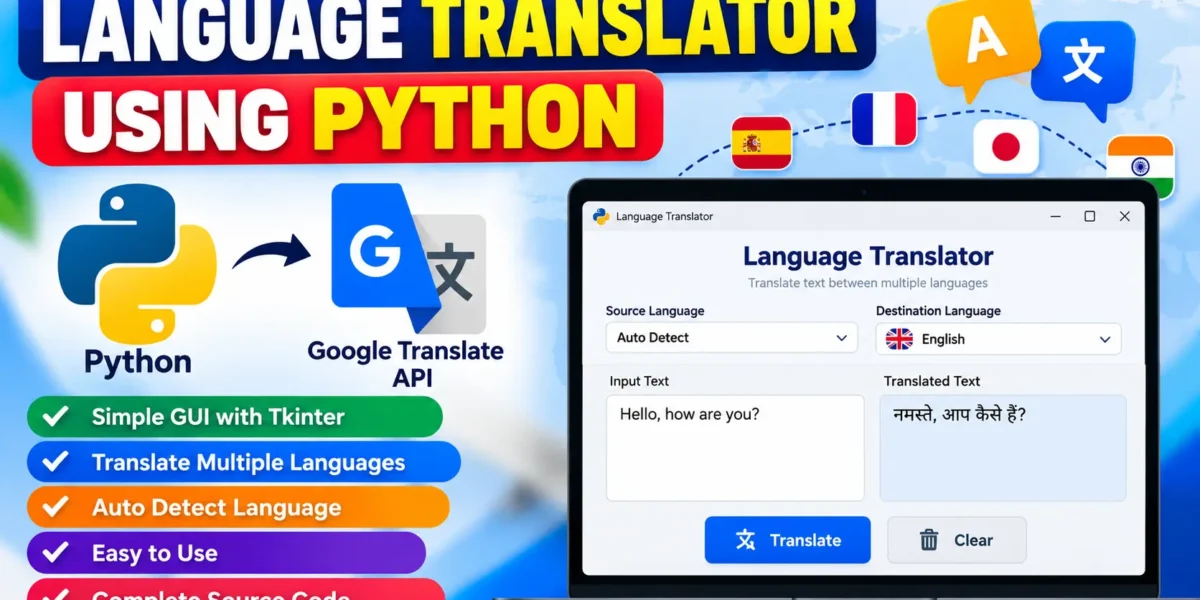
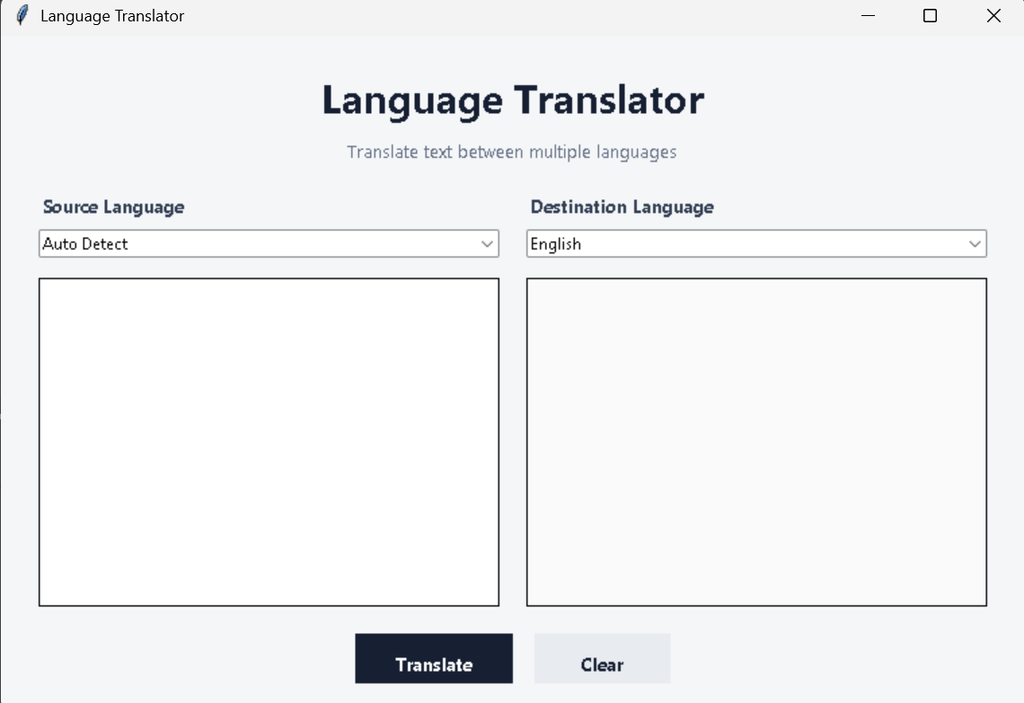
The interface contains an input text area, an automatic language detection option, a destination-language selection box, a translation button, and a clear button. When the user enters text and selects a destination language, the application sends the text to the translator service and displays the translated result in the output area.
Project Overview
| Project Name | Language Translator Using Python |
|---|---|
| Programming Language | Python |
| GUI Library | Tkinter |
| Translation Library | googletrans |
| Interface Components | Text Areas, Comboboxes, Buttons |
| Database | Not Required |
Key Features
- Simple Graphical Interface: The project provides an easy-to-understand desktop interface created with Tkinter.
- Text Translation: Users can enter text and translate it into a selected destination language.
- Language Selection: A dropdown menu provides multiple language choices.
- Input Validation: The application displays an error message when the input text area is empty.
- Automatic Source Language: The translator service can automatically detect the language of the entered text.
- Translation Output: The translated text is displayed separately from the original text.
- Clear Option: Users can remove both input and translated text with one button.
- Desktop Based: No web browser or database is required for the graphical interface.
How the Language Translator Works
The application follows a straightforward workflow. First, the user enters a sentence or paragraph into the input text box. Next, the user selects the language in which the translated result should be generated. When the Translate button is pressed, the Python program reads the input and passes it to the Translator object.
The translation library communicates with the translation service and returns the translated text. The program then inserts that result into the output text box. If the user has not entered any text, a Tkinter message box informs the user that input is required.
The Clear button provides a convenient way to remove the existing text from both areas so another translation can be performed.
Software and Tools Required
- Python 3.x
- PyCharm or Visual Studio Code
- Tkinter
- googletrans Python package
- Internet connection for translation requests
Project Requirements
The project does not require a database because translation requests are processed directly and the application does not need to permanently store user translations. Python provides the main programming environment, Tkinter handles the interface, and the Google Translate library handles translation requests.
Before running the application, Python should be installed and available through the system terminal. The required external package can then be installed using the command given below.
Installation and Setup
Follow these steps to run the project:
- Install Python 3.x on your computer.
- Create a new folder for the project.
- Open the project folder in PyCharm or VS Code.
- Create a Python file named
translator.py. - Create a
requirements.txtfile and add the required package. - Open the terminal inside the project folder.
- Install the dependencies using the command below.
pip install -r requirements.txtAfter the installation is complete, run the application with:
python translator.pyThe Tkinter application window should open on the desktop. Enter text, select a destination language, and click the Translate button.
Screenshot
Complete Source Code
The following is the complete Python source code for the Language Translator project:
import tkinter as tk
from tkinter import ttk, messagebox
from googletrans import Translator


LANGUAGES = {
    "Afrikaans": "af",
    "Albanian": "sq",
    "Arabic": "ar",
    "Armenian": "hy",
    "Azerbaijani": "az",
    "Basque": "eu",
    "Belarusian": "be",
    "Bengali": "bn",
    "Bosnian": "bs",
    "Bulgarian": "bg",
    "Catalan": "ca",
    "Chinese": "zh-cn",
    "Croatian": "hr",
    "Czech": "cs",
    "Danish": "da",
    "Dutch": "nl",
    "English": "en",
    "Estonian": "et",
    "Filipino": "tl",
    "Finnish": "fi",
    "French": "fr",
    "Georgian": "ka",
    "German": "de",
    "Greek": "el",
    "Gujarati": "gu",
    "Hebrew": "he",
    "Hindi": "hi",
    "Hungarian": "hu",
    "Icelandic": "is",
    "Indonesian": "id",
    "Irish": "ga",
    "Italian": "it",
    "Japanese": "ja",
    "Kannada": "kn",
    "Korean": "ko",
    "Latin": "la",
    "Latvian": "lv",
    "Lithuanian": "lt",
    "Malay": "ms",
    "Malayalam": "ml",
    "Marathi": "mr",
    "Nepali": "ne",
    "Norwegian": "no",
    "Persian": "fa",
    "Polish": "pl",
    "Portuguese": "pt",
    "Punjabi": "pa",
    "Romanian": "ro",
    "Russian": "ru",
    "Serbian": "sr",
    "Slovak": "sk",
    "Slovenian": "sl",
    "Spanish": "es",
    "Swahili": "sw",
    "Swedish": "sv",
    "Tamil": "ta",
    "Telugu": "te",
    "Thai": "th",
    "Turkish": "tr",
    "Ukrainian": "uk",
    "Urdu": "ur",
    "Vietnamese": "vi",
    "Welsh": "cy",
    "Yoruba": "yo",
    "Zulu": "zu"
}


def translate_text():
    source_text = input_text.get("1.0", tk.END).strip()
    destination = language_var.get()

    if not source_text:
        messagebox.showwarning(
            "Language Translator",
            "Please enter some text to translate."
        )
        return

    if destination not in LANGUAGES:
        messagebox.showwarning(
            "Language Translator",
            "Please select a destination language."
        )
        return

    try:
        translator = Translator()
        result = translator.translate(
            source_text,
            dest=LANGUAGES[destination]
        )

        output_text.delete("1.0", tk.END)
        output_text.insert(tk.END, result.text)

    except Exception as error:
        messagebox.showerror(
            "Translation Error",
            f"Unable to translate the text.\n\n{error}"
        )


def clear_text():
    input_text.delete("1.0", tk.END)
    output_text.delete("1.0", tk.END)
    language_var.set("English")


root = tk.Tk()
root.title("Language Translator")
root.geometry("760x500")
root.minsize(700, 460)
root.configure(bg="#f4f6f8")


title = tk.Label(
    root,
    text="Language Translator",
    font=("Segoe UI", 22, "bold"),
    bg="#f4f6f8",
    fg="#172033"
)
title.pack(pady=(22, 5))

subtitle = tk.Label(
    root,
    text="Translate text between multiple languages",
    font=("Segoe UI", 10),
    bg="#f4f6f8",
    fg="#667085"
)
subtitle.pack(pady=(0, 18))


controls = tk.Frame(root, bg="#f4f6f8")
controls.pack(fill="x", padx=28)

tk.Label(
    controls,
    text="Source Language",
    font=("Segoe UI", 10, "bold"),
    bg="#f4f6f8",
    fg="#344054"
).grid(row=0, column=0, sticky="w")

tk.Label(
    controls,
    text="Destination Language",
    font=("Segoe UI", 10, "bold"),
    bg="#f4f6f8",
    fg="#344054"
).grid(row=0, column=1, sticky="w", padx=(20, 0))


source_box = ttk.Combobox(
    controls,
    values=["Auto Detect"],
    state="readonly",
    width=28
)
source_box.grid(row=1, column=0, sticky="ew", pady=(6, 15))
source_box.current(0)


language_var = tk.StringVar(value="English")

destination_box = ttk.Combobox(
    controls,
    textvariable=language_var,
    values=list(LANGUAGES.keys()),
    state="readonly",
    width=28
)
destination_box.grid(
    row=1,
    column=1,
    sticky="ew",
    padx=(20, 0),
    pady=(6, 15)
)
destination_box.current(
    list(LANGUAGES.keys()).index("English")
)

controls.columnconfigure(0, weight=1)
controls.columnconfigure(1, weight=1)


text_frame = tk.Frame(root, bg="#f4f6f8")
text_frame.pack(fill="both", expand=True, padx=28)

input_text = tk.Text(
    text_frame,
    height=12,
    font=("Segoe UI", 11),
    wrap="word",
    bd=1,
    relief="solid"
)
input_text.grid(
    row=0,
    column=0,
    sticky="nsew",
    padx=(0, 10)
)

output_text = tk.Text(
    text_frame,
    height=12,
    font=("Segoe UI", 11),
    wrap="word",
    bd=1,
    relief="solid",
    bg="#fafafa"
)
output_text.grid(
    row=0,
    column=1,
    sticky="nsew",
    padx=(10, 0)
)

text_frame.columnconfigure(0, weight=1)
text_frame.columnconfigure(1, weight=1)
text_frame.rowconfigure(0, weight=1)


button_frame = tk.Frame(root, bg="#f4f6f8")
button_frame.pack(pady=20)

translate_button = tk.Button(
    button_frame,
    text="Translate",
    command=translate_text,
    bg="#172033",
    fg="white",
    activebackground="#2c3852",
    activeforeground="white",
    font=("Segoe UI", 10, "bold"),
    relief="flat",
    padx=25,
    pady=9,
    cursor="hand2"
)
translate_button.grid(row=0, column=0, padx=8)

clear_button = tk.Button(
    button_frame,
    text="Clear",
    command=clear_text,
    bg="#e8ebf0",
    fg="#172033",
    activebackground="#d9dde5",
    font=("Segoe UI", 10, "bold"),
    relief="flat",
    padx=30,
    pady=9,
    cursor="hand2"
)
clear_button.grid(row=0, column=1, padx=8)


root.mainloop()
requirements.txt
Create a file named requirements.txt in the same project folder and add:
googletrans==4.0.0-rc1If the selected version produces dependency-related issues in a particular Python environment, install the package separately and check the error message shown by pip. The translation service also requires an active internet connection while performing a translation.
How to Use the Project
- Start the application with
python translator.py. - Enter the required sentence or paragraph in the left text area.
- Keep the source language as Auto Detect.
- Select the required destination language from the dropdown.
- Click Translate.
- Read the translated result in the right text area.
- Click Clear when you want to start another translation.
Output
After launching the program, a desktop window containing the Language Translator interface is displayed. The interface provides separate areas for original and translated text, along with language-selection controls and action buttons. After a successful translation request, the translated content appears in the output area.
Frequently Asked Questions
What is the Language Translator Using Python project?
It is a Python desktop application that allows users to enter text and translate it into a selected language using the googletrans library.
Which GUI library is used?
The application uses Tkinter, Python’s standard GUI toolkit, to create the desktop interface.
Does this project require a database?
No. The application processes the entered text and displays the result without permanently storing translation records.
Is an internet connection required?
Yes. Translation requests depend on the external translation service, so an active internet connection is required when translating text.
Can the destination language be changed?
Yes. Users can select the required destination language from the dropdown list before starting the translation.
Future Scope
- Add a translation history feature for keeping previous translations.
- Provide an option to copy translated text directly to the clipboard.
- Add text-to-speech functionality for reading translated content aloud.
- Provide speech input so users can translate spoken sentences.
- Allow users to save translated content as text files.
- Improve the interface with additional accessibility and customization options.
Conclusion
The Language Translator Using Python project demonstrates how Python can be combined with Tkinter and an external translation library to create a practical desktop application. It introduces students to GUI components, dropdown controls, text widgets, functions, validation, exception handling, and external package integration.
The project is simple enough to understand at college level while still demonstrating a useful real-world application. Students can use it to practice Python GUI development and learn how an application can interact with an external translation service to process user requests.
Primary Keyword: language translator using python
Keywords: Python language translator, language translator project in Python, Python translator project, googletrans Python, language translation using Python, Tkinter translator, Python GUI project, translator using Google API