Introduction
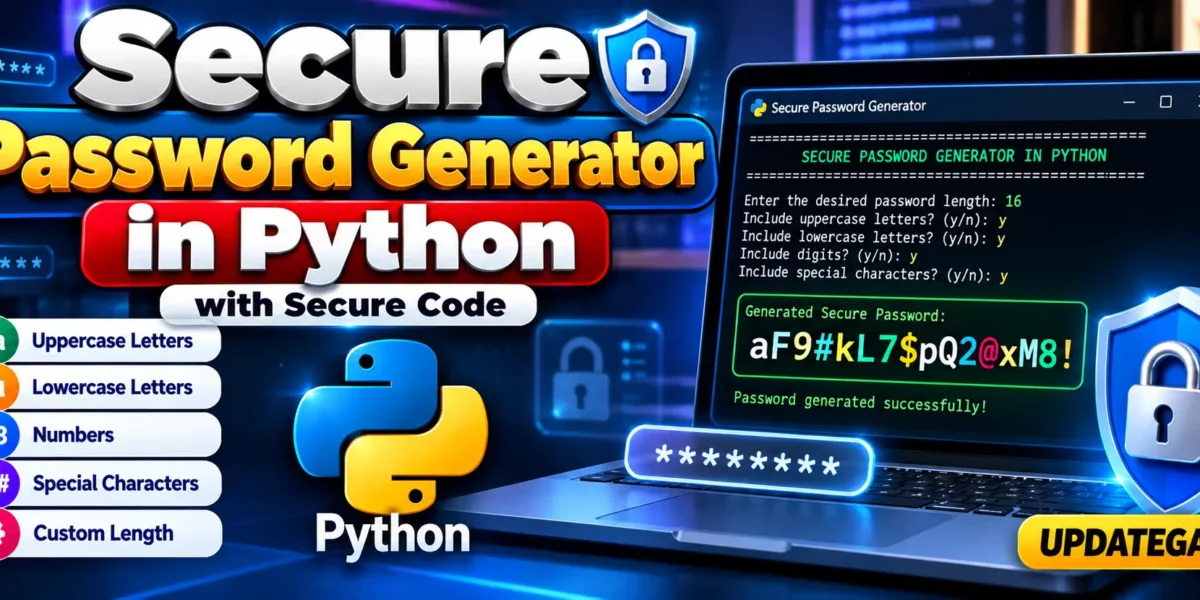
Secure Password Generator in Python with secure code
In a world where our digital lives are intertwined with countless online accounts, the importance of strong, secure passwords cannot be overstated. Yet, how often do we find ourselves reusing the same passwords or opting for something easy to remember, sacrificing security for convenience? Its a dilemma that many of us face, but what if I told you that creating a secure, unique password doesnt have to be a chore? In fact, with just a little bit of Python, you can generate passwords that are both strong and tailored to your needs.
Complete Advance AI Topics: Click Here
Real Time Projects:- DecodeIT
Power of a Strong Password
Our digital identities, our private information, and, frequently, our means of subsistence are all protected by passwords. A strong password is your first line of defense against cyber threats. But crafting a password that is both complex and memorable can feel like a daunting task. This is where automation steps in to make our lives a little easier and a lot more secure.
Password Generator?
Imagine the peace of mind that comes with knowing your passwords are nearly impossible to crack. A good password generator can create random combinations of letters, numbers, and special characters, ensuring that each password is unique and secure. With Python, you can build your own password generator tailored to your specific needs, giving you full control over the strength and format of your passwords.
Step 1: Setting Up the Essentials
First, we need to import the necessary modules. Well use Pythons built-in random module to generate random characters and string to access a variety of character sets.
import random
import string
Step 2: Creating the Password Generator Function
Now, lets create a function that will generate our password. Well allow the user to specify the length of the password and include options for uppercase letters, lowercase letters, digits, and special characters.
def generate_password(length, use_uppercase=True, use_lowercase=True, use_digits=True, use_special=True):
    characters = ''
    if use_uppercase:
        characters += string.ascii_uppercase
    if use_lowercase:
        characters += string.ascii_lowercase
    if use_digits:
        characters += string.digits
    if use_special:
        characters += string.punctuation

    if not characters:
        raise ValueError("At least one character set must be selected.")

    password = ''.join(random.choice(characters) for _ in range(length))
    return password
Step 3: Bringing It All Together
With the core function in place, lets add a simple user interface that allows us to interact with the generator. This will help us generate a password based on our specific needs.
if __name__ == "__main__":
    print("Welcome to the Python Password Generator!")

    length = int(input("Enter the desired password length: "))
    use_uppercase = input("Include uppercase letters? (y/n): ").strip().lower() == 'y'
    use_lowercase = input("Include lowercase letters? (y/n): ").strip().lower() == 'y'
    use_digits = input("Include digits? (y/n): ").strip().lower() == 'y'
    use_special = input("Include special characters? (y/n): ").strip().lower() == 'y'

    try:
        password = generate_password(length, use_uppercase, use_lowercase, use_digits, use_special)
        print(f"Your generated password is: {password}")
    except ValueError as e:
        print(e)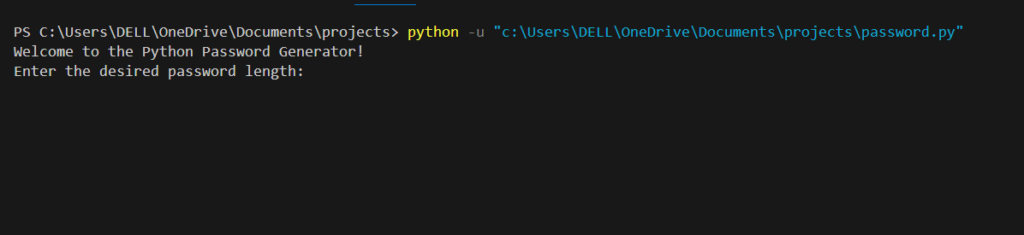
Step 4: Using the Password Generator
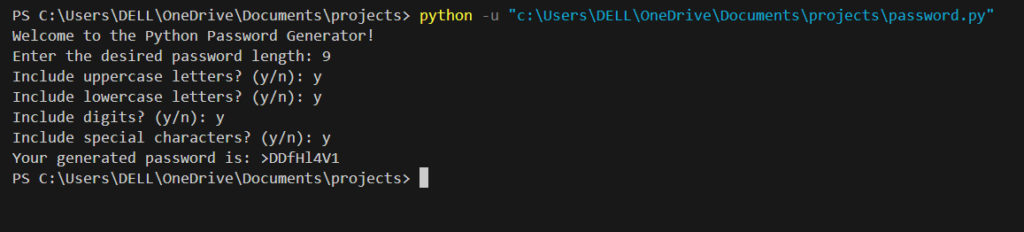
Imagine youre setting up a new account or updating an old password. With your Python-based password generator, you no longer need to worry about coming up with something secure. Just run the program, input your preferences, and in seconds, youll have a strong password ready to use.
Frequently Asked Questions (FAQ)
1. What is a Secure Password Generator in Python?
A Secure Password Generator in Python is a program that automatically creates random passwords using selected character types such as uppercase letters, lowercase letters, numbers, and special characters.
2. Which Python module is used for secure password generation?
This project uses Python’s built-in secrets module because it is designed for security-sensitive random value generation.
3. Is the Secure Password Generator free to use?
Yes. The project uses Python’s built-in modules and does not require any external packages.
4. Can I choose the password length?
Yes. The program asks the user to enter the desired password length before generating the password.
5. Can I choose which characters are included?
Yes. You can separately enable or disable uppercase letters, lowercase letters, digits, and special characters.
6. Does the generated password contain every selected character type?
Yes. The program ensures that at least one character from each selected character category is included, provided the password is long enough.
7. Do I need to install any external Python libraries?
No. The project uses the built-in secrets and string modules, so no additional package installation is required.
8. How do I run the Password Generator project?
Save the code as secure_password_generator.py and run:
python secure_password_generator.pyOn Windows, you can also use:
py secure_password_generator.py9. Does the program save generated passwords?
No. The provided version generates and displays the password but does not save it to a database or file.
10. Is this project suitable for Python beginners?
Yes. The project demonstrates basic Python concepts including functions, loops, conditional statements, strings, input validation, exception handling, and the secrets module.
Keywords
- python secure password generator
- simple password generator in python
- secure password generator free
- python secure password input
- how to create a password generator in python
- how to build a password generator in python
- python secure passwords with secure code
- random password generator in python code
- Secure Password Generator in Python
- Secure Password Generator in Python with secure code
- Secure Password Generator in Python Secure Password Generator in Python, Secure Password Generator Python, Password Generator in Python, Python Secure Password Generator, Python Password Generator Source Code, Random Password Generator in Python, Secure Password Generator with Source Code, Python Secure Password Code, Python Password Generator Project, Simple Password Generator in Python, Python Security Project, Password Generator Python Project