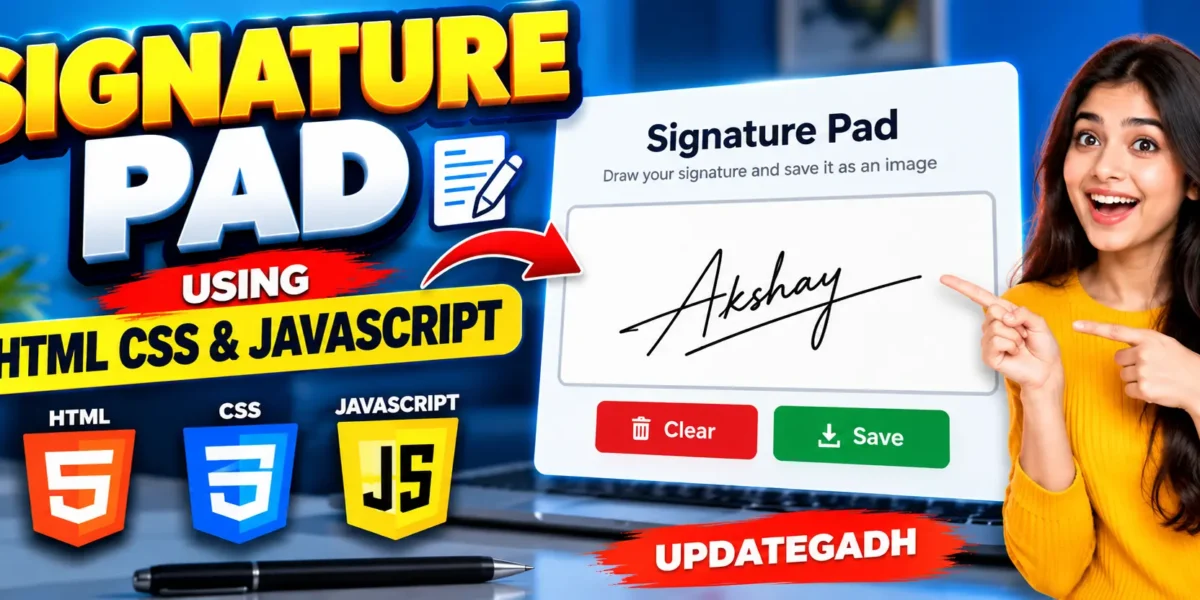
Build a Signature Pad Using HTML CSS and JavaScript
A Signature Pad Using HTML CSS and JavaScript is a simple web-based project that allows users to draw their digital signature directly inside a browser. The project uses the HTML Canvas element for drawing, CSS for the user interface, and JavaScript for handling drawing, clearing, and saving functionality.
This project is useful for students who want to learn how HTML Canvas works with JavaScript mouse events. Users can draw their signature on the canvas, clear it when required, and save the completed signature as a PNG image.
Complete Advance AI Topics: Click Here
Real Time Projects on YouTube:- DecodeIT
Project Overview
| Project Name | Signature Pad |
|---|---|
| Language/s Used | HTML, CSS, JavaScript |
| Type | Web-Based Application |
Available Features
- Digital signature drawing
- HTML Canvas signature area
- Mouse-based drawing
- Clear signature button
- Save signature as PNG image
- JavaScript event handling
- Responsive interface
- No database required
How the Signature Pad Works
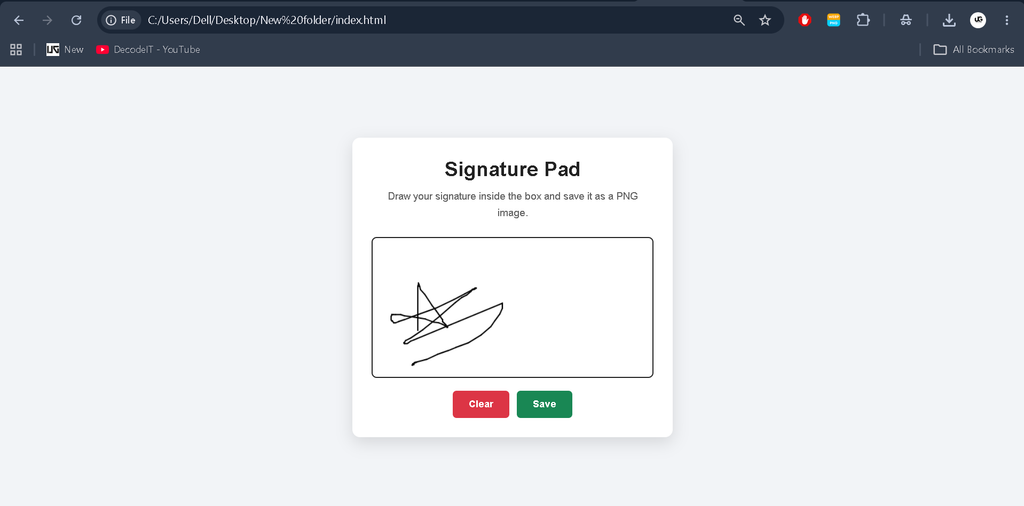
The application provides a canvas where users can draw their signature using a mouse. JavaScript detects the mouse position and draws lines between the previous and current positions.
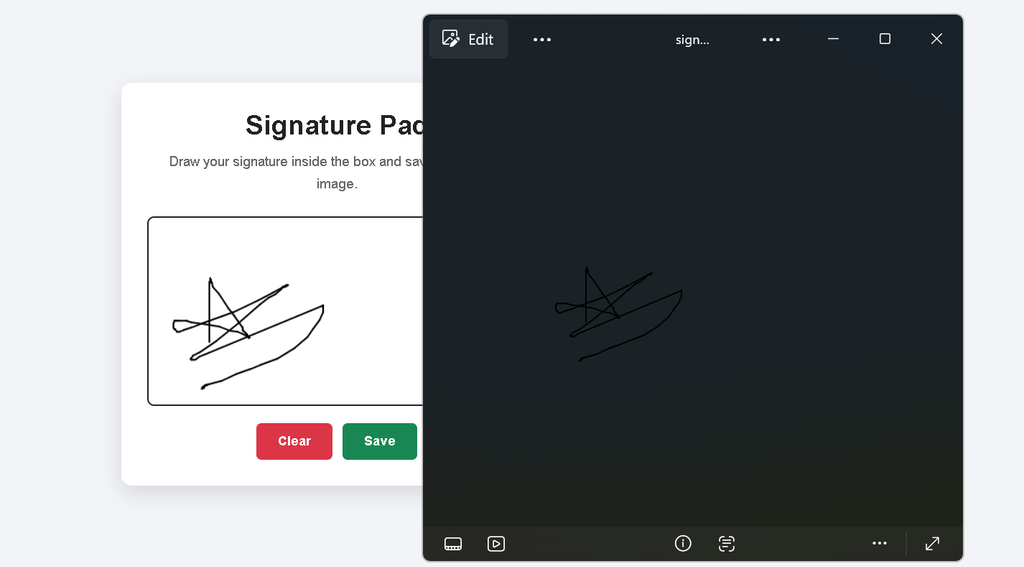
When the user clicks the Clear button, the existing drawing is removed from the canvas. The Save button converts the canvas content into a PNG image using the Canvas API and downloads the signature to the user’s device.
Demo Video
Screenshot
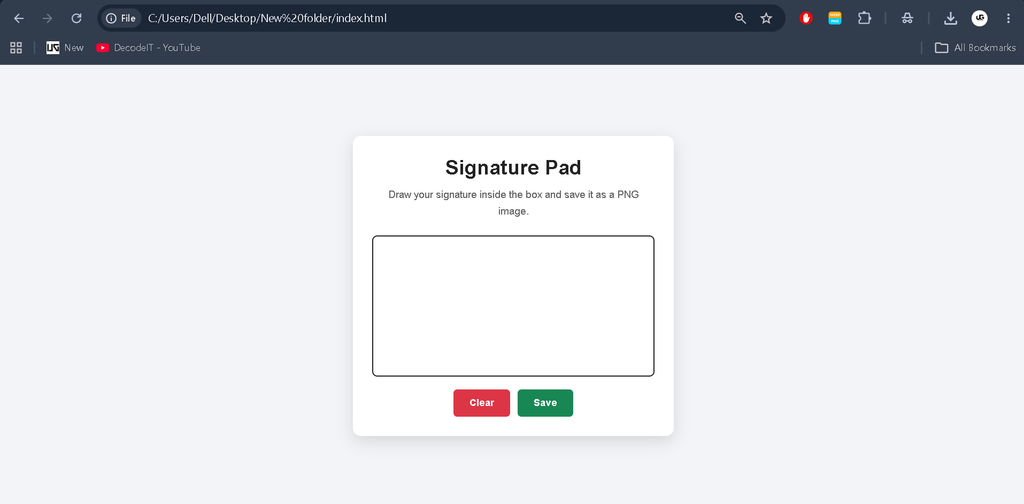
Step-by-Step Build a Signature Pad
Step 1: Create the Project
Create a new folder named Signature-Pad and create one file inside it:
index.htmlThe complete project is combined into a single HTML file, so separate CSS and JavaScript files are not required.
Step 2: Create the Signature Canvas
The HTML Canvas element provides the area where the user can draw a signature.
<canvas id="signature-pad" width="440" height="220"></canvas>Step 3: Add Clear and Save Buttons
<button id="clear-button">Clear</button>
<button id="save-button">Save</button>
Step 4: Add JavaScript Functionality
JavaScript listens for mouse events and draws the signature on the canvas. It also handles clearing and saving the signature.
Complete Signature Pad Source Code
Copy the following complete code into index.html.
<!DOCTYPE html>
<html lang="en">
<head>
    <meta charset="UTF-8">
    <meta name="viewport" content="width=device-width, initial-scale=1.0">

    <title>Signature Pad</title>

    <style>
        /* ***** FOR MORE REAL TIME PROJECTS VISIT :- https://updategadh.com/ ***** */

        * {
            margin: 0;
            padding: 0;
            box-sizing: border-box;
        }

        body {
            font-family: Arial, sans-serif;
            min-height: 100vh;
            display: flex;
            justify-content: center;
            align-items: center;
            background: #f2f4f7;
            padding: 20px;
        }

        .signature-container {
            width: 100%;
            max-width: 500px;
            background: #ffffff;
            padding: 30px;
            border-radius: 12px;
            box-shadow: 0 8px 25px rgba(0, 0, 0, 0.12);
            text-align: center;
        }

        h1 {
            margin-bottom: 10px;
            color: #222222;
        }

        .description {
            color: #666666;
            margin-bottom: 25px;
            line-height: 1.6;
        }

        .canvas-wrapper {
            width: 100%;
            margin-bottom: 20px;
        }

        #signature-pad {
            display: block;
            width: 100%;
            height: 220px;
            border: 2px solid #222222;
            border-radius: 8px;
            background: #ffffff;
            cursor: crosshair;
        }

        .button-group {
            display: flex;
            gap: 12px;
            justify-content: center;
        }

        button {
            border: none;
            padding: 12px 25px;
            border-radius: 6px;
            font-size: 15px;
            font-weight: 600;
            cursor: pointer;
            transition: 0.3s;
        }

        #clear-button {
            background: #dc3545;
            color: #ffffff;
        }

        #clear-button:hover {
            background: #b02a37;
        }

        #save-button {
            background: #198754;
            color: #ffffff;
        }

        #save-button:hover {
            background: #146c43;
        }

        @media (max-width: 500px) {
            .signature-container {
                padding: 20px;
            }

            .button-group {
                flex-direction: column;
            }

            button {
                width: 100%;
            }

            #signature-pad {
                height: 180px;
            }
        }
    </style>
</head>

<body>

    <!-- ***** FOR MORE REAL TIME PROJECTS VISIT :- https://updategadh.com/ ***** -->

    <div class="signature-container">

        <h1>Signature Pad</h1>

        <p class="description">
            Draw your signature inside the box and save it as a PNG image.
        </p>

        <div class="canvas-wrapper">
            <canvas id="signature-pad"
                    width="440"
                    height="220">
            </canvas>
        </div>

        <div class="button-group">
            <button id="clear-button">Clear</button>
            <button id="save-button">Save</button>
        </div>

    </div>

    <script>
        // ***** FOR MORE REAL TIME PROJECTS VISIT :- https://updategadh.com/ *****

        const canvas =
            document.getElementById("signature-pad");

        const clearButton =
            document.getElementById("clear-button");

        const saveButton =
            document.getElementById("save-button");

        const ctx =
            canvas.getContext("2d");

        let drawing = false;

        let prevX = 0;
        let prevY = 0;

        canvas.addEventListener("mousedown", function(e) {

            drawing = true;

            const rect =
                canvas.getBoundingClientRect();

            prevX = e.clientX - rect.left;
            prevY = e.clientY - rect.top;
        });

        canvas.addEventListener("mousemove", function(e) {

            if (!drawing) {
                return;
            }

            const rect =
                canvas.getBoundingClientRect();

            const x = e.clientX - rect.left;
            const y = e.clientY - rect.top;

            draw(x, y);
        });

        canvas.addEventListener("mouseup", function() {
            drawing = false;
        });

        canvas.addEventListener("mouseleave", function() {
            drawing = false;
        });

        function draw(x, y) {

            ctx.beginPath();

            ctx.strokeStyle = "#000000";
            ctx.lineWidth = 2;
            ctx.lineJoin = "round";
            ctx.lineCap = "round";

            ctx.moveTo(prevX, prevY);
            ctx.lineTo(x, y);

            ctx.stroke();
            ctx.closePath();

            prevX = x;
            prevY = y;
        }

        clearButton.addEventListener("click", function() {

            ctx.clearRect(
                0,
                0,
                canvas.width,
                canvas.height
            );
        });

        saveButton.addEventListener("click", function() {

            const dataURL =
                canvas.toDataURL("image/png");

            const link =
                document.createElement("a");

            link.href = dataURL;

            link.download = "signature.png";

            link.click();
        });
    </script>

</body>
</html>
How to Run the Project
After saving the code as index.html, open the project folder in Visual Studio Code.
Open the VS Code terminal and run:
start .\index.htmlThe Signature Pad will open in your default web browser.
How to Use the Signature Pad
- Open the Signature Pad in your browser.
- Place the mouse inside the signature area.
- Click and move the mouse to draw your signature.
- Click Clear to remove the signature.
- Click Save to download the signature as a PNG image.
Technology Stack
- HTML: Creates the page structure and canvas.
- CSS: Designs the Signature Pad interface.
- JavaScript: Handles drawing, clearing, and saving.
- Canvas API: Provides the drawing area.
Project Benefits
This project is useful for students who want to practice frontend development and understand interactive browser applications. It demonstrates practical concepts such as DOM manipulation, event listeners, mouse coordinates, Canvas drawing, and browser-based image downloading.
Final Thoughts
The Signature Pad is a simple and practical HTML, CSS, and JavaScript project. It shows how the Canvas API can be combined with JavaScript to create an interactive digital signature application without requiring a database or external backend.
Keywords: Build a Signature Pad, Signature Pad Using HTML CSS JavaScript, JavaScript Signature Pad, Digital Signature Pad, Signature Pad Project, HTML CSS JavaScript Project, JavaScript Projects for Students