Create Address Book in Python with Source Code
Keeping contact information organized is important in everyday life. Whether you need to save the details of friends, family members, classmates, or colleagues, an address book provides a simple way to keep everything together. Instead of writing contact information on paper or maintaining separate notes, a small Python program can provide a convenient way to store and manage contacts.
Create Address Book in Python is a simple beginner-friendly project that demonstrates how Python can be used to create a practical contact management application. The project allows users to add new contacts, search for existing contacts, update contact information, delete contacts, and display all saved contacts.
This project uses basic Python concepts such as lists, dictionaries, functions, loops, conditional statements, user input, and string operations. Because the project does not require a database or external framework, it is easy for beginners and students to understand and run.
The contact information is stored in a Python list. Each contact is represented as a dictionary containing three details: name, phone number, and email address. Different functions are then used to perform operations on the stored contacts.
Complete Advance AI Topics: Click Here
Real Time Projects:- DecodeIT
Create Address Book in Python
The Address Book in Python is a console-based application that manages contact information using Python data structures. When the program starts, an empty contact list is created. The user can then select different operations from the menu.
The main contact information stored by the application includes:
- Contact name
- Phone number
- Email address
Each contact is stored as a dictionary. All dictionaries are stored inside a list called contacts.
This structure keeps the project simple while demonstrating how multiple records can be managed using Python.
Core Features
1. Add New Contacts
The application allows the user to enter a contact’s name, phone number, and email address. After the information is entered, the contact is stored in the address book.
2. Update Existing Contacts
Users can search for a contact by name and update its phone number and email address. This makes it possible to keep contact information current.
3. Delete Contacts
The delete operation removes a contact from the address book when the information is no longer required.
4. Search for Contacts
The search feature allows the user to enter a contact name. The program searches through the stored contacts and displays the matching contact information.
5. Display All Contacts
The application can display all currently stored contacts in an organized format. If no contacts have been added, the program informs the user that no contacts are available.
Requirements
The project has very simple requirements because it uses only standard Python functionality.
- Python 3
- Visual Studio Code, PyCharm, or IDLE
- Basic knowledge of Python
No external Python packages are required for this project.
Setting Up Your Python Environment
First, make sure Python 3 is installed on your computer. You can use Visual Studio Code, PyCharm, or IDLE to write and execute the program.
Create a new Python file named:
address_book.pyAfter creating the file, add the complete source code provided in this article.
Open the terminal in the project folder and execute:
python address_book.pyOn Windows, you can also use:
py address_book.pyDesigning the Address Book
The project uses a list to store all contacts:
contacts = []Each contact is represented by a dictionary:
contact = {
    "name": "Rahul",
    "phone": "9876543210",
    "email": "rahul@example.com"
}
The dictionary stores related information using three keys: name, phone, and email.
When a new contact is created, the dictionary is added to the contacts list. Functions can then loop through this list to search, update, delete, or display records.
Adding New Contacts
The add_contact() function collects information from the user using the input() function.
The entered information is placed into a dictionary and then added to the contacts list.
The function also checks whether the name is empty. A contact should have a name before it is added to the address book.
Searching for Contacts
The search_contact() function asks the user to enter a name. It then loops through the contacts list and compares the entered name with the name stored in each dictionary.
The comparison is performed using lower(), allowing the user to search without worrying about uppercase or lowercase letters.
For example, searching for rahul can find a contact stored as Rahul.
Updating Contacts
The update operation first asks for the name of the contact that needs to be changed. Once a matching contact is found, the user can enter a new phone number and email address.
The existing dictionary values are then replaced with the new information.
Deleting Contacts
The delete operation asks for the name of the contact that should be removed. The program searches for a matching name and removes the contact from the list.
If the contact does not exist, the program displays a suitable message.
Displaying All Contacts
The display_contacts() function checks whether the contacts list contains any records. If the list is empty, it displays a message indicating that no contacts are available.
Otherwise, the function loops through every contact and prints its name, phone number, and email address.
Complete Source Code
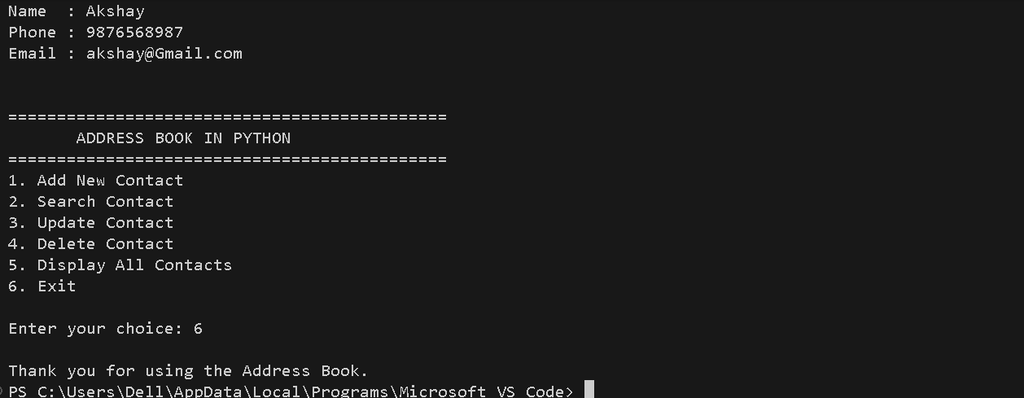
Screenshot
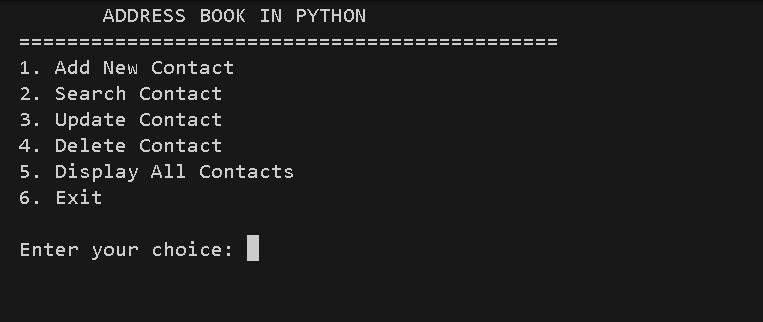
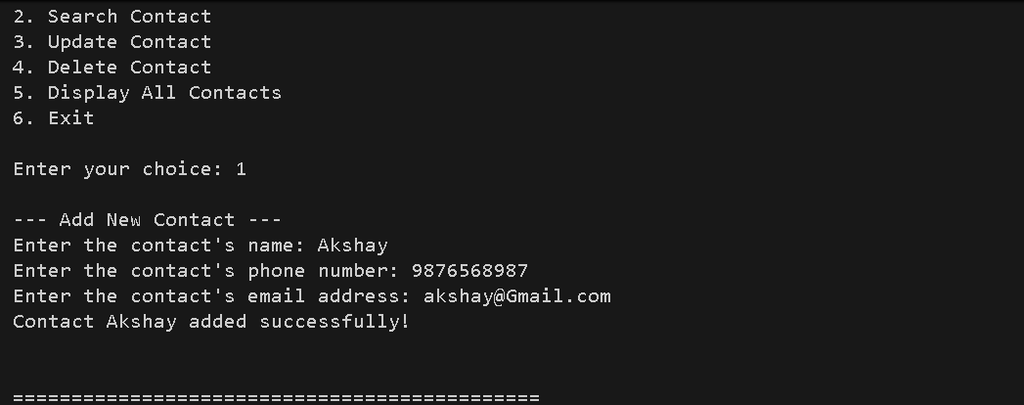
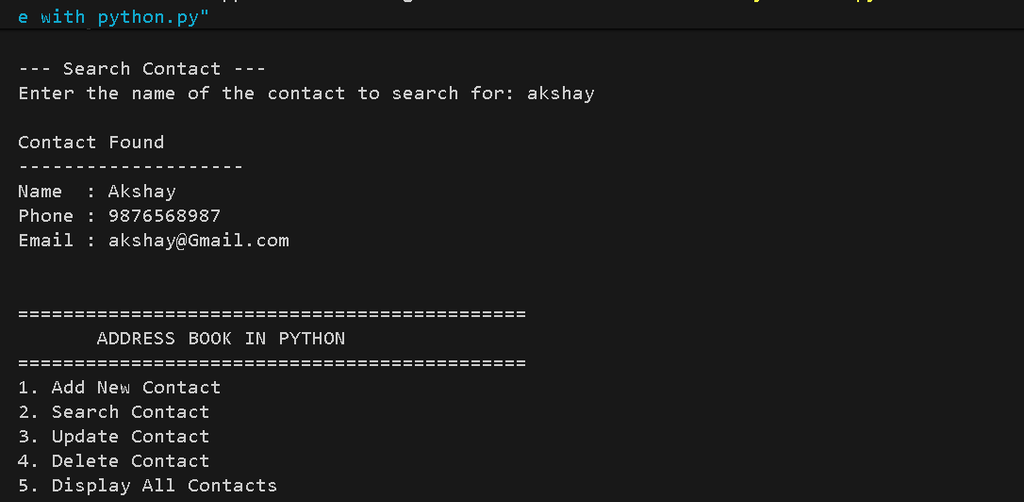
How to Run the Project
After saving the source code, open the terminal inside the project folder.
Run the following command:
python address_book.pyOn Windows, you can use:
py address_book.pyThe program will display the Address Book menu:
=============================================
       ADDRESS BOOK IN PYTHON
=============================================
1. Add New Contact
2. Search Contact
3. Update Contact
4. Delete Contact
5. Display All Contacts
6. Exit

Enter your choice:
Select an option by entering its corresponding number.
Example: Adding a Contact
Enter your choice: 1

--- Add New Contact ---
Enter the contact's name: Rahul
Enter the contact's phone number: 9876543210
Enter the contact's email address: rahul@example.com

Contact Rahul added successfully!
Example: Searching a Contact
Enter your choice: 2

--- Search Contact ---
Enter the name of the contact to search for: Rahul

Contact Found
--------------------
Name  : Rahul
Phone : 9876543210
Email : rahul@example.com
Example: Displaying Contacts
Enter your choice: 5

--- All Contacts ---
------------------------------------------------------------
Contact 1
Name  : Rahul
Phone : 9876543210
Email : rahul@example.com
------------------------------------------------------------
How the Project Works
The application starts with an empty list named contacts. The main() function displays the menu repeatedly until the user selects the exit option.
When the user chooses the add option, the add_contact() function collects the contact information and stores it in a dictionary. That dictionary is then appended to the contacts list.
When the search option is selected, search_contact() loops through the list and checks the name of each contact. The lower() method is used to make the comparison case-insensitive.
The update function finds an existing contact and changes its phone number and email address. The delete function removes the selected dictionary from the contacts list.
Finally, the display function loops through the complete list and prints every saved contact.
Because this version stores contacts in memory using a Python list, the records remain available while the program is running. When the program is closed, the contacts are not saved permanently.
Project Requirements
- Python 3.x
- VS Code, PyCharm, or IDLE
- Basic Python knowledge
Technologies Used
- Python
- Lists
- Dictionaries
- Functions
- Loops
- Conditional Statements
- String Methods
Conclusion
The Address Book in Python is a simple and practical project for learning the fundamentals of Python programming. It demonstrates how lists and dictionaries can be combined to manage multiple contact records while functions are used to organize different operations.
The project provides the essential functionality needed for a basic address book, including adding new contacts, searching for contacts, updating existing information, deleting contacts, and displaying all stored records.
For beginners and college students, this project is a useful way to practice Python concepts through a real-world example. The source code is intentionally simple so that each function and operation can be understood and modified easily.
The project can also serve as a starting point for learning more advanced Python programming. Once the basic concepts are understood, the same application structure can later be connected to persistent storage or a graphical interface as a separate project.