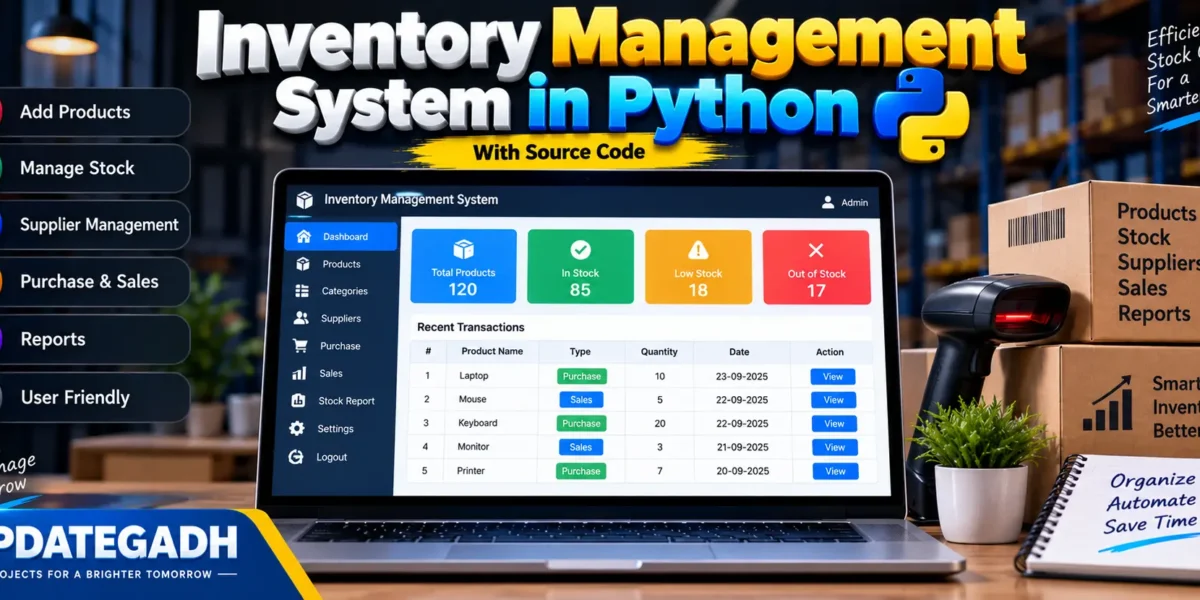
Inventory Management System in Python
In today’s fast-paced business environment, managing inventory effectively is crucial for maintaining smooth operations, especially for businesses that deal with physical goods. An Inventory Management System (IMS) can streamline stock handling, provide accurate data on available items, and optimize supply chain operations. In this blog post, we’ll walk through creating an Inventory Management System using Python, offering both source code and insights to build this essential tool.
Complete Advance AI Topics: Click Here
Real Time Projects:- DecodeIT
Inventory Management System
Inventory is often referred to as the backbone of a business, as it ensures that products are available when needed, without overspending on stock that may not sell. An efficient system will help businesses:
- Avoid overstocking and understocking, which can result in financial loss.
- Track inventory in real-time, helping make data-driven decisions.
- Forecast demand, improving operational efficiency.
- Reduce human errors, leading to better stock management and increased profitability.
Features
- Add New Inventory Items: Users can add new items with details such as product name, quantity, price, and supplier.
- Update Inventory: Track stock levels and update them as items are sold or restocked.
- Delete Inventory: Remove obsolete or sold-out products.
- View Inventory: Display all current stock, making it easy to manage.
- Search Functionality: Search for specific products by their name or ID.
Step 1: Setting Up the Environment
pip install pandasWell use Pandas to handle the data in a tabular format.
Step 2: The Core Code
Heres the main part of the Inventory Management System in Python:
import pandas as pd

class InventoryManagementSystem:
    def __init__(self):
        self.inventory = pd.DataFrame(columns=['Product ID', 'Product Name', 'Quantity', 'Price', 'Supplier'])

    def add_item(self, product_id, product_name, quantity, price, supplier):
        new_item = {'Product ID': product_id, 'Product Name': product_name, 'Quantity': quantity, 'Price': price, 'Supplier': supplier}
        self.inventory = self.inventory.append(new_item, ignore_index=True)
        print(f"{product_name} has been added to inventory.")

    def update_item(self, product_id, new_quantity):
        if product_id in self.inventory['Product ID'].values:
            self.inventory.loc[self.inventory['Product ID'] == product_id, 'Quantity'] = new_quantity
            print(f"Product ID {product_id}'s quantity updated to {new_quantity}.")
        else:
            print(f"Product with ID {product_id} not found.")

    def delete_item(self, product_id):
        if product_id in self.inventory['Product ID'].values:
            self.inventory = self.inventory[self.inventory['Product ID'] != product_id]
            print(f"Product ID {product_id} has been removed from inventory.")
        else:
            print(f"Product with ID {product_id} not found.")

    def view_inventory(self):
        if self.inventory.empty:
            print("Inventory is empty.")
        else:
            print("Current Inventory:")
            print(self.inventory)

    def search_item(self, product_name):
        result = self.inventory[self.inventory['Product Name'].str.contains(product_name, case=False)]
        if result.empty:
            print(f"No products found with the name '{product_name}'.")
        else:
            print(f"Search results for '{product_name}':")
            print(result)

# Example usage:
inventory_system = InventoryManagementSystem()

# Adding items
inventory_system.add_item(1, 'Laptop', 10, 800, 'TechSupplier')
inventory_system.add_item(2, 'Mouse', 50, 15, 'TechSupplier')

# Viewing inventory
inventory_system.view_inventory()

# Updating item quantity
inventory_system.update_item(1, 8)

# Deleting an item
inventory_system.delete_item(2)

# Searching for an item
inventory_system.search_item('laptop')

# Viewing updated inventory
inventory_system.view_inventory()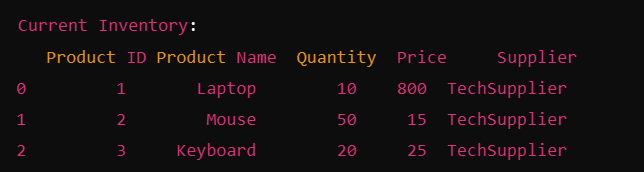


Step 3: Explanation of Code
- Initialization: The system uses a pandas DataFrame to store product information, including ID, name, quantity, price, and supplier.
- Add Item: Adds new items to the inventory by appending them to the DataFrame.
- Update Item: Updates the quantity of a product when its restocked or sold.
- Delete Item: Removes a product from the inventory if its no longer available.
- View Inventory: Displays the current state of the inventory.
- Search Item: Allows searching for products by name, making it easier to locate specific items.
How to Run the Program
- Copy the code into your Python editor or IDE (such as PyCharm, Visual Studio Code, or Jupyter Notebook).
- Run the code: You can test it by adding, updating, and viewing inventory items.
- Modify: Customize it as per your business needswhether for retail, warehouse management, or any other sector dealing with physical goods.
Future Enhancements
This basic inventory management system can be extended with more advanced features:
- GUI Integration: Using frameworks like Tkinter or PyQt to create a user-friendly graphical interface.
- Database Integration: Storing data in MySQL or SQLite instead of a DataFrame for better scalability.
- Inventory Alerts: Automatic alerts when stock levels are low.
- Reports Generation: Adding functionality to export inventory data to Excel or CSV for analysis.
Frequently Asked Questions (FAQ)
1. What is an Inventory Management System in Python?
An Inventory Management System in Python is an application used to manage products, stock quantities, suppliers, purchases, sales, and inventory records digitally.
2. What is the main purpose of an Inventory Management System?
The main purpose is to keep track of available stock and make it easier to record purchases, sales, and changes in product quantities.
3. Which programming language is used in this project?
This project is developed using Python. Depending on the implementation, a GUI framework and database can also be used.
4. What features are commonly included in the system?
Common features include product management, stock management, supplier management, purchase and sales records, low-stock tracking, search, and inventory reports.
5. Can the system track low-stock products?
Yes. A stock-level feature can identify products whose quantity falls below a predefined minimum level.
6. Can products be added, updated, and deleted?
Yes. An inventory system generally provides CRUD operations for maintaining accurate product information.
7. Can an inventory system manage sales and purchases?
Yes. Purchase records can increase stock quantities, while sales records can reduce available stock.
8. Can the project use a database?
Yes. MySQL or SQLite can be integrated to store products, suppliers, transactions, and other inventory information permanently.
9. Is this project suitable for students?
Yes. It is a practical Python project for learning database operations, CRUD functionality, application logic, and real-world inventory management.
10. Can this Python project be expanded?
Yes. Additional functionality can include barcode scanning, invoice generation, user authentication, role-based access, sales analytics, stock alerts, and detailed reports.