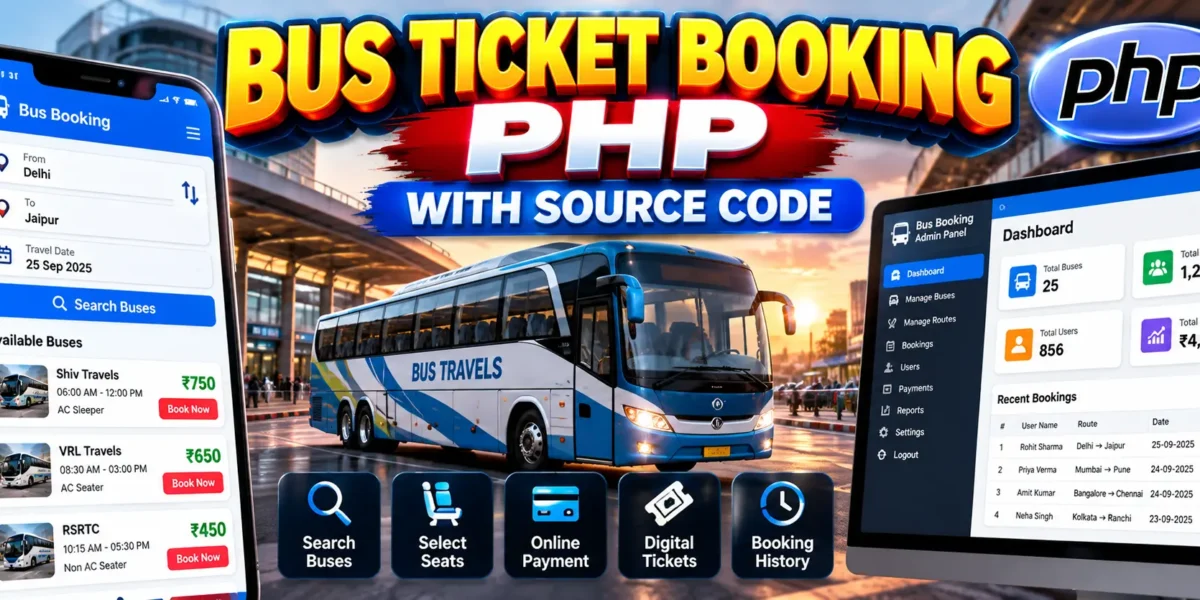
Bus Ticket Booking PHP with Source Code
In today’s fast-paced world, convenience is an important part of everyday life. Whether it is ordering food, shopping online, or booking travel tickets, people increasingly prefer completing tasks from the convenience of their smartphones.
This shift toward digital convenience has made bus ticket booking applications increasingly useful. A bus ticket booking system can allow users to search for buses, select seats, make bookings, and access their digital tickets. Alongside the user-facing application, an admin panel can help operators manage routes, schedules, seats, bookings, users, and other important operations.
This article explains the development concept of a bus ticket booking application for Android along with an admin panel built using PHP. It also provides example source code concepts for implementing important parts of the system.
Understanding the Bus Ticket Booking App
A bus ticket booking application is designed to simplify the process of searching for available buses and booking seats. Instead of visiting a physical ticket counter, users can perform the booking process through an application.
The application can provide different screens for registration, login, bus searching, seat selection, booking, payment, digital tickets, and booking history. The PHP-based admin panel works alongside the application to provide management functionality for administrators and bus operators.
Importance of an Admin Panel
While the user-facing application handles customer interaction, the admin panel provides the management side of the system. Administrators can use it to manage routes, schedules, seat availability, bookings, users, and other operational information.
The admin panel can also provide information about bookings, payments, and system activity. By keeping these management functions in one place, administrators can handle the operations required to support the bus ticket booking application.
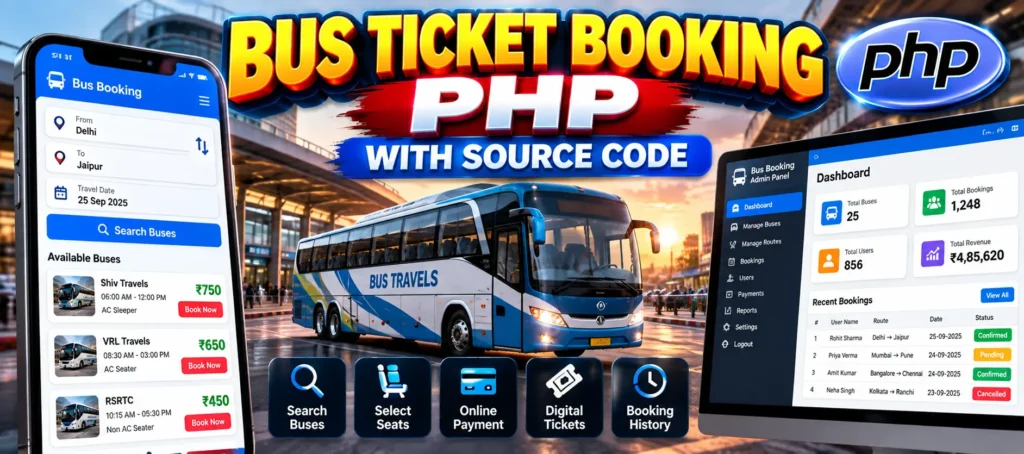
Core Features
User Features
- User Registration and Authentication: Allows users to create an account, log in, and manage their profiles.
- Search for Buses: Users can search for available buses based on departure point, destination, travel date, and preferred time.
- Seat Selection: Provides a visual representation of available seats so users can choose their preferred seats.
- Booking and Payment: Users can book selected seats and make payments through integrated payment gateways.
- Digital Tickets: After booking, users can receive a digital ticket that can be used when boarding.
- Booking History: Users can view previous bookings and check earlier travel information.
- Notifications: The application can send notifications for booking confirmations, reminders, and schedule changes.
Admin Panel Features
- Route Management: Administrators can add, edit, or remove bus routes and schedules.
- Seat Availability Management: Allows seat availability to be updated according to bookings and cancellations.
- User Management: Administrators can manage user accounts and handle customer inquiries.
- Booking Management: Administrators can view and manage bookings, cancellations, and refunds.
- Payment Monitoring: Allows transaction information to be monitored.
- Reporting and Analytics: Reports can provide information about bookings, revenue, and system performance.
Complete Advance AI Topics: Click Here
Real Time Projects:- DecodeIT
Step-by-Step Guide
1. Setting Up the Development Environment
To develop the Android application, an Android development environment is required. Android Studio can be used as the development IDE because it provides the tools required to build and test Android applications.
For application development, developers can choose either Java or Kotlin. Both languages are supported for Android development, while Kotlin is widely used for modern Android applications.
2. Designing the User Interface
The user interface is the part of the application with which customers directly interact. It should provide clear navigation between the different stages of the booking process.
Login and Registration Screens
The application can include registration and login screens where users enter their account information.
public class LoginActivity extends AppCompatActivity {

    private EditText email, password;
    private Button loginButton;

    @Override
    protected void onCreate(Bundle savedInstanceState) {
        super.onCreate(savedInstanceState);
        setContentView(R.layout.activity_login);

        email = findViewById(R.id.email);
        password = findViewById(R.id.password);
        loginButton = findViewById(R.id.login_button);

        loginButton.setOnClickListener(new View.OnClickListener() {
            @Override
            public void onClick(View v) {
                String userEmail =
                        email.getText().toString().trim();

                String userPassword =
                        password.getText().toString().trim();

                // Perform login authentication here
            }
        });
    }
}
This example demonstrates the basic structure of a login activity. The entered email and password can be retrieved from the interface before authentication is performed.
Bus Search and Selection Screens
The application can provide screens where users enter their departure location, destination, travel date, and preferred time. The available buses can then be displayed according to the search information.
After selecting a bus, users can proceed to the seat selection screen and choose from the available seats.
Booking and Payment Screens
The booking screen can display the selected bus, travel details, seat information, and other booking details. A payment screen can then be provided for completing the booking through an integrated payment service.
3. Implementing the Core Functionalities
User Authentication
User authentication can be implemented using Firebase Authentication or a custom backend API. Firebase Authentication provides functionality for signing users in using their account credentials.
FirebaseAuth mAuth = FirebaseAuth.getInstance();

mAuth.signInWithEmailAndPassword(email, password)
    .addOnCompleteListener(this,
        new OnCompleteListener<AuthResult>() {

        @Override
        public void onComplete(
                @NonNull Task<AuthResult> task) {

            if (task.isSuccessful()) {
                FirebaseUser user =
                        mAuth.getCurrentUser();

                // Navigate to home screen
            } else {
                // Display login error
            }
        }
    });
Bus Search and Booking
The bus search functionality requires a backend system or API that can provide available buses according to the user’s search criteria.
public List<Bus> searchBuses(
        String departure,
        String destination,
        String date) {

    List<Bus> availableBuses =
            new ArrayList<>();

    // Query the database or API
    // for available buses

    return availableBuses;
}
The search function receives the departure point, destination, and date and returns the available buses. The actual data can be retrieved from a backend database or API.
Payment Gateway Integration
A payment gateway can be integrated into the application to process ticket payments. Services such as PayPal, Stripe, or other suitable payment providers can be used depending on the project requirements.
Notifications
Push notifications can be implemented to inform users about booking confirmations, reminders, and schedule changes. This helps users stay updated about their travel bookings.
4. Testing the App
Before releasing the application, all major features should be tested. Android testing tools can be used to check the user interface and application functionality.
Frameworks such as Espresso can be used for UI testing, while JUnit can be used for unit testing. Testing should cover registration, login, bus searching, seat selection, booking, payment, notifications, and booking history.
Building the Admin Panel in PHP
1. Setting Up the Development Environment
The admin panel can be developed using PHP with a local server environment such as XAMPP or WAMP. These environments provide Apache, PHP, and MySQL for local development.
PHPMyAdmin can be used to manage the MySQL database that stores application information such as users, routes, buses, bookings, and other required data.
2. Designing the Admin Interface
The admin interface should provide clear navigation so administrators can access the different management sections.
Dashboard
The dashboard can provide an overview of important system information, including active users, upcoming trips, and recent bookings.
<?php

session_start();

if (!isset($_SESSION['admin_logged_in'])) {
    header("Location: login.php");
    exit();
}

?>

<h1>Welcome to the Admin Dashboard</h1>

<p>
    Total Users:
    <?php echo $totalUsers; ?>
</p>

<p>
    Total Bookings:
    <?php echo $totalBookings; ?>
</p>
The example checks the administrator session before displaying the dashboard. The dashboard can then display information such as total users and total bookings.
Management Sections
The admin panel can include separate sections for managing routes, buses, bookings, and users. Administrators can use these sections to add, edit, or delete the required records.
3. Implementing Core Functionalities
Route Management
Route management allows administrators to add, edit, and delete bus routes and schedules. The route information can be stored in the MySQL database.
if (isset($_POST['add_route'])) {

    $departure = $_POST['departure'];
    $destination = $_POST['destination'];
    $time = $_POST['time'];

    $query = "INSERT INTO routes
              (departure, destination, time)
              VALUES
              ('$departure', '$destination', '$time')";

    mysqli_query($connection, $query);
}
This example retrieves route information from a submitted form and inserts it into the routes table.
Booking Management
The booking management section can allow administrators to view bookings and manage booking-related operations such as cancellations and refunds.
$query = "SELECT * FROM bookings
          ORDER BY date DESC";

$result = mysqli_query($connection, $query);

while ($booking = mysqli_fetch_assoc($result)) {

    echo "<tr>";
    echo "<td>" . $booking['id'] . "</td>";
    echo "<td>" . $booking['user_id'] . "</td>";
    echo "<td>" . $booking['route_id'] . "</td>";
    echo "<td>" . $booking['date'] . "</td>";
    echo "<td>" . $booking['status'] . "</td>";
    echo "</tr>";
}
The query retrieves booking records and displays information such as the booking ID, user ID, route ID, date, and booking status.
User Management
User management provides administrators with functionality to view and manage user accounts. It can also help administrators handle customer support issues and monitor system usage.
Reporting
The admin panel can provide reports related to bookings, revenue, and other system information. These reports can help administrators review the activity of the bus ticket booking system.
4. Testing the Admin Panel
The PHP admin panel should also be thoroughly tested before being used. Testing should cover the different management sections and ensure that data is handled correctly.
Usability, security, and data integrity should be considered during testing. Administrators should be able to manage routes, bookings, users, and other available information without unexpected errors.
The Importance of Source Code
The source code defines the functionality of the complete bus ticket booking application and its admin panel. Having access to the source code allows developers to understand how the system works and customize it according to specific requirements.
The source code can also be useful when fixing bugs, changing existing functionality, and improving the application as requirements evolve.
A well-organized source code structure provides a foundation for developing a reliable and user-friendly bus ticket booking service.
Conclusion
The Bus Ticket Booking PHP with Source Code project demonstrates the concepts involved in creating a bus ticket booking application with an accompanying PHP-based admin panel.
The user application can provide features such as registration, authentication, bus searching, seat selection, booking, payment, digital tickets, booking history, and notifications. The PHP admin panel can provide management functionality for routes, seats, users, bookings, payments, and reports.
By combining Android application development with PHP and MySQL-based administration, the project demonstrates how a complete bus ticket booking solution can be structured around separate user and administrative functionalities.
Keywords
- Bus Ticket Booking PHP with Source Code
- Bus Ticket Booking PHP