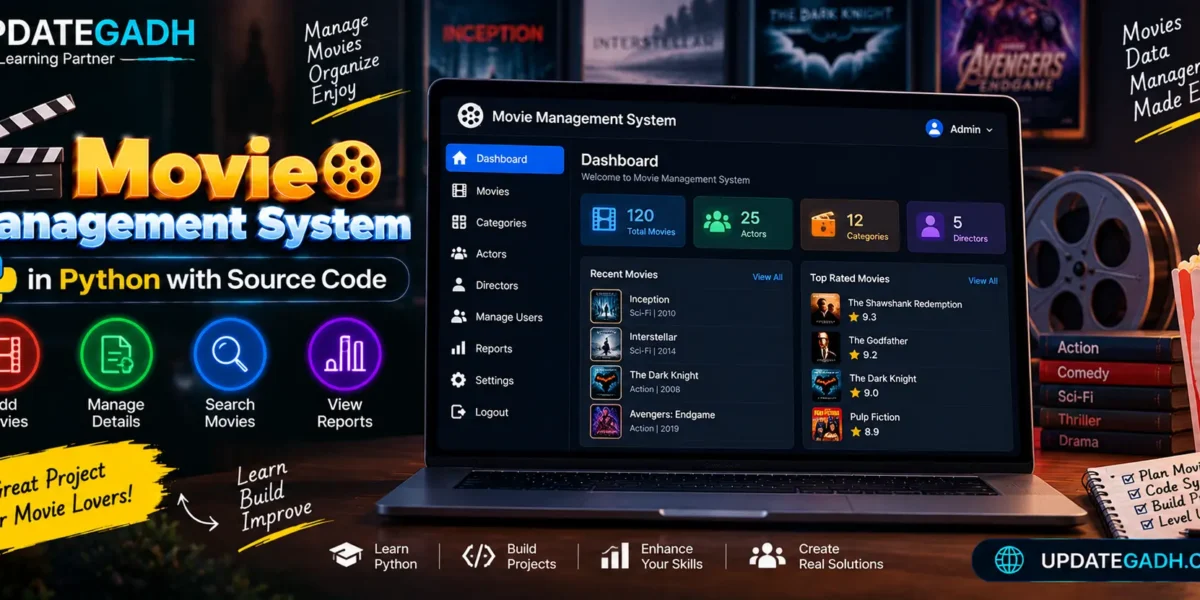
Movie Management System in Python
Managing a vast collection of movies can be quite overwhelming, especially for enthusiasts who love to keep track of different genres, ratings, and reviews. The Movie Management System in Python offers a simple yet efficient solution to manage movie data, providing users with an intuitive interface to store, view, and modify movie records.
Key Features
- Store Movie Data: Include movie names, descriptions, release dates, and genres.
- Search and Filter: Movies may be filtered by year, genre, and title.
- Rating and Reviews: Store and display user ratings and reviews for movies.
- Simple Interface: A user-friendly interface built with
tkintermakes navigation easy, even for non-technical users.
Complete Advance AI Topics: Click Here
Real Time Projects:- DecodeIT
Setting Up
Step 1: Requirements
- Python 3.x installed on your computer.
- The following Python libraries:
sqlite3(for database management)tkinter(for the graphical user interface)
The commands listed below can be used to install these:
pip install sqlite3
pip install tkinter
Complete Source Code
import sqlite3
from tkinter import *

# Create database connection and cursor
conn = sqlite3.connect('movies.db')
cursor = conn.cursor()

# Create movies table if it doesn't exist
cursor.execute('''CREATE TABLE IF NOT EXISTS movies (
                    id INTEGER PRIMARY KEY AUTOINCREMENT,
                    title TEXT NOT NULL,
                    genre TEXT NOT NULL,
                    release_date TEXT NOT NULL,
                    description TEXT)''')

# Commit the changes
conn.commit()

# Function to add a movie to the database
def add_movie():
    title = title_entry.get()
    genre = genre_entry.get()
    release_date = release_entry.get()
    description = description_entry.get()

    if title and genre and release_date:
        cursor.execute("INSERT INTO movies (title, genre, release_date, description) VALUES (?, ?, ?, ?)",
                       (title, genre, release_date, description))
        conn.commit()
        display_movies()
        clear_entries()
    else:
        result_label.config(text="Please fill in all the fields!")

# Function to display movies from the database
def display_movies():
    cursor.execute("SELECT * FROM movies")
    rows = cursor.fetchall()

    movie_list.delete(0, END)
    for row in rows:
        movie_list.insert(END, f"Title: {row[1]}, Genre: {row[2]}, Release Date: {row[3]}, Description: {row[4]}")

# Function to clear the input fields
def clear_entries():
    title_entry.delete(0, END)
    genre_entry.delete(0, END)
    release_entry.delete(0, END)
    description_entry.delete(0, END)

# Create the GUI window
root = Tk()
root.title("Movie Management System")

# Create input fields and labels
Label(root, text="Title").grid(row=0, column=0, padx=10, pady=10)
title_entry = Entry(root, width=30)
title_entry.grid(row=0, column=1, padx=10, pady=10)

Label(root, text="Genre").grid(row=1, column=0, padx=10, pady=10)
genre_entry = Entry(root, width=30)
genre_entry.grid(row=1, column=1, padx=10, pady=10)

Label(root, text="Release Date").grid(row=2, column=0, padx=10, pady=10)
release_entry = Entry(root, width=30)
release_entry.grid(row=2, column=1, padx=10, pady=10)

Label(root, text="Description").grid(row=3, column=0, padx=10, pady=10)
description_entry = Entry(root, width=30)
description_entry.grid(row=3, column=1, padx=10, pady=10)

# Create buttons to add movie and clear fields
add_button = Button(root, text="Add Movie", command=add_movie)
add_button.grid(row=4, column=0, padx=10, pady=10)

clear_button = Button(root, text="Clear", command=clear_entries)
clear_button.grid(row=4, column=1, padx=10, pady=10)

# Create listbox to display movies
movie_list = Listbox(root, width=60, height=10)
movie_list.grid(row=5, column=0, columnspan=2, padx=10, pady=10)

# Display initial list of movies
display_movies()

# Create a label for result messages
result_label = Label(root, text="")
result_label.grid(row=6, column=0, columnspan=2, pady=10)

# Run the main GUI loop
root.mainloop()

# Close the database connection on exit
conn.close()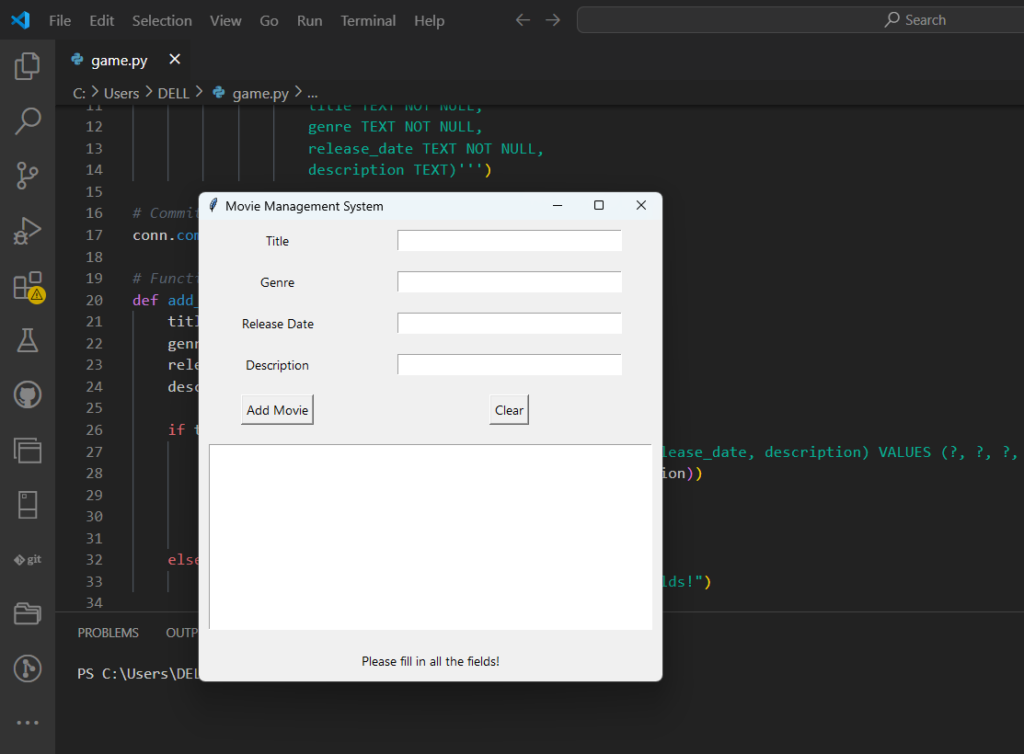
Step 3: Running the Project
- Extract the Source Code: Once the source code has been downloaded, unpack the files and go to the project directory.
- Run the Python Script:Go to the project folder in a terminal or command prompt, then use the following command to launch the script:
python main.pyThe application will launch in a new window, allowing you to manage movie records by adding, viewing, and managing movie details in a structured way.
Project Demonstration
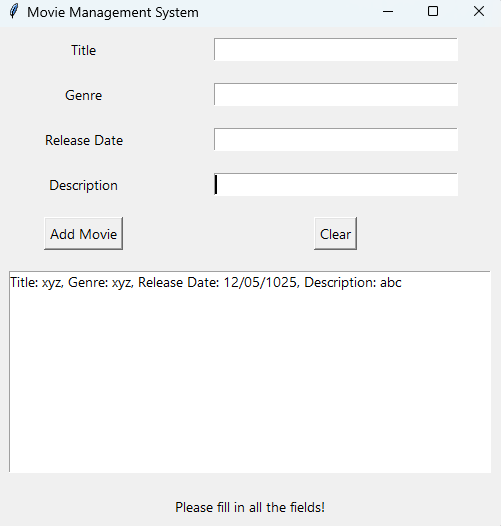
The Movie Management System comes with a graphical interface built using tkinter. Users can input new movie details, and the system will store the information in an SQLite database. The movies can be displayed and updated easily from the same interface. Below is a brief explanation of the core functionality:
- Add Movie: Users can add movie details such as the title, genre, release date, and description.
- View Movies: All stored movie records can be viewed in a list format.
- Clear Entries: The fields can be easily cleared after entering movie details.
FAQs – Movie Management System in Python with Source Code
1. What is a Movie Management System in Python?
A Movie Management System in Python is a software application designed to organize and manage movie-related information in a structured way. Instead of maintaining movie details manually, users can store information digitally and access it whenever required. Depending on the implementation, the system can manage movie names, categories, actors, directors, ratings, and other related details. It is also a useful Python project for students because it demonstrates how programming concepts can be combined to create a practical management application.
2. What are the main features of a Movie Management System?
The main features can include adding new movies, managing existing movie details, searching for movies, organizing movies into categories, and generating reports. A more advanced version can also include actor and director management, user management, ratings, and dashboard statistics. These features make it easier to organize a large collection of movies and quickly find the required information.
3. Which programming language is used for this project?
The project is developed using Python. Python is suitable for this type of management application because it provides simple syntax and a wide range of libraries for developing desktop applications, web applications, database systems, and graphical interfaces. Students can also modify the project to practice functions, classes, file handling, database connectivity, and user-interface development.
4. Can users search for movies in the system?
Yes. A movie management application can provide a search facility that allows users to find specific movies from the stored collection. Searching can be based on movie name or other available information. This feature becomes especially useful when the system contains a large number of movie records and manually checking every entry would take unnecessary time.
5. Can movie categories be managed?
Yes. Movie categories can be maintained to organize films according to different types or genres. For example, movies can be grouped into categories such as Action, Comedy, Drama, Sci-Fi, Thriller, or other classifications. Category management makes browsing easier and helps users locate movies belonging to a particular group.
- Movie Management System in Python with Source Code
- Movie Management System in Python with Source Code