Weather App in JavaScript
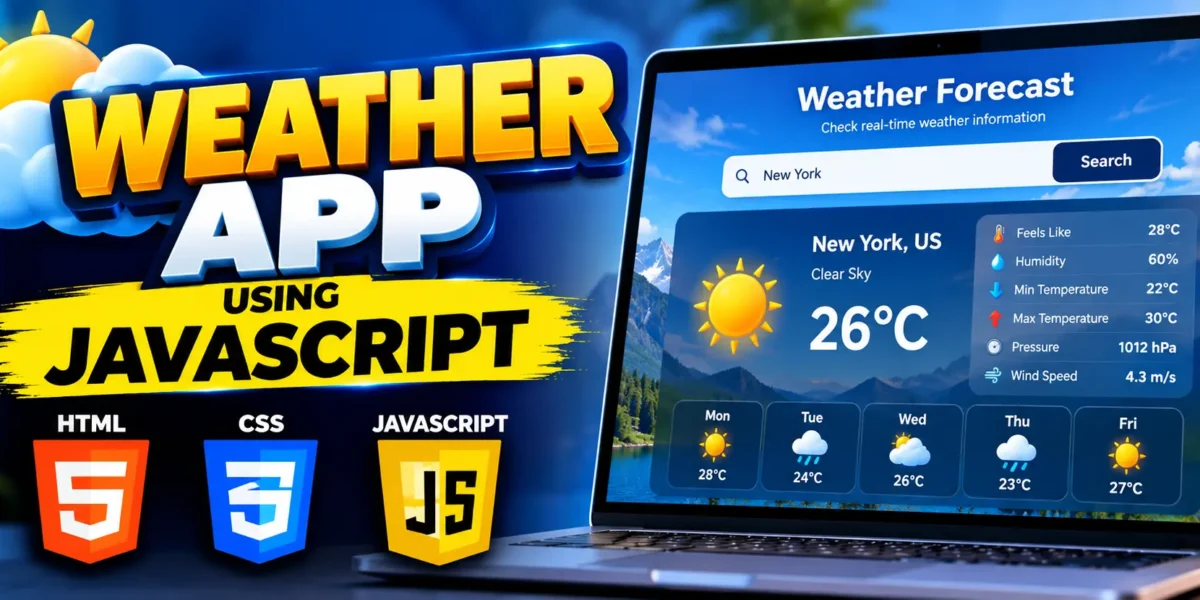
Weather App in JavaScript using HTML, CSS, and JavaScript. This project demonstrates how a web application can connect with a weather API and display real-time weather information based on the city entered by the user.
The application provides a simple and interactive interface where users can enter a city name and view important weather details such as the city name, weather condition, and current temperature.
Complete Advance AI Topics: Click Here
Real Time Projects on YouTube:- DecodeIT
Weather App in JavaScript
This project is designed for students and beginners who want to understand how JavaScript works with external APIs. It also provides practical experience with asynchronous JavaScript, Fetch API, DOM manipulation, and dynamic HTML content.
Project Overview
| Project Name | Weather App in JavaScript |
|---|---|
| Language/s Used | HTML, CSS, JavaScript |
| API | OpenWeatherMap API |
| Type | Web Application |
Available Features
- Search weather by city name
- Real-time weather data using API
- Display city name
- Display current weather condition
- Display temperature in Celsius
- Input validation
- Dynamic weather information using JavaScript
- Responsive and clean user interface
Prerequisites
Before starting the project, you should have basic knowledge of HTML, CSS, and JavaScript. You will also need Visual Studio Code or another code editor and a modern web browser.
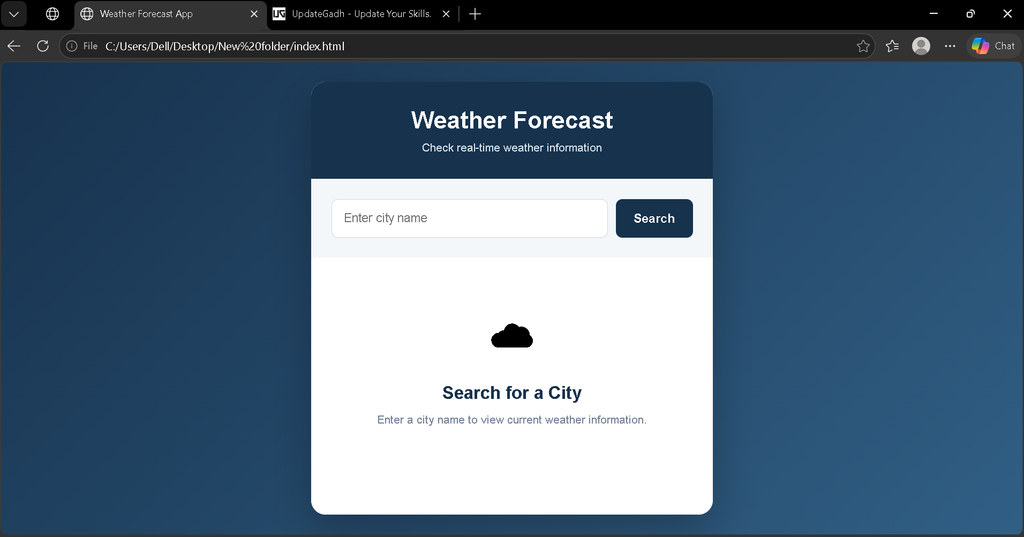
Screenshot
Project Setup
Create a folder named WeatherApp. Inside the folder, create these three files:
WeatherApp/
├── index.html
├── styles.css
└── script.js
HTML Structure
The HTML file creates the main application interface, including the city input field, search button, and weather information section.
<!-- ***** FOR MORE REAL TIME PROJECTS VISIT :- https://updategadh.com/ ***** -->

<!DOCTYPE html>
<html lang="en">
<head>
    <meta charset="UTF-8">
    <meta name="viewport" content="width=device-width, initial-scale=1.0">
    <title>Weather Forecast App</title>
    <link rel="stylesheet" href="styles.css">
</head>
<body>

    <div class="container">
        <h1>Weather Forecast App</h1>

        <div class="search-box">
            <input type="text" id="cityInput" placeholder="Enter city name">
            <button id="searchBtn">Search</button>
        </div>

        <div id="weatherInfo">
            <p class="message">Enter a city to check the weather.</p>
        </div>
    </div>

    <script src="script.js"></script>
</body>
</html>
CSS Styling
The CSS provides a clean and professional layout for the weather application. It also styles the search area and weather result card.
/* ***** FOR MORE REAL TIME PROJECTS VISIT :- https://updategadh.com/ ***** */

* {
    box-sizing: border-box;
}

body {
    margin: 0;
    padding: 0;
    min-height: 100vh;
    display: flex;
    justify-content: center;
    align-items: center;
    font-family: Arial, sans-serif;
    background: #eef3f8;
}

.container {
    width: 90%;
    max-width: 450px;
    padding: 30px;
    background: #ffffff;
    border-radius: 14px;
    box-shadow: 0 10px 30px rgba(0, 0, 0, 0.12);
}

h1 {
    margin-top: 0;
    text-align: center;
    color: #17324d;
}

.search-box {
    display: flex;
    gap: 10px;
    margin-top: 25px;
}

#cityInput {
    flex: 1;
    padding: 13px;
    border: 1px solid #ccd6df;
    border-radius: 7px;
    font-size: 15px;
}

#searchBtn {
    padding: 13px 20px;
    border: none;
    border-radius: 7px;
    background: #17324d;
    color: white;
    cursor: pointer;
}

#searchBtn:hover {
    background: #244e75;
}

#weatherInfo {
    margin-top: 25px;
    padding: 20px;
    text-align: center;
    border-radius: 10px;
    background: #f5f8fb;
}

#weatherInfo h2 {
    margin: 5px 0 10px;
    color: #17324d;
}

.temperature {
    font-size: 32px;
    font-weight: bold;
    color: #d39a32;
}

.message {
    color: #667788;
}
JavaScript Logic
The JavaScript file handles user interaction, sends the request to the weather API, processes the response, and dynamically updates the weather information on the page.
// ***** FOR MORE REAL TIME PROJECTS VISIT :- https://updategadh.com/ *****

const cityInput = document.getElementById("cityInput");
const searchBtn = document.getElementById("searchBtn");
const weatherInfo = document.getElementById("weatherInfo");

const apiKey = "YOUR_OPENWEATHERMAP_API_KEY";

searchBtn.addEventListener("click", () => {
    const city = cityInput.value.trim();

    if (city === "") {
        weatherInfo.innerHTML =
            "<p class='message'>Please enter a city name.</p>";
        return;
    }

    getWeatherData(city);
});

cityInput.addEventListener("keypress", (event) => {
    if (event.key === "Enter") {
        searchBtn.click();
    }
});

async function getWeatherData(city) {
    weatherInfo.innerHTML =
        "<p class='message'>Loading weather information...</p>";

    try {
        const response = await fetch(
            `https://api.openweathermap.org/data/2.5/weather?q=${encodeURIComponent(city)}&appid=${apiKey}`
        );

        const data = await response.json();

        if (!response.ok) {
            throw new Error(data.message || "City not found");
        }

        displayWeatherInfo(data);

    } catch (error) {
        weatherInfo.innerHTML =
            `<p class="message">Unable to find weather information. Please check the city name.</p>`;

        console.error("Weather API Error:", error);
    }
}

function displayWeatherInfo(data) {
    const cityName = data.name;
    const country = data.sys.country;
    const description = data.weather[0].description;
    const temperature = (data.main.temp - 273.15).toFixed(1);
    const feelsLike = (data.main.feels_like - 273.15).toFixed(1);
    const humidity = data.main.humidity;

    weatherInfo.innerHTML = `
        <h2>${cityName}, ${country}</h2>
        <p>${description}</p>
        <p class="temperature">${temperature}°C</p>
        <p>Feels Like: ${feelsLike}°C</p>
        <p>Humidity: ${humidity}%</p>
    `;
}
How to Run the Project
- Create the WeatherApp folder.
- Create index.html, styles.css, and script.js.
- Copy the respective code into each file.
- Create an API key for the OpenWeatherMap service.
- Replace YOUR_OPENWEATHERMAP_API_KEY in script.js with your API key.
- Save all files.
- Open index.html in your browser.
- Enter a city name and click Search.
How the Weather App Works
The user first enters a city name into the search field. JavaScript reads the entered value and sends a request to the weather API. The API returns weather information in JSON format. JavaScript then extracts the required values and dynamically displays them inside the weather information section.
The application also handles empty input and invalid city names so users receive an appropriate message instead of an empty result.
Project Benefits
- Helps understand JavaScript API integration.
- Provides practical experience with Fetch API.
- Demonstrates asynchronous JavaScript.
- Improves DOM manipulation skills.
- Provides experience working with JSON data.
- Can be extended into a more advanced weather application.
Final Thoughts
Building this Weather App in JavaScript is a useful way for students to understand how frontend applications communicate with external APIs. The project combines HTML for structure, CSS for presentation, and JavaScript for API communication and dynamic content.
Keywords: Weather App in JavaScript, JavaScript Weather App, Weather Forecast Application, Weather API Project, HTML CSS JavaScript Project, JavaScript API Project, Weather App Project,