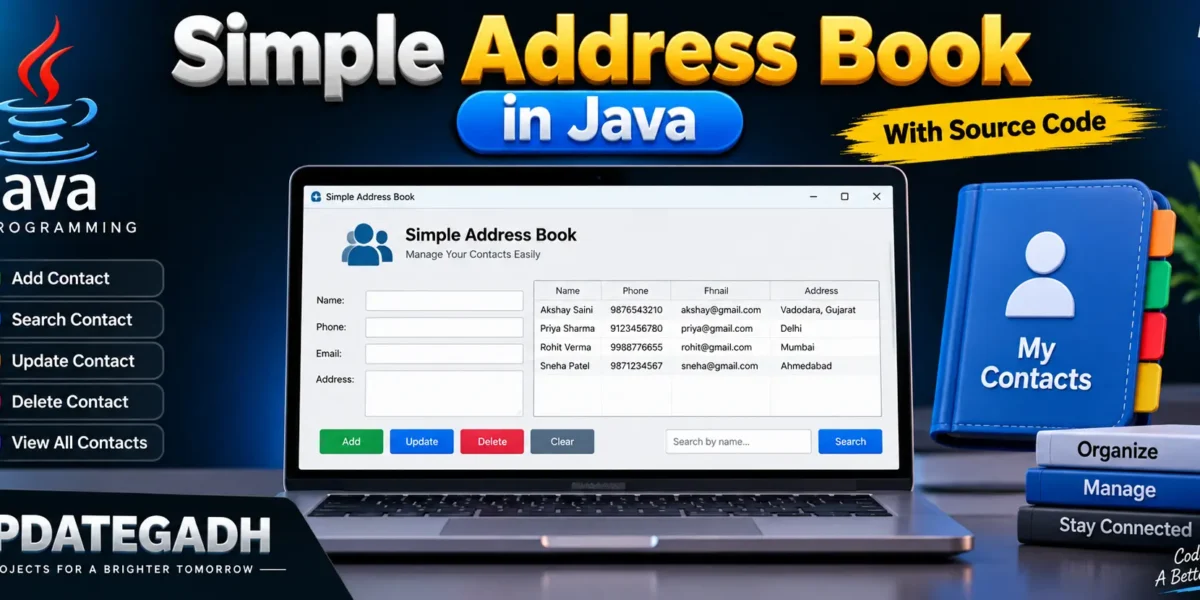
Simple Address Book in Java
Creating an address book application is a fantastic project for beginner Java developers. It introduces core programming concepts like data structures, user input handling, and file I/O. In this blog post, well walk through building a simple address book application that allows users to add, view, and delete contacts.
/Complete Advance AI Topics: Click Here
Real Time Projects:- DecodeIT
Project Overview
Our address book will consist of the following features:
- Add a new contact:A name, phone number, and email can be entered by users.
- View contacts: Users can see all the contacts stored in the address book.
- Delete a contact: Users can remove a contact by specifying the name.
- Save and load contacts: The application will save contacts to a file and load them when started.
Setting Up the Project
- Create a new Java project: Any IDE, such as Eclipse or IntelliJ IDEA, or even a basic text editor, will do.
- Create a new Java class named
AddressBook.
AddressBook Class Implementation
Heres a simple implementation of the AddressBook class:
import java.io.*;
import java.util.*;

class Contact {
    String name;
    String phone;
    String email;

    Contact(String name, String phone, String email) {
        this.name = name;
        this.phone = phone;
        this.email = email;
    }

    @Override
    public String toString() {
        return "Name: " + name + ", Phone: " + phone + ", Email: " + email;
    }
}

public class AddressBook {
    private List<Contact> contacts;
    private static final String FILE_NAME = "contacts.txt";

    public AddressBook() {
        contacts = new ArrayList<>();
        loadContacts();
    }

    public void addContact(String name, String phone, String email) {
        contacts.add(new Contact(name, phone, email));
        saveContacts();
    }

    public void viewContacts() {
        if (contacts.isEmpty()) {
            System.out.println("No contacts found.");
            return;
        }
        for (Contact contact : contacts) {
            System.out.println(contact);
        }
    }

    public void deleteContact(String name) {
        Iterator<Contact> iterator = contacts.iterator();
        boolean found = false;
        while (iterator.hasNext()) {
            Contact contact = iterator.next();
            if (contact.name.equalsIgnoreCase(name)) {
                iterator.remove();
                found = true;
                break;
            }
        }
        if (found) {
            saveContacts();
            System.out.println("Contact deleted: " + name);
        } else {
            System.out.println("Contact not found: " + name);
        }
    }

    private void saveContacts() {
        try (BufferedWriter writer = new BufferedWriter(new FileWriter(FILE_NAME))) {
            for (Contact contact : contacts) {
                writer.write(contact.name + "," + contact.phone + "," + contact.email);
                writer.newLine();
            }
        } catch (IOException e) {
            System.out.println("Error saving contacts: " + e.getMessage());
        }
    }

    private void loadContacts() {
        try (BufferedReader reader = new BufferedReader(new FileReader(FILE_NAME))) {
            String line;
            while ((line = reader.readLine()) != null) {
                String[] parts = line.split(",");
                if (parts.length == 3) {
                    contacts.add(new Contact(parts[0], parts[1], parts[2]));
                }
            }
        } catch (IOException e) {
            System.out.println("Error loading contacts: " + e.getMessage());
        }
    }

    public static void main(String[] args) {
        AddressBook addressBook = new AddressBook();
        Scanner scanner = new Scanner(System.in);
        String choice;

        do {
            System.out.println("\nAddress Book Menu:");
            System.out.println("1. Add Contact");
            System.out.println("2. View Contacts");
            System.out.println("3. Delete Contact");
            System.out.println("4. Exit");
            System.out.print("Enter your choice: ");
            choice = scanner.nextLine();

            switch (choice) {
                case "1":
                    System.out.print("Enter name: ");
                    String name = scanner.nextLine();
                    System.out.print("Enter phone: ");
                    String phone = scanner.nextLine();
                    System.out.print("Enter email: ");
                    String email = scanner.nextLine();
                    addressBook.addContact(name, phone, email);
                    break;
                case "2":
                    addressBook.viewContacts();
                    break;
                case "3":
                    System.out.print("Enter name to delete: ");
                    String deleteName = scanner.nextLine();
                    addressBook.deleteContact(deleteName);
                    break;
                case "4":
                    System.out.println("Exiting...");
                    break;
                default:
                    System.out.println("Invalid choice. Please try again.");
            }
        } while (!choice.equals("4"));

        scanner.close();
    }
}


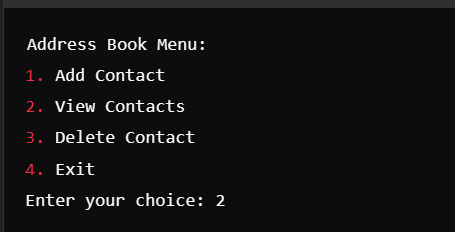


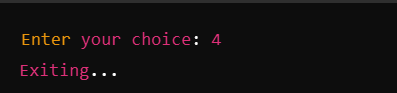
Explanation of the Code
- Contact Class: This class holds the details of a contactname, phone number, and email.
- AddressBook Class:
- List of Contacts: It maintains a list of
Contactobjects. - Methods:
addContact(): Adds a new contact and saves the updated list.viewContacts(): Displays all contacts.deleteContact(): Removes a contact and updates the file.saveContacts(): Saves contacts to a text file.loadContacts(): Loads contacts from the text file at startup.
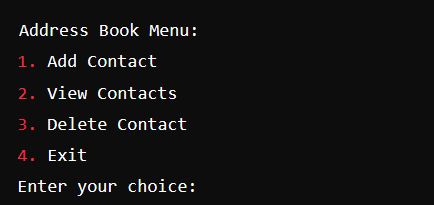
- Main Method: Gives users the ability to interact with the address book using a straightforward command-line interface.
Running the Program
To run the program, compile the Java file and execute the main method. Follow the prompts to add, view, or delete contacts.
Frequently Asked Questions (FAQ)
1. What is a Simple Address Book in Java?
A Simple Address Book in Java is a beginner-friendly application that allows users to add, view, search, update, and delete contact information using Java.
2. Which programming language is used in this project?
This project is developed using Java.
3. What information can be stored in the Address Book?
The application can store details such as name, phone number, email address, and address.
4. Is this Java project suitable for beginners?
Yes. It is a simple project that helps beginners understand Java programming concepts, user input, data handling, and CRUD operations.
5. Can contacts be updated or deleted?
Yes. Users can update existing contact details or delete contacts from the address book.
6. Can I run this project in VS Code?
Yes. The project can be opened and executed in Visual Studio Code after installing the Java Development Kit (JDK) and the required Java extensions.
7. Does the project require a database?
A basic Simple Address Book can work without a database by storing contacts during program execution. A database can be added later to make the project more advanced and persistent.
8. What can students learn from this project?
Students can learn Java fundamentals, classes and objects, collections or data structures, CRUD operations, event handling, and basic application development.